1
Test Display
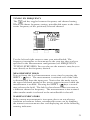
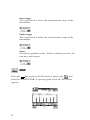
Exercises all pixels on the LCD for test purposes. Repeated
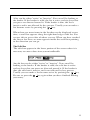
pressing of the
key sequences the display between all
pixels "on", all pixels "off", and the display test screen.
Measurements Configuration
SIGNAL LEVEL UNITS
Selects the units that will be used for all signal level measurements.
You can select between; dBmV, dBµV and dBm.
PROBE COMPENSATION
This can be used to compensate for losses associated with probe
points found on certain amplifiers. You can enter a value between
-99.9 and +99.9 dB. Probe compensation is added directly to signal
level measurements. The compensation value is indicated in the
upper left-hand corner of the measurement screens. There is no
indication, however, if the compensation value is zero.
Important
The PROBE COMPENSATION value will not affect INSTALLATION or CHANNEL PLAN BUILD mode. Level measurements
made while checking an installation are uncompensated.
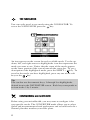
FREQUENCY TUNING STEP SIZE
This setting affects the increment/decrement step size when you
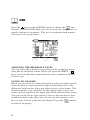
are tuning the frequency using the left and right arrows. You can
select a value between 25kHz and 100MHz in steps of 25kHz.
EDIT TEST POINTS
Your microStealth is capable of performing tests at various locations
including; SUBSCRIBER DROP, GROUND BLOCK, TAP, and
USER DEFINED (or CUSTOM). Each test point has its own set
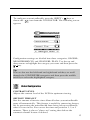
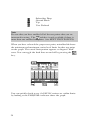
of limits that you can edit. Press the
key to edit the test points.
A list of available test points appears.
15