1
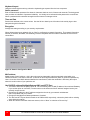
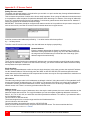
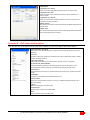
Scan settings
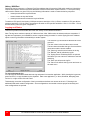
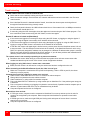
The scan settings section determines the amount of time in seconds that a computer’s video is displayed before
automatically switching to the next sequential computer. The scan mode can be turned on or off and set to
automatically scan the computers when the UltraView is powered up.
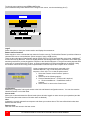
Scan time (seconds)
To change the scan time, highlight “Scan time” and press enter. An input box will display for a new value. Enter the
new scan time in seconds and press enter. Valid entries are 1 to 999.
Scan mode
This value turns scanning on or off. To change this value, select “Scan mode” and press enter. An input box will
appear. Select “On” or “Off” and hit enter.
Power on scan
Setting this value to “On” will enable scanning when the UltraView is powered on. To change this value, select
“Power on scan” and hit enter. Use the up/down arrow keys to select “OFF” or “ON” and press enter.
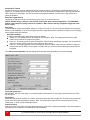
Keyboard settings
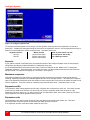
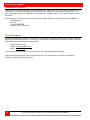
The keyboard setting section of the configure system menu is used to change the typematic rate and delay for PC
keyboards and also to set the language type for Sun keyboards.
Rate (keys/sec)
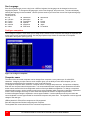
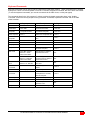
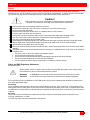
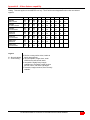
To change the rate value, highlight “Rate (keys/sec)” and press enter. An input box will appear. Choose the rate
value from Table 1 that represents the Rate keys/sec needed and press enter.
Rate
Keys/
Sec.
30.0
26.7
24.0
Rate
Value
Rate
Value
31
30
29
Rate
Keys/
Sec.
15.0
13.3
12.0
21.8
20.0
18.5
17.1
16.0
Rate
Value
23
22
21
Rate
Keys/
Sec.
7.5
6.7
6.0
28
27
26
25
24
10.9
10.0
9.2
8.6
8.0
Rate
Value
15
14
13
Rate
Keys/
Sec
3.7
3.3
3.0
20
19
18
17
16
5.5
5.0
4.6
4.3
4.0
12
11
10
9
8
2.7
2.5
2.3
2.1
2.0
4
3
2
1
0
7
6
5
Table 1. Typematic rate
Delay
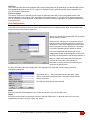
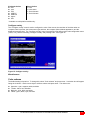
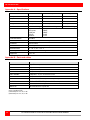
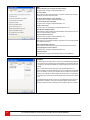
This setting is for PC keyboards only. It is used to adjust how long, after a key is depressed and held, that key starts
to repeat. To change the delay value, select “Delay” and press enter. A list box will display showing the choices
available. Use the up/down arrow keys to select the delay rate wanted and press enter.
The choices are:
Slow (1 second)
Medium (750 ms.)
Fast (500 ms.)
Fastest (250 ms.)
ULTRAVIEW REMOTE 2 INSTALLATION AND OPERATIONS MANUAL
23