1
PA G E 14
I OPERATION
f
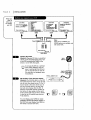
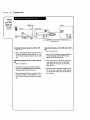
The CLock
Menu sets
the clockin
VCRto the
currenttime.
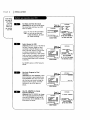
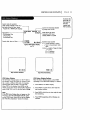
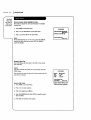
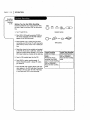
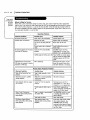
How to Access Auto Dayttght Saving
ThisVCRcan adjust the clock automaticallyfor Daylight
SavingTime.
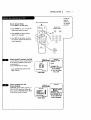
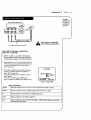
I. PressMENU to seeMainMenu.
2. PressI toseeClockMenu on theMainMenu.
CLOCKMENU
AUTO DAYLIGHT SAVlI_:ON
mON mOFF
MANUAL CLOCK Sb-I':IB
3. Press1 to choose ON on the Clock Menu.
Note:
We recommendthat you set the clock usingthe MANUAL
method the first time you useyour VCR.SeeMANUAL
option for details.
PreNnumber
keys
QUIT=exit
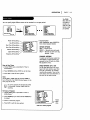
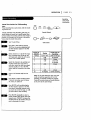
Manual Clock Set
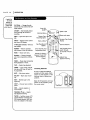
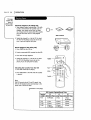
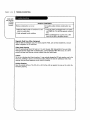
The CLOCKMenu sets the clockin the VCRto the current
date andtime.
Notes:
The clock must be set before you can record by using the
TIMER menu.
You may have-to reset the dock if a power outageLastsfor
morethan 3 seconds.
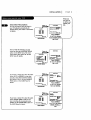
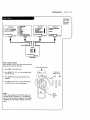
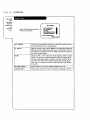
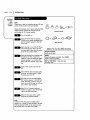
CL_KM_U
MONTH
DAY
YEAR
TIME
: O JANUARY
: 1 THU
: 1998
: 12._0 PM
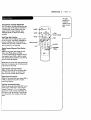
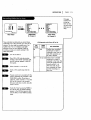
Preu number keys
then ENTER
QUIT = exit
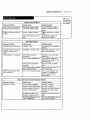
How to Set Clock
1. PressMENUto see Main Menu.
2. Press1 to see clockoptions.
t
3. Press3_to adjust your options.
4. Pressthe NUMBER(0-9) then ENTERto speciEjcurrent
date and time.
5. PressQUIT to exit the menusystem.
Typical CLOCKMenu with
date and Ume settings