1
R-82FBST English
26/08/2004
08:56
Page 15
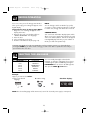
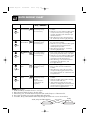
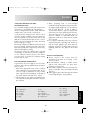
CONVECTION COOKING
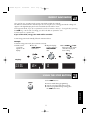
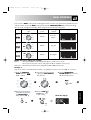
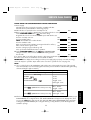
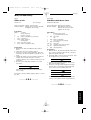
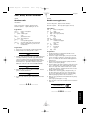
This microwave oven has 10 pre-set oven temperatures which use a combination of the top and bottom
grills.
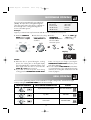
Press CONVECTION
button
1
2
3
4
5
6
7
8
9
10
Oven Temp (˚ C)
250
230
220
200
180
160
130
100
70
40
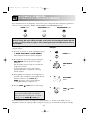
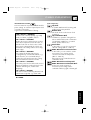
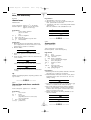
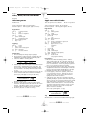
Example 1: To cook with preheating
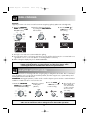
Suppose you want to pre-heat to 180° C and cook for 20 minutes at 180° C.
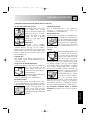
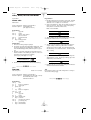
1. Rotate the COOKING
MODE dial to the
CONVECTION setting.
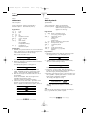
2. Enter the desired
preheat temperature
by pressing the
CONVECTION
button five times. The
display will show
180° C.
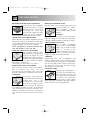
3. Press the START
/ When the pre-heated
+1MIN button once temperature has been
reached the audible
to start preheating.
signal sounds, the display
will show 180° C, open
the door and place the
food inside the oven.
Close the door.
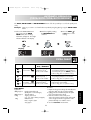
x5
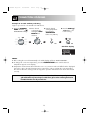
4. Enter desired cooking time by
rotating the TIME/WEIGHT
dial clockwise.
x1
5. Press the START
/
+1MIN button once
to start cooking.
Check the display.
x1
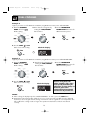
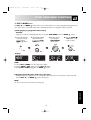
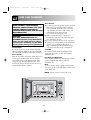
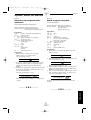
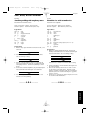
1. After preheating, if you want to cook at a different temperature press the CONVECTION button
until the desired setting appears on the display. In the example above, to change the temperature
you would press the CONVECTION button after entering the cooking time.
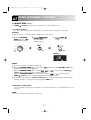
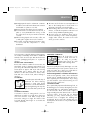
2. When the oven reaches the programmed preheating temperature, it will automatically hold at the
pre-heated temperature for 30 minutes. After 30 minutes the display will change to time of day, if set.
The selected convection programme will be cancelled.
3. After cooking the oven will automatically cool and the display will show “NOW COOLING”.
15
ENGLISH
NOTES: