1
Disassembly and Assembly
Removing the Case
This section describes how to remove the upper case and the control panel.
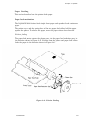
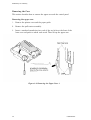
Removing the upper case
1.
Remove the printer cover and the paper guide.
2.
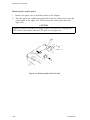
Remove the pull tractor assembly.
3.
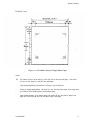
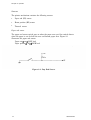
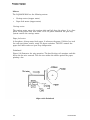
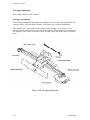
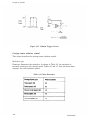
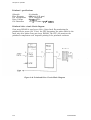
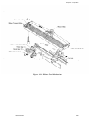
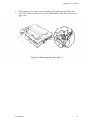
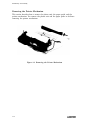
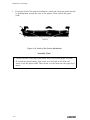
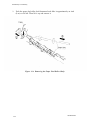
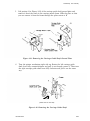
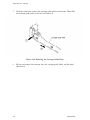
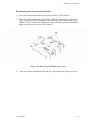
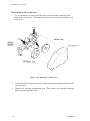
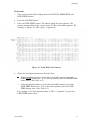
Insert a standard screwdriver into each of the two holes at the front of the
lower case and push to unlock each notch. Then lift up the upper case.
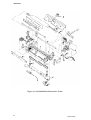
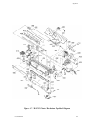
Figure 3-2. Removing the Upper Case - 1
3-8
LQ2OO/AP3000