1
Through Mode
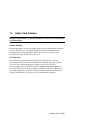
Through mode is the default operating mode. The RMC routes every character
of data between the internal system COM1 port and the active external port,
either the local COM1 serial port (MMJ) or the 9-pin modem port. If a modem
is connected, the data goes to the modem. The RMC filters the data for a specific escape sequence. If it detects the escape sequence, it enters the RMC CLI.
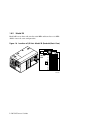
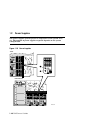
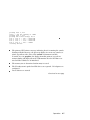
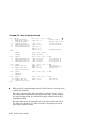
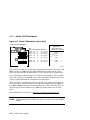
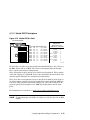
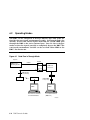
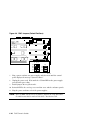
Figure 6–1 illustrates the data flow in Through mode. The internal system
COM1 port is connected to one port of the DUART chip, and the other port is
connected to a 9-pin external modem port, providing full modem controls. The
DUART is controlled by the RMC microprocessor, which moves characters between the two UART ports. The local MMJ port is always connected to the internal UART of the microprocessor. The escape sequence signals the RMC to
enter the CLI. Data issued from the CLI is transmitted between the RMC microprocessor and the active port that enters the RMC.
NOTE: The internal system COM1 port should not be confused with the external COM1 serial port on the back of the system. The internal COM1
port is used by the system software to send data either to the COM1 port
on the system or to the RMC modem port if a modem is connected.
Local Mode
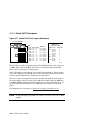
You can set a Local mode in which only the local channel can communicate with
the system COM1 port. In Local mode the modem is prevented from sending
characters to the system COM1 port, but you can still enter the RMC from the
modem.
Remote Management
6-5