1
Alerts Menu
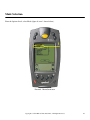
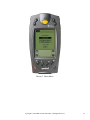
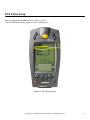
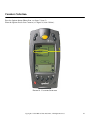
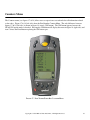
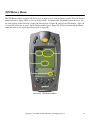
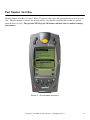
The Alerts Menu screen(see figure 23) shows a list of alerts that have been setup. This menu also allows users
to edit alerts that have already been setup, or to add or delete alerts from the list (see Item 1, Figure 23). Figure
23 shows us that No Alerts have been setup. To set up your first alert, select the Add button with your stylus
(see Item 1, Figure 23).
FIGURE 23. ALERTS MENU
Copyright © 1999-2002 US Automation Inc., All Rights Reserved.
32