1
Modifying the DA615 (S/N 131 or Higher) for Left to Right Paper Transport
Unless otherwise noted, all DA615’s S/N 131 or higher are set-up to feed from right to left only!
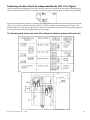
Due to the new transport pressure roller arrangement, the Paper Transport Switch (8) has been
disabled (disconnected from the Main PCB) in DA615 S/N 141 or higher.
It is recommended that a qualified Rena Service Person, make the following adjustments.
Please contact your local Rena Dealer if left to right paper transport is necessary!
•
Replace the Hold Down Sets
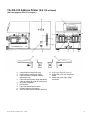
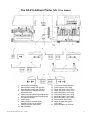
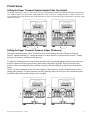
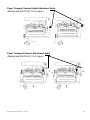
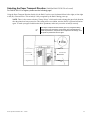
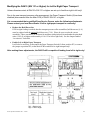
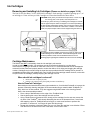
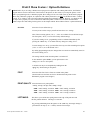
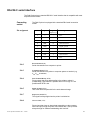
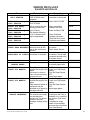
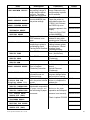
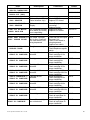
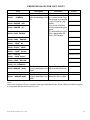
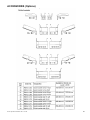
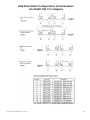
If left to right feeding is needed, then the transport pressure roller assemblies (hold down sets) (1-4)
must be replaced with the optional hold down sets (7-10). Please be sure to order the correct
assemblies. These assemblies are different for machines with pinwheels located under the print head
units. (S/N 141 or higher need assembly #11 & 12 for left to right feed.). See the chapter entitled
“Accessories” for details.
•
Enable Left to Right Paper Transport
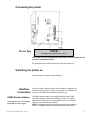
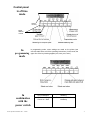
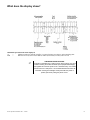
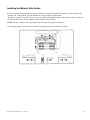
It will also be necessary to disconnect the Paper Transport Switch (8) form position JP2, or remove
the jumper at position JP2, on the Main PCB to enable left to right transport only!
After making these adjustments, the DA615 will be capable of feeding from left to right only!
Def. = Right to Left
Opp. = Left to Right
DA615 Operations Manual 3 Rev. 3/23/00
12