1
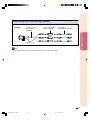
Maintenance Indicators
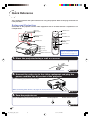
■ The warning lights on the projector indicate problems inside the projector.
■ If a problem occurs, either the temperature warning indicator or the lamp indicator will illuminate
red, and the projector will enter the standby mode. After the projector has entered the standby
mode, follow the procedures given below.
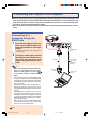
Temperature warning indicator
Lamp indicator
About the lamp indicator
Power indicator
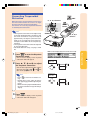
About the temperature warning indicator
If the temperature inside the
projector increases, due to
blockage of the air vents, or the
” will
setting location, “
illuminate in the lower left corner of the picture. If the
temperature keeps on rising, the lamp will turn off and
the temperature warning indicator will blink, the cooling
fan will run for a further 90 seconds, and then the
projector will enter the standby mode. After “
”
appears, be sure to perform the following measures.
Maintenance indicator
Abnormal
Normal
Condition
■ The lamp life becomes 0%, when used for
approximately 4,000 hours with “Eco
Mode” or when used for approximately
2,000 hours with “Standard Mode” (see
pages 47 and 49).
■ When the remaining lamp life becomes
5% or less, “ ” (yellow) will be displayed
on the screen. When the percentage becomes 0%, “ ” will change to “ ” (red),
the lamp will automatically turn off and
then the projector will automatically enter
the standby mode. At this time, the lamp
indicator will illuminate in red.
■ If you try to turn on the projector a fourth
time without replacing the lamp, the projector will not turn on.
Problem
• Blocked air intake
Temperature
warning
indicator
Lamp
indicator
Power
indicator
Off
Red on/
Standby
Green on Red on
Green blinks
when the
lamp is
Red on/
warming up. Standby
Green on/
Red on
Red blinks
Possible Solution
• Relocate the projector to an area
with proper ventilation. (See page 7.)
• Clean the air filter of the projector.
(See page 61.)
The internal
temperature is
• Take the projector to your nearest
abnormally high. • Cooling fan breakdown
Sharp Authorised Projector Dealer
• Internal circuit failure or Service Centre for repair.
• Clogged air intake
Time to change
the lamp.
The lamp does
not illuminate.
The power
indicator blinks
in red when the
projector is on.
• Carefully replace the lamp. (See
• Remaining lamp life
page 55.)
becomes 5% or less. • Take the projector to your nearest
Sharp Authorised Projector Dealer
or Service Centre for repair.
• Burnt-out lamp
• Please exercise care when
• Lamp circuit failure
replacing the lamp.
• The filter cover or
lamp unit cover is
open.
• Securely install the cover. If you
want to turn the projector on
afterwards, you need to unplug
and then plug the power cord in
again to reset the projector.
• If the power indicator blinks in red
even when the filter cover and
lamp unit cover is securely
installed, contact your nearest
Sharp Authorised Projector Dealer
or Service Centre for advice.
-52
XV_Z10E_E_p52_62.p65
52
03.11.7, 4:19 PM