1
BUTTONS:
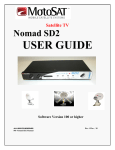
NOMAD 2 UNIVERSAL CONTROLLER “FRONT” PANEL
POWER: (Provides power to the Nomad 2 Controller)
FIND: (Find Satellite)
Pressing the Find button will begin the dish “search” to locate and lock onto the
“main” satellite.
For non-skewable single LNB dishes pressing the Find button, while on satellite
enables you to switch between multiple satellites. Pressing the find button, while
locked onto a satellite, will go to the next satellite in order such as:
• DIRECTV will toggle between 101 and 119.
• Dish Network will toggle between satellites 110 and 119.
• Dish Network International East will toggle between satellites 61.5, 110, and
119.
• Dish Network International West will toggle between satellites 110, 119 and
148
• Dish Network High Definition will toggle between satellites 110, 119 and 129
(Note: You must have a High Definition receiver to receive the High
Definition signals)
• Bell ExpressVu will toggle between satellites 82 and 91.
Programming Services and their Assigned Satellites
1. Dish Network – Can use satellite(s) 110 & 119 [also 61.5 and 148]
2. DIRECTV – Can use satellite(s) 101, 110 and 119 (110 takes a
special LNB which is included with the Skewable MHDTV
System)
3. Bell ExpressVu – Can use satellite(s) 82 & 91
STOW: (Stowing the Dish)
Pressing this button returns the dish to its stowed or travel position.
6