1
Choosing Best Option with Data Exchange Wizard
Chapter 3 Using CardScan Data in Microsoft Outlook and
other Desktop Applications
CardScan enables you to copy contacts to and from your favorite contact manager or personal
information manager (PIM). CardScan provides several data-exchange options. To choose the
optimal option for your contact manager, use the Data Exchange Wizard.
Choosing Best Option with Data Exchange Wizard
NOTE: The following example describes how the Data Exchange Wizard assists the
users whose contact manager is Microsoft Outlook. If you use a different
contact manager, simply provide the Wizard with your information, and it will
guide you to the option that is right for you.
Example: Microsoft Outlook. To choose the option that suits you best, follow
these steps:
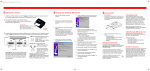
1. To use the Data Exchange Wizard, start CardScan, choose File→Data Exchange, and
choose Wizard from the Data Exchange menu. This screen appears:
2. Make sure the first option is selected, and click Next.
3. On the screen that follows, select your version of Outlook, and click Next. The wizard suggests
that you use CardScan Synchronization.
CardScan Getting Started
3-1