1
English
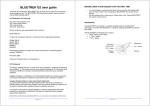
Get started...
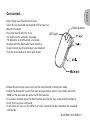
• Fully charge your headset for 2 hours.
• Select the ear bud and ear hook that fit for your ear.
• Wear the headset.
• Press the main button for 5 sec.
LED light
You will hear the welcome message :
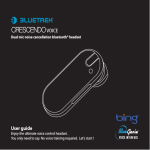
“Hi, Welcome to the Bluetrek Crescendo
headset with the BlueGenie Voice Interface.
To get started you’ll need to pair your headset.
Click the main button to enter pair mode.”
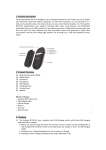
Main button
• Follow the instruction, press once on the main button to enter pair mode.
• Enable the Bluetooth® search function on your device. Select “Crescendo” and enter
“0000” as the passcode to contact with the headset.
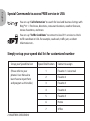
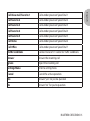
• To use voice control, press the Main Button, wait for the “Say a command” prompt to
finish, then say your command.
• At any time you can use the “What Can I Say” command to be remember the available
commands.
BLUETREK CRESCENDO I 1