1
Condre, Inc.
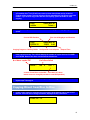
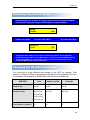
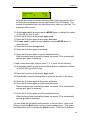
10. Press the Mode button until the number of the first track you wish to load
appears. For example, if you want to load track number 9 as the first track
in your compilation of tracks, press the Mode button nine times to display
the number 9. For example:
Begin Track
[+]
9
[Q]
11. Press the Go button to indicate that you want the copy process to start at
the beginning of track number 9.
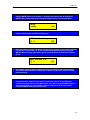
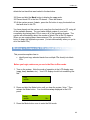
12. When end track is displayed in the LCD panel, press the Go button again
to indicate that you want to copy just the one track:
End Track
[+]
9
[Q]
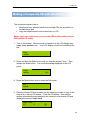
In this example, we have just identified track 9 as the first track to be copied
to the selected partition of the hard disk. The LCD will redisplay track 0, and
it will indicate the number of minutes that the first track occupies in the
partition. The identified track (track 9) occupies four minutes, thirteen
seconds of the partition on the hard drive:
Begin Track
[+]
0
04:13
[Q]
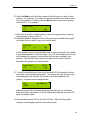
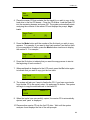
13. To copy the identified track from the first master CD to the partition on the
hard drive, press the Go button again. The system will copy the track and
the display panel will indicate the number of minutes loaded into the
partition, as shown in the example below:
Edit
L0038
AA 38M04:13
When the system has finished loading the selected track you will hear a
three-tone beep, the master CD will be ejected automatically, and the LCD
panel will display “pass.”
14. Place another master CD into the first CD drive. Wait until the system
analyzes it and displays the first of the edit prompts:
13