1
Condre, Inc.
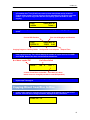
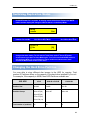
1.2 HDD Partition Size See Changing HDD Partition for more detail.
Press MODE button to change.
Auto: controller will select partition size based on drives installed.
DVD Dual Layer Drive:
9.6G
DVD Single Layer Drive: 4.8G
CD:
850M
Default: Auto
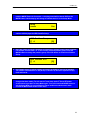
1.3 HDD Partition Group See Changing HDD Partition for more detail.
Partition groups differ on the capacity of the hard drive installed in your unit.
Press the MODE button to change the Partition Group. Press GO to confirm.
Default: A
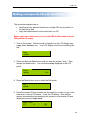
1.4 HDD Partition See Changing HDD Partition for more detail
Select partition to be loaded to or copied from. Press the MODE button to change
the Partition Group. Press GO to confirm.
Default: A
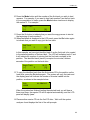
1.5 Start Writers
This controls the number of writers that will be copying. This should normally
equal the number of writers installed. However, if you wish to only use 2 out of 4
writers for example, then you can select 2 here the remaining 2 will be ignored
during duplication. Press the MODE button to change the setting. Press GO to
confirm.
Default: Number of CD/DVD writers installed in the unit.
1.6 Write Method
Choose Disc-At-Once or Track-At-Once. Track-At-Once is normally used only
when mixing multiple tracks via the controller. We recommend leaving this at
Disc-At-Once. Press the MODE button to change the setting. Press GO to
confirm.
Default: Disc at Once
1.7 CD Write Speed
This setting controls the disc to disc writing speed for CD. Lowering the speed
will ease duplication of troublesome masters. You may also lower the speed to
allow use of older or slower-rated recordable media. Press the MODE button to
change the setting. Press GO to confirm.
Default: 32X
1.8 HD to CD Write Speed
21