1
N4 User Guide.book Page 7 Wednesday, March 5, 2003 10:07 AM
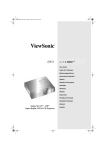
Back View
RGB INPUT
Using the 15-pin
VGA cable
provided, connect
one side to the
VGA output on
your PC and the
other side to the
RGB INPUT of
your N4.
DC IN
Connect to a
12V power
supply
RGB OUTPUT
Connect your 15-pin
monitor connector to
the RGB OUTPUT.
S-VIDEO INPUT
Connect the external S-Video to
the S-VIDEO INPUT port.
RF IN (VHF/UHF)
Connect to antenna or cable TV
signal.
VIDEO IN
Connect the external video from a DVD, VCR, CD,
IRD, camera, or video game.
AUDIO IN R-L
Connect the external AUDIO IN to the N4.
AUDIO IN
Connect the audio cable from your PC sound card to the AUDIO IN
port on the N4.
AUDIO OUT
Connect the AUDIO OUT to your PC speakers.
ViewSonic NextVision N4
7