1
4 Operation
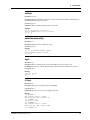
Telnet Interface
Telnet is a standard Internet protocol that allows a remote connection between two systems connected to a
TCP/IP network such as the Internet. The MR9600 can be managed remotely by using Telnet. Telnet can
give the user access to all management functions through the command line interface.
There is an inactivity timer associated with the Telnet session. If there is no activity for 10 minutes, then
the Telnet session will close.
Web Browser Interface
The MR9600 can be monitored and controlled from a World Wide Web browser such as Netscape
Navigator version 2.0 or later, or Microsoft Internet Explorer version 3.0 or later.
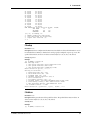
Two interfaces are available: an HTML framed interface (in which the browser screen is split into separate
frames) and a non-framed interface. To use the framed interface, type the following URL in your browser’s
URL entry line and press ENTER:
http://111.222.333.444/mmm/main.html
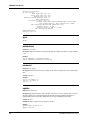
For the non-framed interface, use the following URL:
http://111.222.333.444/mmm/standard.html
In both examples, 111.222.333.444 represents your card’s IP address.
Logging In
Whenever you access the MR9600 for the first time during a browser session, you will be prompted for a
user ID and password. You must log in as someone of security level operator or higher to get access to the
Web interface.
Both the framed and the non-framed interfaces present logged-in users with a list of available views
(Framed or Standard), a list of operations, and a list of information views. These are all available via
hypertext links.
Getting Modem Information
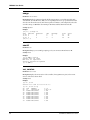
In each interface the same information is available in table format. There are tables of information about
modems, calls on modems, modem and system faults, and system version. In the framed version these
tables appear in frames on a single HTML page; in the non-framed version each table appears on a
separate HTML page.
Controlling Modems
In either interface, the user can reset modems, set modems in or out of service, and configure modems.
When the user selects the hot link for an operation, a form appears in which the user can enter in list
format (e.g., 1A:3C,15B) the modems that are to have the desired operation performed on them. The
operation is performed when the user selects the action button (e.g., Config if the user is configuring
modems).
CommPlete Communications Server
17