1
Installing and Configuring the QLogic HBA and v8.x-Series Driver
◆
ql2xlbType: defines the load balancing method for the driver. If
set to 0, then all LUNs will be exposed on the first active path. If
set to 1, then the load will be balanced across all active optimized
controller ports.
◆
ql2xexcludemodel: defines HBA models to be excluded from
being marked as available for failover functionality.
◆
recoveryTime: defines the recovery time in seconds required
before commands may be sent to a target device after a failback is
performed.
◆
failbackTime: defines the delay in seconds before a failback is
performed to ensure that all paths are available
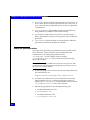
Setting the parameter values
The values of the general driver parameters may be modified at the
driver load time. This modification may be performed at the
command line or by adding the parameters to the
/etc/modprobe.conf file on RHEL 4.0 hosts and the
/etc/modprobe.conf.local file on SLES 9 hosts and including
them in the ramdisk.
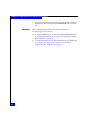
Note: When attaching to CLARiiON and Symmetrix Storage Arrays, EMC
recommends that the ConfigRequired and ql2xfailover parameters be set to
zero in the /etc/modules.conf file.
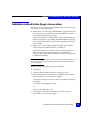
◆
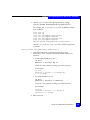
To load the QLogic driver onto the system with the parameters at
the command line, use:
modprobe qla2300 ConfigRequired=0 ql2xfailover=0
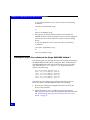
◆
In order for the modular driver to be loaded at boot time with
these parameters set to 0, a separate options line needs to be
added to the /etc/modprobe.conf file on RHEL 4.0 hosts and the
/etc/modprobe.conf.local file on SLES 9 hosts.
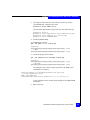
1. Edit the file appropriate for the distribution being used.
• For Red Hatdistributions, edit:
vi /etc/modprobe.conf
• For SuSE distributions, edit:
vi /etc/modprobe.conf.local
50