1
SETUP & PROGRAMMING - CONSUMER MODE, CONTINUED
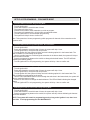
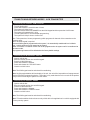
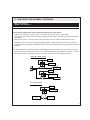
Dome Light Delay/Theater Lighting Programming
The system can be programed to delay arming after the lock button is pressed (60 second max) for vehicles
with a dome light delay or theater dimming feature. Once programed the system will ‘learn’ the timing of the
dome light delay and add 2 seconds before arming.
1. Close all doors with ignition off.
2. Using the transmitter press LOCK, UNLOCK, LOCK ,UNLOCK, LOCK , UNLOCK, LOCK. The LED will light
solid to indicate the system has entered DOME DELAY LEARN MODE.
3. Immediately OPEN then CLOSE the door WITHOUT disarming the system. The system will then monitor the
door trigger wire. Once the dome light turns off, the system will then add 2 seconds and then exit the
learning mode.
4. The LED will begin to flash indicating the system has exited the learning mode and is now armed.
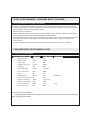
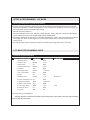
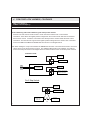
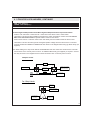
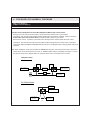
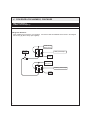
CONSUMER MODE PROGRAMMING GUIDE
Transmitter Programming Bank
Feature Programming Bank
1 LED Flash
2 LED Flashes
1. Security Function
ON
OFF
2. Passive Locks
Passive
Active
3. Silent Choice
ON
OFF
4. Passive/Active Arming
Passive
Active
5. Siren/Horn
Siren
Horn
6. Door Trigger Delay
Instant
15 Second
7. Arm 2 Input Polarity
NEG
POS
8. Chirps
ON
OFF
9. Extended Locks
0.9 sec.
3 sec.
10. Ignition Controlled Locks ON
OFF
11. Dk Blue Wire Output
Trunk
ITS Function
12. Disarm 2 Input Polarity
NEG
POS
13. Horn Output Timing
16mS
40mS
14. Real Panic Sound
ON
OFF
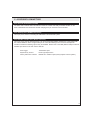
3 LED Flashes
Dbl pulse U/L
72mS
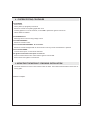
Note: Default settings are in BOLD print.
Changing option #11 to ITS Function changes the functionality of the entire system, refer to the ITS Functionality
section on page 22 of this manual.
4