1
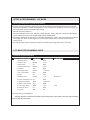
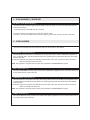
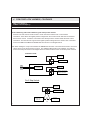
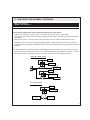
TRANSITIONING BETWEEN MODES - ACM TRANSMITTER, CONTINUED
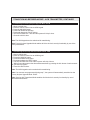
Transitioning into Factory Keyless Upgrade Mode - BLUE
1.
2.
3.
4.
5.
6.
7.
Open a vehicle door.
Enter the vehicle number into an ACM keypad.
Press the UNLOCK button.
Press and release the # button.
Press and release the “BLUE” button.
The LED will flash blue 1 time and the system will chirp 3 times.
Close the vehicle’s door.
Note: The ACM keypad must be authorized for transitioning.
Note: Factory Keyless Upgrade Mode enables all of the device’s security functionality by use of the
factory transmitters.
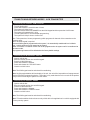
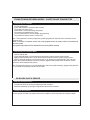
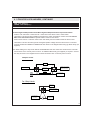
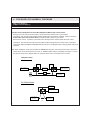
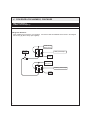
Transitioning into Security with Transmitters Mode - RED
1. Open a vehicle door.
2. Enter the vehicle number into an ACM keypad.
3. Press the UNLOCK button.
4. Press and release the # button.
5. Press and release the “RED” button.
6. The LED will flash red 1 time and the system will chirp 3 times.
7. Within 5 seconds program the aftermarket transmitter by pressing the lock button of each transmitter you wish to program.
8. Close the vehicle’s door.
Note: The ACM keypad must be authorized for transitioning.
Note: If no remotes are programmed during step 7, the system will automatically transition into the
Factory Keyless Upgrade Mode - BLUE
Note: Security with Transmitters Mode enables all of the device’s security functionality by use of
aftermarket transmitters.
8