1
Ethernet
The Ethernet connection takes a standard network cable and should be on the same network as
your automation to simplify program transfers. However, the Ethernet is not required to schedule
playback events. To communicate to the receiver, a computer must be connected to the same
network subnet as the receiver. If that network can access the Internet, the receiver can
communicate back to the uplink server. The main function of this is to insure you have an error
free file. Remember, if a file loses some packets during transmission, the communication through
the Internet back to the uplink server to retrieve those packets and complete the file and can
only happen if the AMR-100 has access to the Internet.
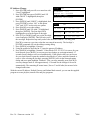
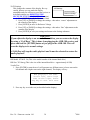
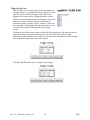
The Ethernet address or, more accurately, the IP address of the receiver should be set to
something compatible with your local network. The default address is assigned by DHCP
(Dynamic Host Configuration Protocol). If your network administrator wants to assign a specific
address, that must be done by the front panel. A one or two digit subnet addresses should have
leading 0’s. For Example: 192.168.1.20 should be entered as: 192.168.001.020.
WARNING
If you put in an IP address manually, you must also put in the subnet mask and
the default gateway. If not, you cannot exit the IP Address menu.
DHCP Server reboot
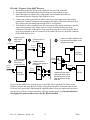
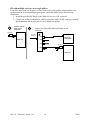
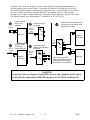
If you use DHCP to set your IP Address and you have a power failure or your DHCP router or
server reboots, your IP Address to your AMR-100 can change. If you are using the Amb-OS
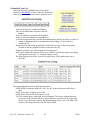
Utility, you will need to verify the IP Address is the same as the setting Amb-OS Utility. If the
AMR-100 changed its IP Address as a result of the reboot (power loss or a reboot), you will need
to change the Amb-OS Utility to match the new IP Address of the AMR-100.
Rev. 36 – Firmware version 1.61
21
©
2008