1
Chapter 3 – Using the Web Management Software
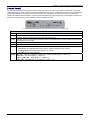
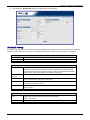
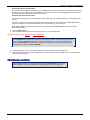
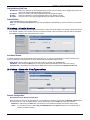
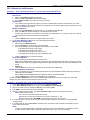
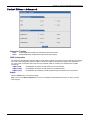
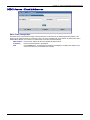
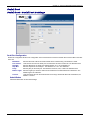
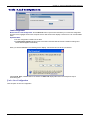
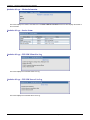
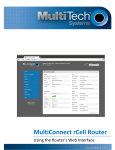
Screen Parts
109B
Menu Bar
Submenu Title
Submenu List
Screen Buttons
Screen Name
Screen Input
Area
Screen Buttons
10B
Home: Click this button to return to the Home screen.
Wizard Setup: Click this button to display the Wizard Setup screen on which you can quickly set up your MultiModem
rCell Router with basic configuration settings.
Logout: Click this button to Logout and return to the login screen.
Help: Click this button to display the Help text.
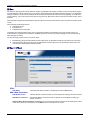
Submenus
1B
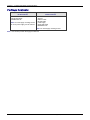
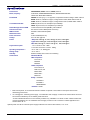
The submenus display on the left side of the screen.
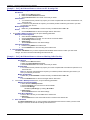
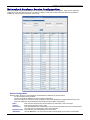
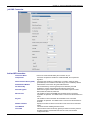
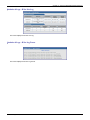
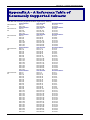
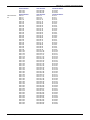
The following table shows the sub-menu selections under each main menu category.
IP Setup
PPP
Networks &
Services
Packet Filters
GRE
Tunnels
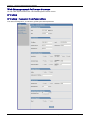
General Configuration
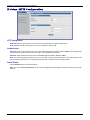
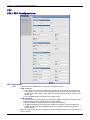
HTTP Configuration
DDNS Configuration
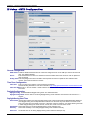
SNTP Configuration
Static Routes
Remote Configuration
PPP Configuration
Wakeup on Call
Power On Config
Modem Commands
Network Configuration
Service Configuration
Packet Filters
DNAT Configuration
Advanced
GRE Tunnels
GRE Routes
DHCP Server
IPSec
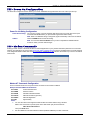
Serial Port
Tools
Statistics
& Logs
Subnet Settings
Fixed Addresses
Add IKE Connection
Add Manual Connection
Serial Port Settings
Serial Port Configuration
Client Settings
TCP/UDP-Client Configuration
Server Settings
TCP/UDP-Server Configuration
Tools
Firmware Upgrade
Load Configuration
Save
Configuration
Multi-Tech Systems, Inc. MultiModem rCell User Guide
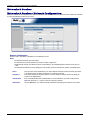
Ethernet
PPP
PPP Trace
SysInfo
DHCP Statistics
GRE Statistics
Modem Info
Service Status
TCP/UDP Client Live Log
TCP/UDP Server Live Log
IPSec Live Log
IPSec Log Traces
21