1
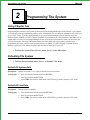
Programming The System
IMI66–094
Tracker Options
Description:
If you equipped your system with the Tracker Pager feature, you need to program these options.
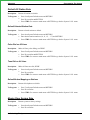
To Program: 1. Press 15 on System Options menu and RETURN
2.
Press 1 to enable Tracker
3.
Press 2 to disable Tracker
4.
Press 3 to display the number of Tracks
5.
Press 4 to clear the number of Tracks.
System Speed Dial
Description:
The system speed dial is a system-wide list of numbers that all users can access for automatic
dialing. Those users with two-line display LCD speakerphones can scroll through the list of
names that you assign to the system speed dial numbers using their speakerphone's display. After
scrolling through the list, they can pick the name they wish to call, and automatically dial the
number assigned to the name. The system scrolls this index of names in the sequence that you or
the attendant sorted the entries; therefore, be sure to arrange the entries in a sequence that best
meets the system user's needs.
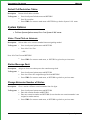
To Program: 1. Press 16 on System Options menu and RETURN
2. Enter Location (01-99)
3. Enter Preselect (Lines L1-L24, Line group G1-G4, I for Intercom, or P for Prime)
4. Enter Digits (MAX 32):
Visual Voice Mail
Description:
Visual Voice mail (VVM) support provides proprietary, two-line display LCD speakerphone
stations with visual messages and interactive buttons. This message and button functionality
enhances the station’s use with Voice Processing (VP) equipment.
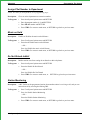
To Program: 1. Press 17 on System Options menu and RETURN
2.
Enter 1 to Enable VVM Feature, 0 to Disable
System Options – 13