1
Administrator Procedures
INTER-TEL® CS-5200/5400 ADMINISTRATOR GUIDE, ISSUE 1.0 – April 2005
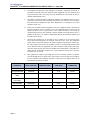
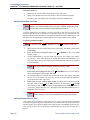
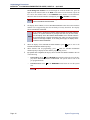
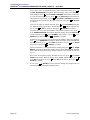
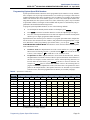
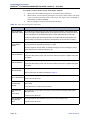
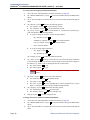
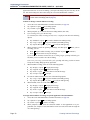
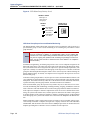
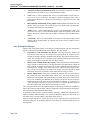
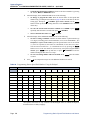
ARS, press 1 or the YES menu button to enable the option. Or, press 2 or
the NO menu button to disable it. Then press # or ACCEPT to continue.
3.) Subject to toll restriction: To program the trunk group Subject to Toll Restriction option, press 4 or the SUBJECT TO TOLL menu button. When the display shows SUBJECT TO TOLL, press 1 or the YES menu button to enable
the option. Or, press 2 or the NO menu button to disable it. Then press #
or ACCEPT to continue.
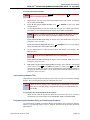
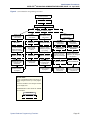
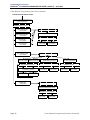
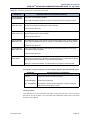
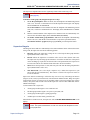
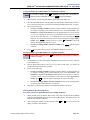
Trunk List: To program the list of trunks for the trunk group, press 6 or the
TRUNK LIST menu button. When the display shows ENTER TRUNK EXTENSION, enter trunks into the list as follows:
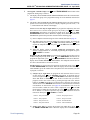
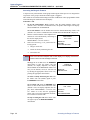
1.) Enter a trunk extension using one of the methods described on page 27.
2.) The display shows the extension number and a Yes/No prompt. Press 1 or
the YES menu button, followed by # , to include the trunk in the list. Or,
press 2 or the NO menu button, followed by # , to exclude the trunk from
the list.
3.) When the display returns to ENTER TRUNK EXTENSION, select another
extension number. Or, if finished programming the trunk list, press # or
ACCEPT to continue.
c.
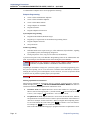
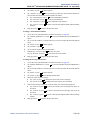
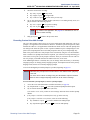
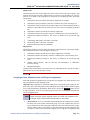
To exit, press # or ACCEPT to move backward through the prompts until you
reach the ENTER DATABASE OPTION prompt.
6.
When finished with all programming, press # while the ENTER DATABASE
OPTION prompt is displayed. This ends the programming session.
7.
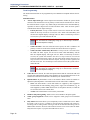
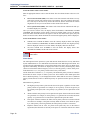
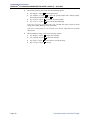
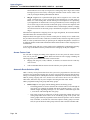
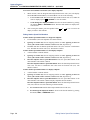
If a system reset is required, the display shows ENTER SYS RESET OPTION. Do one
of the following:
•
•
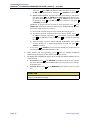
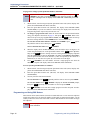
Delayed Reset: Press 1 or the DELAYED menu button to delay the reset. The display shows DELAYED RESET SCHEDULED. The system will be reset at the preprogrammed time.
Immediate Reset: Press
now.
2
or the IMMEDIATE menu button to reset the system
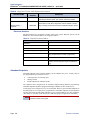
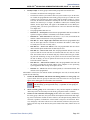
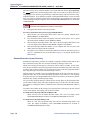
CAUTION
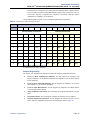
Possible interruption of calls in progress. When the system is Reset, all calls in
progress are dropped immediately.
Page 30
Trunk Programming