1
00-UP-800/810(Basic)-Body 07.6.15 5:41 PM Page 10
Item Entries (for EAN)
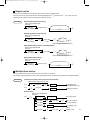
Single item entries
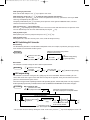
Scan the EAN code. You can also directly enter the code and press the s key.
Procedure
Scan EAN code
Ä
EAN code
(max.18 digits)
s
Repeat entries
You can use this function for entering a sale of two or more the same items.
You can use the è key to repeat entry instead of s key. Also, you can repeat item entry from a menu
screen by pressing the è key.
Procedure
Scan EAN code
Ä
EAN code
(max. 18 digits)
s
è
s
Repeat the desired number of times.
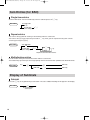
Multiplication entries
Use this feature when you need to enter two or more the same items.
This feature helps you when you sell a large quantity of items or need to enter quantities that contain decimals.
Procedure
Q ’ty
x
EAN code
Ä
s
EAN entry
EAN entry
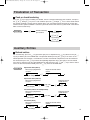
Display of Subtotals
Subtotal
Press the s key at any point during a transaction. The sales subtotal including tax will appear in the display.
Procedure
s
At any point during
a transaction
10