1
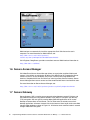
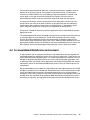
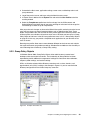
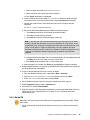
Figure 5-6 Enabling User Group Policy loopback processing
Table 5-1 lists some suggested Group Policy Object settings to control the user’s desktop and
secure your terminal server. Review the online help in the Microsoft Management Console for
a detailed explanation of these settings.
Table 5-1 Terminal Server Group Policy Object setting
Policy
Value
Computer Configuration
Windows Settings\Security Settings\Local Policies\Security
Options\Interactive Logon:Do not display last user name
Enabled
Administrative Templates\Windows Components\Windows Explorer\Hide
these specified drives in My Computer
Enabled, Restrict A, B,
C and D only
Administrative Templates\Windows Components\Terminal Services\Set
path for TS Roaming Profiles
Enabled, set path to
roaming profile directory
Administrative Templates\System\Group Policy\User Group Policy
loopback processing mode
Enabled, mode setting
of Replace
Administrative Templates\System\User Profiles\Delete cached copies of
roaming profiles
Enabled
User Configuration
Administrative Templates\Start Menu & Taskbar\Remove common
program groups from Start Menu
Enabled
Administrative Templates\Start Menu & Taskbar\Remove Run menu from
Start Menu
Enabled
Administrative Templates\Start Menu & Taskbar\Add Logoff to the Start
Menu
Enabled
Chapter 5. Installing and configuring the software
41