1
MoBL-USB Development Kit Firmware Examples
8.1
Method to Verify the Code Example Functionality
The code examples provided with the kit can be verified using MoBL-USB FX2LP18 development
board provided with the kit. There are different types of firmware download mechanism for MoBLUSB FX2LP18 devices. After firmware was successfully downloaded the MoBL-USB FX2LP18
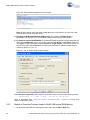
device re-enumerates and prompts for a relevant windows USB driver. The user needs to bind to the
appropriate cyusbxxx.inf and cyusb.sys files provided with the kit. Finally when the driver binding is
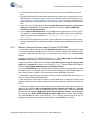
complete relevant PC tools can be used to test the firmware functionality. To demonstrate each of
these code examples the entire process is divided into various stages for each example.
8.2
hid_kb Code Example
This example describes the implementation of a 4-button Virtual HID Class keyboard using the
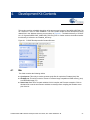
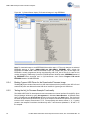
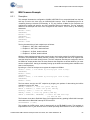
MoBL-USB FX2LP18 development kit board. Open hid_kb.Uv2 project file in Keil uVision2 IDE.
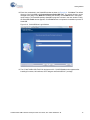
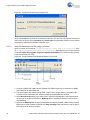
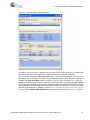
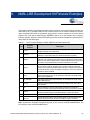
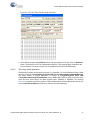
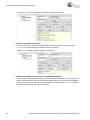
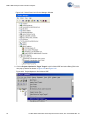
Figure 8-1 provides the project snapshot in the IDE.
Figure 8-1. hid_kb Project View in keil uVision2 IDE
The firmware example detects if any of the four push buttons are pressed (on the development
board) and sends relevant fixed data to the Host PC. For the HID class devices such as keyboard,
Mouse, the USB bandwidth requirements is typically 64 KB/sec. Most of the HID devices are either
low-speed or full-speed devices. Due to this low data rate requirements of the device, only the endpoint EP1(64 byte buffer) is selected for both IN and OUT interrupt transfers. The high-speed data
endpoints EP2, EP4, EP6, and EP8 are disabled as shown in the following code snippet:
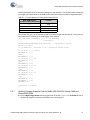
EP1OUTCFG = 0xB0; // valid, interrupt OUT, 64 bytes, Single buffered
EP1INCFG = 0XB0; // valid, interrupt IN, 64 bytes, Single buffered
EP2CFG = EP4CFG = EP6CFG = EP8CFG = 0; // disable unused endpoints
For a typical HID device, the data related to events like button press, key strokes, mouse clicks are
transferred to Host in the form of Input Reports using an Interrupt IN endpoint. Similarly, the Reports
can be requested by Host PC using control endpoint or an Interrupt OUT endpoint. The firmware
60
CY3687 MoBL-USB FX2LP18 Development Kit User Guide, Doc. # 001-68582 Rev. *B