1
Setting
1.
2.
3_
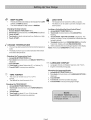
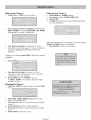
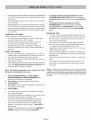
the Timer/s
Clearing the Timer/s
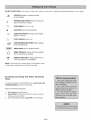
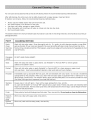
Touch TIME andTIMER I wil!
be displayed.
1.
TouchTIMEonce,
2.
3,
4.
Turn knob to selectCLEAR TIMER 1(2),
Touch TIME.
If TIME pad is not touched, range will beep and display
will continue flashing.
iiiiiiiiiiiiiiiiiiiiiiiiiiiiiiiiiiiiiiiiiiiiiiiiiiiiiiiiiiiii
¸iii
iiiiiiiiiiiiiiiiiiiiiiiiiiiiiiiiiiiiiiiiiiiiiiiiiiiiiiiiiiii
¸i i] i Z
Turn counterclockwise and TIMER 2 will be displayed,
Select TIMER i or 2, then push TIME. SET TIMER
I (2) appears in display'. Minutes flash.
Turn knob to the rightto increaseby 1 minute
incrementsor left to decreaseby 1 minute increments,
Continuetoturn knob until
desiredminutesare
displayed.
When the specified
time has elapsed,the control beeps,
TIMER i (2) END flashesin the display.
1. Touch TIME to return to main screen,
If setting only minutes, press START, Otherwise, continue
to step 4.
4.
Touch TIME again and the hours will flash.
5. Turn knob to the rightto increaseby i hour
incrementsor left
to decreaseby 1 hour increments
until
desiredhours are displayed.
6. Touch TIME again,The TIMER is now set.
If TIME or START is not touched, display will beep
andtimer will flash.
Changing the limer/s
1, TouchTime, TIMER 1 willappearin display,SelecteitherT]:HER
lor2o
2.
3.
4.
5.
6.
TIMER 1 flashes,
Push TIME, RESET TIMER i (2) appears in the
display. Minute digits flash.
Turn knob clockwise or counter-clockwise to change
minutes.
Touch TIME again and hour digits will flash.
Turn knob clockwise or counter-clockwise to change
hours.
Touch TIME and new time is set.
Page 18















![PLAS A O ]-OR](http://vs1.manualzilla.com/store/data/005852706_1-5db0b7ed584537f0e62af161fb124638-150x150.png)