1
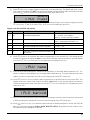
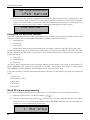
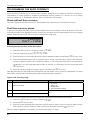
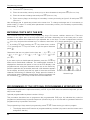
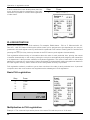
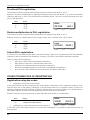
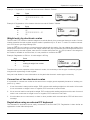
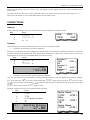
Programming manual 2. Enter a new name and confirm by pressing the (Subtotal) key. If you press (Subtotal) key without entering anything, you just confirm the previous assigned name. When you press (Total), the key programming procedure ends. 3. If you have changed name for the programmed key, the ECR will update its settings and print the information about key name change on the receipt (ID number of programmed key and the data of changed parameter -- label „Key name“ and its newly programmed value). 4. The display will then show the ID number of the programmable key, information label for the function programming „01.Function“ and text description of the current key function. 5. Press (MULTIPLY) key to enter the key programming mode. The display will ask you to press a key. By pressing a function key, you‘ll assign its value to the programmed key. Keep pressing to add further function keys to the programmable sequence or press the currently progammed key to finish programming and assign the programmed function sequence to that key. The ECR will update the key definition and print the change information messages to both receipt and journal (this information includes programmed key ID number, record type „01.Key“, info label on function programming and its number „01.Function“ and the programmed function sequence). The ECR then continues with programming of next key, or goes to the first key if the currently programmed key was the last one. 6. If you didn‘t enter into the key programming mode, then you can press (Subtotal) to confirm the current value and proceed to the next key (or the first key if you were on the last key) and the programming procedure continues again with step 1. 7. Press (Total) button to exit the programming mode. The key function deleting You can delete function sequece assigned to a key if you press (Clear) key during step 4. of the programming procedure. The display will show that you are about to delete the function sequence assigned to a key and awaits a confirmation. Press (Clear) key to delete the value or press (Subtotal) to cancel the deletion. When you cancel the deletion you can proceed with programming procedure as usual. If you decide to confirm deletion, the ECR will delete the assigned function sequence assigned to that key and prints the information about deleted function (this information includes programmed key ID number, record type „01.Key“, info label on function programming and its number „01.Function“ and the keyword „deleted“). The programming procedure then continues normally. Printing of the programmed key name The name of the programmed key will be printed if you press (EAN) key during step 1 of the programming procedure. The ECR will print to both, receipt and journal following information on the key: ID number of the programmed key, parameter label „Key name“ and current value of that parameter. Printing of the programmed key function The function of the programmed key will be printed if you press (EAN) key during step 4 of the programming procedure. The ECR will print to both, receipt and journal following information about the key: ID number of the programmed key and record type „01.Key“, parameter label „01.Function“ and text description of the current key function. Printing of the settings for all keys You can print the settings for all ECR key if you press (Cheque) key in either step 1 or step 4 of the programming procedure. 45