1
Reports
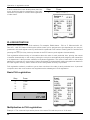
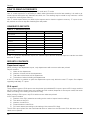
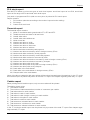
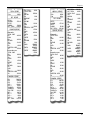
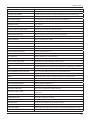
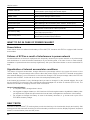
PLU report provides the most exact preview of each item sales. Example of report on the right side is without
listing the stock level and number of PLU. Example of report on the left side contains maximal available data
of PLU report. Because this report provides most extended data, we recommend to use a PC with attached
SW for programming of PLU, stock level control and for the sales preview print outs.
*********
X
*********
PLU REPORT
***************************
00001
Apple Cake
6.000Q
30.00
STOCK
99.000
00002
Beef Soup
2.000Q
12.00
STOCK
100.000
00003
Beef Steak
4.000Q
48.00
STOCK
100.000
00004
Goulash
2.000Q
15.60
STOCK
100.000
00005
Boiled Noodles
9.000Q
45.80
STOCK
100.000
00006
Fruit Cup
6.000Q
12.00
STOCK
100.000
00008
Tomato Soup
2.000Q
12.00
STOCK
100.000
PLU TOTAL: 175.40
*********
X
*********
PLU REPORT
***************************
Apple Cake
6.000Q
30.00
Beef Soup
2.000Q
12.00
Beef Steak
4.000Q
48.00
Goulash
2.000Q
15.60
Boiled Noodles
9.000Q
45.80
Fruit Cup
6.000Q
12.00
Tomato Soup
2.000Q
12.00
PLU TOTAL: 175.40
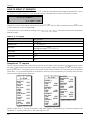
The total “X” report provides detailed sales information during the day. It contains sales information within
departments, total sales, the cashier’s share of sales, taxable revenue corresponding to the tax rate, the
number of corrections and refunds, and the cash or check amounts in the drawer. Sales are separated from
non-business transactions, i. e. received on accounts and payouts.
The “X” report is often used to check revenues and cash received when the operator changes during the
working day. Management can obtain sales information at any time during a day.
The number of all total “Z” reports performed on the cash register is marked as Z1 and number of all periodical reports is marked as Z2.
74