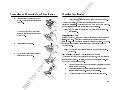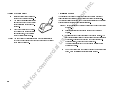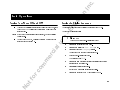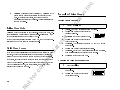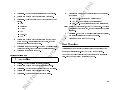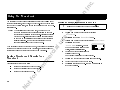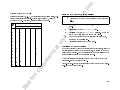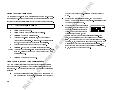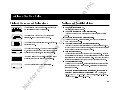
1
c. In ss on ric -E us e al User’s Guide No tf or co m m er ci Mobile Phone .) EricssonL c. In ss on ric -E er ci al us e Register your new phone, purchase Ericsson original accessories, and see the latest in products by visiting us at http://www.ericsson.com/us/consumer 4/99 PBM No tf or co m m This manual is published by Ericsson Inc., without any warranty. Improvements and changes to this manual due to typographical errors, inaccuracies of current information, or improvements to programs and/or equipment, may be made by Ericsson Inc. at any time and without notice. Such changes will, however, be incorporated in to new editions of this manuals. All rights reserved ©Ericsson Inc., 1998 Publication number: LZT 123 4412 R4 Printed in USA c. In ss on 2 7 al co m m er ci Learning About Your KF 788 Phone . . . . . . . . . . . . . . 8 ! ! "# ! $ "# % "# & "' Getting Started . . . . . . . . . . . . 14 or ( )* + ", -. "/ "/ No tf Basic Operations . . . . . . . . . . . 19 0 * * "1 2 $ "1 2 0 3 3 4- 5# &6 5# (- 5" ( 5" 0- & 0 55 & & 55 ! 2 6 4- 55 7 55 55 $ -8 55 2 5' 2 5' 2 5' 9- 5, ! 5, -8 ! 5, $ ( 5, 2 5/ 2-- * 5/ -E ii 1 1 us e User’s Guide Conventions . . . . . Important Safety Information . . Warranty Notification . . . . . . . . Guidelines for Safe and Efficient Use. . . . . . . . . . . . . . . . Battery Information . . . . . . . . . . ric Using Menus. . . . . . . . . . . . . . . 27 2 5 9: & & 5 ;6 & ( 5 9:- & 5 & *.. 51 Using the Phonebook . . . . . . . . 30 2 -8 - 86 ' # -8 - 86 ' 5 -8 86 '' 9 -8 - 86 '' Message Services . . . . . . . . . . . 34 0: & 2. ', 0: & '/ 2. 0: & '< 4 & 2. ' Menu Descriptions . . . . . . . . . . 39 Problems You Can Solve. . . . . . 51 & 9: /" 8- 8 2 /" * & 5 i c. In ss on The Quick-Access shortcuts to your phone Menu and settings are identified using this symbol. er ci m co m or tf No ii ric Helpful tips are identified in this guide using this symbol. al When this guide instructs you to press a key, press and release the key. When this guide instructs you to press and hold a key, press and hold the key for one to two seconds. (Ô) Press the Down arrow when you see this symbol. (Ñ) Press the Up arrow when you see this symbol. Standby mode is when your phone is powered ON, and a call is not in progress. us e -E Menu text and menu options are shown in the following type face: Menus. Keys names are shown in the following type face: &/5. • c. In ss on Save this manual. It contains important safety information and operating instructions. -E us e Before using the product, please follow and adhere to all warnings, safety, and operating instructions located on the product and in this User's Guide. Do Not expose the product to water or moisture. Do Not expose the product to extreme hot or cold temperatures. Do Not expose the product to open flames. Do Not allow objects to fall on, or liquids to spill on the product. Use only Ericsson Original Accessories. Damage from use o f non-approved accessories will void your phone warranty. Connect the AC adapter only to designated power sources as marked on the product. Do Not allow battery to be placed in the mouth. Electrolytes could release and may be toxic if swallowed. al er ci co m To reduce the risk of damage, remove the electrical cord from an outlet by pulling on the AC adapter rather than the cord. Make sure the electric cord is located so that it will not be subjected to damage. To reduce the risk of electric shock, unplug the product from the power source before attempting any cleaning. Once unplugged, use a soft cloth dampened with water. Never alter the AC cord or plug. If the plug will not fit into the outlet, have a proper outlet installed by a qualified electrician. Improper connection can result in electric shock. Do Not attempt to disassemble the product. Doing so will void the warranty. This product does not contain consumer-serviceable components. Service should be performed only by Authorized Service Centers. Do Not remove the antenna. A detached antenna may be a choking hazard for children. Do Not allow children to play with this product. Small parts may become detached and may become a choking hazard. m ric Some of the following information may not apply to your particular product. However, as with any electronic product, you should observe safety precautions when you use this product. * " ## %% ### "% "% !" # # $% ## +# ### & %" # $% ' $% or %# #(#$ # $ #% No tf % )% $ # 1 c. In ss on The design of your phone complies with the FCC guidelines (and those standards). ric Since its introduction in the mid 1980s the mobile phone is one of the most exciting and innovative products ever developed. Your phone can help you to stay in touch with your office, your home, emergency services, and others. -E Safety us e Phone Operation NORMAL POSITION: Hold the phone as you would any other telephone with the antenna pointed up and over your shoulder. TIPS ON EFFICIENT OPERATION: For your phone to operate most efficiently: W Extend your antenna fully (where applicable). W Do not touch the antenna unnecessarily when the phone is in use. Contact with the antenna affects call quality and may cause the phone to operate at a higher power level than otherwise needed. er ci al Exposure to Radio Frequency Signals Your wireless handheld portable telephone is a low power radio transmitter and receiver. When it is ON, it receives and also sends out radio frequency (RF) signals. In August, 1996, the Federal Communications Commission (FCC) adopted RF exposure guidelines with safety levels for handheld wireless phones. Those guidelines are consistent with the safety standards previously set by both US and international standards bodies: Antenna Care Use only the supplied or an approved replacement antenna. Unauthorized antennas, modifications, or attachments could damage the phone and may violate FCC regulations. ANSI C95.1 (1992)* m NCRP Report 86 (1986)* co m ICNIRP (1996)* No 2 tf or Those standards were based on comprehensive and periodic evaluations of the relevant scientific literature. For example, over 120 scientists, engineers, and physicians from universities, government health agencies, and industry reviewed the available body of research to develop the ANSI Standard (C95.1). Driving Check the laws and regulations on the use of wireless telephones in the areas where you drive. Always obey them. Also, if using your phone while driving, please: c. In ss on ric Pacemakers The Health Industry Manufacturers Association recommends that a minimum separation of six (6”) inches be maintained between a handheld wireless phone and a pacemaker to avoid potential interference with the pacemaker. These recommendations are consistent with the independent research by and recommendations of Wireless Technology Research. Persons with pacemakers: W Should ALWAYS keep the phone more than six inches from their pacemaker when the phone is turned ON. W Should not carry the phone in a breast pocket. W Should use the ear opposite the pacemaker to minimize the potential for interference. W If you have any reason to suspect that interference is taking place, turn your phone OFF immediately. co m m er ci al us e -E < ! : ! ! : W . ! ! W !! 3 ! 3 ! " ! ! ! ( W < 3 ! W W # ? : W 6 3 3 W 6 !! E ! ! !! W 6 ! W . ! W . W > : : W Other Medical Devices If you use any other personal medical device, consult the manufacturer of your device to determine if it is adequately shielded from external RF energy. Your physician may be able to assist you in obtaining this information. Turn your phone OFF in health care facilities when any regulations posted in these areas instruct you to do so. Hospitals or health care facilities may be using equipment that could be sensitive to external RF energy. No tf or " ! -B 1 " -B ! Hearing Aids Some digital wireless phones may interfere with some hearing aids. In the event of such interference, you may want to consult your service provider (or call the customer service line to discuss alternatives). 3 c. In ss on Vehicles For Vehicles Equipped with an Air Bag Posted Facilities Product Care and Operation An air bag inflates with great force. DO NOT place objects, including both installed or portable wireless equipment, in the area over the air bag or in the air bag deployment area. If in-vehicle wireless equipment is improperly installed and the air bag inflates, serious bodily injury could result. ric RF signals may affect improperly installed or inadequately shielded electronic systems in motor vehicles. Check with the manufacturer or its representative regarding your vehicle. You should also consult the manufacturer of any equipment that has been added to your vehicle. -E Turn your phone OFF in any facility where posted notices so require. FCC regulations prohibit using your phone while in the air. Switch OFF your phone before boarding an aircraft. Blasting Areas er ci al To avoid interfering with blasting operations, turn your phone OFF when in a “blasting area” or in areas posted: “Turn off two-way radio.” Obey all signs and instructions. Ericsson suggests you read and observe the following for safe care and operation of your phone: W Do not allow children to play with your phone. They could hurt themselves or others, or could accidentally damage the phone. Your phone may contain small parts that could be detached and create a choking hazard. W Do not expose your mobile phone to moisture or extreme temperatures. W Only Ericsson original accessories are recommended. Failure to use them may result in loss of performance or product damage, and will void the warranty. W Do not attempt to disassemble the product. Doing so will void warranty. This product does not contain consumer serviceable components. Service should only be performed by Authorized Service Centers. W Do not allow objects to fall on, or liquids to spill on products. W Connect AC (power supply) only to designated power sources as marked on the product. W To reduce risk of damage, remove the electrical cord from the outlet by pulling the AC adapter rather than the cord. W Make sure the electric cord is located so that it will not be stepped on, tripped over, or otherwise subjected to damage or stress. us e Aircraft Potentially Explosive Atmospheres No tf or co m m Turn your phone OFF when in any area with a potentially explosive atmosphere and obey all signs and instructions. Sparks in such areas could cause an explosion or fire resulting in bodily injury or even death. Areas with a potentially explosive atmosphere are often but not always clearly marked. They include fueling areas such as gasoline stations; below deck on boats; fuel or chemical transfer or storage facilities; vehicles using liquefied petroleum gas (such as propane or butane); areas where the air contains chemicals or particles, such as grain, dust, or metal powders; and any other area where you would normally be advised to turn off your vehicle engine. c. In ss on Recycling Your Battery ric Your phone manufacturer is a member of the Rechargeable Battery Recycling Corporation (RBRC), a non-profit service organization designed to assist in the recycling of rechargeable batteries. Many areas require the recycling of rechargeable batteries. In the U.S., call 1-800-822-8837 to find out how to recycle your battery. OutsidetheU.S., contact your local retailer for recycling instructions. -E To reduce risk of electric shock, unplug the unit from the power source before attempting any cleaning. Once unplugged, use a soft cloth lightly dampened with water for cleaning. W DANGER - Never alter the AC cord or plug. If the plug will not fit into the outlet, have a proper outlet installed by a qualified electrician. Improper connection can result in risk of electric shock. W Don’t continue to twist the antenna after it has been inserted. Excess twisting will damage the antenna. W Be cautious if removing your antenna. A detached antenna may be a choking hazard for children. How to use your phone for optimum performance with minimum power consumption: W Hold the phone as you would any other telephone. While speaking directly into the mouthpiece, angle the antenna in a direction up and over your shoulder. If the antenna is extendable/retractable, it should be extended during a call. W hold the antenna when the phone is in use. Holding the antenna affects call quality, may cause the phone to operate at a higher power level than needed and shortens talk and standby times. Battery Use and Care A rechargeable battery has a long service life if treated properly. A new battery, or one that has not been used for a long period of time, should be conditioned before using your phone. Avoid recharging a fully-charged or almost fully-charged battery. This can result in the memory effect, which causes the battery to charge to less than its full capacity. If your phone shuts off due to low battery power, you should charge the battery within 24 hours for the battery to reach full capacity. • Do not leave your battery where it may be subjected to extremely hot or cold temperatures. This could reduce the battery’s capacity. • Do not let the metal contacts on the battery touch another metal object such as keys in your pocket. This could short-circuit and damage the battery. • Do not attempt to take a battery apart. • Do not expose a battery to open flame. This could cause the battery to explode. • Turn your phone OFF before removing the battery. • Use only the AC/DC adapter supplied with your battery charger. Using a different adapter could be dangerous and will void your phone warranty. • Never charge a battery when the ambient room temperature is below 50° F (10°C) or above 105°F (40°C). er ci al us e W co m m Battery Information New Batteries No tf or The battery packaged with your phone is not fully charged. For maximum battery capacity, use your charger to condition the battery. c. In ss on • Do not allow the battery to be placed into the mouth. Battery electrolytes may be toxic if swallowed. Conditioning Your Battery -E us e al No tf or co m m er ci A beep will sound warning you that your battery is almost discharged. Wait until your phone turns OFF. Your battery is now completely discharged. Note! " ! ! > ! ric To condition your battery, do the following: Charge the battery until it is fully charged. Disconnect the charger and leave your phone ON until the battery is completely discharged. c. In ss on Battery Information ric Many areas require the recycling of rechargeable batteries. In the U.S., call 1–800–822–8837 to find out how to recycle your battery. Outside the U.S., contact your local retailer for recycling instructions. 3 ! B / Disconnect the charger and leave your phone ON until the battery is completely discharged. The indicator light on your phone will flash red, and a beep will sound warning you that your battery is almost discharged. Wait until your phone turns OFF. Your battery is now completely discharged. er ci al 2 490 m The time required to discharge a battery varies based on the type of battery and the number and duration of your calls. Completely discharge the battery and fully charge it, three times in succession, to complete the battery conditioning procedure. Recycling Your Battery co m 3 A rechargeable battery has a long service life if treated properly. A new battery, or one that has not been used for a long period of time, should be conditioned, as described above, before using your phone. If a desktop charger was packaged with your phone, the desktop charger has a battery conditioning function. Avoid recharging a fully-charged or almost fully-charged battery. This can result in the memory effect, which causes the battery to charge to less than its full capacity. If your phone shuts off due to low battery power, you should charge the battery within 24 hours for the battery to reach full capacity. us e ! ( > ! $ F appears in the right side of the display on your phone when the battery is fully charged. -E Battery Use and Care No tf or Your phone manufacturer is a member of the Rechargeable Battery Recycling Corporation (RBRC), a non-profit public service organization designed to assist in the recycling of rechargeable batteries. • • • • • • • • OFF !"#" $%& ' ()%& "* )%$& ' (+%& "* , c. In ss on Learning About Your KF 788 Phone # : W :: ,: W $ ! 4 5 W 3 W # 3 ! W 3 4 W & - W $= W L W W > 6 4 @ 5 W 9 3 :3 ! / : W # ! +@@ W # ! W # ! W # ! + m co m or tf er ci 5 3 al W No 8 # ! + 0 ! / W L ! W > ? W 9 3 W 9 3 / W W ) W $ ! W 6 ! W > W W # 8 4 5 W W 7::$ $ W 6 W # W B - 4B-5 L ! / " ric 9 3 @ W us e W -E 0B I'' 6$ !! : 4 ! '@@ 1? &@@ 1? !" 5 : 0B I'' '@@ &@@ 1? !" '@@ 1? Note! # ! c. ss on In 9 10 11 12 13 14 15 -E us e 8 al 7 er ci 6 m 5 co m 4 2 1 3 4 5 6 7 8 9 10 11 12 13 14 15 or 3 tf 2 $ ) . # 0 ) # 0 6 4, ) 5 <(6 0 12 0 78 7BB . $ 6 $ > 4&/55 0 0 > 1! > B No 1 ric ! ! H 0B I''( 9 c. In 7 ss on Phone Display Icons and Display Indicators / ! $ / ! Text Message Icon Phone Display Icons The following icons are used to display the status of your phone: 4 5 6 7 ric I W 4 5 er ci No 10 tf or 6 % ,#" % ! / ,#" % ) ,#" *" L 7 ,#" Key Functions m 3 shows the name of your service provider. indicates that you have voice mail that you have not retrieved. The number indicates the number of messages . shows the relative signal strength from the wireless system. More bars indicate a stronger signal. shows whether your phone is operating in Digital (5 $ 45 4!5 Status Indicator ! B / . Batter y Strength Indicator ! : $ ! !: co m 2 Display Indicators 1 ! ! ! ( -E 3 us e 2 Service Provider Voice Mail Icon Signal Strength Indicator Mode Indicator Status Indicator Battery Strength Indicator Text Message Icon al 1 Indicator Light Functions ! 4! 5 3 4 5 c. In -## % % * *,, / " us e al er ci m co m or tf " 3: ! / : ->) ! 3 / / ! /: No -E 4 5 " 3 ! / ! 3 / / /: ric W ss on $ $ c. In Lower Side Key Note! Note! 3 ! 3 • • • • • No tf or • / $! co m • m CLR • • • ric -E • 2 ! : 3 ! / / us e • • al • 2 ! 3 ! / / 3 ! 3 er ci • ss on " % • • • Flip • • 7 4 ! ! 5 ! ! ! : $! ! c. ss on In us e A A A ! ! ! 3 ? 3 3 ? A )3 : 3 ! Ô M -E ric ! $ $%!#! & No tf or '% co m m ! er ci al ! " #! 13 c. In ss on Getting Started > ! 0B I'' ! ! ( $ # G$ A > 47 5F &+ W > # G > - A F &D W B # G> A : F &D 78 7BB # G A 78 7BBF & er ci Attaching Your Belt Clip (Optional) co m m A 0B I'' " Standard Belt Clip - ! - !/ ! ! 2 3 3 ! No 14 tf or ! !/ ! Swivel Belt Clip al W ric W 6 -E - # G.H < > F . 3 ! us e W $ : 3 ! 3 . # ! ! Push to release phone c. In 3 ! ! If your phone is OFF, attaching the charger will cause the phone to activate in charge-only mode. When this mode is activated the message Charging Only appears. Your phone is now fast (rapid) charging the battery. The charging indicator and the letter C alternate appearing in the display while the phone is charging. us e al er ci m co m or NEVER attach the charger to a phone that does not have a battery installed. Charge-Only Mode - ! tf ric 490 3 No 3 Fully charge the battery before you attempt to use your phone. To charge your battery, complete the appropriate charging procedure described in this section. The label on the box in which your phone was packaged identifies the charger and battery included in the package. ! ! 2 -E 1 ss on ( 490 You cannot make or receive calls when your phone is in chargeonly mode. #" $% & ' 4! / ! 5 $ : $ ! 4 3 5 $! 3 ! : > ! 15 c. In Note! If the phone is in charge-only mode, '% appears in the display when the battery is fully charged. ! 490 Your phone is packaged with one of the following battery chargers: • Travel Charger ! 78 The rapid charger supplies power to charge your battery while the battery is attached to your phone.If your phone is ON, it can receive calls while using the rapid charger. al ( 490 # #" $" No tf or # " " %. m co m 1 3 ! 1 $ ! er ci To charge your battery using the rapid charger : > ! 4 ! 5 ! : '% -E • Rapid charger. See “Rapid Charger” on page 16. Travel charger. See “Travel Charger” on page 16. Desktop charger. See “Desktop Charger” on page 17. To disconnect the charger, lift the plug connected to the phone upwards and pull it out. us e • GF ric 490 ss on ! 78 F 4 ! 5 * > $> : 1 3 ! 1 $ ! 490 # #" $" # " " %. * GF $> c. In ss on The desktop charger can charge a battery attached to your phone (standing in the front compartment of the charger) and a separate battery (in the rear compartment of the charger). The desktop charger can also condition a battery by discharging the battery completely before beginning the charging cycle. Charging a Battery Attached to Your Phone ! 78 3 3 3 ( Connecting the Power Cord to the Desktop Charger . 3 ! 3 1 ! 3 ! 3 GF us e - ! 3 B ! tf or co m m er ci $> No al Note! # #" $" # " " %. ! : ! 3 ! ! 3 3 H -E To connect the charger plug to the desktop charger: ric Desktop Charger 17 c. In ss on Charging a Separate Battery 1 2 No tf or co m m er ci al Note! Note! ric 3 ! 3 ! ! > !! ! ! ! 7 3 -E 2 : ! 3 3 H : - ! 3: ! A 4 ! 5 ! 3 ! 3 3 3 ! / : 3 us e 1 Conditioning a Battery 3 - ! 3 ! c. In ss on ( er ci m co m ric You can set the language used to display the menus for your KF 788. To change the display language: us e until your phone al To turn your phone OFF, press and hold sounds a beep and turns OFF. or • tf 490 N N After you have installed a fully charged battery in your phone, turn your phone ON by pressing and holding until your phone sounds a beep. If you have the vibrate alert option activated, the phone will also briefly vibrate. No • Setting the Display Language -E Turning Your Phone ON and OFF Ô ;;;; 4 1111 !: 5 / Gen. Setup 0 Language A !: ! 0000 7 / 4 R5 SELECTION STORED! Y C 0B I'' c. In ss on )* * + A ! ! To select the ring type, pitch, and volume for your KF 788: Press 2 to display the Sounds Menu. Press 3 to display the Ring Type Menu. + )%+ appears in the display. Y &/5 0B I'' :7-: Ô Ring Pitch - ( Ô co m m tf or Ñ Ô / 4 5 No er ci When the appropriate ring type appears next to the cursor (), press SELECTION STORED! Press the Ñ or Ô repeatedly until the appropriate ring type appears next to the cursor ( ). You will hear two ring cycles of each ring type as you scroll through the list of ring types. -E us e Press Ô to display the KF 788 Main menu. ric Ô - ( al CN Y 2 / 4 5 SELECTION STORED! 0B I'' :7-: RingVolume - L ( Ô / 4 5 A ! ! 2 / 45 SELECTION STORED! 0B I'' $, 3 c. In ss on ric If you try to place a call and the wireless network is not available, your phone automatically redials the number every 15 seconds for three minutes if the AUTO RETRY feature is enabled. See “Call Setup Menu” on page 40. % When your phone receives a call, the ring tone sounds (unless you have disabled it through the Sounds menu) the words Call Receive flash in the display, the display and keypad backlighting flash, and the indicator light on top of the phone rapidly flashes green. If you have Caller Number Identification (Caller ID) service from your service provider, the caller's phone number is shown in the display. If the caller's number is stored in the phonebook, the name stored with the number is also shown when the call is received. 1 Open the flip to answer the call. If the flip has been deactivated in the Answer Opt menu, answer the phone by opening the flip and pressing . See “Call Setup Menu” on page 40. The words Call Receive are replaced by the call timer display, if the call timer was enabled using theCall Timer menu. See “Call Setup Menu” on page 40. 2 Close the flip to end the call. If the flip has been deactivated in the Answer Opt menu, press to end the call. m er ci al us e N % -E accesses the wireless network. Call replaces Dialing in the display when the call is connected. If the Call Timer is enabled, the duration of the call, in minutes and seconds, appears beside Call. When you finish your conversation, press or close the flip to end the call. co m 4 . Dialing is shown in the display while your phone or 3 Press to erase one or more digits in the display, or to erase all digits. tf CC Y You can press press and hold No Y N 21 c. In 3 ( N W 3 ! ! S - N $ $ ! C or tf 3 ! ! 3 No W co m ! , + ! 3 ( Your phone's display shows the number of calls you have received but did not answer. You can clear the number from the display by pressing any key or by turning the phone OFF. al er ci ! ! ! ! m E S 3 ! - : S ! ! to answer a call when you receive the call waiting signal. You can switch between the two calls by pressing . DO NOT press until you are ready to end both calls. -E ! ! Answer Opt 3 ! #G$ 7F @ us e Note! 3 ! ! 3 ric ss on Temporarily Muting the Ring Tone If Caller Number Identification is available from your carrier, unanswered calls will be stored in the ReceiveLog section of the Call Data menu. " . Your telephone temporarily stores numbers you have previously called. To view these numbers, press Ñ twice. The last number you called is shown in the display. Press Ñ or Ô to scroll through the other numbers. You can place a call to a number shown in the display by pressing . You can also view the last numbers you called through the Phonebook Menu. S In c. You can also bring up the last number dialed by pressing from standby. ss on 490 to dial a phone number and then another number, such as an access number for an answering machine or voice mail system. You can delete a number from the Last Dialed list by pressing and holding while the number is shown in the display. ric A stop causes the phone to stop transmitting numbers until youpress any key. You can enter a stop in a series of digits by pressing and holding # until $ is shown in the display. al To use Super Dial, press and hold the numeric key (1 - 9) that corresponds to the phonebook location containing the number you want to call. For example, if you want to call the number stored in phonebook location 7, press and hold 7. er ci ! A pause temporarily suspends transmitting numbers for approximately two seconds before sending the next series. You can enter a pause in a series of digits by pressing and holding * until ! is shown in the display. us e The Super Dial feature, when enabled through the Call Setup menu, lets you use “one-touch” dialing for phone numbers stored in phonebook (memory) locations 1 through 9. -E ! For example, if your office has a voice mail system that requires you to dial a phone number, followed by your extension, followed by an access code, you could enter the following: 555-1111 $2222!33333 where 555-1111 is the phone number to enter your voice mail system.$ is a stop. 2222 is your extension. ! is a pause. 33333 is your access code. The Speed Dial feature, when enabled through the Call Setup menu, lets you quickly dial a phone number stored in your phonebook. To use Speed Dial, enter the number of the phonebook location containing the number you want to call, then press . For example, if you want to call the number stored in phonebook location 12, press 1, then press 2 and press . When you press , your phone dials the number and then stops transmitting tones. When your voice mail system asks for your extension you would press any key to transmit your extension. The access code is sent after the pause. If the timing in your voice mail system does not allow for pauses, you could enter a stop instead of the pause, or use multiple pauses. ! You can also store groups of numbers which can include stops and pauses in a phonebook location. You can then dial the numbers by entering the phonebook location and pressing . co m m No tf or Stop and pause dialing lets you enter groups of numbers with stops and pauses between each group of numbers. This feature is useful when you need c. In ss on A 4&&5 ! ! && ! Locks / ! 0 )3 ! && 3 ! = ! ! !! : 3 ! ! ric / -E . al ! ! && ! 2 && 3 ! ( A ! ! ! / ! 3 1 ! tf or co m m er ci No ! > 8 ! 4> 65 ! $ ! 3 ! > 6 ! *& " ! > 6 us e $ ! : ! && " % ! ! ! 2 78 7BB A + ! ! # G6 F &, c. In ss on ! !# A ! !: @@@@ A / ! # G)3 F , ! ! ! ric 78 7BB -E 6 3 3 us e $ No tf or co m m er ci al $ 4 5 $ < 3 / ! # > - ! # / # -## Ô 3 Ñ 3 Ô ! ! Ô Ñ Ô 3 Ñ Ñ 25 c. In -## # 6B Ñ Ô 9 3 / 9 3 Ñ Ô Ñ Ô Ñ No tf or co m m $ 3 er ci -E us e > al # 78 7BB ric Ô N Ô M 0 )3 78 7BB ss on ! !# c. In ss on ) A ; ! ( W W W er ci $ co m ! tf or A 3 3 3 No E A ! 3 ! ! ! ! / E C Changing Settings 7 7 ( m 3 / ! ( 2 4 5 ! ! -E # ! 3 >3 / # ! > > ! us e W 3 al W 2 ric / ; A ! 3 # 78 7BB ! # 6 > # 7 ! - # ! ! ! 3 3 S c. In E ss on S /0 $ Press to store the choice you selected OR press if you want to exit the menus without storing any changes you have made. If you store your changes, the words (()&* )&( ! ! ric 3 / : ! er ci 1, $ % ! 3 " 3 ! ! ! No tf or co m m B / 3 3 # # C 0 # , C , ! 0 # al ! : / ( Ô 45 -E /0 $ $ ) ( ( > # to open the Call Setup menu. Press Ô or Ñ until the menu pointer is beside MinuteMind. Press . The choices for MinuteMind (ON and OFF) appear in the display. Press Ô or Ñ until [ON] is enclosed in brackets. Press . (()&* )&( appears briefly in the display, then the settings list for the Call Setup menu appears. Press twice to exit Menu mode. us e +, - ) - L( Ô 1 Ô 2 Ô Ñ 4R5 # In c. er ci al S ) 4 5 ss on Menu Overview $ ! H ! ! ! H # G 0BI'' <F m $ ! ! H # G# ! 7 F +D S S co m 3 S E Press . (()&* )&( ! ! # / or 2 7 Ô Ô Ñ 45 # # Ô Ñ $ ! $ tf $ ( Ô No 490 Ô Ñ ! !: ( W Ring Only - phone rings when a call is received W Vib Only - phone vibrates when a call is received W Ring - Vib - phone vibrates and rings when a call is received If Silent Mode is activated, and the Vib Only or Ring-Vib options were selected in the Alert menu, the phone will vibrate when a call is received. ric us e 6 -E S S # Ô Ñ - L ! ! - L W 1 W W W ) W /:) W 7!! Ô Ñ - L $ ! (()&* )&( ! # / 3 c. In ss on ' &' * 1 2 3 4 5 Ñ W W # 3 # # No tf or W co m ( m . ., er ci ! 3 4 Ô5 ! al 2 3 3 ! 3 4 5 ! 3 6 7 Ô Press Ô to access Menu mode. Press Ô or Ñ until the menu pointer (R) is beside Phonebook. -E 2 3 / ! +@@ : &+ : # ! ! ! A ! 3 # 3 ( Press us e Note! ric ,. " .* ( A ; ! - 6 # 6 # 6 ,+ + : to open the Phonebook menu. Press Ô or Ñ until the menu pointer is beside Store Mem. Press to open the Store Mem. selection. The next open memory location is shown in the display, similar to this illustration. Enter a name you want associated with this telephone number. See “Entering Letters and Symbols” on page31. Press Ô to move the cursor to the * line in the display. Enter the phone number you want to store. Press to store the number. ! '' is shown in the display. c. In Three Four 4 space & 1 5 A B C 2 6 D E F 3 / G H I 4 0 J K L 5 2 M N O 6 3 P Q R S 7 T U V 8 8 W X Y Z 9 0 : , ; - '' * ? # Ô With the number shown in the display, press Ô to access Menu mode. Press -E Storing a number from the phone display to your phonebook: us e al 7 9 Phonebook Store Mem: * ! ' ! *' Specifying a Memory Location ! ! ! ! Ô to move the cursor to the )&( line. The number is stored in the next available memory location unless you enter a memory location number. Phone numbers stored in locations 1 through 9 can be used with the Super Dial feature. See “Super Dial” on page 40. All one- and two-digit memory locations can be used with the Speed Dial feature. See “Speed Dial” on pag e44. No tf or ' ,. Five er ci Two m One co m ss on 3 @: M N : B / $ 3 + + 3 ric ) #* c. In $ ! : ! . The phone prompts you to enter your security code. If you enter the correct code, the number is stored, and ! '' appears in the display. ,. " us e • er ci • Recalling a number using the Phonebook menu. Recalling a number using Ñ. Recalling a number from secure memory. ,. " .* ( No tf or m 2 Press Ô to access Menu mode. Press Ô or Ñ until the menu pointer is beside ', ', A : 3 ! *' A = ! ! ! = ! ! ! 3 :7-: co m 1 al There are three ways you can do this: Ñ Ñ 3 3 ! ! :7-: Ô (- -E . ., • A ric ss on ! (- ,. (, ,. , (, B ! ', 3 until the cursor is on the RECALL: line. Enter the location of the number stored in secure memory. Press . Security Code: appears in the display. Enter your security code. If you enter the correct security code, the number is shown in the display. Y c. ss on In ric us e al er ci 6 Phonebook Ô Ñ ', 3 Ô Ñ ( ''/ ... 4 ... 5 ! ' ! ! m 5 Ô co m 4 1 or 3 tf Recall the number . See “Recalling a Number or Name from Your Phonebook” on page32. When the number is shown in the display, press Ô or Ñ to move the cursor to the * ! = ' ... * & %! %/ ! ' ' '' ... / ! No Erasing a Number from Your Phonebook -E Changing a Number in Your Phonebook c. In ss on ) / ! 0B I'' = -E ric , ) ( ! 78 ! ! ! er ci 3 m $! ! 78 ! 7BB No tf or co m 2 3 / ! ! " ) ( ! 78 / ! al A / ! +0 ! / ! ! ! ( 8 . $ / 3 : ! us e )0 $ ( , ) ( ! 78 : / ! ) ( / .* ,. >3 / : ! ! 3 : c. In # 3 Ô Ñ 2 3 3 • ! 3 ! 3 3 ! 3 . ! ! ! 3 2 : ( • ! 3 • 3 • 6 W • • . 45 : / - 45 : / ! H / ! 45 : / # 45 : / ! H / ! 45 ! / us e S E al • ss on E $ / ! ( ric Y - ) ( -E Y • • ! ! 3 / 45 ! • m er ci C ) '( (, ) ( #,, " 2 / ! Y / ( N Press to read the message, or press to skip the message. The message is saved and can be reviewed later. Display the message line-by-line by pressing Ô or Ñ. Display the message three lines at a time by pressing and holding Ô or Ñ. No tf or co m 2 H / ! 4 F5 / / 4 5 2 / ! / / / ! H / ! 4S5 / ! H ! / )0 $ c. In ss on ) ( ) ( 2 ! # G/ # F , To read saved messages: 490 You cannot receive messages during a call if the text message memory is full. " ) ( If you have messages that you have not read, a number and the text message icon appear in the display. No 36 tf or er ci m Press Ô to enter menu mode. Press Ô or Ñ until the menu pointer is beside Messages. Press Ô Ñ ./ ! Ô Ñ 45 7 Ô Ñ A Ô Ñ co m al To read the text messages: ric 3 4U 5 -E • Press to enter menu mode. Press or until the menu pointer is beside Messages. Press to open the Messages menu. Press or until the menu pointer is beside Old Text. Press to open the list of messages. Press or until the menu pointer is beside the message you want to read. Press to open the message. With the message open, scroll through the message one line at a time by pressing or . -ORScroll up or down through the message three lines at a time by pressing and holding or . us e / ( ( ! )0 $ $! / ! ( W W W / 45 3 / & 45 c. In + ( - / ! # # . al ! 78 ! ! : : 4 3 5 : 4 ! 5 4 35 $ ! ! - * '0 * ! $! - No tf or co m m er ci + ( - ! ! 1 ! ! $! + ( us e A ! 78 ! ! 7BB ! / 78 ss on + $ ( ! ! :& ! :+ ! $! 3 ! * '0 * ! ric , 4R5 -E • ! ( Ô Ô Ô Ñ L & L + : L & : L + 4A 3 5 ! 37 c. In W L ( Ô Ô Ô Ô Note! Press twice to exit Menu mode. Quick Access to Text and Voice Mail Messages or tf If only text messages are waiting, ! )2 / .. * is shown in thedisplay. Press to go directly to No W co m The Quick Message feature lets you quickly read text messages or retrieve voice mail messages. To access the Quick Message feature, press and hold either or . What happens next depends on which types of messages are available: -E us e al er ci : L & : L + 8( SELECTION STORED! : 3 CLR 3 m W ss on A : : : 45 the Read Text Message menu. Press to return to standby mode. If only voice mail messages are waiting, 3 1 / .. 4 is shown in the display. Press to call your voice mail access number. If both text and voice mail messages are waiting, a modified version of the Read Text Messages? appears in the display. In the upper right corner of this screen are two arrows, which indicate that both voice and text messages are available. From here, you can access the Read Text Message menu by pressing , or you can go to the Get Voice Mail Msgs? screen by pressing , Ô, Ñ, or either of the side volume keys. The Read Text Messages? and Get Voice Mail Msgs? screens are circular—you switch back and forth between the two screens by pressing , Ô, Ñ, or either of the side volume keys. ric ! + ( ,. c. In ss on Menu Descriptions ., $ $ ! ! H # G# ! 7 F +D Phonebook ! ! -E ric $ ! H ! ! ! H # G 0B I'' <F (,1 al er ci m co m S Ô & (,1 . RCL Mem. A RCL Mem. Ñ Ñ Ô or 3 tf 2 Ô Ô Ñ ; 3 ! ! ! 4 5 3 / No 1 . Store Mem. 3 us e % $ c. In ss on $ $ Use StoreScrpd to store, in the scratch pad memory, a number shown in the display. The Messages Menu contains the following choices for specifying and accessing message services that may be available from your service provider text messages and voice mail. ric Ô 13 Use RCL ScrPad to recall a number stored in the scratch pad memory. ÑÑ Ô 1 5 S (," co m m Use MemoryUsed to display the percentage of the phone's memory that is occupied. No tf or Ô 16 If you have text message service from your service provider, use Old Text to view your old text messages. al to view the list of numbers you previously called. ) er ci LastNo us e Use RCL ") If you have text message service from your service provider, use UnreadText to view your unread text messages. Ñ # Ô 14 & & -E Ô2 & Use Delete All to delete all text messages, both old and new. +(2 If you have voice mail service from your service provider, use VoiceMsgs1 to enter and access this phone number. +(3 If you have an alternate or second voice mail service, use VoiceMsgs2 to enter and access this phone number. Ô Find Net 7 8 9 er ci al us e . Find Net ! ! # ! 4#65 ! ! ! 7 : 7 3 ( 6 # W 7BB W A 8 W A 3 A ! ! : 3 ! : :! ! ( co m m W Ô Ñ Ô System Opt 3 or 2 No tf System Opt Find Net ! ! ! Ñ Ô ! : A ! " * ' ! ! ! : - I !! -E System Opt ! ! : ! 4 5 Note! In c. 5 Ñ Ô ! * ss on 4 ric $ > 4, . Home Only ! ! ! ! Home Only ; 1 . Phone No. ! ! !! ! ! !" A : ! ! : ! c. In ss on Voice Privacy service is not available in all areas. If voice privacy is active, the digital voice privacy indicator text, a reverse text ", is shown in the display. ! ! ( ,#- co m m Use SystemInfo to display the available digital channel services. If no services are available, the information fields are blank. If the phone is locked in analog mode, or if the information cannot be obtained, the message *5 '6+ * - 0 is shown. ' indicates feature capability; indicates the feature is not available. No tf or If your service provider offers digital voice encryption, use Privacy to request voice privacy service. 42 ),5 -E Phone No. A $! 4 ! 5 Ñ Ô 5 *# - Use Time/Date to retrieve the time and date from the system, if available from the service provider. us e Ñ Ô Phone No, al System Opt er ci If voice privacy is requested but not granted, your phone sounds a Voice Privacy Not Active Tone. The tone sounds at the beginning of the call, and then every 30 seconds during the call, as a reminder. You can turn this tone feature off using the Sounds menu. ric Ô Ñ Ô System Opt c. In ss on 2 $ Back Light Gen. Setup ? ! . Back Light 3 3 7BB 78 ! +@ 3 ! ric Ô %&* 3 3 ! ! ( er ci m co m 490 - 4! 3 3 5 0 )3 ! 4&&5 3 or • tf W - !! 3 N No W al Ô W . Contrast ! & D D us e . KeypadLock 3 3 3 !! ! ! 3 ! -E Contrast Greeting . Greeting : ,C: 4&+ 5 ! !! ! . 3 # G ) #F ,& Language . Language / 3 4! / B # 5 A # G# >F ' Menu Reset . MenuReset " 3 ! ! # # ! A ! ! ! 490 A ! 4@@@@5 c. In ! 0B I'' L 1! ! ( Ô5 S W 7 ! W 7 ! 3 3 No tf or $ 3 m to answer calls using one of the following co m Opt to select how -E us e ! : er ci Set Speed Dial to ON to dial a number stored in a memory location by entering the 1- or 2-digit location number and pressing . $ ! ( ( MinuteMind 78 ! 3 ! ! al W W Call Timer 78 / ! Set Super Dial to ON to dial a number stored in memory locations 1 through 9 by pressing and holding the numeric key corresponding to the memory location. Store your most frequently-called numbers in memory locations 1-9, and use Super Dial to give you quick, one-button dialing for these numbers. W # ), Use Answer methods: W ric The Call Setup Menu contains the following choices for enhancing the use of your phone. ss on Call Setup Menu # Auto Area I: 78 ! Auto Area 78 Auto Area > 6 - A &: &+: ! / AutoPrefix ! 2 : D: c. In ss on Ô ( When SilentMode is enabled, your phone does not make any keypad or ringing sounds. The word ! # us e When enabled, the Auto Retry function repeats a call attempt every fifteen seconds for up to three minutes if the call cannot be delivered through the wireless system. The Sounds Menu contains the following choices for setting the different volumes and sounds for ringing, keypad, earpiece, and handsfree kits. ric $ -E number, the prefix is automatically added to the number. To send a number to office extensions, store the three-digit prefix in the Auto Prefix function. You need only to dial the last four or five digits of the number. For example, if you save 123 as the auto prefix and the function is turned on, to call 123-7654 just dial 7654. The prefix 123 is automatically added. The auto prefix is not added for numbers longer than five digits. ) er ci al When enabled, the Tone Send function allows your phone to send DTMF tones during a call. This allows operations like electronic banking and other DTMF tone operated activities. When Tone Send is turned OFF, your phone does not send DTMF tones. ) 7BB( Ô Ô ( ) Msg Tone !! / % Key Sound 3( 3 " 3 No tf or co m m When enabled, AccessTone sounds three short beeps to indicate your outgoing call has been connected to the wireless system. 78( Ô Ô c. In ! 3 Key Volume +, = ! A = 3 +, Ear Volume ) m Ô 67 co m ! ) 1 / : No tf or Ring Pitch = -E Ô69 al ! System set er ci Ring Type ! us e ! ! 1 ) / ) 7!! ! RingVolume * +, SpeakerVol 3 ! ! : ric Ô 68 set ss on System % +, Alert ( > 6 Ô60 ! $ Call Data ! ! !: ! Ô7 c. In ! 5 Auto Area ! ReceiveLog al Last Time Last Time ! / ! Locks Menu ! ! A 3 ! ! ! A ! )3 Ô 490 The functionality of the dialing options in the Locks varies according to country. &* When selected, the phone is automatically locked from making calls each time you turn the phone on. To unlock the phone, enter the security code. Call Count ! Ô Reset " er ci Elapsed co m m Menu us e . 3 ! ! : Elapsed ss on ReceiveLog @ 6 4 ric ", $ ! > 6 ! -E & Use this option and your phone has no outgoing call restrictions. Use this option to only allow dialing of emergency numbers. No tf or Time Count Time Count ! / Elapsed ! E Time Count ! Ô Reset Use this option to restrict outgoing calls. The functionality of the dialing options in the Locks Menu varies according to country. Selections for this function include: 47 c. In ss on ) + ,-- . 1 7 I &@:&& '@@ ''' 'II 8 . Sec. Code !: !: @@@@ A ! ! ! !: ! A : @@@@ ! MenuReset # G -F , ric -E $ 8 Call Cards Menu ) + ,-- . + / 7 ! us e The Call Cards Menu contains the following choices for storing two calling card numbers to use for making long distance phone calls. 0 1 Ô 7 && ! 0 m $ / ! 4 @5 Calling Card Setup er ci 8 @@ 8 al 0 2-- . co m . Call Cards ! ! No tf or . Receiving ! ! Make sure you have the following: Calling Card Access Number (a number provided by your long distance carrier) W Verification Number (a number you must enter to allow the calling card call to be completed) To set up a calling card, complete the following steps. W 2 3 Press Ô to enter menu mode. Press Ñ or Ô until the menu pointer is beside Call Cards. Press to open the Call Cards menu. You are prompted to enter your security code. c. In er ci m co m W B # &+ Ô !', 4 5 , 4 5 Ô ! ! Ô & ! 2 ! # ' ' You can store two calling card numbers. You select which number your phone uses through the Calling Card menu. 1 2 3 4 Press Ô to enter menu mode. Press Ñ or Ô until the menu pointer is beside Call Cards. Press to open the Call Cards menu. You are prompted to enter your security code. Press Ñ or Ô until the menu pointer is beside ! Ñ Ô 4! & ! )5 3 or W tf W $ # 8 # L ! No W al Changing the Flow Order ! " " " ! B : ! ! ( W ss on 1 ric ! ( -E Ñ Ô !7 % !8 % Ñ Ô - Ô 1, ! us e 4 c. ss on In No tf or co m m er ci al -E : - 3 ! ! 3 / " ! ! ! ! ! Flow ! us e ric 3 ' ' ( c. In ss on & ! . . W 3 3 ! %# # " > ! 7 ! 3 ! 3 al er ci m co m or ! # %" " # ! ? ! / # " %% A 2 ; 4 5 ! 3 ! A / ! ! tf ! # "" # $% >3 # 3 ! # 2 ! !! ! No -E - A : A ! ! %# * us e A ! # G)3 F I ric ! $ /0 ! #" #" $# &@@V ! # < % %% ###& % # *" ## ### 8 $ &:'@@:->##78 4,I:+IIC5 ) $ &:,@D:IDD:CI' 7 ! .#$ &:I+:I@' or tf No co m al er ci m us e -E ric ss on In c. c. In A > 8 ! +& ++ + I > > # # ' . D@ > > > I > 6 C I ) I - ) I - I > I > &C 63 &I - &C &C >)- 3 > , us e -E ric $ , $ 7 & $ D $ C $ $ I $ 7 $ $ $ $ )3 I $! / er ci m D tf or > > ' > > I > 6 See > 8 ! No 6 $ @ 6 I # 6 # 6 6 3 , &, co m C al B 3 ) , ! I ) > &D > :7 &D > I &' > &D 8 I - I - &D #! & . I ss on 6 MM > &, > &, > - &, > - &, > > &, > 7 &, D& 0 )3 &, ) &, &, )3 &, # &, 6 && E L C L && &+ > + 7 I D& F B ' B 8 & B $ 7 c. In &@ 6 &@ 6 &@ ) B &@ K L 0 ) , ) ,& ) W '@@ M W ) W '@@ M ' )3 I 0 , al # D L C 0 0B I'' I &D >)- 3 &+ > > 1! 6 &@ &, 6 && B &+ M ' m ' . @ 6 $ , > > ' > 6 C > # < # , )3 I @ co m or tf No us e & er ci H 1 7 I ss on < # & < , 3 , # D # 7 & , - , D &+ - && &+ ric ) &@ 0 B &@ 0 ) $ ' ) # 0 &+ 87 3 && 6 &@ 7BB && & 78 && & 7BB & 78 & . && . # 0 &+ A# 3 &@ -E G N 87 3 O 7 / @ P 8 & 3 ,@ > 8 ,, 8 ,, - 8 8 ,+ # ,+ # 8 ,@ ,& ! / $ + # ! & A > # D& R ->) )8 @ ->) , ->) # @ - ) I - ' c. In ss on A 3 -E ric us e T 2 8 ! & 7 $ & ,C al / # , - / ,D # 6 / / ,& > I 6 + D& U ./ @ . && V L $ C L L & @ L + @ L & @ L + @ L && &+ No tf or co m #! & < ! #! !! . + # > ' # I > +D 0 )3 , # < # ' 7 , # 0 ) . # D # $ D $ C L && &+ C 0 # D 0 L C D - C W er ci S - C - L C See # # D #3L C # 6 # , ## @ # 6 # ,& #! + m - A I - @@ M ' - ' - 7 ' - C - # See # - C - L C - or tf No 56 co m al er ci m us e -E ric ss on In c. 5 3) Ñ (e nter na me o r ÔÔ t o sc rol l l ist ) Ent e r mem ory loc ation N o. and pres s ( A cti va te S pe e d D ia l : Supe r D i al N o. fr om Phon ebook Ô 5 2 [ On ]) Pr ess and h old mem or y l ocati on N o. ( A cti va te S up e r D ia l : St or e D is play ed No . t o Sc r at ch P ad Ô Ô 5 1 [ On ]) 1 3 Sounds Mute M icr ophon e O n/ Of f Mute R i nger Pr es s a s ide k ey or R ing Type Ô 67 R in g Pit c h Ô 68 R ing Vol ume Ô 69 Al ert Type Ô 60 Si lent Mo de On/ Off Ô # Ear pi ece Volu me Ô 65 ( duri ng a cal l ) Pr es s upper si de key to in cr ease or l ow er si de k ey t o d e c reas e tf or co m m er ci al A E/ LZ T 1 23 4 6 6 4 R 4 No In c. Pr es s and h old ss on ÑÑ o r R eca ll La st D ial ed No. R e ca ll a N o . f ro m Pho n e b o o k Spee d D ial No . from Pho n e b o o k Ô ric mu st b e e n ab l e d: 4 3 4 5 ( requ ir es s ecur ity co de, defaul t cod e is 0000) -E * ( Fli p * O pen the fl ip o r Pr ess * C l ose the flip o r Pr ess End a C all Ô Ô C ontr ast Langu age us e Calling Ans w er a C all c. Y 1. Ente r or reca ll the No. b eing cal l e d unti l y our c all ing c ar d N o. 2. Pr es s and h old appea rs in the d isplay . 3. If yo u ar e us ing sto p s ( $ ) betw ee n numb e rs, to s end the n e x t sequence of num pr ess ber s. Calling Card Y Pr ess and h old * St op Di ali ng $ Pr ess and h old # Message Services Q uick Ac ces s t o Pr ess and h old Ñ o r Voic e M ail and Te xt Ñ to sw i t ch b e tw een vo ice mail and tex t Mes sage s mes sage disp lay s. Pr ess to c all or r ead. Sel ect C al li ng C ard Set U p Ca lli n g C a r d 1 Set U p Ca lli n g C a r d 2 9 1 9 2 9 3 us e -E Y Ô Ô Ô tf or co m m er ci al http://mobile.ericsson.com No In 5 5 [ On ] or [ Of f ] 5 0 [ O n ] or [ O f f ] ss on Ô Ô ric Min ute Min der Ac ces s Tone Dialing Codes Paus e D ia ling ! c. In ss on The KF 788 Menu at a Glance Press to exit Menus Press ' to store selection Press * to move back one menu level Ô 7 Call Data 8RLocks 9 Call Cards Ô ? @ A B C ? @ A B C tf 3 System Opt 4RGen. Setup 5 Call Setup 7 8 ; < = ? $%!# # 3 : : Start here Ô Ô 7 !: 8 !7 %: ; !8 %: - #: : !: : , ! al %#1 )% " 1 ' - m - - - "62 - ) ! -) or % %! - &% )' ! No 7 8 ; < = ! ) $ ! $ 1 ' ( 1 ' co m 7 8 ; < = )' (%! )' er ci 7 8 ; < = 7 8 ; < = Ñ Main Menus 1 Phonebook 2 Messages us e 6 Sounds 7RCall Data 8 Locks 5 Call Setup 6RSounds 7 Call Data 4 Gen. Setup 5RCall Setup 6 Sounds 8 Locks 9RCall Cards 1 Phonebook ric You can quickly access several commonly used menus by pressing . The menus are organized in a circle. Quickly access menus and settings using the numbers that appear next to each menu and setting. For example, access the Ring Pitch menu by pressing and then entering 68. -E =+<> ?+ 1 Phonebook 2RMessages 3 System Opt 2 Messages 3RSystem Opt 4 Gen. Setup 7 8 ; < = 7 8 ; < = ? ', ', %! "! * ' ! !)2 &! )2 - 17 18 7 ! * 9' &:: 8 " *,: ; '6 < " = )'> + + “Home Only” may not appear, depending on our service provider’s system configuration. + These menu items require you to enter your security code for access.