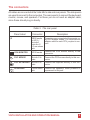
1
b.
6.
7.
8.
9.
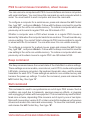
PS/2 mouse was not connected when Vista Mini powered up or has
been disconnected and reconnected. Issue the reset command.
c. Mouse translation set incorrectly, see page 11.
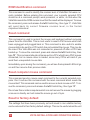
PS/2 mouse gets out of sync
a. Cabling was disturbed during mouse movement. Issue the null command once or twice to re-sync the mouse. Get a later mouse driver
which does not exhibit this problem, such as Microsoft rev 9.01 or
later.
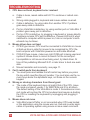
Video fuzzy
a. Cable too long or wrong type. Use coax cable for high resolution.
Video not synchronized or wrong color
a. Cable is loose, reseat cable.
b. Wrong CPU cable used. If you have a 9515, 9517, 9518, XGA
mono or similar monitor you must use special cables or adapters.
c. Cable is defective, try using cable from another CPU if problem
goes away cable is defective.
d. Port on Vista Mini is defective, try using another port on Vista Mini. If
problem goes away port is defective.
Lower resolution video OK, but can’t enter high resolution mode
a. Wrong CPU cable used.
b. Driver has not been setup. Windows, OS/2, or other driver has not
been configured for this resolution. Configure the driver.
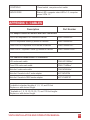
SERVICE INFORMATION
Maintenance and repair
The unit does not contain any user-serviceable parts inside. Any malfunction of
the unit should be reported to a factory-authorized repair center for service. Any
discrepancies in the operation of the unit according to this manual should be reported to the Technical Support Department of Rose Electronics.
VISTA INSTALLATION AND OPERATION MANUAL
17