1
nwA=r-,!nn_.l,l,jiV:._
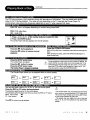
WMA refersto a new format of music filesfrom Microsoft available for playback from WMA web sites.The compressionused allows you
to recordfrom yourcomputer up to 22 hoursof musicon CD-R and play backthroughyourcombo player.APEX Digitalis the first
companyto offerthis feature in a home comboplayer,the ability to play backCD-R discs recordedwithWMA audiofiles.
r.I IV__Vd
I _[tlV=_tviY|lYff_! _*] i| ivd
r__l
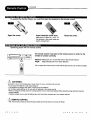
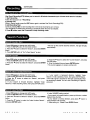
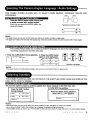
1.To play you musl view through your television, Insert a WMA CD, the
Combo Player will initialize the disc when lhe tray is closed and the
directory (folder) will be shown in a WMA MENU on screen.
2.Then press</>
then the ^/V
key to select and highlight a WMA file
(song).
Press ENTER to play.
I [NitkV:
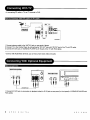
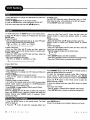
When a Kodak Picture CD is inserted, an automated slideshow is launched, each picture in the current directory will
be displayed consecutively in a slideshow fashion and will be scaled to fit most of the TV screen. Fifteen slideshow
transition modes are provided. Use "PROGRAM" key to select: Customers can set "transition"
effects for every
picture at any time during the slideshow.
NONE:(by default)
mode 1: WIPE TOP
mode 2: WIPE BO'I'rOM
mode 3: WIPE LEFT
mode 4: WIPE RIGHT
mode 5: DIAGONAL WIPE
mode 6: DIAGONAL WIPE
mode 7: DIAGONAL WIPE
mode 8: DIAGONAL WIPE
mode 9: EXTEND FROM CENTER H
mode 10: EXTEND FROM CENTER V
mode 11: COMPRESS TO CENTER H
mode 12: COMPRESS TO CENTER V
mode 13: WINDOW H
mode 14: WINDOW V
mode 15: WIPE FROM EDGE TO CENTER
RANDOM
LEFT TOP
RIGHT TOP
LEFT BO'I-FOM
RIGHT BO'I'rOM
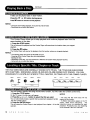
To display an image indefinitely,press the I_1 key. To view the Next or Previous picture press the SKIP FORWARD or SKIP
REVERSE key. To resume the slideshowpress the Ibll key.
I hvff:t_l::l :{ell Ir:l I tel _
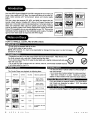
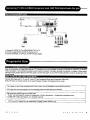
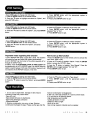
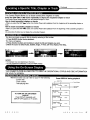
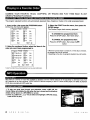
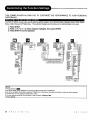
There are four modes to rotate a picture: "Invert", "Mirror", "Left", and "Right". These operations are allowed only
when a picture is being displayed normally, and will be cancelled automatically when a new picture is displayed. The
direction buttons are used to select the different transformation modes:
Up
A
Down V
-Invert/Normal
-Mirror/Normal
I :t q "J:I;I i I_(elii;
Left
Right
<
>
-Turn left
-Turn right
I:lk't ! I u]:i.'_-"[e_rlr
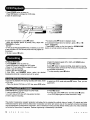
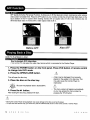
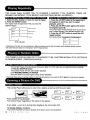
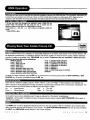
At the end of your picture slideshow, each image is reduced to a "thumbnail" sized display.
Important:
Let the player complete it's layout of twelve pictures before pressing SKIP FORWARD
view the next twelve.
button again to
ILv_I=I_L
u
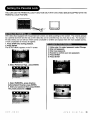
The MENU key is used to display thumbnail pictures from the stop position. After it is enabled, up to twelve scaleddown thumbnail pictures will be display on the screen. The SKIP FORWARD/REVERSE
keys can be used to display
the NEXT and PREVIOUS twelve pictures in the current directory.
A D
V
- 3
8
0
0
A
P
E
X
D
I
G
I
T
A
L
21