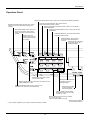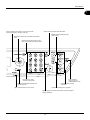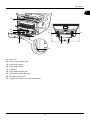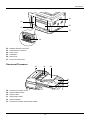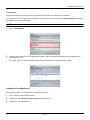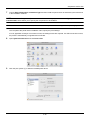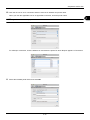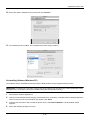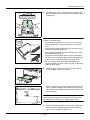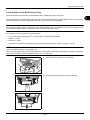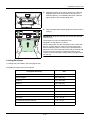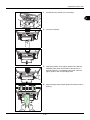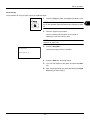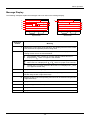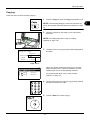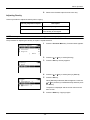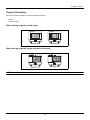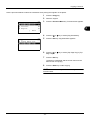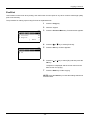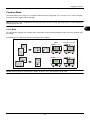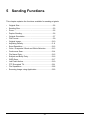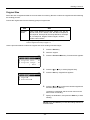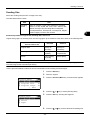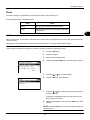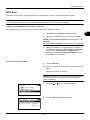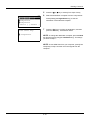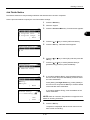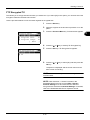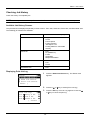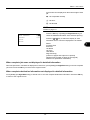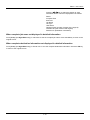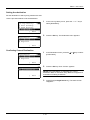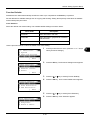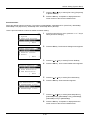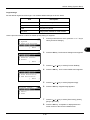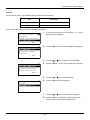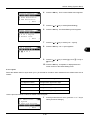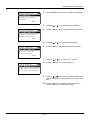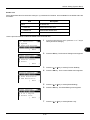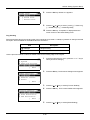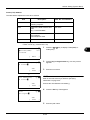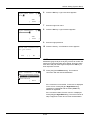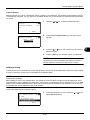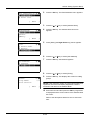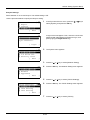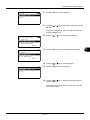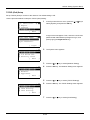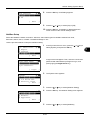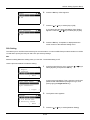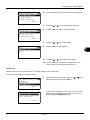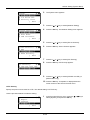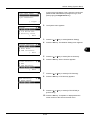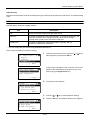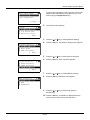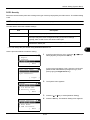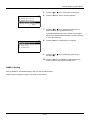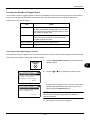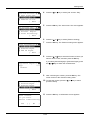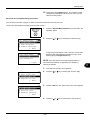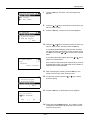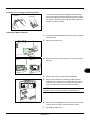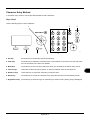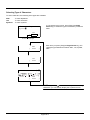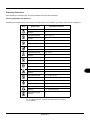
1
DC 6130 / P / 6135 / 6230 / 6235 User Manual DC 6130 / P / 6135 / 6230 / 6235 Digital Multifunctional System Copy / Print / Scan / Fax A4 Introduction Thank you for your purchase of this machine. This Operation Guide is intended to help you operate the machine correctly, perform routine maintenance and take a simple troubleshooting action as necessary, so that you can always use the machine in good condition. Please read this Operation Guide before you start using the machine, and keep it close to the machine for easy reference. We recommend the use of our own brand supplies. We will not be liable for any damage caused by the use of third party supplies in this machine. Included Guides The following guides are supplied with the machine. Refer to them as necessary. Quick Installation Guide Describes frequently-used operations, convenient operations, routine maintenance, and troubleshooting action. Safety Guide Provides safety and cautionary information for the installation and use of the machine. Be sure to read this guide before using the machine. Safety Guide (for this machine only) Describes the machine installation space, cautionary labels, and other information. Be sure to read this guide before using the machine. DVD (Product Library) Operation Guide (This Guide) Describes how to load paper, basic copy, print and scan operations, and troubleshooting. FAX Operation Guide Describes how to operate FAX, check transmission results, print reports, and use Network FAX. Embedded Web Server Operation Guide Printing System Driver User Guide Network FAX Driver Operation Guide Network Print Monitor User Guide Network Tool for Direct Printing Operation Guide Safety Conventions in This Guide The sections of this guide and parts of the machine marked with symbols are safety warnings meant to protect the user, other individuals and surrounding objects, and ensure correct and safe usage of the machine. The symbols and their meanings are indicated below. WARNING: Indicates that serious injury or even death may result from insufficient attention to or incorrect compliance with the related points. CAUTION: Indicates that personal injury or mechanical damage may result from insufficient attention to or incorrect compliance with the related points. Symbols The U symbol indicates that the related section includes safety warnings. Specific points of attention are indicated inside the symbol. .... [General warning] .... [Warning of high temperature] The symbol indicates that the related section includes information on prohibited actions. Specifics of the prohibited action are indicated inside the symbol. .... [Warning of prohibited action] .... [Disassembly prohibited] The z symbol indicates that the related section includes information on actions which must be performed. Specifics of the required action are indicated inside the symbol. .... [Alert of required action] .... [Remove the power plug from the outlet] .... [Always connect the machine to an outlet with a ground connection] Please contact your service representative to order a replacement if the safety warnings in this Operation Guide are illegible or if the guide itself is missing (fee required). NOTE: An original which resembles a bank note closely may not be copied properly in some rare cases because this machine is equipped with a counterfeiting prevention function. i Contents Contents Quick Guide . . . . . . . . . . . . . . . . . . . . . . . . . . . . . . . . . . . . . . . . . . . . . . . . . . . . . . . . . . . . . . . . . .v Menu Map . . . . . . . . . . . . . . . . . . . . . . . . . . . . . . . . . . . . . . . . . . . . . . . . . . . . . . . . . . . . . . . . . . viii Environment . . . . . . . . . . . . . . . . . . . . . . . . . . . . . . . . . . . . . . . . . . . . . . . . . . . . . . . . . . . . . . . . . xv Cautions when handling consumables . . . . . . . . . . . . . . . . . . . . . . . . . . . . . . . . . . . . . . . . . . . . . xv Laser Safety (Europe) . . . . . . . . . . . . . . . . . . . . . . . . . . . . . . . . . . . . . . . . . . . . . . . . . . . . . . . . . xvii Legal Restriction on Copying/Scanning . . . . . . . . . . . . . . . . . . . . . . . . . . . . . . . . . . . . . . . . . . . xvii Legal and Safety Information . . . . . . . . . . . . . . . . . . . . . . . . . . . . . . . . . . . . . . . . . . . . . . . . . . . xix 1 Part Names Operation Panel . . . . . . . . . . . . . . . . . . . . . . . . . . . . . . . . . . . . . . . . . . . . . . . . . . . . . . . . . . . . . 1-2 Machine. . . . . . . . . . . . . . . . . . . . . . . . . . . . . . . . . . . . . . . . . . . . . . . . . . . . . . . . . . . . . . . . . . . . 1-4 Document Processor. . . . . . . . . . . . . . . . . . . . . . . . . . . . . . . . . . . . . . . . . . . . . . . . . . . . . . . . . . 1-6 2 Preparation before Use Check bundled items. . . . . . . . . . . . . . . . . . . . . . . . . . . . . . . . . . . . . . . . . . . . . . . . . . . . . . . . . . 2-2 Determining the Connection Method and Preparing Cables . . . . . . . . . . . . . . . . . . . . . . . . . . . . 2-3 Connecting Cables . . . . . . . . . . . . . . . . . . . . . . . . . . . . . . . . . . . . . . . . . . . . . . . . . . . . . . . . . . . 2-5 Power On/Off. . . . . . . . . . . . . . . . . . . . . . . . . . . . . . . . . . . . . . . . . . . . . . . . . . . . . . . . . . . . . . . . 2-6 Sleep . . . . . . . . . . . . . . . . . . . . . . . . . . . . . . . . . . . . . . . . . . . . . . . . . . . . . . . . . . . . . . . . . . . . . . 2-7 Switching the Language for Display [Language]. . . . . . . . . . . . . . . . . . . . . . . . . . . . . . . . . . . . . 2-8 Setting Date and Time. . . . . . . . . . . . . . . . . . . . . . . . . . . . . . . . . . . . . . . . . . . . . . . . . . . . . . . . 2-10 Network Setup (LAN Cable Connection). . . . . . . . . . . . . . . . . . . . . . . . . . . . . . . . . . . . . . . . . . 2-13 Installing Software . . . . . . . . . . . . . . . . . . . . . . . . . . . . . . . . . . . . . . . . . . . . . . . . . . . . . . . . . . . 2-15 Embedded Web Server (Settings for E-mail) . . . . . . . . . . . . . . . . . . . . . . . . . . . . . . . . . . . . . . 2-26 Sending E-mail . . . . . . . . . . . . . . . . . . . . . . . . . . . . . . . . . . . . . . . . . . . . . . . . . . . . . . . . . . . . . 2-27 Preparation for sending a document to a PC . . . . . . . . . . . . . . . . . . . . . . . . . . . . . . . . . . . . . . 2-29 Loading Paper. . . . . . . . . . . . . . . . . . . . . . . . . . . . . . . . . . . . . . . . . . . . . . . . . . . . . . . . . . . . . . 2-39 Loading Originals . . . . . . . . . . . . . . . . . . . . . . . . . . . . . . . . . . . . . . . . . . . . . . . . . . . . . . . . . . . 2-52 3 Basic Operation Login/Logout . . . . . . . . . . . . . . . . . . . . . . . . . . . . . . . . . . . . . . . . . . . . . . . . . . . . . . . . . . . . . . . . 3-2 One-Touch Keys and Program Keys . . . . . . . . . . . . . . . . . . . . . . . . . . . . . . . . . . . . . . . . . . . . . . 3-3 Message Display . . . . . . . . . . . . . . . . . . . . . . . . . . . . . . . . . . . . . . . . . . . . . . . . . . . . . . . . . . . . . 3-6 Copying . . . . . . . . . . . . . . . . . . . . . . . . . . . . . . . . . . . . . . . . . . . . . . . . . . . . . . . . . . . . . . . . . . . . 3-7 Printing - Printing from Applications . . . . . . . . . . . . . . . . . . . . . . . . . . . . . . . . . . . . . . . . . . . . . 3-16 Sending . . . . . . . . . . . . . . . . . . . . . . . . . . . . . . . . . . . . . . . . . . . . . . . . . . . . . . . . . . . . . . . . . . . 3-18 Specifying Destination. . . . . . . . . . . . . . . . . . . . . . . . . . . . . . . . . . . . . . . . . . . . . . . . . . . . . . . . 3-25 Canceling Jobs . . . . . . . . . . . . . . . . . . . . . . . . . . . . . . . . . . . . . . . . . . . . . . . . . . . . . . . . . . . . . 3-28 Checking Remaining Toner and Paper . . . . . . . . . . . . . . . . . . . . . . . . . . . . . . . . . . . . . . . . . . . 3-29 4 Copying Functions Original Size . . . . . . . . . . . . . . . . . . . . . . . . . . . . . . . . . . . . . . . . . . . . . . . . . . . . . . . . . . . . . . . . 4-2 Paper Selection. . . . . . . . . . . . . . . . . . . . . . . . . . . . . . . . . . . . . . . . . . . . . . . . . . . . . . . . . . . . . . 4-3 Original Orientation . . . . . . . . . . . . . . . . . . . . . . . . . . . . . . . . . . . . . . . . . . . . . . . . . . . . . . . . . . . 4-6 EcoPrint. . . . . . . . . . . . . . . . . . . . . . . . . . . . . . . . . . . . . . . . . . . . . . . . . . . . . . . . . . . . . . . . . . . . 4-8 Combine Mode . . . . . . . . . . . . . . . . . . . . . . . . . . . . . . . . . . . . . . . . . . . . . . . . . . . . . . . . . . . . . . 4-9 Continuous Scan . . . . . . . . . . . . . . . . . . . . . . . . . . . . . . . . . . . . . . . . . . . . . . . . . . . . . . . . . . . . 4-13 Job Finish Notice. . . . . . . . . . . . . . . . . . . . . . . . . . . . . . . . . . . . . . . . . . . . . . . . . . . . . . . . . . . . 4-14 File Name Entry . . . . . . . . . . . . . . . . . . . . . . . . . . . . . . . . . . . . . . . . . . . . . . . . . . . . . . . . . . . . 4-16 Print Override . . . . . . . . . . . . . . . . . . . . . . . . . . . . . . . . . . . . . . . . . . . . . . . . . . . . . . . . . . . . . . 4-17 5 Sending Functions Original Size . . . . . . . . . . . . . . . . . . . . . . . . . . . . . . . . . . . . . . . . . . . . . . . . . . . . . . . . . . . . . . . . 5-2 Sending Size . . . . . . . . . . . . . . . . . . . . . . . . . . . . . . . . . . . . . . . . . . . . . . . . . . . . . . . . . . . . . . . . 5-3 ii Contents Zoom . . . . . . . . . . . . . . . . . . . . . . . . . . . . . . . . . . . . . . . . . . . . . . . . . . . . . . . . . . . . . . . . . . . . . . 5-5 Duplex Sending. . . . . . . . . . . . . . . . . . . . . . . . . . . . . . . . . . . . . . . . . . . . . . . . . . . . . . . . . . . . . . 5-6 Original Orientation . . . . . . . . . . . . . . . . . . . . . . . . . . . . . . . . . . . . . . . . . . . . . . . . . . . . . . . . . . . 5-7 File Format . . . . . . . . . . . . . . . . . . . . . . . . . . . . . . . . . . . . . . . . . . . . . . . . . . . . . . . . . . . . . . . . . 5-9 Original Image. . . . . . . . . . . . . . . . . . . . . . . . . . . . . . . . . . . . . . . . . . . . . . . . . . . . . . . . . . . . . . 5-10 Adjusting Density . . . . . . . . . . . . . . . . . . . . . . . . . . . . . . . . . . . . . . . . . . . . . . . . . . . . . . . . . . . 5-11 Scan Resolution . . . . . . . . . . . . . . . . . . . . . . . . . . . . . . . . . . . . . . . . . . . . . . . . . . . . . . . . . . . . 5-12 Color / Grayscale / Black and White Selection . . . . . . . . . . . . . . . . . . . . . . . . . . . . . . . . . . . . . 5-13 Continuous Scan . . . . . . . . . . . . . . . . . . . . . . . . . . . . . . . . . . . . . . . . . . . . . . . . . . . . . . . . . . . . 5-14 File Name Entry . . . . . . . . . . . . . . . . . . . . . . . . . . . . . . . . . . . . . . . . . . . . . . . . . . . . . . . . . . . . 5-15 Subject and Body Entry. . . . . . . . . . . . . . . . . . . . . . . . . . . . . . . . . . . . . . . . . . . . . . . . . . . . . . . 5-16 WSD Scan. . . . . . . . . . . . . . . . . . . . . . . . . . . . . . . . . . . . . . . . . . . . . . . . . . . . . . . . . . . . . . . . . 5-17 Job Finish Notice. . . . . . . . . . . . . . . . . . . . . . . . . . . . . . . . . . . . . . . . . . . . . . . . . . . . . . . . . . . . 5-19 FTP Encrypted TX. . . . . . . . . . . . . . . . . . . . . . . . . . . . . . . . . . . . . . . . . . . . . . . . . . . . . . . . . . . 5-21 File Separation . . . . . . . . . . . . . . . . . . . . . . . . . . . . . . . . . . . . . . . . . . . . . . . . . . . . . . . . . . . . . 5-22 Scanning Image using Application . . . . . . . . . . . . . . . . . . . . . . . . . . . . . . . . . . . . . . . . . . . . . . 5-23 6 Document Box Printing Documents Stored in USB Memory . . . . . . . . . . . . . . . . . . . . . . . . . . . . . . . . . . . . . . . . 6-2 Saving Documents to USB Memory (Scan to USB) . . . . . . . . . . . . . . . . . . . . . . . . . . . . . . . . . . 6-5 Removing USB Memory . . . . . . . . . . . . . . . . . . . . . . . . . . . . . . . . . . . . . . . . . . . . . . . . . . . . . . . 6-7 Printing from a Job Box . . . . . . . . . . . . . . . . . . . . . . . . . . . . . . . . . . . . . . . . . . . . . . . . . . . . . . . . 6-8 7 Status / Job Cancel Checking Job Status . . . . . . . . . . . . . . . . . . . . . . . . . . . . . . . . . . . . . . . . . . . . . . . . . . . . . . . . . . 7-2 Checking Job History . . . . . . . . . . . . . . . . . . . . . . . . . . . . . . . . . . . . . . . . . . . . . . . . . . . . . . . . . 7-8 Sending the Job Log History . . . . . . . . . . . . . . . . . . . . . . . . . . . . . . . . . . . . . . . . . . . . . . . . . . . 7-13 Pause and Resumption of Jobs . . . . . . . . . . . . . . . . . . . . . . . . . . . . . . . . . . . . . . . . . . . . . . . . 7-18 Canceling of Jobs . . . . . . . . . . . . . . . . . . . . . . . . . . . . . . . . . . . . . . . . . . . . . . . . . . . . . . . . . . . 7-18 Device/Communication . . . . . . . . . . . . . . . . . . . . . . . . . . . . . . . . . . . . . . . . . . . . . . . . . . . . . . . 7-19 8 Default Setting (System Menu) Common Settings . . . . . . . . . . . . . . . . . . . . . . . . . . . . . . . . . . . . . . . . . . . . . . . . . . . . . . . . . . . . 8-2 Copy Settings . . . . . . . . . . . . . . . . . . . . . . . . . . . . . . . . . . . . . . . . . . . . . . . . . . . . . . . . . . . . . . 8-69 Printer Settings . . . . . . . . . . . . . . . . . . . . . . . . . . . . . . . . . . . . . . . . . . . . . . . . . . . . . . . . . . . . . 8-75 Sending Settings . . . . . . . . . . . . . . . . . . . . . . . . . . . . . . . . . . . . . . . . . . . . . . . . . . . . . . . . . . . . 8-87 Document Box Settings. . . . . . . . . . . . . . . . . . . . . . . . . . . . . . . . . . . . . . . . . . . . . . . . . . . . . . . 8-89 Printing Reports/Sending Notice . . . . . . . . . . . . . . . . . . . . . . . . . . . . . . . . . . . . . . . . . . . . . . . . 8-93 Adjustment/Maintenance. . . . . . . . . . . . . . . . . . . . . . . . . . . . . . . . . . . . . . . . . . . . . . . . . . . . . . 8-98 Editing Destination (Address Book/Adding One-Touch Keys). . . . . . . . . . . . . . . . . . . . . . . . . 8-102 Restarting the System . . . . . . . . . . . . . . . . . . . . . . . . . . . . . . . . . . . . . . . . . . . . . . . . . . . . . . . 8-115 Network Setup. . . . . . . . . . . . . . . . . . . . . . . . . . . . . . . . . . . . . . . . . . . . . . . . . . . . . . . . . . . . . 8-116 Network Security . . . . . . . . . . . . . . . . . . . . . . . . . . . . . . . . . . . . . . . . . . . . . . . . . . . . . . . . . . . 8-135 Interface Block Setting . . . . . . . . . . . . . . . . . . . . . . . . . . . . . . . . . . . . . . . . . . . . . . . . . . . . . . 8-145 Security Level (Security Level setting) . . . . . . . . . . . . . . . . . . . . . . . . . . . . . . . . . . . . . . . . . . 8-149 Optional Functions . . . . . . . . . . . . . . . . . . . . . . . . . . . . . . . . . . . . . . . . . . . . . . . . . . . . . . . . . 8-149 9 Maintenance Cleaning . . . . . . . . . . . . . . . . . . . . . . . . . . . . . . . . . . . . . . . . . . . . . . . . . . . . . . . . . . . . . . . . . . . 9-2 Toner Container Replacement. . . . . . . . . . . . . . . . . . . . . . . . . . . . . . . . . . . . . . . . . . . . . . . . . . . 9-5 10 Troubleshooting Solving Malfunctions . . . . . . . . . . . . . . . . . . . . . . . . . . . . . . . . . . . . . . . . . . . . . . . . . . . . . . . . . 10-2 Responding to Error Messages. . . . . . . . . . . . . . . . . . . . . . . . . . . . . . . . . . . . . . . . . . . . . . . . . 10-6 Clearing Paper Jams. . . . . . . . . . . . . . . . . . . . . . . . . . . . . . . . . . . . . . . . . . . . . . . . . . . . . . . . 10-13 11 Management User Login Administration . . . . . . . . . . . . . . . . . . . . . . . . . . . . . . . . . . . . . . . . . . . . . . . . . . . . . 11-2 iii Contents Job Accounting . . . . . . . . . . . . . . . . . . . . . . . . . . . . . . . . . . . . . . . . . . . . . . . . . . . . . . . . . . . . 11-15 Checking the Counter . . . . . . . . . . . . . . . . . . . . . . . . . . . . . . . . . . . . . . . . . . . . . . . . . . . . . . . 11-37 Appendix Optional Equipment. . . . . . . . . . . . . . . . . . . . . . . . . . . . . . . . . . . . . . . . . . . . . . . . . . . . Appendix-2 Character Entry Method . . . . . . . . . . . . . . . . . . . . . . . . . . . . . . . . . . . . . . . . . . . . . . . . Appendix-5 Paper. . . . . . . . . . . . . . . . . . . . . . . . . . . . . . . . . . . . . . . . . . . . . . . . . . . . . . . . . . . . . . . Appendix-9 Specifications . . . . . . . . . . . . . . . . . . . . . . . . . . . . . . . . . . . . . . . . . . . . . . . . . . . . . . . Appendix-18 EN ISO 7779 . . . . . . . . . . . . . . . . . . . . . . . . . . . . . . . . . . . . . . . . . . . . . . . . . . . . . . . . Appendix-22 EK1-ITB 2000 . . . . . . . . . . . . . . . . . . . . . . . . . . . . . . . . . . . . . . . . . . . . . . . . . . . . . . . Appendix-22 Glossary . . . . . . . . . . . . . . . . . . . . . . . . . . . . . . . . . . . . . . . . . . . . . . . . . . . . . . . . . . . Appendix-23 Index . . . . . . . . . . . . . . . . . . . . . . . . . . . . . . . . . . . . . . . . . . . . . . . . . . . . . . . . . . . . . . . . . . .Index-1 iv Quick Guide Be sure to read Legal and Safety Information before using this machine. Administrator tasks To make copies It copies. What you want to do To print Simply press the Start key to make copies. You can also fine tune the copy settings by changing the paper size, adjusting the density, etc. Copying with specific settings It prints. You can print via a network and over the USB connection or print a PDF file directly from USB memory. Printing Documents Stored in Removable USB Memory Print via a network Print over the USB connection Connecting Cables Connect the USB cable Network Setup (LAN Cable Connection) Install the printer driver on your computer...2-15 Setup Loading Paper...2-39 Placing Originals on the Platen...2-52 Operation Copying Functions ...4-1 Printing Documents Stored in USB Memory ... 6-2 v Printing - Printing from Applications ...3-16 Administrator tasks To send documents It sends. What you want to do You can send scanned images via a network and over the USB connection. Or, you can also store scanned images in USB memory. Send to Folder (SMB) Send as E-mail Saving Documents to USB Memory Send to PC Connecting Cables Connecting Cables Network Setup (LAN Cable Connection) Install the scanner driver on your computer...2-15 Plug the USB memory Create a shared folder on the destination computer....2-29 Setup Editing Destination (Address Book/Adding One-Touch Keys)...8-102 Start up the application Place the originals on the platen Operation Sending ...3-18 *1 Sending Functions ...5-1 Saving Documents to USB Memory (Scan to USB) ...6-5 *1: If the destination is not stored in the address book, you can send by entering the address directly. vi Administrator tasks To send a FAX(FAX functions available only in the machine with fax) As well as sending a FAX via the telephone lines, you can also send a FAX via a network. It faxes. NOTE: For more information on setting up and sending a FAX, refer to the FAX Operation Guide. What you want to do Send a FAX FAX directly from a computer Connect the modular cord for the telephone line to this machine. Selection of Telephone Line (Inch version only) Network Setup (LAN Cable Connection) Install the Network FAX Driver on your computer *1 Setup Selection of Transmit Terminal Identification (TTI)...2-3 *2 on the FAX Operation Guide Place the originals on the platen Operation FAX Operation (Basic) ...3-1 on the FAX Operation Guide About Network FAX ...7-1 on the FAX Operation Guide *1: For more information, refer to the Network FAX Driver Operation Guide. *2: If the destination is not stored in the address book, you can send the FAX by entering the address directly. vii Menu Map Copy key Send key (Continued on next page) Function Menu key Function Menu key (Continued on next page) Paper Selection ...page 4-3 Collate ...page 3-15 Duplex ...page 3-12 Zoom ...page 3-10 Combine ...page 4-9 Original Size ...page 4-2 Orig.Orientation ...page 4-6 Original Image ...page 3-9 Density ...page 3-8 EcoPrint ...page 4-8 Continuous Scan ...page 4-13 File Name Entry ...page 4-16 JobFinish Notice ...page 4-14 Print Override ...page 4-17 Color Selection ...page 5-13 Original Size ...page 5-2 Original Image ...page 5-10 Scan Resolution ...page 5-12 Sending Size ...page 5-3 Zoom ...page 5-5 Orig.Orientation ...page 5-7 Continuous Scan ...page 5-14 File Format ...page 5-9 File Name Entry ...page 5-15 Subject/Body ...page 5-16 JobFinish Notice ...page 5-19 FAX Resolution ...Refer to the FAX Operation Guide FAX Delayed TX ...Refer to the FAX Operation Guide FAX Direct TX ...Refer to the FAX Operation Guide FAX RX Polling ...Refer to the FAX Operation Guide Density ...page 5-11 viii Send key (Continued from previous page) Function Menu key (Continued from previous page) Document Box key Document Box key (When printing from USB memory) Document Box key (When saving to USB memory) Duplex ...page 5-6 FTP Encrypted TX ...page 5-21 File Separation ...page 5-22 Sub Address Box ...Refer to the FAX Operation Guide Polling Box ...Refer to the FAX Operation Guide Job Box ...page 6-8 USB Memory ...page 6-2 Function Menu key Collate ...page 3-15 Paper Selection ...page 4-3 Duplex ...page 3-12 File Name Entry ...page 5-15 JobFinish Notice ...page 4-14 Print Override ...page 4-17 Encrypted PDF — TIFF Print ...page 6-3 XPS FitTo Page ...page 6-4 Color Selection ...page 5-13 Original Size ...page 5-2 Original Image ...page 5-10 Scan Resolution ...page 5-12 Storing Size — Zoom ...page 5-5 Orig.Orientation ...page 5-7 Continuous Scan ...page 5-14 File Format ...page 5-9 File Name Entry ...page 5-15 JobFinish Notice ...page 5-19 Density ...page 5-11 Duplex ...page 5-6 Function Menu key ix Status/Job Cancel key System Menu/ Counter key Print Job Status ...page 7-2 Send Job Status ...page 7-2 Store Job Status ...page 7-2 Scheduled Job ...page 7-8 Print Job Log ...page 7-8 Send Job Log ...page 7-8 Store Job Log ...page 7-8 Scanner ...page 7-19 Printer ...page 7-19 FAX ...page 7-19 Toner Status ...page 3-29 Paper Status ...page 3-29 USB Memory ...page 7-20 Report Report Print Admin Rpt Set. Result Rpt Set. Job Log History Menu Map ...page 8-93 Status Page ...page 8-93 Font List ...page 8-93 Outgoing FAX Rpt ...Refer to the FAX Operation Guide Incoming FAX Rpt ...Refer to the FAX Operation Guide Send Result E-mail/Folder ...page 8-96 FAX ...page 8-96 CancelBeforeSe nd ...page 8-96 FAX RX Result ...Refer to the FAX Operation Guide JobFinish Notice ...Refer to the FAX Operation Guide Auto Sending ...page 7-13 Send History ...page 7-13 Destination (Continued on next page) Confirmation ...page 7-13 Register ...page 7-13 Subject ...page 7-13 SSFC Log Subject ...page 7-13 x System Menu/ Counter key (Continued from previous page) ...page 11-37 Counter System User/Job Account Network Setting TCP/IP Settings ...page 8-117 IPv4 Setting ...page 8-117 IPv6 Setting ...page 8-126 Protocol Detail ...page 8-132 NetWare ...page 8-127 AppleTalk ...page 8-128 WSD-SCAN ...page 8-129 WSD-PRINT ...page 8-130 IPSec ...page 8-135 Secure Protocol ...page 8-135 Host Name — LAN Interface ...page 8-116 I/F Block Set. ...page 8-145 Security Level ...page 8-149 Restart ...page 8-115 Op Functions ...page 8-149 User Login Set. Job Account.Set. User Login ...page 11-2 Local User List ...page 11-6 IC Card Setting — Group Auth. ...page 11-11 NW User Property ...page 11-12 Job Accounting ...page 11-15 Account. Report ...page 11-35 Total Accounting ...page 11-31 Each Job Account ...page 11-31 Account. List Detail/Edit ...page 11-19 Delete ...page 11-19 Add Account ...page 11-18 Apply Limit ...page 11-26 Copy/Print Count ...page 11-22 Counter Limit ...page 11-28 Default Setting (Continued on next page) TCP/IP ...page 11-13 Unknown ID Job xi System Menu/ Counter key — User Property Common Settings Language ...page 8-3 Default Screen ...page 8-5 Sound Buzzer ...page 8-6 FAX Speaker ...page 8-6 FAX Monitor ...page 8-6 ...page 8-7 Display Bright. Orig./Paper Set. (Continued on next page) ...page 8-7 Def. Orig. Size ...page 8-9 Custom PaperSize ...page 8-10 Cassette 1 Set. ...page 8-12 Cassette 2 Set. ...page 8-12 Cassette 3 Set. ...page 8-12 MP Tray Set. ...page 8-14 Media Type Set. ...page 8-16 Media for Auto ...page 8-20 Def. PaperSource ...page 8-21 SpcialPaper Act. ...page 8-22 Preset Limit ...page 8-24 Measurement ...page 8-25 Error Handling ...page 8-26 Date Setting ...page 8-28 Timer Setting (Continued from previous page) (Continued on next page) Custom Orig.Size Err. Clear Timer ...page 8-33 Sleep Timer ...page 8-35 PanelReset Timer ...page 8-39 Power Off Rule ...page 8-35 Power Off Timer ...page 8-37 Auto Err. Clear ...page 8-33 Auto Panel Reset ...page 8-39 Unusable Time ...page 8-41 xii System Menu/ Counter key (Continued from previous page) Common Settings Function Default (Continued from previous page) Color Selection ...page 8-43 Scan Resolution ...page 8-44 FAX Resolution ...Refer to the FAX Operation Guide Original Image ...page 8-45 Density ...page 8-46 Zoom ...page 8-47 Collate ...page 8-48 Orig.Orientation ...page 8-49 EcoPrint ...page 8-50 File Name Entry ...page 8-51 Subject/Body ...page 8-52 Continuous Scan ...page 8-53 File Format ...page 8-54 File Separation ...page 8-55 TIFF Print ...page 8-56 XPS FitTo Page ...page 8-57 Detail Setting Copy (Continued on next page) 2 in 1 Layout ...page 8-58 4 in 1 Layout ...page 8-59 Border Line ...page 8-61 Orig. Binding ...page 8-62 Finish. Binding ...page 8-63 Image Quality ...page 8-64 Color TIFF Comp. ...page 8-65 Login Operation ...page 8-67 RAM Disk Mode ...page 8-68 Photo Processing ...page 8-69 Paper Selection ...page 8-70 AutoPaperSelect. ...page 8-71 Auto % Priority ...page 8-72 Select Key Set. ...page 8-73 xiii System Menu/ Counter key (Continued from previous page) Emulation Set. ...page 8-75 EcoPrint ...page 8-78 Override A4/LTR ...page 8-79 Duplex ...page 8-80 Copies ...page 8-81 Orientation ...page 8-82 FormFeed TimeOut ...page 8-83 LF Action ...page 8-83 CR Action ...page 8-84 Paper Feed Mode ...page 8-85 Send Select Key Set. ...page 8-87 Document Box Sub Address Box ...Refer to the FAX Operation Guide Job Box ...page 8-89 Polling Box ...Refer to the FAX Operation Guide Select Key Set. ...page 8-91 Address Book ...page 8-102 Print List ...page 8-102 Copy Denst. Adj. ...page 8-98 Send/Box Density ...page 8-99 Correct. Bk Line ...page 8-100 Service Setting Service Status ...page 8-95 Network Status ...page 8-95 New Developer ...page 8-101 FAX Country Code — FAX Call Set. — Remote Diag.Set. ...Refer to the FAX Operation Guide Remote Diag. ID ...Refer to the FAX Operation Guide Printer Edit Destination Adjust/Maint. xiv Environment The service environmental conditions are as follows: • Temperature: 50 to 90.5 °F (10 to 32.5 °C) • Humidity: 15 to 80 % However, adverse environmental conditions may affect the image quality. Avoid the following locations when selecting a site for the machine. • Avoid locations near a window or with exposure to direct sunlight. • Avoid locations with vibrations. • Avoid locations with drastic temperature fluctuations. • Avoid locations with direct exposure to hot or cold air. • Avoid poorly ventilated locations. If the floor is delicate against casters, when this machine is moved after installation, the floor material may be damaged. During copying, some ozone is released, but the amount does not cause any ill effect to one’s health. If, however, the machine is used over a long period of time in a poorly ventilated room or when making an extremely large number of copies, the smell may become unpleasant. To maintain the appropriate environment for copy work, it is suggested that the room be properly ventilated. Cautions when handling consumables CAUTION Do not attempt to incinerate the toner container or the waste toner box. Dangerous sparks may cause burns. Keep the toner container and the waste toner box out of the reach of children. If toner happens to spill from the toner container or the waste toner box, avoid inhalation and ingestion, as well as contact with your eyes and skin. • If you do happen to inhale toner, move to a place with fresh air and gargle thoroughly with a large amount of water. If coughing develops, contact a physician. • If you do happen to ingest toner, rinse your mouth with water and drink 1 or 2 cups of water to dilute the contents of your stomach. If necessary, contact a physician. • If you do happen to get toner in your eyes, flush them thoroughly with water. If there is any remaining tenderness, contact a physician. • If toner does happen to get on your skin, wash with soap and water. Do not attempt to force open or destroy the toner container or the waste toner box. xv Other precautions Return the exhausted toner container and waste toner box to your dealer or service representative. The collected toner container and waste toner box will be recycled or disposed in accordance with the relevant regulations. Store the machine while avoiding exposure to direct sunlight. Store the machine in a place where the temperature stays below 40ºC while avoiding sharp changes of temperature and humidity. If the machine will not be used for an extended period of time, remove the paper from the cassette and the Multi Purpose (MP) Tray, return it to its original package and reseal it. If using the machine with fax the power switch is off, transmitting/receiving Fax is disabled. Do not turn off the power switch. xvi Laser Safety (Europe) Laser radiation could be hazardous to the human body. For this reason, laser radiation emitted inside this machine is hermetically sealed within the protective housing and external cover. In the normal operation of the product by user, no radiation can leak from the machine. This machine is classified as Class 1 laser product under IEC 60825-1:2007. Caution: Performance of procedures other than those specified in this manual may result in hazardous radiation exposure. These labels are attached to the laser scanner unit inside the machine and are not in a user access area. The label shown below is attached on the right side of the machine. Legal Restriction on Copying/Scanning • It may be prohibited to copy/scan copyrighted material without permission of the copyright owner. • Copying/Scanning the following items is prohibited and may be penalized by low. It may not be limited to these items. Do not knowingly copy/scan the items that are not to be copied/scanned. Paper money Bank note Securities Stamp Passport Certificate • Local laws and regulations may prohibit or restrict copying/scanning of other items not mentioned above. xvii xviii Legal and Safety Information Please read this information before using your machine. This chapter provides information on the following topics. • • • • • • • • Legal Information............................................................xx Regarding Trade Names ................................................xx Energy Saving Control Function.................................. xxiv Automatic 2-Sided Copy Function............................... xxiv Paper Recycling .......................................................... xxiv Energy Star (ENERGY STAR®) Program.................... xxiv About this Operation Guide .......................................... xxv Conventions in This Guide .......................................... xxvi xix Legal Information Copying or other reproduction of all or part of this guide without the prior written consent of Copyright owner is prohibited. Regarding Trade Names • KPDL is a trademark of Kyocera Corporation. • Microsoft, Windows, Windows XP, Windows Server 2003, Windows Vista, Windows Server 2008, Windows 7 and Internet Explorer are registered trademarks or trademarks of Microsoft Corporation in the U.S.A. and/or other countries. • PCL is a trademark of Hewlett-Packard Company. • Adobe Acrobat, Adobe Reader and PostScript are trademarks of Adobe Systems, Incorporated. • Ethernet is a registered trademark of Xerox Corporation. • Novell and NetWare are registered trademarks of Novell, Inc. • IBM and IBM PC/AT are trademarks of International Business Machines Corporation. • AppleTalk, Bonjour, Macintosh, and Mac OS are trademarks of Apple Inc., registered in the U.S. and other countries. • All European language fonts installed in this machine are used under licensing agreement with Monotype Imaging Inc. • Helvetica, Palatino and Times are registered trademarks of Linotype GmbH. • ITC Avant Garde Gothic, ITC Bookman, ITC ZapfChancery and ITC ZapfDingbats are registered trademarks of International Typeface Corporation. • UFST™ MicroType® fonts by Monotype Imaging Inc. are installed in this machine. • This machine contains the software having modules developed by Independent JPEG Group. All other brands and product names are registered trademarks or trademarks of their respective companies. The designations ™ and ® will not be used in this Operation Guide. xx GPL/LGPL This product contains GPL (http://www.gnu.org/licenses/gpl.html) and/or LGPL (http://www.gnu.org/licenses/ lgpl.html) software as part of its firmware. You can get the source code, and you are permitted to copy, redistribute and modify it under the terms of GPL/LGPL. Open SSLeay License Copyright (c) 1998-2006 The OpenSSL Project. All rights reserved. Redistribution and use in source and binary forms, with or without modification, are permitted provided that the following conditions are met: 1 Redistributions of source code must retain the above copyright notice, this list of conditions and the following disclaimer. 2 Redistributions in binary form must reproduce the above copyright notice, this list of conditions and the following disclaimer in the documentation and/or other materials provided with the distribution. 3 All advertising materials mentioning features or use of this software must display the following acknowledgment: “This product includes software developed by the OpenSSL Project for use in the OpenSSL Toolkit. (http:// www.openssl.org/)” 4 The names “OpenSSL Toolkit” and “OpenSSL Project” must not be used to endorse or promote products derived from this software without prior written permission. For written permission, please contact [email protected]. 5 Products derived from this software may not be called “OpenSSL” nor may “OpenSSL” appear in their names without prior written permission of the OpenSSL Project. 6 Redistributions of any form whatsoever must retain the following acknowledgment: “This product includes software developed by the OpenSSL Project for use in the OpenSSL Toolkit (http://www.openssl.org/)” THIS SOFTWARE IS PROVIDED BY THE OpenSSL PROJECT “AS IS” AND ANY EXPRESSED OR IMPLIED WARRANTIES, INCLUDING, BUT NOT LIMITED TO, THE IMPLIED WARRANTIES OF MERCHANTABILITY AND FITNESS FOR A PARTICULAR PURPOSE ARE DISCLAIMED. IN NO EVENT SHALL THE OpenSSL PROJECT OR ITS CONTRIBUTORS BE LIABLE FOR ANY DIRECT, INDIRECT, INCIDENTAL, SPECIAL, EXEMPLARY, OR CONSEQUENTIAL DAMAGES (INCLUDING, BUT NOT LIMITED TO, PROCUREMENT OF SUBSTITUTE GOODS OR SERVICES; LOSS OF USE, DATA, OR PROFITS; OR BUSINESS INTERRUPTION) HOWEVER CAUSED AND ON ANY THEORY OF LIABILITY, WHETHER IN CONTRACT, STRICT LIABILITY, OR TORT (INCLUDING NEGLIGENCE OR OTHERWISE) ARISING IN ANY WAY OUT OF THE USE OF THIS SOFTWARE, EVEN IF ADVISED OF THE POSSIBILITY OF SUCH DAMAGE. xxi Original SSLeay License Copyright (C) 1995-1998 Eric Young ([email protected]) All rights reserved. This package is an SSL implementation written by Eric Young ([email protected]). The implementation was written so as to conform with Netscapes SSL. This library is free for commercial and non-commercial use as long as the following conditions are aheared to. The following conditions apply to all code found in this distribution, be it the RC4, RSA, lhash, DES, etc., code; not just the SSL code. The SSL documentation included with this distribution is covered by the same copyright terms except that the holder is Tim Hudson ([email protected]). Copyright remains Eric Young’s, and as such any Copyright notices in the code are not to be removed. If this package is used in a product, Eric Young should be given attribution as the author of the parts of the library used. This can be in the form of a textual message at program startup or in documentation (online or textual) provided with the package. Redistribution and use in source and binary forms, with or without modification, are permitted provided that the following conditions are met: 1 Redistributions of source code must retain the copyright notice, this list of conditions and the following disclaimer. 2 Redistributions in binary form must reproduce the above copyright notice, this list of conditions and the following disclaimer in the documentation and/or other materials provided with the distribution. 3 All advertising materials mentioning features or use of this software must display the following acknowledgement: “This product includes cryptographic software written by Eric Young ([email protected])” The word ‘cryptographic’ can be left out if the rouines from the library being used are not cryptographic related :-). 4 If you include any Windows specific code (or a derivative thereof) from the apps directory (application code) you must include an acknowledgement: “This product includes software written by Tim Hudson ([email protected])” THIS SOFTWARE IS PROVIDED BY ERIC YOUNG “AS IS” AND ANY EXPRESS OR IMPLIED WARRANTIES, INCLUDING, BUT NOT LIMITED TO, THE IMPLIED WARRANTIES OF MERCHANTABILITY AND FITNESS FOR A PARTICULAR PURPOSE ARE DISCLAIMED. IN NO EVENT SHALL THE AUTHOR OR CONTRIBUTORS BE LIABLE FOR ANY DIRECT, INDIRECT, INCIDENTAL, SPECIAL, EXEMPLARY, OR CONSEQUENTIAL DAMAGES (INCLUDING, BUT NOT LIMITED TO, PROCUREMENT OF SUBSTITUTE GOODS OR SERVICES; LOSS OF USE, DATA, OR PROFITS; OR BUSINESS INTERRUPTION) HOWEVER CAUSED AND ON ANY THEORY OF LIABILITY, WHETHER IN CONTRACT, STRICT LIABILITY, OR TORT (INCLUDING NEGLIGENCE OR OTHERWISE) ARISING IN ANY WAY OUT OF THE USE OF THIS SOFTWARE, EVEN IF ADVISED OF THE POSSIBILITY OF SUCH DAMAGE. The licence and distribution terms for any publically available version or derivative of this code cannot be changed. i.e. this code cannot simply be copied and put under another distribution licence [including the GNU Public Licence.] xxii Monotype Imaging License Agreement 1 Software shall mean the digitally encoded, machine readable, scalable outline data as encoded in a special format as well as the UFST Software. 2 You agree to accept a non-exclusive license to use the Software to reproduce and display weights, styles and versions of letters, numerals, characters and symbols (Typefaces) solely for your own customary business or personal purposes at the address stated on the registration card you return to Monotype Imaging. Under the terms of this License Agreement, you have the right to use the Fonts on up to three printers. If you need to have access to the fonts on more than three printers, you need to acquire a multi-user license agreement which can be obtained from Monotype Imaging. Monotype Imaging retains all rights, title and interest to the Software and Typefaces and no rights are granted to you other than a License to use the Software on the terms expressly set forth in this Agreement. 3 To protect proprietary rights of Monotype Imaging, you agree to maintain the Software and other proprietary information concerning the Typefaces in strict confidence and to establish reasonable procedures regulating access to and use of the Software and Typefaces. 4 You agree not to duplicate or copy the Software or Typefaces, except that you may make one backup copy. You agree that any such copy shall contain the same proprietary notices as those appearing on the original. 5 This License shall continue until the last use of the Software and Typefaces, unless sooner terminated. This License may be terminated by Monotype Imaging if you fail to comply with the terms of this License and such failure is not remedied within thirty (30) days after notice from Monotype Imaging. When this License expires or is terminated, you shall either return to Monotype Imaging or destroy all copies of the Software and Typefaces and documentation as requested. 6 You agree that you will not modify, alter, disassemble, decrypt, reverse engineer or decompile the Software. 7 Monotype Imaging warrants that for ninety (90) days after delivery, the Software will perform in accordance with Monotype Imaging-published specifications, and the diskette will be free from defects in material and workmanship. Monotype Imaging does not warrant that the Software is free from all bugs, errors and omissions. The parties agree that all other warranties, expressed or implied, including warranties of fitness for a particular purpose and merchantability, are excluded. 8 Your exclusive remedy and the sole liability of Monotype Imaging in connection with the Software and Typefaces is repair or replacement of defective parts, upon their return to Monotype Imaging. In no event will Monotype Imaging be liable for lost profits, lost data, or any other incidental or consequential damages, or any damages caused by abuse or misapplication of the Software and Typefaces. 9 Massachusetts U.S.A. law governs this Agreement. 10 You shall not sublicense, sell, lease, or otherwise transfer the Software and/or Typefaces without the prior written consent of Monotype Imaging. 11 Use, duplication or disclosure by the Government is subject to restrictions as set forth in the Rights in Technical Data and Computer Software clause at FAR 252-227-7013, subdivision (b)(3)(ii) or subparagraph (c)(1)(ii), as appropriate. Further use, duplication or disclosure is subject to restrictions applicable to restricted rights software as set forth in FAR 52.227-19 (c)(2). 12 You acknowledge that you have read this Agreement, understand it, and agree to be bound by its terms and conditions. Neither party shall be bound by any statement or representation not contained in this Agreement. No change in this Agreement is effective unless written and signed by properly authorized representatives of each party. By opening this diskette package, you agree to accept the terms and conditions of this Agreement. xxiii Energy Saving Control Function The device comes equipped with a Sleep Mode where printer and fax functions remain in a waiting state but power consumption is still reduced to a minimum after a certain amount of time elapses since the device was last used. Sleep The device automatically enters Sleep when 1 minute has passed since the device was last used. The amount of time of no activity that must pass before Sleep is activated may be lengthened. For more information see Sleep on page 2-7. Automatic 2-Sided Copy Function This device includes 2-sided copying as a standard function. For example, by copying two 1-sided originals onto a single sheet of paper as a 2-sided copy, it is possible to lower the amount of paper used. For more information see Sleep on page 2-7. Paper Recycling This device supports the recycled paper which reduces the load on the environment. Your sales or service representative can provide information about recommended paper types. Energy Star (ENERGY STAR®) Program We have determined as a participating company in the International Energy Star Program that this product is compliant with the standards laid out in the International Energy Star Program. xxiv About this Operation Guide This Operation Guide contains the following chapters. Chapter 1 - Part Names Identifies machine parts and operation panel keys. Chapter 2 - Preparation before Use Explains adding paper, placing originals, connecting the machine, and necessary configurations before first use. Chapter 3 - Basic Operation Describes the procedures for basic copying, printing and scanning. Chapter 4 - Copying Functions Describes the functions you can use when copying. Chapter 5 - Sending Functions Describes the functions you can use when sending originals. Chapter 6 - Document Box Provides a basic guide to using document boxes. Chapter 7 - Status / Job Cancel Explains how to check the job status and job history and how to pause or resume jobs being printed or waiting to print. Also explains how to check the device status. Chapter 8 - Default Setting (System Menu) Describes the System Menu options for general machine operation. Chapter 9 - Maintenance Describes cleaning and toner replacement. Chapter 10 - Troubleshooting Explains how to handle error messages, paper jams and other problems. Chapter 11 - Management Explains user login administration and job accounting. Appendix Explains how to enter characters, and lists the machine specifications. Introduces the convenient optional equipment available for this machine. Provides information on media types and paper sizes. Also includes a glossary of terms. xxv Conventions in This Guide The following conventions are used depending on the nature of the description. Convention Description Example Bold Indicates the operation panel keys or a computer screen. Press the Start key. [Regular] Indicates a selection item on the Message Display. Select [System]. Italic Indicates a message displayed on the Message Display. Ready to copy is displayed. Used to emphasize a key word, phrase or references to additional information. For more information refer to Sleep on page 2-7. Note Indicates supplemental information or operations for reference. NOTE: Important Indicates items that are required or prohibited so as to avoid problems. IMPORTANT: Indicates what must be observed to prevent injury or machine breakdown and how to deal with it. CAUTION: Caution xxvi 1 Part Names This chapter identifies the machine parts and operation panel keys. • • Operation Panel ........................................................... 1-2 Machine........................................................................ 1-4 1-1 Part Names Operation Panel Displays the Address Book screen, where you can add, edit and delete destinations. Displays the System Menu/Counter menu screen, where you can check the system settings and counters. Calls the previous destination. Also used to enter a pause when entering a FAX number.* Displays the Confirm Destination screen, where you can edit and delete destinations. Displays the Add Destination screen, where you can add destinations. Displays the Status screen, where you can check the status, print a status report, and pause or cancel the job in process. Switches between on-hook and off-hook when manually sending a FAX.* Displays the Copy screen, where you can make settings required for copying. Message Display. Check what is shown here while operating the machine. Selects the menu displayed at the lower right in the Message Display. Displays the FAX screen, where you can send a FAX.* Displays the Send screen, where you can send an e-mail, folder (SMB/FTP) or FAX.* Displays the Document Box screen, where you can operate the document box and USB memory. Selects the menu displayed at the lower left in the Message Display. Blinks while print data is being received or data is transmitted. Used to register, call and delete destinations to the one-touch key numbers (1 to 22). Shifts to switch the one-touch key numbers (1 to 11 and 12 to 22). Lamp is lit while shifted (12 to 22). * FAX functions available only on products with the fax function installed. 1-2 Blinks while the machine is accessing the memory. Part Names 1 Used to select a menu item, move the cursor when entering characters, change a value, etc. Clears entered numbers and characters. Resets settings and displays the basic screen. Selects the chosen item or finalizes the entered value. Displays the function menu for copy, print, transmission and document box. Numeric keys. Enter numbers and symbols. Ends operation (logs out) on the Administration screen. Used to register or recall programs. Returns the Message Display to the previous screen. Cancels the printing job in progress. Lights or blinks when an error occurs. Starts copying and scanning operations and processing for setting operations. 1-3 Part Names Machine 9 10 1 4 5 6 2 3 7 11 12 8 1 Document Processor 2 Platen 3 Power Switch 4 Slit Glass 5 Operation Panel 6 Top Cover 7 Front Cover 8 Duplex Front Cover 9 Drum Unit 10 Main Charger Cleaner 11 Lock Lever 12 Toner Container 1-4 Part Names 1 13 14 15 19 19 16 17 20 18 13 Inner Tray 14 Paper Length Adjusting Tab 15 Paper Length Guide 16 Paper Width Guides 17 Cassette 1 18 Paper Width Adjusting Tab 19 Paper Width Guides (MP Tray) 20 MP (Multi-Purpose) Tray 21 Support Tray Section of the Multi Purpose Tray 1-5 21 Part Names 25 22 26 23 27 24 22 23 24 25 26 27 Network Interface Connector USB Interface Connector Fuser Cover Handholds Rear Cover Power Cord Connector Document Processor 28 29 30 31 32 33 28 29 30 31 32 33 Document Processor Cover Original Width Guides Original Table Original Eject Table Original Stopper Document Processor Open/Close Handle 1-6 2 Preparation before Use This chapter explains the preparations before using this equipment for the first time as well as the procedures for loading papers and originals. • • • • • • • • • • • • • • Check bundled items.................................................... 2-2 Determining the Connection Method and Preparing Cables . 2-3 Connecting Cables ....................................................... 2-5 Power On/Off................................................................ 2-6 Sleep ............................................................................ 2-7 Switching the Language for Display [Language] .......... 2-8 Setting Date and Time................................................ 2-10 Network Setup (LAN Cable Connection).................... 2-13 Installing Software ...................................................... 2-15 Embedded Web Server (Settings for E-mail) ............. 2-26 Sending E-mail ........................................................... 2-27 Preparation for sending a document to a PC ............. 2-29 Loading Paper ............................................................ 2-39 Loading Originals ....................................................... 2-52 2-1 Preparation before Use Check bundled items Check that the following items have been bundled. • Quick Installation Guide • Safety Guide • Safety Guide (for this machine only) • DVD (Product Library) Documents Contained in the Included DVD The following documents are contained in the included DVD (Product Library). Refer to them as necessary. Documents Operation Guide (This Guide) FAX Operation Guide Embedded Web Server Operation Guide Printing System Driver User Guide Network FAX Driver Operation Guide Network Print Monitor User Guide Network Tool for Direct Printing Operation Guide 2-2 Preparation before Use Determining the Connection Method and Preparing Cables Check the method to connect the equipment to a PC or network, and prepare the necessary cables. Connection Example Determine the method to connect the equipment to a PC or network by referring to the illustration below. Connecting a scanner to your PC network with a network cable (100BASE-TX or 10BASE-T) Embedded Web Server Administrator’s PC Network Network settings, Scanner default settings, User and destination registration Send E-mail Sends the image data of scanned originals to the desired recipient as a file attached to an E-mail message. MFP Printing Network USB Saves the scanned image as a data file on your PC. Network Network Network FAX Send SMB Network Send FTP Sends the scanned image as a data file on the FTP. FAX * FAX Network TWAIN Scanning USB Network WIA Scanning USB TWAIN and WIA are standardized interface for communication between software applications and image acquisition devices. FAX functions available only in the machine with fax. 2-3 2 Preparation before Use Preparing Necessary Cables The following interfaces are available to connect the equipment to a PC. Prepare the necessary cables according to the interface you use. Available Standard Interfaces Function Interface Necessary Cable Printer/Scanner/ TWAIN Scanning/ WIA Scanning/ /Network FAX* Network interface LAN (10Base-T or 100Base-TX, Shielded) Printer/TWAIN Scanning/WIA Scanning USB interface USB2.0 compatible cable (Hi-Speed USB compliant, Max. 5.0 m, Shielded) * Network FAX and FAX functions available only in the machine with fax. For details on Network FAX, refer to the FAX Operation Guide. 2-4 Preparation before Use Connecting Cables Follow the steps below to connect cables to the machine. 1 Connect the machine to the PC or your network device. When using the network interface, remove the cap. When connecting the network cable, configure the network. For details, refer to Network Setup (LAN Cable Connection) on page 2-13. 2 Connect one end of the supplied power cable to the machine and the other end to a power outlet. IMPORTANT: Only use the power cable that comes with the machine. 2-5 2 Preparation before Use Power On/Off Power On Press the Power switch. IMPORTANT: When turning off the power switch, do not turn on the power switch again immediately. Wait more than 5 seconds, and then turn on the power switch. Power Off Make sure that the memory indicator is off, then press the Power switch. Make sure that the indicator is off. 2-6 Preparation before Use Power Off Timer If the machine is not used while in sleep mode, the power automatically turns off. The Power Off Timer is used to set the time until the power turns off. The factory setting for the time until the power turns off is 1 hour. IMPORTANT: You can set the power off rule and power off timer. For details, refer to Power Off Rule on page 8-35 and Power Off Timer on page 8-37. In case of not using the machine for a extended period of time CAUTION: If this machine will be left unused for an extended period (e.g. overnight), turn it off at the power switch. If the machine will not be used for an even longer period of time (e.g. vacation), remove the power plug from the outlet as a safety precaution. If using the machine with fax, note that turning the machine off at the power switch disables fax transmission and reception. CAUTION: Remove paper from the cassettes and seal it in the paper storage bag to protect it from humidity. Sleep When the set time (factory setting is 1 minute) elapses after the machine is last used, the machine automatically enters sleep mode. The message display backlight and lights turn off to minimize power consumption. This status is referred to as Sleep. When in the Sleep state, "Sleeping" appears in the message display. If print data is received during Sleep, the print job is performed while the Message Display remains unlit. If you are using the machine with fax, received fax data is printed out while the operation panel also remains unlit. To use the machine, press the any key on the operation panel. The machine will be ready to operate in about 15 seconds. Note that ambient environmental conditions, such as ventilation, may cause the machine to respond more slowly. 2-7 2 Preparation before Use Switching the Language for Display [Language] Select the language displayed on the Message Display. Use the procedure below to select the language. 1 Press the Power switch. 2 Press the System Menu/Counter key on the main unit operation panel. When you are performing user management and have not logged in, a login screen will appear. Then, enter the user ID and password to log in. Login User Name: L b ******************** Login Password: [ Login ] NOTE: The following administrator is registered in the machine at the factory. Login User Name:30 ppm model:3000, 35 ppm model:3500 Login Password:30 ppm model:3000, 35 ppm model:3500 Refer to Character Entry Method on Appendix-5 for details on entering characters. Sys. Menu/Count.: a b 3 System 4 User/Job Account 5 Common Settings ********************* Common Settings: a b 1 Language ********************* 2 Default Screen 3 Sound [ Exit ] 3 In the Sys. Menu/Count. menu, press the U or V key to select [Common Settings]. 4 Press the OK key. The Common Settings menu appears. 5 Press the U or V key to select [Language]. 2-8 Preparation before Use Language: a b 1 *English ********************* 2 Deutsch 3 Français 6 Press the OK key. Language appears. 2 7 Press the U or V key to select the desired language and then press the OK key. Completed. is displayed and the screen returns to the Common Settings menu. 2-9 Preparation before Use Setting Date and Time Follow the steps below to set the local date and time at the place of installation. When you send an E-mail using the transmission function, the date and time as set here will be printed in the header of the E-mail message. Set the date, time and time difference from GMT of the region where the machine is used. NOTE: Be sure to set the time difference before setting the date and time. Sys. Menu/Count.: a b 3 System 4 User/Job Account 5 Common Settings ********************* Common Settings: a b 1 Language ********************* 2 Default Screen 3 Sound [ Exit ] Login User Name: L b ******************** Login Password: [ Login ] 1 Press the System Menu/Counter key on the main unit operation panel. 2 In the Sys. Menu/Count. menu, press the U or V key to select [Common Settings]. 3 Press the OK key. The Common Settings menu appears. 4 Press the U or V key to select [Date Setting], and press the OK key. 5 A login screen will appear. Then, enter the user ID and password with administrator privileges to log in, and press [Login] (the Right Select key). NOTE: The following administrator is registered in the machine at the factory. Login User Name: 30 ppm model:3000, 35 ppm model:3500 Login Password: 30 ppm model:3000, 35 ppm model:3500 Date Setting: a b 1 Date/Time ********************* 2 Date Format 3 Time Zone [ Exit ] 6 The Date Setting menu appears. 7 Press the U or V key to select [Time Zone]. 2-10 Preparation before Use Time Zone: a b GMT Casablanca *GMT Greenwich ********************* +01:00 Amsterdam 8 Press the OK key. Time Zone appears. 2 9 Press the U or V key to select your region and then press the OK key. Completed. is displayed and the screen returns to the Date Setting menu. Date Setting: a b 2 Date Format 3 Time Zone 4 Summer Time ********************* [ Exit ] Summer Time: a b 1 *Off ********************* 2 On 10 Press the U or V key to select [Summer Time]. 11 Press the OK key. Summer Time appears. 12 Press the U or V key to select [On] or [Off] and then press the OK key. Completed. is displayed and the screen returns to the Date Setting menu. Date Setting: a b 1 Date/Time ********************* 2 Date Format 3 Time Zone [ Exit ] Date/Time: a b Day Year Month 2011 01 01 (Time Zone:Greenwich) 13 Press the U or V key to select [Date/Time]. 14 Press the OK key. Date/Time appears. 15 Press the Y or Z key to move the cursor position, press the U or V key to enter year, month and day, and then press the OK key. 2-11 Preparation before Use Date/Time: a b Hour Min. Second 45: 50 11: (Time Zone:Greenwich) Date Setting: a b 1 Date/Time 2 Date Format ********************* 3 Time Zone [ Exit ] Date Format: a b 1 Month/Day/Year 2 *Day/Month/Year ********************* 3 Year/Month/Day [ Exit ] 16 Press the Y or Z key to move the cursor position, press the U or V key to enter hours, minutes and seconds, and then press the OK key. Completed. is displayed and the screen returns to the Date Setting menu. 17 Press the U or V key to select [Date Format]. 18 Press the OK key. Date Format appears. 19 Press the U or V key to select the desired display format and then press the OK key. Completed. is displayed and the screen returns to the Date Setting menu. 2-12 Preparation before Use Network Setup (LAN Cable Connection) The machine is equipped with network interface, which is compatible with network protocols such as TCP/IP (IPv4), TCP/IP (IPv6), IPX/SPX, NetBEUI, IPSec, and AppleTalk. It enables network printing on the Windows, Macintosh, UNIX, NetWare and other platforms. The table below shows the items required for each of the settings. Configure the printer's network parameters as appropriate for your PC and your network environment. For details of the procedure, refer to the Network Setup on page 8-116 or Network Security on page 8-135. NOTE: When Embedded Web Server is used, network parameters and security settings can be conveniently changed and checked from your PC. For more information, refer to Embedded Web Server (Settings for E-mail) on page 2-26. Menu System Submenu Network Setting TCP/IP Settings Setting TCP/IP IPv4 Setting On/Off DHCP On/Off Bonjour On/Off IP Address IP address Subnet Mask IP address Default Gateway IP address IPv6 Setting Protocol Detail 2-13 On/Off NetBEUI On/Off SNMPv3 On/Off FTP (Server) On/Off FTP (Client) On/Off Port number: 21 SMB On/Off SNMP On/Off SMTP (E-mail TX) On/Off POP3 (E-mail RX) On/Off RAW Port On/Off LPD On/Off IPP On/Off Port number: 631 IPP Over SSL On/Off HTTP On/Off HTTPS On/Off LDAP On/Off 2 Preparation before Use NetWare On/Off Frame Type AppleTalk On/Off WSD-SCAN On/Off WSD-PRINT On/Off IPSec Secure Protocol IPSec On/Off Rule Setting On/Off SSL On/Off IPP Security IPP/IPP over SSL IPPoverSSL only HTTP Security HTTP/HTTPS HTTPS only LDAP Security Off SSL/TLS STARTTLS SMTP Security Off SSL/TLS STARTTLS POP3 Security 1 (2, 3) Off SSL/TLS STARTTLS LAN Interface Auto 10Base-Half 10Base-Full 100Base-Half 100Base-Full NOTE: After all network related settings have been done, turn the machine OFF and ON again. This is mandatory to make the settings effective! 2-14 Preparation before Use Installing Software Install appropriate software on your PC from the included Product Library DVD (Product Library) if you want to use the printer function of this machine or perform TWAIN / WIA transmission or FAX transmission from your computer. Ensure the printer is plugged in and connected to the PC before installing the printer driver from the DVD. NOTE: Plug and Play is disabled on this device when in Sleep Mode. Wake the device from Sleep Mode before continuing. See Sleep on page 2-7. FAX functions available only on products with the fax function installed. Installing the Software in Windows If you are connecting this printer to a Windows PC, follow the next steps to install the printer driver. The example shows you how to connect your printer to a Windows Vista PC. NOTE: In Windows operating systems, you must be logged in with administrator rights to install the printer driver. You can use either Express Mode or Custom Mode to install the software. Express Mode automatically detects connected printers and installs the required software. Use Custom Mode if you want to specify the printer port and select the software to be installed. 1 Turn on the computer and start up Windows. If the Welcome to the Found New Hardware Wizard dialog box displays, select Cancel. 2 Insert the DVD supplied with the printer into the optical drive of the PC. In Windows 7, Windows Server 2008 and Windows Vista, the user account control window may appear. Click Allow. The installation program launches. NOTE: If the software install wizard does not launch automatically, open the DVD window in Windows Explorer and double-click Setup.exe. 3 Click View License Agreement and read the License Agreement. Click Accept. 2-15 2 Preparation before Use 4 Click Install software. The software install wizard starts up. From this point, the procedure differs depending on your version of Windows and your connection method. Proceed to the correct procedure for your connection type. • • Express Mode Custom Mode Express Mode In Express Mode, the installer automatically detects the printer when it is turned on. Use Express Mode for standard connection methods. NOTE: The TWAIN driver is automatically installed on your computer in this mode. 1 In the installation method selection window, select Express Mode. The print system detection window appears and the installer detects the connected printers. If the installer does not detect a print system, check that the print system is connected via USB or a network and that it is turned on. Then click Refresh to search print system again. NOTE: While the information shown in Windows Vista and Windows 7/Windows XP installation dialog boxes differs slightly, the installation procedure is the same. 2-16 Preparation before Use 2 Select the printer you want to be installed, and click Next. NOTE: If the Found New Hardware Wizard appears, click Cancel. If a hardware installation warning message appear, click Continue. 3 You can customize the print system name in the installation settings window. This will be the name displayed in the Printer window and in the printer lists displayed in applications. Specify whether to share the print system name or set the print system as an existing printer and then click Next. IMPORTANT: Step 3 only appears if the print system is connected via a network. It does not appear if the print system is connected via a USB at the time of the first installation. 4 A window appears in which you can check the settings. Check the settings carefully and then click Install. NOTE: If the Windows security window appears, click Install this driver software anyway. 5 A message appears saying that the printer has been installed successfully. Click Finish to exit the printer installation wizard and return the DVD main menu. If the device setup dialog box appears after you click Finish, you can specify the settings for items such as optional features installed in the print system. You can also specify the device settings after you exit the installation. For details, refer to Device Settings in the Printing System Driver User Guide on the DVD. This completes the printer driver installation procedure. Follow the on-screen instructions to restart the system, if required. 2-17 2 Preparation before Use Custom Mode Use Custom Mode if you want to specify the printer port and select the software to be installed. For example, if you do not want fonts installed on your computer to be replaced, select Custom Mode and deselect the Fonts checkbox in the utility tab. NOTE: Install the WIA driver on your computer in this mode. 1 Select Custom Mode. 2 Following the instructions in the install wizard window, select the software packages to be installed and the specify the port, etc. For details, refer to Custom Installation in the Printing System Driver User Guide on the DVD. Installation on a Macintosh This section explains how to install the printer driver in Mac OS. 1 Turn on the printer and the Macintosh. 2 Insert the included DVD (Product Library) into the DVD drive. 3 Double-click the GEN LIB icon. 2-18 Preparation before Use 4 Double-click either OS X 10.2 and 10.3 Only, OS X 10.4 Only or OS X 10.5 or higher depending on your Mac OS version. 2 5 Double-click (Brand name) OS X x.x. 6 The printer driver installation program starts up. 2-19 Preparation before Use 7 Choose Select Destination, Installation Type and then install the printer driver as directed by the instructions in the installation software. NOTE: In addition to Easy Install (Standard Install: OS X 10.5 or higher), the Installation Type options include Custom Install, which allows you to specify the components to be installed. IMPORTANT: In the Authenticate screen, enter the name and password used to log in to the operating system. This completes the printer driver installation. Next, specify the print settings. If an IP, AppleTalk or Bonjour connection is used, the settings below are required. If a USB connection is used, the printer is automatically recognized and connected. 8 Open System Preferences and click Print & Fax. 9 Click the plus symbol (+) to add the installed printer driver. 2-20 Preparation before Use 10 Click the IP icon for an IP connection and then enter the IP address and printer name. When you click the AppleTalk icon for an AppleTalk connection, enter the printer name. NOTE: AppleTalk icon is not displayed on Mac OS X 10.6. For a Bonjour connection, click the default icon and select the printer for which Bonjour appears in Connection. 11 Select the installed printer driver and click Add. 2-21 2 Preparation before Use 12 Select the options available for the printer and click Continue. 13 The selected printer is added. This completes the printer setup procedure. Uninstalling Software (Windows PC) The software can be uninstalled (removed) using the DVD (Product Library) supplied with the printer. IMPORTANT: On Macintosh computers, because the printer settings are specified using a PPD (PostScript Printer Description) file, the software cannot be uninstalled using the DVD (Product Library). 1 Exit all active software applications. 2 Insert the enclosed DVD (Product Library) into the DVD drive. In Windows 7, Windows Server 2008 and Windows Vista, the user account control window may appear. Click Allow. 3 Following the procedure used to install the printer driver, click Remove Software. The Uninstaller wizard appears. 4 Select the software package to remove. 2-22 Preparation before Use 5 Click Uninstall. NOTE: When Network Print Monitor is installed, separate uninstallers are launched for this application. Proceed with the uninstallation steps for this application as directed by the on-screen instructions. The uninstaller starts. 6 When Uninstall complete screen appears, click Finish. 7 If Restart Your System screen appears, select whether you restart your computer or not, and click Finish. NOTE: The software can be uninstalled from the Start menu. Start the uninstaller by clicking start > All Programs > (Brand Name) > Uninstall (Brand Name) Product Library, and uninstall the software. Setting TWAIN Driver Register this machine to the TWAIN Driver. 1 Start the TWAIN Driver by clicking start > All Programs > (Brand Name) > TWAIN Driver Setting. 2 Click Add. 3 Enter the machine name in the Name field. 2-23 2 Preparation before Use 4 Click T next to the Model field and select this machine from the list. 5 Enter the machine’s IP address or host name in the Scanner Address. NOTE: When the machine’s IP address is unknown, contact Administrator. 6 Click User Authentication Settings. If user login administration is invalid, go to Step 8. 7 Select the checkbox beside Authentication, enter Login User Name (up to 64 characters) and Password (up to 64 characters) and then click OK. 8 Click OK. 9 The machine is registered to the PC and the machine name and model name are displayed in the Scanner List field. NOTE: Click Delete to delete the added machine. Click Edit to change names and other settings. 2-24 Preparation before Use Setting the WIA Driver (Windows Vista™, Windows® Server 2008 and Windows 7) Register this machine to the WIA Driver. NOTE: The following is not necessary to register when using the machine possesses an IP address or host name that you have specified during installation of WIA Driver. 1 Click Start, Control Panel and then Scanners and Cameras. For Windows 7, in the search box, type scanners and cameras, and then click Scanners and Cameras. 2 Select the same name as this machine from WIA Drivers, and press Properties. NOTE: If Windows Security and User Account Control are displayed, no trouble should be found with operation after installing the driver and software we have provided. Continue installation. 3 When the machine is connected with the USB cable, click the Settings tab and select Image Compression and the Compression Level. If user login administration is invalid, go to Step 5. When the machine is connected with the network cable, go to Step 4. 4 Select the checkbox beside Authentication, enter Login User Name (up to 64 characters) and Password (up to 64 characters) and then click OK. NOTE: When the machine’s IP address is unknown, contact Administrator. 5 Click Close. The machine is registered to the PC. 2-25 2 Preparation before Use Embedded Web Server (Settings for E-mail) Embedded Web Server is a tool used for tasks such as verifying the operating status of the machine and changing the settings for security, network printing, E-mail transmission and advanced networking. NOTE: Here, information on the FAX settings has been omitted. For more information on using the FAX, refer to the FAX Operation Guide. FAX functions available only in the machine with fax. The procedure for accessing Embedded Web Server is explained below. 1 Launch your Web browser. 2 In the Address or Location bar, enter the machine’s IP address. E.g.) http://192.168.48.21/ The web page displays basic information about the machine and Embedded Web Server as well as their current status. 3 Select a category from the navigation bar on the left of the screen. The values for each category must be set separately. Enter the correct password to access pages other than the startup page. The default setting is admin00. The password can be changed. For details, refer to the Embedded Web Server Operation Guide. 2-26 Preparation before Use Sending E-mail Specifying the SMTP settings allows you to send images loaded onto this machine as E-mail attachments. To use this function, this machine must be connected to a mail server using the SMTP protocol. Before sending images loaded onto this machine as E-mail attachments, check the following: • • • • The network environment used to connect this machine to the mail server A full-time connection via a LAN is recommended. SMTP Settings Use Embedded Web Server to register the IP address or host name of the SMTP server. If limits have been set on the size of E-mail messages, it may not be possible to send very large E-mails. Sender address The procedure for specifying the SMTP settings is explained below. 1 Click Advanced -> SMTP -> General. 2-27 2 Preparation before Use 2 Enter the correct settings in each field. The settings to be specified in the SMTP settings screen are shown below. Item SMTP Protocol Enables or disables SMTP protocol. To use E-mail, this protocol must be enabled. SMTP Port Number Set the SMTP Port Number or use the SMTP default port 25. SMTP Server Name Enter the SMTP server IP address or its name. The maximum length of the SMTP server name and IP address is 64 characters. If entering the name, a DNS server address must also be configured. The DNS server address may be entered on the TCP/IP General tab. SMTP Server Timeout Authentication Protocol Authenticate as 3 Description Enter the default time out for the server in seconds. Enables or disables the SMTP authentication protocol or sets POP before SMTP as the protocol. The SMTP authentication supports Microsoft Exchange 2000. Authentication can be set from three POP3 accounts or you can choose a different account. Login User Name When Other is selected for Authenticate, the login user name set here will be used for SMTP authentication. The maximum length of the login user name is 64 characters. Login Password When Other is selected for Authenticate, the password set here will be used for authentication. The maximum length of the login password is 64 characters. SMTP Security Enables or disables the SMTP Security. When this protocol is enabled, either SSL/TLS or STARTTLS must be selected. To enable SMTP security, the SMTP port may have to be changed according to the server settings. Typically, 465 for SSL/TLS and 25 or 587 for STARTTLS are well-known SMTP ports. Be sure that SSL of Secure Protocol Settings is On. For details, refer to the Embedded Web Server Operation Guide. POP before SMTP Timeout Enter the timeout (in seconds) if you chose POP before SMTP as the Authentication Protocol. Test This will test if the SMTP connection can be successfully established. E-mail Size Limit Enter the maximum size of E-mail that can be sent in kilobytes. When the value is 0, the limitation for E-mail size is disabled. Sender Address Enter the E-mail address of the person responsible for the machine, such as the machine administrator, so that a reply or non-delivery report will go to a person rather than to the machine. The sender address must be entered correctly for SMTP authentication. The maximum length of the sender address is 128 characters. Signature Enter the signature. The signature is free form text that will appear at the end of the E-mail body. It is often used for further identification of the machine. The maximum length of the signature is 512 characters. Domain Restriction Enter the domain names that can be permitted or rejected. The maximum length of the domain name is 32 characters. You can also specify E-mail addresses. Click Submit. 2-28 Preparation before Use Preparation for sending a document to a PC Check the information that needs to be set on the machine and create a folder to receive the document on your computer. Screens of Windows 7 are used in the following explanation. The details of the screens will vary in other versions of Windows. NOTE: Log on to Windows with administrator privileges. Checking what to enter for [Host Name] Check the name of the destination computer. 1 From the Start menu, select Computer and then System Properties. Check the computer name in the window that appears. In Windows XP, right-click My Computer and select Properties. The System Properties dialog box appears. Click the Computer Name tab in the window that appears and check the computer name. If there is a workgroup All characters appearing in "Full computer name" should be entered in Host Name. (Example: PC4050) If there is a domain The characters to the left of the first dot (.) in "Full computer name" should be entered in Host Name. (Example: pc4050) 2 After checking the computer name, click the (Close) button to close the System Properties screen. In Windows XP, after checking the computer name, click the Cancel button to close the System Properties screen. Checking what to enter for [Login User Name] Check the domain name and user name for logging onto Windows. 1 From the Start menu, select All Programs (or Programs), Accessories and then Command Prompt. The Command Prompt window appears. 2-29 2 Preparation before Use 2 At the Command Prompt, enter "net config workstation" and then click Enter. Screen example: user name "james.smith" and domain name "ABCDNET" Creating a Shared Folder Check the domain name and user name for logging onto Windows. NOTE: If there is a workgroup in System Properties, configure the settings below to limit folder access to a specific user or group. 1 From the Start menu, select Control Panel, Appearance and Personalization, and then Folder Options. Windows XP, click My Computer and select Folder Options in Tools. 2 Click the View tab and remove the checkmark from Use Sharing Wizard (Recommended) in Advanced settings. In Windows XP, click the View tab and remove the checkmark from Use Simple File Sharing (Recommended) in Advanced settings. 3 Click the OK button to close the Folder Options screen. 2-30 Preparation before Use 1 Create a folder on the local disk (C). NOTE: For example, create a folder with the name "scannerdata" on the local disk (C). 2 Right-click the scannerdata folder and click Share and Advanced sharing. Click the Advanced Sharing button. The scannerdata Properties dialog box appears. In Windows XP, right-click the scannerdata folder and select Sharing and Security... (or Sharing). 3 Select the Share this folder checkbox and click the Permissions button. The Permissions for scannerdata dialog box appears. In Windows XP, select Share this folder and click the Permissions button. 4 Click the Add button. 2-31 2 Preparation before Use 5 Enter the user name which you confirmed on Checking what to enter for [Login User Name] on 2-29 in the text box and click the OK button. 6 Select the entered user, select the Change and Read permissions, and click the OK button. In Windows XP, go to step 8. NOTE: "Everyone" gives sharing permission to everyone on the network. To strengthen security, it is recommended that you select Everyone and remove the Read permission checkmark. 7 Click the OK button in the Advanced Sharing screen to close the screen. 2-32 Preparation before Use 8 Click the Security tab and then click the Edit button. In Windows XP, click the Security tab and then click the Add button. 9 Proceed in the same way as in step 5 to add a user to Group or user names. 10 Select the added user, select the Modify and Read & execute permissions, and then click the OK button. 2-33 2 Preparation before Use Checking the [Path] Check the share name of the shared folder that will be the destination for the document. 1 Enter the computer name (ex. \\pc4050) in "Program and File Search" in the Start menu. The Search Results screen opens. In Windows XP, click Search in the Start menu, select All files and folders, and search for the destination computer to which the file will be sent. In Search Companion, click Computers or people and then A computer on the network. In the "Computer name:" text box, enter the name of the computer that you checked (pc4050) and then click Search. 2 Click "\\pc4050\scannerdata" that appears in the search results. In Windows XP, double-click the computer ("pc4050") that appears in the search results. 3 Check the folder that appears. Check the address bar. The third and following text strings (f ) should be entered for the path. In Windows XP, double-click the scannerdata folder and check the address bar. The text string to the right of the third backslash (\) should be entered in Path. (Example: scannerdata) NOTE: You can also specify a subfolder in the shared folder as the location where data is to be sent. In this case, "share name\name of folder in the shared folder" should be entered for the Path. In the example window above, "scannerdata\projectA" is the Path. 2-34 Preparation before Use Configuring Windows Firewall (for Windows 7) Permit sharing of files and printers and set the port used for SMB transmission. NOTE: Log on to Windows with administrator privileges. Checking file and printer sharing 1 From the Start menu, select Control Panel, System and Security, and Allow a program through Windows Firewall. NOTE: If the User Account Control dialog box appears, click the Continue button. 2 Click Change settings, select the File and Printer Sharing checkbox, and click OK. 1 From the Start menu, select Control Panel, System and Security, and Check firewall status. Adding a port 2-35 2 Preparation before Use 2 Click Advanced settings. 3 Click Inbound Rules. 4 Click New Rule. 5 Select Port and click Next. 6 Select TCP, select Specific local ports, enter "139", and click Next. 2-36 Preparation before Use 7 Select Allow the connection and click Next. 2 8 Make sure all checkboxes are selected and click Next. 9 Enter "Scan to SMB" in "Name" and click Finish. 2-37 Preparation before Use NOTE: In Windows XP or Windows Vista, follow the procedure below to set the port. 1 From the Start menu, select Control Panel, System and Security (or Security Center), and then Check Firewall Status (or Windows Firewall). If the User Account Control dialog box appears, click the Continue button. 2 Click the Exceptions tab and then the Add port... button. 3 Specify Add a Port settings. Enter any name in "Name" (example: Scan to SMB). This will be the name of the new port. Enter "139" in "Port Number". Select TCP for "Protocol". 4 Click the OK button to close the Folder Options screen. 2-38 Preparation before Use Loading Paper Paper can be loaded standardly in the cassette and the multi purpose tray. A paper feeder is also available as an option (refer to Optional Equipment on Appendix-2). Before Loading Paper When you open a new package of paper, fan the sheets to separate them slightly prior to loading in the following steps. 1 Bend the whole set of sheets to swell them in the middle. 2 Hold the stack at both ends and stretch it while keeping the entire stack swelled. 3 Raise the right and left hands alternately to create a gap and feed air between the papers. 4 Finally, align the papers on a level, flat table. If the paper is curled or folded, straighten it before loading. Paper that is curled or folded may cause a jam. CAUTION: If you copy onto used paper (paper already used for copying), do not use paper that is stapled or clipped together. This may damage the machine. NOTE: If printouts are curled or not neatly stapled, turn the stack in the cassette upside down. Avoid exposing opened paper to high temperatures and high humidity as dampness can be a cause of problems. Seal any remaining paper after loading in the multi purpose tray or cassettes back in the paper storage bag. If the machine will not be used for a prolonged period, protect all paper from humidity by removing it from the cassettes and sealing it in the paper storage bag. NOTE: If you use special paper such as letterhead, paper with holes or paper with pre-prints like logo or company name, refer to Paper on Appendix-9. 2-39 2 Preparation before Use Loading Paper in the Cassettes The standard cassette will each hold plain paper, recycled paper or color paper. The standard cassette holds up to 250 sheets of A4 or smaller plain paper (80 g/m2). The following paper sizes are supported: Legal, Oficio II, Letter, Executive, Statement, A4, B5, A5, A6, Folio, 216 x 340 mm, 16K, ISO B5, Envelope C5 and Custom. IMPORTANT: • You should not use inkjet printer paper or any paper with a special surface coating. (Such papers may cause paper jams or other faults.) • When using media types other than plain paper (such as recycled or colored paper), always specify the media type setting. (Refer to Specifying Paper Size and Media Type for the Cassettes on page 2-47) The cassettes can hold paper with weights up to 120 g/m2. • Do not load thick paper that is heavier than 120 g/m2 in the cassettes. Use the multi purpose tray for paper that is heavier than 120 g/m2. NOTE: Statement and A6 can only be used in cassette 1. 1 Pull the cassette completely out of the machine. IMPORTANT: When pulling the cassette out of the machine, ensure it is supported and does not fall out. 2 Press the bottom plate down until it locks. 2-40 Preparation before Use 3 Adjust the position of the paper width guides located on the left and right sides of the cassette. Press the paper width adjusting tab on the left guide and slide the guides to the paper size required. NOTE: Paper sizes are marked on the cassette. 4 Adjust the paper length guide to the paper size required. If you are going to use paper that is longer than A4, pull out the extension paper cassette by pushing the release lever one by one and adjust it to the desired paper size. 2-41 2 Preparation before Use 5 Load the paper in the cassette. Ensure the side to be printed is facing down and the paper is not folded, curled, or damaged. IMPORTANT: Do not load paper above the triangle mark located on the width guide. • Before loading the paper, be sure that it is not curled or folded. Paper that is curled or folded may cause paper jams. • Ensure that the loaded paper does not exceed the level indicator (see illustration below). • When loading the paper, keep the side that was closest the package seal facing up. • The paper length and width guides must be adjusted to the paper size. Loading the paper without adjusting these guides may cause skewed feeding and paper jams. • Be sure that the paper length and width guides rest securely against the paper. If there is a gap, readjust the guides to fit the paper. 6 Insert the paper cassette into the slot in the machine. Push it straight in as far as it will go. There is a paper gauge on the left side of the front of the paper cassette to indicate the remaining paper supply. When paper is exhausted, the pointer will go down to the level of (empty). NOTE: If the machine will not be used for a prolonged period, protect all paper from humidity by removing it from the cassettes and sealing it in the paper storage bag. 7 Select the media type (plain, recycled, etc.) loaded in the cassette. (Refer to Specifying Paper Size and Media Type for the Cassettes on page 2-47.) 2-42 Preparation before Use Loading Paper in the Multi Purpose Tray The multi purpose tray will hold up to 50 sheets of A4 or smaller plain paper (80 g/m2). The multi purpose tray accepts paper sizes from A4 to A6 and Hagaki and from Legal to Statement-R, 216 x 340 mm, and 16K. Be sure to use the multi purpose tray when you print on any special paper. IMPORTANT: When using media types other than plain paper (such as recycled or colored paper), always specify the media type setting. (Refer to Specifying Paper Size and Media Type for the Multi Purpose Tray on page 2-49.) If you are using a paper weight of 106 g/m2 or more, set the media type to Thick. The capacity of the multi purpose tray is as follows. • A4 or smaller plain paper (80 g/m2), recycled paper or color paper: 50 sheets • Hagaki: 15 sheet • OHP film: 1 sheet • Envelope DL, Envelope C5, Envelope #10 (Commercial #10), Monarch, Youkei 4, Youkei 2: 1 sheet NOTE: When you load custom size paper, enter the paper size by referring to Specifying Paper Size and Media Type for the Multi Purpose Tray on page 2-49. When you use special paper such as transparencies or thick paper, select the media type by referring to Specifying Paper Size and Media Type for the Multi Purpose Tray on page 2-49. 1 Pull the MP tray towards you until it stops. 2 Pull out the support tray section of the MP tray. 2-43 2 Preparation before Use 3 Adjust the position of the paper guides on the MP tray. Standard paper sizes are marked on the MP tray or Manual Feed tray. For standard paper sizes, slide the paper guides to the corresponding mark. 4 Align the paper with the paper guides and insert as far as it will go. IMPORTANT: Keep the side that was closest the package seal facing up. Curled paper must be uncurled before use. Straighten the top edge if it is curled. When loading paper into the multi purpose tray, check that there is no paper left over in the tray from a previous job before loading the paper. If there is just a small amount of paper left over in the multi purpose tray and you want to add more, first remove the left-over paper from the tray and include it with the new paper before loading the paper back into the tray. Loading Envelopes 1 envelope may be loaded in the multi purpose tray. Acceptable envelope sizes are as follows. Acceptable Envelope Size Hagaki 100 × 148 (mm) Oufuku Hagaki 148 × 200 (mm) Youkei 2 114 × 162 (mm) Youkei 4 105 × 235 (mm) Monarch 3 7/8" × 7 1/2" Envelope #10 (Commercial #10) 4 1/8" × 9 1/2" Envelope DL 110 × 220 (mm) Envelope C5 162 × 229 (mm) Executive 7 1/4" × 10 1/2" Envelope #9 (Commercial #9) 3 7/8" × 8 7/8" Envelope #6 (Commercial #6 3/4) 3 5/8" × 6 1/2" 2-44 Preparation before Use 1 Pull the MP tray towards you until it stops. 2 2 Pull out the subtray. 3 Adjust the position of the paper guides on the MP tray. Standard paper sizes are marked on the MP tray or Manual Feed tray. For standard paper sizes, slide the paper guides to the corresponding mark. 4 Align the paper with the paper guides and insert as far as it will go. 2-45 Preparation before Use 5 For landscape form envelopes, close the flap. Insert the envelope all the way along the width guides, keeping the printing side face-up and the edge with the flap facing towards you. For portrait form envelopes, close the flap. Insert the envelope all the way along the width guides, keeping the printing side face-up and the edge with the flap facing the insertion slot. When you load envelopes or cardstock in the multi purpose tray Load envelope with the print side facing up. Close the flap. Return postcard (Oufuku Hagaki) Cardstock (Hagaki) Portrait form envelopes Landscape form envelopes NOTE: Use unfolded return postcard (Oufuku Hagaki). IMPORTANT: How to load envelopes (orientation and facing) will differ depending on the type of envelope. Be sure to load it in correctly, otherwise printing may be done in the wrong direction or on the wrong face. NOTE: When you load envelopes in the multi purpose tray, select the envelope type by referring to Specifying Paper Size and Media Type for the Multi Purpose Tray on page 249. 2-46 Preparation before Use Specifying Paper Size and Media The default paper size setting for cassette, for multi purpose tray and for the optional paper feeder (cassettes 2 and 3) is [Letter], and the default media type setting is [Plain]. To fix the type of paper to be used in cassettes, specify the paper size and media type setting. (Refer to Specifying Paper Size and Media Type for the Cassettes on this page.) To fix the type of paper to be used in multi purpose tray, specify the paper size setting. (Refer to Specifying Paper Size and Media Type for the Multi Purpose Tray on page 2-49.) Specifying Paper Size and Media Type for the Cassettes To fix the type of paper to be used in cassette or the optional paper feeder (cassettes 2 and 3), specify the paper size. Also, you use a media type other than plain paper, specify the media type setting. Selection Item Selectable Size/Type Paper Size Select from the standard sizes. Selectable paper sizes are as follows. Inch size: Letter, Legal, Statement* and Oficio II Metric size: A4, A5, A6*, B5, Folio, 216 × 340mm, 16K, ISO B5**, Envelope C5** and Custom Media Type Plain, Rough, Recycled, Preprinted, Bond, Color, Prepunched, Letterhead, High Quality and Custom 1~8** * ** Statement and A6 can only be used in cassette 1. Envelopes can not be used in the cassette as the media type. NOTE: If using the the machine with fax, the available media types for printing received faxes are as shown below. Plain, Recycled, Bond, Color, High Quality, and Rough 1 When you are performing user management and have not logged in, a login screen will appear. Then, enter the user ID and password to log in. Login User Name: L b ******************** Login Password: [ Login ] Press the System Menu/Counter key on the main unit operation panel. NOTE: Refer to Character Entry Method on Appendix-5 for details on entering characters. When you are not performing user management, go to step 2. Sys. Menu/Count.: a b 3 System 4 User/Job Account 5 Common Settings ********************* 2 In the Sys. Menu/Count. menu, press the U or V key to select [Common Settings]. 2-47 2 Preparation before Use Common Settings: a b 1 Language ********************* 2 Default Screen 3 Sound [ Exit ] Orig./Paper Set.: a b 1 Custom Orig.Size ********************* 2 Def. Orig. Size 3 Custom PaperSize [ Exit ] 3 Press the OK key. The Common Settings menu appears. 4 Press the U or V key to select [Orig./Paper Set.]. 5 Press the OK key. The Orig./Paper Set. menu appears. 6 Press the U or V key to select from [Cassette 1 Set.] to [Cassette 3 Set.]. NOTE: [Cassette 2] and [Cassette 3] are shown when the optional cassettes are installed. Follow the steps below when you select the main unit cassette (Cassette 1). Operate in a similar fashion when you select an optional cassette (Cassette 2 and 3). Cassette 1 Set.: a b 1 Cassette 1 Size ********************* 2 Cassette 1 Type [ Exit 7 Press the OK key. The Cassette 1 Set. menu appears. 8 Press the U or V key to select [Cassette 1 Size]. 9 Press the OK key. Cassette 1 Size appears. ] Cassette 1 Size: a b 1 *A4a ********************* 2 A5a 3 A6a 10 Press the U or V key to select the desired paper size and then press the OK key. Completed. is displayed and the screen returns to the Cassette 1 Set. menu. 2-48 Preparation before Use Cassette 1 Set.: a b 1 Cassette 1 Size 2 Cassette 1 Type ********************* [ Exit 11 Press the U or V key to select [Cassette 1 Type]. 2 ] Cassette 1 Type: a b 1 *Plain ********************* 2 Rough 3 Recycled 12 Press the OK key. Cassette 1 Type appears. 13 Press the U or V key to select the desired paper type and then press the OK key. Completed. is displayed and the screen returns to the Cassette 1 Set. menu. Specifying Paper Size and Media Type for the Multi Purpose Tray To fix the type of paper to be used in the multi purpose tray, specify the paper size.When using other than a plain paper, specify the media type. Item Paper Size Standard Sizes Select from the standard sizes. Selectable paper sizes are as follows. Inch size: Letter, Legal, Statement, Executive, and Oficio II Metric size: A4, A5, A6, B5, B6, Folio, 216 × 340mm, 16K, ISO B5, Envelope #10 (Commercial #10), Envelope #9 (Commercial #9), Envelope #6 (Commercial #6 3/4), Envelope Monarch, Envelope DL, Envelope C5, Hagaki, Oufuku Hagaki, Youkei 4, Youkei 2 and Custom Size Entry Enter the size not included in the standard size. Selectable paper sizes are as follows. Inch size X (Vertical): 5.83~14.02" (in 0.01" increments), Y (Horizontal): 2.16~8.50" (in 0.01" increments) Metric size X (Vertical): 148~356 mm (in 1mm increments), Y (Horizontal): 70~216 mm (in 1mm increments) Media Type * Description Selectable media types are as follows. Plain, Transparency, Rough, Vellum, Labels, Recycled, Preprinted, Bond, Cardstock, Color, Prepunched, Letterhead, Envelope, Thick, High Quality and Custom 1~8* To change to a media type other than Plain, refer to Media Type Set on page 8-16. 2-49 Preparation before Use NOTE: If using the machine with fax and the multi purpose tray is used to print a received FAX, the available media types are as shown below. Plain, Recycled, Bond, Color, High Quality, Rough, Labels, Envelope, Cardstock, and Thick 1 Press the System Menu/Counter key on the main unit operation panel. When you are performing user management and have not logged in, a login screen will appear. Then, enter the user ID and password to log in. Login User Name: L b ******************** Login Password: NOTE: Refer to Character Entry Method on Appendix-5 for [ Login ] details on entering characters. When you are not performing user management, go to step 2. Sys. Menu/Count.: a b 3 System 4 User/Job Account 5 Common Settings ********************* Common Settings: a b 1 Language ********************* 2 Default Screen 3 Sound [ Exit ] Orig./Paper Set.: a b 1 Custom Orig.Size ********************* 2 Def. Orig. Size 3 Custom PaperSize [ Exit ] MP Tray Set.: a b 1 MP Tray Size ********************* 2 MP Tray Type [ Exit 2 In the Sys. Menu/Count. menu, press the U or V key to select [Common Settings]. 3 Press the OK key. The Common Settings menu appears. 4 Press the U or V key to select [Orig./Paper Set.]. 5 Press the OK key. The Orig./Paper Set. menu appears. 6 Press the U or V key to select [MP Tray Set.]. 7 Press the OK key. The MP Tray Set. menu appears. 8 Press the U or V key to select [MP Tray Size]. ] 2-50 Preparation before Use MP Tray Size: a b 1 *Lettera ********************* 2 Legala 3 Statementa 9 Press the OK key. MP Tray Size appears. 2 10 Press the U or V key to select the desired paper size and then press the OK key. Completed. is displayed and the screen returns to the MP Tray Set. menu. MP Tray Set.: a b 1 MP Tray Size 2 MP Tray Type ********************* [ Exit 11 Press the U or V key to select [MP Tray Type]. ] MP Tray Type: a b 1 *Plain ********************* 2 Transparency 3 Rough 12 Press the OK key. MP Tray Type appears. 13 Press the U or V key to select the desired paper type and then press the OK key. Completed. is displayed and the screen returns to the MP Tray Set. menu. 2-51 Preparation before Use Loading Originals Follow the steps below to load originals for copying, sending or storing. Placing Originals on the Platen You may place books or magazines on the platen in addition to ordinary sheet originals. 1 Open the original cover or the document processor. NOTE: Before opening the document processor, be sure that there are no originals left on the original table or on the original eject table. Originals left on the original table or on the original eject table may fall off when the document processor is opened. Keep the document processor open if the original is 25 mm or thicker. 2 Place the original. Put the scanning side facedown and align it flush against the original size indicator plate with the back left corner as the reference point. 3 Close the the original cover or the document processor. IMPORTANT: Do not push the original cover forcefully when you close it. Excessive pressure may crack the platen glass. Do not close the document processor when the original is 25 mm or thicker. NOTE: Shadows may be produced around the edges and in the middle of open-faced originals. CAUTION: Do not leave the document processor open as there is a danger of personal injury. 2-52 Preparation before Use Loading Originals in the Document Processor The document processor automatically scans each sheet of multiple originals. Both sides of two-sided originals are scanned. Originals Supported by the Document Processor The document processor supports the following types of originals. Weight 50 to 120 g/m2 (duplex: 50 to 110 g/m2) Size Maximum A4 to Minimum A5 Maximum Legal to Minimum Statement Capacity Plain paper, Colored paper, Recycled paper, High quality paper: 50 sheets Thick paper (110 g/m2): 36 sheets Thick paper (120 g/m2): 33 sheets Art paper: 1 sheet Originals Not Supported by the Document Processor Do not use the document processor for the following types of originals. • Soft originals such as vinyl sheets • Transparencies such as OHP film • Carbon paper • Originals with very slippery surfaces • Originals with adhesive tape or glue • Wet originals • Originals with correction fluid which is not dried • Irregularly shaped (non-rectangular) originals • Originals with cut-out sections • Crumpled paper • Originals with folds (Straighten the folds before loading. Failure to do so may cause the originals to jam). • Originals bound with clips or staples (Remove the clips or staples and straighten curls, wrinkles or creases before loading. Failure to do so may cause the originals to jam). How to Load Originals IMPORTANT: Before loading originals, be sure that there are no originals left on the original eject table. Originals left on the original eject table may cause the new originals to jam. 1 Adjust the original width guides to fit the originals. 2-53 2 Preparation before Use 2 Place the originals. Put the side to be scanned (or the first side of two-sided originals) face-up. Slide the leading edge into the document processor as far as it will go. IMPORTANT: Confirm that the original width guides exactly fit the originals. If there is a gap, readjust the original width guides. The gap may cause the originals to jam. Ensure that loaded originals do not exceed the level indicator. Exceeding the maximum level may cause the originals to jam (see the figure). Originals with punched holes or perforated lines should be placed in such a way that the holes or perforations will be scanned last (not first). 2-54 3 Basic Operation This chapter explains the following operations. • • • • • • • • • Login/Logout................................................................. 3-2 One-Touch Keys and Program Keys ............................ 3-3 Message Display .......................................................... 3-6 Copying ........................................................................ 3-7 Printing - Printing from Applications ........................... 3-16 Sending ...................................................................... 3-18 Specifying Destination ................................................ 3-25 Canceling Jobs........................................................... 3-28 Checking Remaining Toner and Paper....................... 3-29 3-1 Basic Operation Login/Logout If user login administration is enabled, it is necessary to enter the login user name and password to use the machine. NOTE: You will be unable to log in if you forget your login user name or login password. In this event, log in with administrator privileges and change your login user name or login password. Login NOTE: Refer to Character Entry Method on Appendix-5 for details on entering characters. Login User Name: L b ******************* Login Password: [ Login 1 If the screen shown appears during operations, enter the login user name. 2 Press the V key. The input cursor moves to Login Password. 3 Enter the login password. ] Press the U key to move the input cursor to Login User Name. 4 Check the login user name and password are correct, and press [Login] (the Right Select key). NOTE: The following administrator is registered in the machine at the factory. Login User Name: 30 ppm model:3000, 35 ppm model:3500 Login Password: 30 ppm model:3000, 35 ppm model:3500 Logout To logout from the machine, press the Logout to return to the login user name/password entry screen. 3-2 Basic Operation One-Touch Keys and Program Keys The one-touch keys and program keys on the operation panel are described below. One-Touch Key Register destinations to one-touch keys, and you can enter the desired destination by pressing the applicable onetouch key. For registering a destination to a one-touch key, refer to Adding a Destination on One-touch Key on page 8-113. Entering Destination with One-touch Key Address Entry: * [ ABC Text B b 1 In Address Entry, press the one-touch key where the desired destination is registered. Recalling from One-touch Keys 1 to 11 Press the one-touch key where the destination is registered. ] Recalling from One-touch Keys 12 to 22 Press the Shift Lock key to turn on the lamp next to the keys, and then press the one-touch key where the destination is registered. Address Entry A b 5y@###########.co.jp* ABC [ Text 2 The destination registered to the one-touch key is recalled and automatically entered on the screen. IMPORTANT: Any destination already entered is overwritten. ] Program Keys Settings of various functions frequently used for copying and sending can be collectively registered as a program. Then, you can change the current settings of various functions to the registered settings by just pressing one of the Program 1 to 4 keys. NOTE: The following functions are already registerd in Program 1 key. This function allows you to copy the front and back sides of ID card or other document that is smaller than Stetement or A5 size onto a single page. Although the functions are deleted by overwriting Program 1 key, you can register the same settings using the Function Menu key. Combine: 2 in 1 Continuous Scan: On Original Size: Statement (Inch models)/A5 (Metric models) Paper Selection: Cassette 1 Zoom Options: Auto Zoom 3-3 3 Basic Operation ID Card Copy is printed on the Program 1 key. When the functions are deleted by overwriting Program 1 key, seal the label supplied with the machine and write the function name in it. Registering Settings After making settings, press and hold the one of the Program 1 to 4 keys where you want to register the settings for 3 seconds. The current settings are registered to the selected program key. Registered. z Program 1 Changing and Deleting Settings Menu: a b 1 Overwrite ********************* 2 Delete Overwrite. Are you sure? z Program 1 [ Yes ] [ No 1 Press and hold the one of the Program 1 to 4 keys where the settings you want to change/delete are registered for 3 seconds. Menu appears. 2 To replace the registered settings with the current settings, press the U or V key to select [Overwrite] and then press the OK key. A confirmation screen appears. Press [Yes] (the Left Select key) to change the settings. ] To delete the registered settings, press the U or V key to select [Delete] and then press the OK key. A confirmation screen appears. Press [Yes] (the Left Select key) to delete the registered settings. Delete. Are you sure? z Program 1 [ Yes ] [ No ] Recalling Settings Press the one of the Program 1 to 4 keys where the settings you want to recall are registered. The current settings of various functions are replaced with the registered settings. 3-4 Basic Operation ID Card Copy The procedure for using ID Card copying is explained below. 1 Press the Copy key when the Copy key/indicator is off. NOTE: If the Message Display is turned off, press the any key on the operation panel and wait for the machine to warm up. 2 Place the original on the platen. Put the scanning side facedown in the center of Statement or A5 size scanning area. NOTE: For loading instructions, refer to Loading Originals on page 2-52. Recalled. 3 Press the Program 1. The ID Card Copy function is recalled. z Program 1 4 Press the Start key. Scanning begins. 5 Turn over the original on the platen and press the Start key. 6 After scanning all originals, press [End Scan] (the Right Select key) to start copying. 3-5 3 Basic Operation Message Display The following examples explain the messages and icons used on the message display. Ready to copy. Copies: 1 s A4a A4q 100% [ Zoom ] [ ] 1 2 3 4 5 1 6 7 Copier Screen Ready to send. Dest.: 1 p :sally@###########N 1-sided [ Duplex ] [ ] Send Screen Reference number Meaning 1 Indicates the current status of the machine. Also displays the title of the current menu whenever the operation panel is being used. 2 Displays an icon that indicates the currently selected source of paper feed. The meaning of each icon is as indicated below. The standard paper cassette is currently selected. When this icon is displayed as , there is no paper is the cassette. The paper cassette for the optional paper feeder is currently selected. When this icon is displayed as , or , there is no paper is the cassette. F The MP Tray is currently selected. When this icon is displayed as L there is no paper is the MP Tray. 3 Displays the size of the original(s). 4 Displays the current setting when there is a corresponding menu that can be selected using the left or right Select keys. 5 Displays the title of the corresponding menu that can be selected using the left or right Select keys. 6 Displays the number of copies. 7 Displays the paper size to be copied. 8 Displays the number of destinations. 9 Displays the destination. 3-6 8 9 4 5 Basic Operation Copying Follow the steps as below for basic copying. 1 Press the Copy key when the Copy key/indicator is off. NOTE: If the Message Display is turned off, press the any key on the operation panel and wait for the machine to warm up. 2 Place the originals on the platen or in the document processor. NOTE: For loading instructions, refer to Loading Originals on page 2-52. Ready to copy. Copies: 1 Letterq s Lettera 100% [ Zoom ] [ Paper ] 3 The paper source for copying is the location displayed on the panel. Paper source When you need to change the paper source, use the Paper Selection menu. If [Auto] is selected, the most suitable paper source is automatically selected. Paper Selection: a b 1 * Auto ********************* 2 A4a Plain 3 A5a Plain For specifying the paper source, refer to Paper Selection on page 4-3. 4 Use the numeric keys to enter the copy quantity. Specify the desired number up to 999. 5 Press the Start key to start copying. 3-7 3 Basic Operation 6 Remove the finished copies from the inner tray. Adjusting Density Use this procedure to adjust the density when copying. Density Adjustment Option Description Manual Adjust density using 7 levels. Auto Optimum density is selected according to the density of the original. NOTE: You may choose Auto mode as the default setting (refer to Density on page 8-46). The procedure for adjusting the density of copies is explained below. Function Menu: a b 1 Paper Selection T ********************* 2 Collate T T 3 Duplex [ Exit ] Density: a b 1 Auto 2 *Manual ********************* Manual: a b 3 v Lighter -1 4 w Normal 0 ********************* 5 y Darker +1 1 Press the Function Menu key. Function Menu appears. 2 Press the U or V key to select [Density]. 3 Press the OK key. Density appears. 4 Press the U or V key to select [Auto] or [Manual]. 5 Press the OK key. When [Manual] is selected, Manual appears. Press the U or V key to select your desired density and then press the OK key. Completed. is displayed and the screen returns to the basic screen. 6 3-8 Press the Start key. Copying begins. Basic Operation Selecting Image Quality Select image quality suited to the type of original. The table below shows the quality options. Image Quality Option Description Text+Photo For originals with both text and photographs. Photo For photos taken with a camera. Text For originals primarily consisting of text. The procedure for selecting the quality of copies is explained below. Function Menu: a b 1 Paper Selection T ********************* 2 Collate T 3 Duplex T [ Exit ] Original Image: a b 1 *Text+Photo ********************* 2 Photo 3 Text 1 Press the Function Menu key. Function Menu appears. 2 Press the U or V key to select [Original Image]. 3 Press the OK key. Original Image appears. 4 Press the U or V key to select the image quality suited to the type of original. 5 Press the OK key. Completed. is displayed and the screen returns to the basic screen. 6 Press the Start key. Copying begins. 3-9 3 Basic Operation Zoom Copying Adjust the magnification to reduce or enlarge the original image. The following zoom options are available. Auto Zoom Automatically reduces or enlarges the original image suitably to the selected paper size. Letter-R 129 % Statement-R 141 % 64 % A4 70 % A5 Zoom Entry Manually reduces or enlarges the original image in 1% increments between 25% and 400%. 25 % 400 % Standard Zoom Reduces or enlarges at preset magnifications. The following magnifications are available. Model Inch Models Metric Models Metric Models (Asia Pacific) Zoom Level (OriginalCopy) Standard 100%, 400% (Max.), 200%, 129% (Statement >> Letter), 78% (Legal >> Letter), 64% (Letter >> Statement), 50%, 25% (Min.) Other 141% (A5 >> A4), 115% (B5 >> A4), 90% (Folio >> A4), 86% (A4 >> B5), 70% (A4 >> A5) Standard 100%, 400% (Max.), 200%, 141% (A5 >> A4), 115% (B5 >> A4), 86% (A4 >> B5), 70% (A4 >> A5), 50%, 25% (Min.) Other 129% (Statement >> Letter), 90% (Folio >> A4), 78% (Legal >> Letter), 64% (Letter >> Statement) Standard 100%, 400% (Max.), 200%, 141% (A5 >> A4), 115% (B5 >> A4), 90% (Folio >> A4), 86% (A4 >> B5), 70% (A4 >> A5), 50%, 25% (Min.) Other 129% (Statement >> Letter), 78% (Legal >> Letter), 64% (Letter >> Statement) 3-10 Basic Operation The procedure for using zoom copying is explained below. Function Menu: a b 1 Paper Selection T ********************* 2 Collate T T 3 Duplex [ Exit ] Zoom: a b 1 *100% ********************* 2 Auto 3 Standard Zoom 1 Press the Function Menu key. Function Menu appears. 3 2 Press the U or V key to select [Zoom]. 3 Press the OK key. Zoom appears. 4 Press the U or V key to select the desired magnification. To copy in the same size as the original, select [100%]. To select automatic zoom, select [Auto]. To use fixed magnifications, select [Standard Zoom] and press the OK key. Standard Zoom appears. Press the U or V key to select the desired magnification. If you select [Other] and press the OK key, you can select from additional magnifications. Standard Zoom: a b 4 129% STMT >> LTR 5 *100% ********************* 6 78% LGL >> LTR Zoom Entry: (25 - 400) *****100% To enter a magnification, select [Zoom Entry] and press the OK key. Zoom Entry appears. Use the numeric keys to enter the any magnification. D b 5 Press the OK key. Completed. is displayed and the screen returns to the basic screen. 6 Press the Start key. Copying begins. 3-11 Basic Operation Duplex Copying Produce two-sided copies. The following duplex options are available. You can also create single-sided copies from two-sided originals or originals with facing pages such as books. The following modes are available. One-sided to Two-sided Produces two-sided copies from one-sided originals. In case of an odd number of originals, the back side of the last copy will be blank. 5 4 5 3 3 4 1 2 2 1 Original Copy A ghi def ghi ghi abc A Binding Left/Right: Images on the second sides are not rotated. abc def abc The following binding options are available. B def Original B Binding Top: Images on the second sides are rotated 180°. Copies can be bound on the top edge, facing the same orientation when turning the pages. Copy Two-sided to One-sided 1 Copies each side of a two-sided original onto two individual sheets. 2 1 2 The following binding options are available. Original Copy • • Binding Left/Right: Images on the second sides are not rotated. Binding Top: Images on the second sides are rotated 180°. Two-sided to Two-sided 5 5 3 3 4 4 1 1 2 2 Original Produces two-sided copies from two-sided originals. Copy NOTE: The paper sizes supported in Two-sided to Twosided are Legal, Letter, Oficio II, Executive, A4, B5, A5 and Folio. 3-12 Basic Operation The procedure for using two-sided/duplex copying is explained below. Function Menu: a b 1 Paper Selection T ********************* 2 Collate T T 3 Duplex [ Exit ] Duplex: a b 1 *1-sided>>1-sided ********************* 2 1-sided>>2-sided 3 2-sided>>1-sied Finish. Binding: a b 1 *o Left/Right ********************* 2 p Top Orig.Orientation: a b 1 c Top Edge Top 2 *d Top Edge left ********************* Orig. Binding: a b 1 *o Left/Right ********************* 2 p Top Orig.Orientation: a b 1 c Top Edge Top 2 *d Top Edge left ********************* 1 Press the Function Menu key. Function Menu appears. 3 2 Press the U or V key to select [Duplex]. 3 Press the OK key. Duplex appears. 4 Press the U or V key to select the desired duplex copying mode. If you select [1-sided>>2-sided], press [Detail] (the Right Select key) and you can select the binding edge of the finished copies and the original setting orientation. After pressing the OK key, select the binding edge of the finished copies and the original setting orientation. If you select [2-sided>>1-sided], press [Detail] (the Right Select key) and you can select the binding edge of the original and the original setting orientation. After pressing the OK key, select the binding edge of the original and finished copies, and the original setting orientation. 3-13 Basic Operation If you select [2-sided>>2-sided], press [Detail] (the Right Select key) and you can select the binding edge of the original. Orig. Binding: a b 1 *o Left/Right ********************* 2 p Top After pressing the OK key, select the binding edge of the finished copies. Finish. Binding: a b 1 *o Left/Right ********************* 2 p Top After pressing the OK key, select the original setting orientation. Orig.Orientation: a b 1 c Top Edge Top 2 *d Top Edge left ********************* Scanning... Job No.: Page(s): [ Cancel ] 9999 1 Set original and press Start key. Job No.: 9999 Page(s): 3 [ Cancel ] [End Scan] 5 Press the OK key. Completed. is displayed and the screen returns to the basic screen. 6 Press the Start key. Copying begins. If the original is placed on the platen, replace it with the next one before pressing the Start key. If there is no next original, press [End Scan] (the Right Select key). Copying begins. 3-14 Basic Operation Collate Copying The machine can collate at the same time as it copies. You can use the Collate copy function for tasks such as those shown below. 3 2 1 3 Scan multiple originals and deliver complete sets of copies as required according to page number. 3 2 2 1 1 3 2 1 Original Copy The procedure for using collate copying is explained below. Function Menu: a b 1 Paper Selection T ********************* 2 Collate T 3 Duplex T [ Exit ] Collate: a b 1 Off 2 *On ********************* 1 Press the Function Menu key. Function Menu appears. 2 Press the U or V key to select [Collate]. 3 Press the OK key. Collate appears. 4 Press the U or V key to select [Off] or [On]. 5 Press the OK key. Completed. is displayed and the screen returns to the basic screen. 6 Use the numeric keys to enter the number of copies, and press the Start key Copying begins. 3-15 3 Basic Operation Printing - Printing from Applications Follow the steps below to print documents from applications. NOTE: To print the document from applications, install the printer driver on your computer from the supplied DVD (Product Library). 1 Create a document using an application. 2 Click File and select Print in the application. The Print dialog box appears. 3 Click the T button next to the Name field and select this machine from the list. 4 Enter the desired print quantity in the Number of copies box. Enter any number up to 999. When there is more than one document, select Collate to print out one by one in the sequence of the page numbers. 5 Click Properties button. The Properties dialog box appears. 6 Select the Basic tab and click Page Size button to select the paper size. To print on the special paper such as thick paper or transparency, click the Media Type menu and select the media type. 3-16 Basic Operation 7 Click Source and select the paper source. NOTE: If you choose Auto source selection, papers are supplied automatically from the paper source loaded with paper of optimum size and type. To print on special paper such as envelope or thick paper, place it on the multi purpose tray and select MP Tray. 8 Select paper orientation, either Portrait or Landscape, to match the orientation of the document. Selecting Rotated will print the document rotated 180°. 9 Click OK button to return to the Print dialog box. 10 Click OK button to start printing. Printing Using Half Speed Mode When printing on a paper with a smooth surface or thick paper, adjust the printing speed using the printer driver. For details, refer to Printing System Driver User Guide. 3-17 3 Basic Operation Sending This machine can send a scanned image as an attachment to an E-mail message or to a PC linked to the network. In order to do this, it is necessary to register the sender and destination (recipient) address on the network. A network environment which enables the machine to connect to a mail server is required. It is recommended that a Local Area Network (LAN) be used to assist with transmission speed and security issues. At the same time as you send a scanned image, you can also print the image or send it to the Document Box. To use the Scanning Function perform the following steps: • Program the settings, including the E-mail setting on the machine. • Use Embedded Web Server (the internal HTML web page) to register the IP address, the host name of the SMTP server, and the recipient. • Register the destination in the Address Book or One-touch keys. • When the PC Folder (SMB/FTP) is selected, it is necessary to share the destination folder. For setting-up the PC Folder, contact your administrator. • Detailed transmission settings (to select a Document Box as the destination or to print and send the image at the same time) Follow the steps below for basic sending. The following four options are available. • Send as E-mail: Sends a scanned original image as an E-mail attachment...page 3-19 • Send to Folder (SMB): Stores a scanned original image in a shared folder of any PC...page 3-21 • Send to Folder (FTP): Stores a scanned original image in a folder of an FTP server...page 3-21 • Image Data Scanning with TWAIN / WIA: Scan the document using a TWAIN or WIA compatible application program...page 5-23 NOTE: Different sending options can be specified in combination. Refer to Sending to Different Types of Destinations (Multi Sending) on page 3-27. 3-18 Basic Operation Send as E-mail Sends a scanned original image as an E-mail attachment. NOTE: • You must have a network environment in which this machine can connect to a mail server. It is recommended that the machine be used in an environment in which it can connect to the mail server at any time over a LAN. • Access the Embedded Web Server beforehand and specify the settings required for sending e-mail. For details, see Embedded Web Server (Settings for E-mail) on page 2-26. • Refer to Character Entry Method on Appendix-5 for details on entering characters. 1 Press the Send key. Displays the screen for sending. 2 Place the originals on the platen or in the document processor. NOTE: For loading instructions, refer to Loading Originals on page 2-52. Send to: a b 1 p E-mail ********************* 2 G Folder(SMB) 3 H Folder(FTP) Address Entry: * [ ABC Text B b 3 Press the U or V key to select [E-mail]. 4 Press the OK key. Address Entry appears. 5 Enter the destination e-mail address. ] NOTE: Destination can be specified using the Address Book or the One-touch keys. Refer to Specifying Destination on page 3-25. 3-19 3 Basic Operation Ready to send. Dest.: 1 p :sally@###########N 1-sided 300x300dpi [ Duplex ] [ScanRes.] 6 Press the OK key. Completed. is displayed and the screen returns to the basic screen. NOTE: If the screen for confirming the entry of a new destination (page 8-89) is set to [On], a screen to confirm the entered e-mail address appears. Enter the same e-mail address again and press the OK key. 7 If there are additional destinations, press the Add Destination key. Repeat steps 2 to 5 to enter additional destinations. Up to 100 destinations can be specified. 8 Press the Confirm Destination key to confirm the registered destinations. Press the U or V key to select a destination and press the OK key. Then, you can edit or delete the destination. Dest. Confirm.: a b p Morgan@###########N ********************* p aaaaaaaaa@########N p bbbbbbbbb@########N [ Exit ] Press [Exit] (the Right Select key) to return to the basic screen. 9 Press the Start key. Transmission starts. NOTE: If the screen for confirming the destination before transmission (page 8-89) is set to [On], the Confirm Destination screen appears when the Start key is pressed. 3-20 Basic Operation Send to Folder (SMB)/Send to Folder (FTP) Stores a scanned original image file in the specified shared folder of any PC. Stores a scanned original image in a folder of an FTP server. 3 NOTE: • Refer to Help of your operating system for details on how to share a folder. • Be sure that SMB Protocol or FTP in the Embedded Web Server is On. For details, refer to the Embedded Web Server Operation Guide. • Refer to Character Entry Method on Appendix-5 for details on entering characters. 1 Press the Send key. Displays the screen for sending. 2 Place the originals on the platen or in the document processor. NOTE: For loading instructions, refer to Loading Originals on page 2-52. Send to: a b 1 p E-mail 2 G Folder(SMB) ********************* 3 H Folder(FTP) Host Name(SMB): RD Center* [ ABC Text A b ] or Host Name(FTP): RD Center* [ ABC Text 3 Press the U or V key to select [Folder(SMB)] or [Folder(FTP)]. 4 Press the OK key. Host Name(SMB) or Host Name(FTP) appears. 5 Enter the host name. NOTE: Destination can be specified using the Address Book or the One-touch keys. Refer to Specifying Destination on page 3-25. A b ] 6 Press the OK key. Path appears. 3-21 Basic Operation A b Path: RD3\report* [ ABC Text Login User Name: Maury* [ ABC Text Login Password: OOOOOOOOOOO* [ ABC Text 7 Enter the path name. Consider, that the share name but not the folder name on the destination PC has to be typed in. 8 Press the OK key. Login User Name appears. 9 Enter the login user name. You have to enter the account name of the destination PC. ] C b S ] A b 10 Press the OK key. Login Password appears. ] 11 Enter the login password. You have to enter the password of the account on the destination PC. Check the connection. Are you sure? [ Yes ] [ No 12 Press the OK key. A confirmation screen appears. ] NOTE: If the screen for confirming the entry of a new destination (page 8-89) is set to [On], screens to confirm the entered host name and path name appear. Enter the same host name and path name again and press the OK key on their respective screens. Data to be entered are as follows. NOTE: You will be unable to send the data if you forget your login user name or login password of the destination PC. Contact your administrator and check your login user name or login password. 3-22 Basic Operation For send to folder (SMB) Item Data to be entered Max. characters Host Name (SMB)* Host name or IP address of the PC to receive the data. Up to 64 characters Path Path to the receiving folder such as follows. For example, User\Sharename. Up to 128 characters Login User Name User name to access the PC For example, abcdnet\james.smith Up to 64 characters Login Password Password to access the PC Up to 64 characters * To specify a port number different from the default (139), enter using the format “host name: port number” (e.g., SMBhostname: 140). For send to folder (FTP) Item Data to be entered Max. characters Host Name (FTP)* Host name or IP address of FTP server Up to 64 characters Path Path to the receiving folder. For example, User\ScanData. Otherwise the data will be saved in the home directory. Up to 128 characters Login User Name FTP server log-in user name Up to 64 characters Login Password FTP server log-in password Up to 64 characters * To specify a port number different from the default (21), enter using the format “host name: port number” (e.g., FTPhostname: 140). 13 Press [Yes] (the Left Select key). This makes a connection with the entered destination. 3-23 3 Basic Operation If the connection is successful, Connected. is displayed on the screen. Press [OK] (the Right Select key). Completed. is displayed and the screen returns to the basic screen. If the connection failed, Cannot connect. is displayed. Press [OK] (the Right Select key). The screen shown in step 3 reappears. Check and re-enter the destination. Dest. Confirm.: a b H RD Center ********************* [ Exit 14 Press the Confirm Destination key to confirm the registered destinations. Press [Exit] (the Right Select key) to return to the basic screen. ] 15 Press the Start key. Transmission starts. NOTE: If the screen for confirming the destination before transmission (page 8-89) is set to [On], the Confirm Destination screen appears when the Start key is pressed. 3-24 Basic Operation Specifying Destination When specifying destination, choose from the Address Book or use the One-touch keys. Choosing from the Address Book 3 Select a destination registered in the Address Book. Select Addr Book: a b t Address Book ********************* t Ext Address Book [ Exit 1 In the basic screen for sending, press the Address Book key. The Select Addr Book menu appears. 2 Press the U or V key to select [Address Book] and then press the OK key. Address Book appears. ] Address Book: a b k Design ********************* l Fiala l Maury [ Menu ] To use an address book on the LDAP server, select [Ext Address Book]. NOTE: If extended address book is not registered, [Select Addr Book] is not displayed. 3 Press the U or V key to select the desired user or group, and then press the OK key. If you select a user, the list of destinations registered to the user appears. l Fiala: a b 0667640000 ********************* p fiala@###########.N H SMB-PC [ Menu ] If you select a group, proceed to step 5. 4 Press the U or V key to select the desired destination and then press the OK key. 5 Completed. is displayed and the screen returns to the basic screen. Destination Search Destinations registered in the Address Book can be searched. The procedures for using the different search modes are explained below. 3-25 Basic Operation Search in Address Book Address Book: a b k Design ********************* l Fiala l Maury [ Menu ] Menu: a b 1 Select ********************* 2 Detail 3 Search(Name) A b Search(Name): ma* S [ ABC Text 1 In Address Book, press [Menu] (the Right Select key). Menu appears. 2 Press the U or V key to select [Search(Name)] and then press the OK key. A search screen appears. 3 Enter the characters you want to search. 4 Press the OK key. The address book appears with the user that starts with the entered character string at the top. 1 In Ext Address Book, press [Menu] (the Right Select key). Menu appears. 2 Press the U or V key to select [Search] and then press the OK key. A search screen appears. ] Address Book: a b l Maury ********************* l Morgan l Sally [ Menu ] Search in External Address Book Ext Address Book: a b l Fiala ********************* l Maury l Morgan [ Menu ] Menu: a b 1 Select 2 Detail 3 Search ********************* 3-26 Basic Operation Search(Name): ma* S [ Menu ] [ A b ABC Text 3 If you press [Menu] (the Right Select key) and then the OK key, Search by appears where you can specify the search key and match condition. Select the desired item for each and then press the OK key. ] Ext Address Book: a b l Maury ********************* l Morgan l Sally [ Menu ] Enter the characters you want to search. 3 4 Press the OK key. The address book appears with the user that starts with the entered character string at the top. NOTE: If you first open the extended address book, the search screen appears first. Then, operate from step 3. Choosing by One-Touch Key Select the destination using the One-touch keys. In the basic screen for sending or the destination entry screen, press the one-touch key where the destination is registered. NOTE: Refer to Adding a Destination on One-touch Key on page 8-113 for more information on adding one-touch keys. Sending to Different Types of Destinations (Multi Sending) You can specify destinations that combine e-mail addresses, folders (SMB or FTP) and fax numbers. This is referred to as Multi Sending. This is useful for sending to different types of destination (e-mail addresses, folders, etc.) in a single operation. No. of broadcast items E-mail : Up to 100 Folders (SMP, FTP) : Total of 1 SMB and FTP FAX : Up to 100 Also, depending on the settings, you can send and print at the same time. Procedures are the same as used in specifying the destinations of respective types. Continue to enter E-mail address or folder path so that they appear in the destination list. Press the Start key to launch transmission to all destinations at one time. 3-27 Basic Operation Canceling Jobs Follow the steps below to cancel any print or send job being executed. Canceling Jobs You can also cancel jobs by pressing the Stop key. Job Cancel List: a b 1 Print Job List ********************* 2 Send Job List 3 Store Job List [ Exit ] Print Job List: a b 0008 doc00010320 s ********************** 0009 W maury's data s 0010 W MicrosoftworN s [ Resume ] [ Menu ] Menu: a b 1 Detail ********************* 2 Cancel Job Job will be canceled. Are you sure? z 0008 doc00010320N [ Yes ] [ No 1 During a printing or sending job, press the Stop key. The Job Cancel List menu appears. NOTE: Pressing the Stop key pauses a printing job but does not pause a sending job. 2 Press the U or V key to select the type of job you want to stop, and then press the OK key. An output queue of the selected job type is displayed. 3 Press the U or V key to select the job you want to stop, and then press [Menu] (the Right Select key). Menu appears. 4 Press the U or V key to select [Cancel Job] and then press the OK key. A confirmation screen appears. 5 Press [Yes] (the Right Select key). The screen displays Canceling.... and returns to the output queue of the selected job type after the job is canceled. ] To cancel other jobs, repeat steps 3 to 5. 3-28 Basic Operation Checking Remaining Toner and Paper You can check the remaining amount of toner and that of paper in each feeder cassette. Checking Remaining Toner Status: a b 1 Print Job Status ********************* 2 Send Job Status 3 Store Job Status [ Pause ] Toner Status: b 1 Press the Status/Job Cancel key. The Status menu appears. 2 Press the U or V key to select [Toner Status]. 3 Press the OK key. Toner Status appears. The remaining amount of toner is displayed in one of 10 levels. 0% VVVVEEEEEE 100% Checking Remaining Paper Status: a b 1 Print Job Status ********************* 2 Send Job Status 3 Store Job Status [ Pause ] Paper Status: Cassette 1: Lettera Plain C b 1/ 4 Empty 1 Press the Status/Job Cancel key. The Status menu appears. 2 Press the U or V key to select [Paper Status]. 3 Press the OK key. Paper Status appears. Press the Y or Z key to switch the display of remaining paper amount among the main unit cassette, optional cassette (if installed) and MP tray. 3-29 3 Basic Operation 3-30 4 Copying Functions This chapter explains the functions available for copying. • • • • • • • • • Original Size .........................................................................................4-2 Paper Selection ....................................................................................4-3 Original Orientation ..............................................................................4-6 EcoPrint................................................................................................4-8 Combine Mode .....................................................................................4-9 Continuous Scan ................................................................................4-13 Job Finish Notice................................................................................4-14 File Name Entry..................................................................................4-16 Print Override .....................................................................................4-17 4-1 Copying Functions Original Size Specify the size of originals being scanned. Be sure to select the original size before starting the copying process. The following options are available. Item Original Sizes * Sizes Letter, Legal, Statement, Executive, Officio II, A4, A5, A6, B5, B6, Folio, 216 × 340mm, 16K, ISO B5, Envelope #10, Envelope #9, Envelope #6, Envelope Monarch, Envelope DL, Envelope C5, Hagaki, Oufuku Hagaki, Youkei 4, Youkei 2 and Custom* For instructions on how to specify the custom original size, refer to Custom Original Size Setup on page 8-7. Use the procedure below to select the original size. Function Menu: a b 1 Paper Selection T ********************* 2 Collate T 3 Duplex T [ Exit ] Original Size: a b 1 *Letterq ********************* 2 Legalq 3 Statementq 1 Press the Copy key. 2 Place the original. 3 Press the Function Menu key. Function Menu appears. 4 Press the U or V key to select [Original Size]. 5 Press the OK key. Original Size appears. 6 Press the U or V key to select the desired original size and then press the OK key. Completed. is displayed and the screen returns to the basic screen for copying. 7 Press the Start key to start copying. NOTE: Press the Reset key to reset the settings selected in Function Menu. 4-2 Copying Functions Paper Selection Select the paper source that contains the required paper size. NOTE: Specify in advance the size and type of the paper loaded in the cassette (refer to Original/Paper Settings on page 8-7). Selecting the Cassette 4 Use the procedure below to select the paper supply cassette. Function Menu: a b 1 Paper Selection T ********************* 2 Collate T T 3 Duplex [ Exit ] Paper Selection: a b 1 * Auto ********************* 2 Lettera Plain 3 Customa Plain 1 Press the Copy key. 2 Place the original. 3 Press the Function Menu key. Function Menu appears. 4 Press the U or V key to select [Paper Selection]. 5 Press the OK key. Paper Selection appears. 6 Press the U or V key to select the desired paper size. If [Auto] is selected, the paper matching the size of the original is selected automatically. 7 Press the OK key. Completed. is displayed and the screen returns to the basic screen for copying. 8 Press the Start key to start copying. NOTE: Press the Reset key to reset the settings selected in Function Menu. 4-3 Copying Functions Selecting the Multi Purpose Tray Change the paper size and media type. The available paper sizes and media types are shown in the table below. Category Paper Size Item Sizes Standard Sizes Letter, Legal, Statement, Executive, Oficio II, A4, A5, A6, B5, B6, Folio, 216 × 340mm, 16K Other ISO B5, Envelope #10, Envelope #9, Envelope #6, Envelope Monarch, Envelope DL, Envelope C5, Hagaki, Oufuku Hagaki, Youkei 4, Youkei 2 and Custom* Size Entry** Inch models Horizontal: 5.83 to 14.02" (in 0.01" increments), Vertical: 2.76 to 8.50" (in 0.01" increments) Metric models Vertical: 70 to 216 mm (in 1 mm increments), Horizontal: 148 to 356 mm (in 1 mm increments) Media Type * ** *** Plain, Transparency, Rough, Vellum, Labels, Recycled, Preprinted***, Bond, Cardstock, Color, Prepunched***, Letterhead***, Envelope, Thick, High Quality, Custom 1 to 8*** For instructions on how to specify the custom paper size (Custom), refer to Adding a Custom Size and Media Type for Paper to Print on page 8-10. The input units can be changed in the System menu. Refer to Switching Unit of Measurement on page 8-25. For instructions on how to specify the custom paper types 1 to 8, refer to Media Type Set on page 8-16. To print on preprinted or prepunched paper or on letterhead, refer to Special Paper Action on page 8-22. NOTE: You can conveniently select in advance the size and type of paper that will be used often and set them as default (refer to Paper Size and Media Type Setup for Multi Purpose Tray on page 8-14). Use the procedure below to select the paper size and media type. Function Menu: a b 1 Paper Selection T ********************* 2 Collate T T 3 Duplex [ Exit ] 1 Press the Copy key. 2 Place the original. 3 Press the Function Menu key. Function Menu appears. 4 Press the U or V key to select [Paper Selection]. 4-4 Copying Functions Paper Selection: a b 1 * Auto ********************* 2 A4a Plain 3 A5a Plain MP Tray Set.: a b 1 *Standard Size ********************* 2 Size Entry 5 Press the OK key. Paper Selection appears. 6 Press the U or V key to select [MP Tray Set.]. 7 Press the OK key. MP Tray Set. appears. 8 Press the U or V key to select [Standard Size] or [Size Entry] and press the OK key, select the desired paper size, and then press the OK key. If you select [Size Entry], using the numeric keys to enter the Y (vertical) size and press the OK key, and then enter the X (horizontal) size and press the OK key. Size Entry(Y): D b (5.83 - 14.02) x 14.02 " ****** Media Type: a b 1 *Plain ********************* 2 Transparency 3 Rough 9 Press the U or V key to select the desired paper type and then press the OK key. Completed. is displayed and the screen returns to the basic screen for copying. 10 Place paper in the multi purpose tray. 11 Press the Start key to start copying. If Add paper in MP tray. is displayed during the copying process, add paper in the multi purpose tray, and then press the OK key. Copying then resumes. NOTE: Press the Reset key to reset the settings selected in Function Menu. 4-5 4 Copying Functions Original Orientation Select the original orientation to use the following functions. • Duplex • Combine mode When placing originals on the platen [Top Edge Top] [Top Edge Left] When placing originals on the document processor [Top Edge Left] [Top Edge Top] NOTE: To change the default setting for the original orientation, refer to Function Defaults on page 8-43. 4-6 Copying Functions Use the procedure below to select the orientation when placing the originals on the platen. Function Menu: a b 1 Paper Selection T ********************* 2 Collate T 3 Duplex T [ Exit ] Orig.Orientation: a b 1 c Top Edge Top 2 *d Top Edge Left ********************* 1 Press the Copy key. 2 Place the original. 3 Press the Function Menu key. Function Menu appears. 4 4 Press the U or V key to select [Orig.Orientation]. 5 Press the OK key. Orig.Orientation appears. 6 Press the U or V key to select [Top Edge Top] or [Top Edge Left]. 7 Press the OK key. Completed. is displayed and the screen returns to the basic screen for copying. 8 Press the Start key to start copying. NOTE: Press the Reset key to reset the settings selected in Function Menu. 4-7 Copying Functions EcoPrint Use EcoPrint to save toner when printing. Use this function for test copies or any other occasion where high quality print is unnecessary. The procedure for making copies using EcoPrint is explained below. Function Menu: a b 1 Paper Selection T ********************* 2 Collate T T 3 Duplex [ Exit ] EcoPrint: a b 1 *Off ********************* 2 On 1 Press the Copy key. 2 Place the original. 3 Press the Function Menu key. Function Menu appears. 4 Press the U or V key to select [EcoPrint]. 5 Press the OK key. EcoPrint appears. 6 Press the U or V key to select [On] and then press the OK key. Completed. is displayed and the screen returns to the basic screen for copying. 7 Press the Start key to start copying. NOTE: Press the Reset key to reset the settings selected in Function Menu. 4-8 Copying Functions Combine Mode This mode allows you to copy 2 or 4 originals combined onto a single page. 2-in-1 mode or 4-in-1 mode. The page boundary of each original can be indicated. NOTE: Combine mode is available for the copy paper sizes of Folio, A4, A5, B5, Legal, Oficio II, Letter, Statement, 16K and 216 x 340 mm. 4 2-in-1 Mode For copying two originals onto a single sheet. This mode can be used with Duplex mode to copy four originals onto one sheet. The following 2-in-1 options and output orientations are available. Original Copy Orientation of Original Platen Document processor NOTE: When placing the original on the platen, be sure to copy the originals in page order. 4-9 Copying Functions 4-in-1 Mode For copying four originals onto a single sheet. This mode can be used with Duplex mode to copy eight originals onto one sheet. The following 4-in-1 options and output orientations are available. Original Copy Orientation of Original Platen Document processor NOTE: When placing the original on the platen, be sure to copy the originals in page order. 4-10 Copying Functions Types of Page Boundary Lines The following types of the boundary lines are available. 4 None Solid Dotted Positioning Mark The procedure for using Combine mode copying is explained below. Function Menu: a b 1 Paper Selection T ********************* 2 Collate T 3 Duplex T [ Exit ] Combine: a b 1 *Off ********************* 2 2 in 1 3 4 in 1 2 in 1 Layout: a b 1 *g L to R f T to B ********************* 2 e R to L 1 Press the Copy key. 2 Place the original. 3 Press the Function Menu key. Function Menu appears. 4 Press the U or V key to select [Combine]. 5 Press the OK key. Combine appears. 6 Press the U or V key to select [2 in1] or [4 in 1]. 7 Press [Detail] (the Right Select key). 8 Press the U or V key to select the desired layout and then press the OK key. 4-11 Copying Functions Border Line: a b 1 * None ********************* 2 l Solid Line 3 m Dotted Line Orig.Orientation: a b 1 c Top Edge Top 2 *d Top Edge Left ********************* 9 Press the U or V key to select the desired border line type and then press the OK key. 10 Press the U or V key to select the orientation of the original and then press the OK key. Completed. is displayed and the screen returns to the basic screen for copying. 11 Press the Start key. Scanning begins. If the original is placed on the platen, replace the original and press the Start key. After scanning all originals, press [End Scan] (the Right Select key) to start copying. NOTE: Press the Reset key to reset the settings selected in Function Menu. 4-12 Copying Functions Continuous Scan When a large number of originals cannot be placed in the document processor at one time, the originals can be scanned in separate batches and then copied as one job. With this function, originals are scanned until you press [End Scan] (the Right Select key). The procedure for making copies using Continuous Scan is explained below. Function Menu: a b 1 Paper Selection T ********************* 2 Collate T 3 Duplex T [ Exit ] Continuous Scan: a b 1 *Off ********************* 2 On 1 Press the Copy key. 2 Press the Function Menu key. Function Menu appears. 3 Press the U or V key to select [Continuous Scan]. 4 Press the OK key. Continuous Scan appears. 5 Press the U or V key to select [On] and then press the OK key. Completed. is displayed and the screen returns to the basic screen for copying. 6 Place the originals in the document processor or on the platen and press the Start key. 7 Place the next original and press the Start key. Repeat these steps to scan the remaining originals. After scanning all originals, press [End Scan] (the Right Select key) to start copying. NOTE: Press the Reset key to reset the settings selected in Function Menu. 4-13 4 Copying Functions Job Finish Notice Sends a notice by E-mail when a copy job is complete. User can be notified of the completion of a copy job while working at a remote desk, saving the time spent waiting beside the machine for copying to finish. NOTE: PC should be configured in advance so that E-mail can be used. Example of Job Finish Notice To: [email protected] Subject: 1234 Job end report mail Job No.: 000002 Result: OK End Time: Wed 27 Apr 2005 14:56:08 File Name: doc27042005145608 Job Type: Copy -----------------------------------------------1234 [00:c0:ee:d0:01:14] ------------------------------------------------ Use the procedure below to enable job finish notification when making copies. Function Menu: a b 1 Paper Selection T ********************* 2 Collate T 3 Duplex T [ Exit ] JobFinish Notice: a b 1 *Off ********************* 2 On 1 Press the Copy key. 2 Place the original. 3 Press the Function Menu key. Function Menu appears. 4 Press the U or V key to select [JobFinish Notice]. 5 Press the OK key. JobFinish Notice appears. 6 Press the U or V key to select [On] and then press the OK key. 4-14 Copying Functions Destination: a b 1 *Address Book ********************* 2 Address Entry Address Book: a b p Fiala ********************* p Maury p Morgan [ Menu ] 7 Press the U or V key to select [Address Book] or [Address Entry], and then press the OK key. 8 If you select [Address Book], select [Address Book] on the next screen and press the OK key, and then select the notice destination. Press [Menu] (the Right Select key), select [Detail] on the next screen and press the OK key to view the details of the selected notice destination. If you select [Address Entry], enter the address of the notice destination. Address Entry: B b ******@abcdefg.jp [ ABC Text NOTE: Refer to Character Entry Method on Appendix-5 for ] details on entering characters. 9 Press the OK key. Completed. is displayed and the screen returns to the basic screen for copying. 10 Press the Start key to start copying. Upon completion of the job, an E-mail notice is sent to the selected destination. NOTE: Press the Reset key to reset the settings selected in Function Menu. 4-15 4 Copying Functions File Name Entry Names a copy job. Add other information such as date and time or job number as necessary. You can check a job history or job status using the job name, date and time, or job number specified here. Use the procedure below to assign a name to your copy job. Function Menu: a b 1 Paper Selection T ********************* 2 Collate T T 3 Duplex [ Exit ] File Name Entry: A b doc* S ABC [ Text ] 1 Press the Copy key. 2 Place the original. 3 Press the Function Menu key. Function Menu appears. 4 Press the U or V key to select [File Name Entry]. 5 Press the OK key. File Name Entry appears. 6 Enter the file name, press the OK key. Additional Info. appears. NOTE: Refer to Character Entry Method on Appendix-5 for details on entering characters. 7 Enter the date, job number, etc. on the screen, and then press the OK key. NOTE: Refer to Character Entry Method on Appendix-5 for details on entering characters. Completed. is displayed and the screen returns to the basic screen for copying. 8 Press the Start key to start copying. NOTE: Press the Reset key to reset the settings selected in Function Menu. 4-16 Copying Functions Print Override This function allows you to suspend the current print job when you need to make copies immediately. When the interrupt copy job is completed, the machine resumes the suspended print job. Function Menu: a b 1 Paper Selection T ********************* 2 Collate T T 3 Duplex [ Exit ] Print Override: a b 1 *Off ********************* 2 On 1 Press the Function Menu key. Function Menu appears. 4 2 Press the U or V key to select [Print Override]. 3 Press the OK key. Print Override appears. 4 Press the U or V key to select [On]. 5 Press the OK key. Completed. is displayed, the machine is put into the interruption copy mode, and the basic screen appears. 6 Perform the interrupt copy job in the same fashion as a normal copy job. When the interrupt copy job is completed, the machine resumes the suspended print job. NOTE: Press the Reset key to reset the settings selected in Function Menu. 4-17 Copying Functions 4-18 5 Sending Functions This chapter explains the functions available for sending originals. • • • • • • • • • • • • • • • • • • Original Size ................................................................. 5-2 Sending Size ................................................................ 5-3 Zoom ............................................................................ 5-5 Duplex Sending ............................................................ 5-6 Original Orientation ...................................................... 5-7 File Format ................................................................... 5-9 Original Image ............................................................ 5-10 Adjusting Density........................................................ 5-11 Scan Resolution ......................................................... 5-12 Color / Grayscale / Black and White Selection........... 5-13 Continuous Scan ........................................................ 5-14 File Name Entry.......................................................... 5-15 Subject and Body Entry.............................................. 5-16 WSD Scan.................................................................. 5-17 Job Finish Notice........................................................ 5-19 FTP Encrypted TX...................................................... 5-21 File Separation ........................................................... 5-22 Scanning Image using Application ............................. 5-23 5-1 Sending Functions Original Size Select the size of originals that will serve as the basis for scanning. Be sure to select the original size before starting the sending process. Choose the original size from the following groups of original size. Item Size Original Sizes * Letter, Legal, Statement, Executive, Officio II, A4, A5, A6, B5, B6, Folio, 216 × 340mm, 16K, ISO B5, Envelope #10, Envelope #9, Envelope #6, Envelope Monarch, Envelope DL, Envelope C5, Hagaki, Oufuku Hagaki, Youkei 4, Youkei 2 and Custom* Regarding the setting method of Custom Original Size, refer to Custom Original Size Setup on page 8-7. Use the procedure below to select the original size when sending scanned images. Function Menu: a b 1 Color Selection T ********************* 2 Original Size T 3 Original Image T [ Exit ] Original Size: a b 1 *Letterq ********************* 2 Legalq 3 Statementq 1 Press the Send key. 2 Place the original. 3 Press the Function Menu key. Function Menu appears. 4 Press the U or V key to select [Original Size]. 5 Press the OK key. Original Size appears. 6 Press the U or V key to select the desired original size and then press the OK key. Completed. is displayed and the screen returns to the basic screen for sending. 7 Specify the destination, and press the Start key to start sending. NOTE: Press the Reset key to reset the settings selected in Function Menu. 5-2 Sending Functions Sending Size Select the sending size (the size of image to be sent). The table below lists the sizes. Item Sending Sizes Size Same as OrigSize, Legal, Letter, Statement, Executive, Offcio II, A4, A5, A6, B5, B6, Folio, 216 × 340mm, 16K, ISO B5, Envelope #10, Envelope #9, Envelope #6, Envelope Monarch, Envelope DL, Envelope C5, Hagaki, Oufuku Hagaki, Youkei 4 and Youkei 2 Relationship between Original Size, Sending Size, and Zoom Original Size (page 5-2), Sending Size, and Zoom (page 5-5) are related to each other. Refer to the following table. Original Size and the size you wish to send as are the same different Original Size Specify as necessary Specify as necessary Sending Size Select [Same as OrigSize] Select the required size Zoom Select [100%] (or [Auto]) Select [Auto] NOTE: When you select Sending Size that is different from Original Size, and select the Zoom [100%], you can send the image as the actual size (No Zoom). Use the procedure below to select the size for transmission when sending scanned images. Function Menu: a b 1 Color Selection T ********************* 2 Original Size T 3 Original Image T [ Exit ] Sending Size: a b 1 *Same as OrigSize ********************* 2 Letter 3 Legal 1 Press the Send key. 2 Place the original. 3 Press the Function Menu key. Function Menu appears. 4 Press the U or V key to select [Sending Size]. 5 Press the OK key. Sending Size appears. 6 Press the U or V key to select the desired sending size. 5-3 5 Sending Functions 7 Press the OK key. Completed. is displayed and the screen returns to the basic screen for sending. 8 Specify the destination, and press the Start key to start sending. NOTE: Press the Reset key to reset the settings selected in Function Menu. 5-4 Sending Functions Zoom Scans the original by automatically zooming it depending on the sending size. The table below lists the available options. Item Detail 100% No Zoom (to be scanned at actual size) Auto Zoomed automatically according to the specified sending size. 5 NOTE: When zooming in or out, see Sending Size on page 5-3 when selecting the sending size. When Custom Size or Size Entry is selected as the original size, the originals are sent at normal size and zooming cannot be used. Depending on the combination of original size and sending size, the image is placed at the edge. Use the procedure below to enlarge or reduce the original to match the transmission size. Function Menu: a b 1 Color Selection T ********************* 2 Original Size T 3 Original Image T [ Exit ] Zoom: a b 1 *100% ********************* 2 Auto 1 Press the Send key. 2 Place the original. 3 Select the transmission size. 4 Press the Function Menu key. Function Menu appears. 5 Press the U or V key to select [Zoom]. 6 Press the OK key. Zoom appears. 7 Press the U or V key to select [100%] or [Auto] and then press the OK key. Completed. is displayed and the screen returns to the basic screen for sending. 8 Specify the destination, and press the Start key to start sending. NOTE: Press the Reset key to reset the settings selected in Function Menu. 5-5 Sending Functions Duplex Sending Select the type and binding of original depending on the original. The table below lists the binding directions for each original type. Original Type Binding Binding 1-sided Sheet Original 1-sided — — 2-sided Sheet Original 2-sided Binding Left/Right, Binding Top Top Edge Top, Top Edge Left Use the procedure below to select the original type and binding direction when sending scanned originals. Function Menu: a b 1 Color Selection T ********************* 2 Original Size T 3 Original Image T [ Exit ] Duplex: a b 1 *1-sided ********************* 2 2-sided 1 Press the Send key. 2 Place the originals on the document processor. 3 Press the Function Menu key. Function Menu appears. 4 Press the U or V key to select [Duplex]. 5 Press the OK key. Duplex appears. 6 Press the U or V key to select [1-sided] or [2-sided]. If you select [2-sided], press [Detail] (the Right Select key), select the binding edge and press the OK key, and then select the original setting orientation on the next screen. 7 Press the OK key. Completed. is displayed and the screen returns to the basic screen for sending. 8 Specify the destination, and press the Start key to start sending. NOTE: Press the Reset key to reset the settings selected in Function Menu. 5-6 Sending Functions Original Orientation To send the document in the orientation that can be read properly, specify the upper orientation of original. To use the functions below, select the orientation in which the original is set on the platen. • 1-sided / 2-sided Selection When placing the original on the platen 5 [Top Edge Top] [Top Edge Left] When placing the original on the document processor [Top Edge Left] [Top Edge Top] Use the procedure below to select the orientation when placing the originals on the platen for sending. Function Menu: a b 1 Color Selection T ********************* 2 Original Size T 3 Original Image T [ Exit ] Orig.Orientation: a b 1 c Top Edge Top 2 *d Top Edge Left ********************* 1 Press the Send key. 2 Place the original. 3 Press the Function Menu key. Function Menu appears. 4 Press the U or V key to select [Orig.Orientation]. 5 Press the OK key. Orig.Orientation appears. 5-7 Sending Functions 6 Press the U or V key to select [Top Edge Top] or [Top Edge Left]. 7 Press the OK key. Completed. is displayed and the screen returns to the basic screen for sending. 8 Specify the destination, and press the Start key to start sending. NOTE: Press the Reset key to reset the settings selected in Function Menu. 5-8 Sending Functions File Format Select the file format of the image to send. The table below lists the file formats and their details. File Format Adjustable range of image quality Color mode PDF 1 Low Quality (High Comp.) to 5 High Quality (Low Comp.) Full Color, Grayscale, Black and White TIFF 1 Low Quality (High Comp.) to 5 High Quality (Low Comp.) Full Color, Grayscale, Black and White XPS 1 Low Quality (High Comp.) to 5 High Quality (Low Comp.) Full Color, Grayscale JPEG 1 Low Quality (High Comp.) to 5 High Quality (Low Comp.) Full Color, Grayscale Use the procedure below to select the file format for transmission. Function Menu: a b 1 Color Selection T ********************* 2 Original Size T 3 Original Image T [ Exit ] File Format: a b 1 *PDF ********************* 2 TIFF 3 XPS [ Detail ] 1 2 3 Press the Send key. 4 5 Press the U or V key to select [File Format]. 6 Press the U or V key to select the file format from [PDF], [TIFF], [XPS] or [JPEG]. Place the original. Press the Function Menu key. Function Menu appears. Press the OK key. File Format appears. If Full Color or Grayscale has been selected for the color mode for scanning, press [Detail] (the Right Select key) and select the image quality. 7 Press the OK key. Completed. is displayed and the screen returns to the basic screen for sending. 8 Specify the destination, and press the Start key to start sending. NOTE: Press the Reset key to reset the settings selected in Function Menu. 5-9 5 Sending Functions Original Image Select image quality suitable to the type of original. The table below shows the quality options. Item Detail Text+Photo Text and photos together. Photo For photos taken with a camera. Text Only text, no photos. For OCR For documents to be read by OCR*. * This function is only available for black and white mode. Use the procedure below to select the quality when sending scanned originals. Function Menu: a b 1 Color Selection T ********************* 2 Original Size T 3 Original Image T [ Exit ] Original Image: a b 1 *Text+Photo ********************* 2 Photo 3 Text 1 Press the Send key. 2 Place the originals. 3 Press the Function Menu key. Function Menu appears. 4 Press the U or V key to select [Original Image]. 5 Press the OK key. Original Image appears. 6 Press the U or V key to select the desired image quality. 7 Press the OK key. Completed. is displayed and the screen returns to the basic screen for sending. 8 Specify the destination, and press the Start key to start sending. NOTE: Press the Reset key to reset the settings selected in Function Menu. 5-10 Sending Functions Adjusting Density Use the procedure below to adjust the density when scanning the originals. The table below shows the available settings. Item Detail Manual Adjust density using 7 levels. Auto Optimum density is selected according to the density of the original. 5 The procedure for adjusting the density is explained below. Function Menu: a b 1 Color Selection T ********************* 2 Original Size T 3 Original Image T [ Exit ] Density: a b 1 Auto 2 *Manual ********************* 1 Press the Send key. 2 Place the original. 3 Press the Function Menu key. Function Menu appears. 4 Press the U or V key to select [Density]. 5 Press the OK key. Density appears. 6 Press the U or V key to select [Auto] or [Manual]. If you select [Manual], press the OK key, and then select the density on the next screen. 7 Press the OK key. Completed. is displayed and the screen returns to the basic screen for sending. 8 Specify the destination, and press the Start key to start sending. NOTE: Press the Reset key to reset the settings selected in Function Menu. 5-11 Sending Functions Scan Resolution Select the fineness of scanning resolution. The finer the scanning becomes (the larger the number becomes), the better the image quality becomes. However, better resolution also results in larger file size (file capacity) and longer scanning and sending times. The selectable resolution is 200x100dpi Normal, 200x200dpi Fine, 200x400dpi Super Fine, 300x300dpi, 400x400dpi Ultra Fine, or 600x600dpi. The procedure for adjusting the scanning resolution when sending a scanned image is explained below. Function Menu: a b 1 Color Selection T ********************* 2 Original Size T 3 Original Image T [ Exit ] Scan Resolution: a b 3 200x400dpi S.Fin 4 *300x300dpi ********************* 5 400x400dpi U.Fin 1 Press the Send key. 2 Place the original. 3 Press the Function Menu key. Function Menu appears. 4 Press the U or V key to select [Scan Resolution]. 5 Press the OK key. Scan Resolution appears. 6 Press the U or V key to select the desired scan resolution. 7 Press the OK key. Completed. is displayed and the screen returns to the basic screen for sending. 8 Specify the destination, and press the Start key to start sending. NOTE: Press the Reset key to reset the settings selected in Function Menu. 5-12 Sending Functions Color / Grayscale / Black and White Selection This feature allows you to select the select the color mode used for scanning when sending images. You can select from Full Color, Grayscale or Black & White. Use the procedure below to select the color mode when sending scanned images. Function Menu: a b 1 Color Selection T ********************* 2 Original Size T 3 Original Image T [ Exit ] Color Selection: a b 1 *Full Color ********************* 2 Grayscale 3 Black & White 1 Press the Send key. 2 Place the original. 3 Press the Function Menu key. Function Menu appears. 5 4 Press the U or V key to select [Color Selection]. 5 Press the OK key. Color Selection appears. 6 Press the U or V key to select the desired color mode. 7 Press the OK key. Completed. is displayed and the screen returns to the basic screen for sending. 8 Specify the destination, and press the Start key to start sending. NOTE: Press the Reset key to reset the settings selected in Function Menu. 5-13 Sending Functions Continuous Scan When the multi-page originals cannot be placed in the document processor at one time, the originals can be scanned in separate batches and then sent as one job. With this function, originals can be scanned one after another until you press [End Scan] (the Right Select key). The procedure for using continuous scanning when sending scanned images is explained below. Function Menu: a b 1 Color Selection T ********************* 2 Original Size T 3 Original Image T [ Exit ] Continuous Scan: a b 1 *Off ********************* 2 On 1 Press the Send key. 2 Press the Function Menu key. Function Menu appears. 3 Press the U or V key to select [Continuous Scan]. 4 Press the OK key. Continuous Scan appears. 5 Press the U or V key to select [On] and then press the OK key. Completed. is displayed and the screen returns to the basic screen for sending. 6 Specify the destination. 7 Place the original, and press the Start key. 8 Place the next original, and press the Start key. Scan the remaining originals by the same procedure. When you have scanned all the originals, press [End Scan] (the Right Select key) to start sending. NOTE: Press the Reset key to reset the settings selected in Function Menu. 5-14 Sending Functions File Name Entry This setting allows you to assign a document name to scanned images. You can specify a default for the document name. Use the procedure below to assign names to scanned documents that you are sending. Function Menu: a b 1 Color Selection T ********************* 2 Original Size T 3 Original Image T [ Exit ] File Name Entry: A b doc* S ABC [ Text ] 1 Press the Send key. 2 Place the original. 3 Press the Function Menu key. Function Menu appears. 5 4 Press the U or V key to select [File Name Entry]. 5 Press the OK key. File Name Entry appears. NOTE: Refer to Character Entry Method on Appendix-5 for details on entering characters. 6 Enter the file name, press the OK key. Additional Info. appears. NOTE: Refer to Character Entry Method on Appendix-5 for details on entering characters. 7 Enter the date and time, job number, etc. on the screen, and then press the OK key. NOTE: Refer to Character Entry Method on Appendix-5 for details on entering characters. Completed. is displayed and the screen returns to the basic screen for sending. 8 Specify the destination, and press the Start key to start sending. NOTE: Press the Reset key to reset the settings selected in Function Menu. 5-15 Sending Functions Subject and Body Entry When sending E-mail, enter the subject and body of the E-mail. Use the procedure below to enter the subject and body for an E-mail message and then send the E-mail. NOTE: Refer to Character Entry Method on Appendix-5 for details on entering characters. Function Menu: a b 1 Color Selection T ********************* 2 Original Size T 3 Original Image T [ Exit ] B b Subject Entry: * [ ABC Text 1 Press the Send key. 2 Place the original. 3 Press the Function Menu key. Function Menu appears. 4 Press the U or V key to select [Subject/Body]. 5 Press the OK key. Subject Entry appears. 6 Enter the subject and press the OK key. ] NOTE: Up to 60 characters can be entered for the subject. Body Entry: * [ B b 7 Enter the body and press the OK key. NOTE: Up to 500 characters can be entered for the body. ABC Text Completed. is displayed and the screen returns to the basic screen for sending. ] 8 Specify the destination, and press the Start key to start sending. NOTE: Press the Reset key to reset the settings selected in Function Menu. 5-16 Sending Functions WSD Scan WSD Scan saves images of originals scanned on this machine as files on a WSD-compatible computer. NOTE: For information on operating the computer, refer to the operating system help for your computer. To use WSD Scan, WSD Scan Setup (page 8-129) must be set to [On] in the network settings. Installing Driver Software to the destination machine The example shows you how to install the driver software to a Windows Vista PC. 1 Click Start and then Network in the computer. 2 Right-click the machine’s icon and then click Install. NOTE: If the User Account Control window appears, click Continue. If the Found New Hardware window appears, click Cancel. 3 During the installation, double-click the icon shown on the task bar to display the Driver Software Installation screen. When Your devices are ready to use is displayed on the Driver Software Installation screen, the installation is completed. 1 Press the Send key. 2 Place the originals in the document processor or on the platen. Procedure using this machine Displays the screen for sending. NOTE: Depending on the settings, the address book screen may appear. In this event, press [Cancel] to display the screen for sending. Send to: a b 2 G Folder(SMB) 3 H Folder(FTP) 4 F WSD Scan ********************* WSD Scan: a b 1 From Computer ********************* 2 From Oper. Panel [ Exit ] 3 Press the U or V key to select [WSD Scan]. 4 Press the OK key. WSD Scan appears. 5-17 5 Sending Functions Select Computer: a b P Computer01 ********************* P Computer02 P Computer03 [ Cancel ] [ Detail ] Press Start Key. P :Computer01 5 Press the U or V key to select [From Oper. Panel]. 6 Select the destination computer from the computer list. Press [Detail] (the Right Select key) to see the information of the selected computer. 7 Press the OK key to confirm the destination, and then press the Start key. Transmission starts. NOTE: To change the destination computer, press the Back key and then press [Yes] (the Left Select key). This brings you back to step 6. NOTE: To use WSD Scan from your computer, press [From Computer] in step 5 and then scan the original from the computer. 5-18 Sending Functions Job Finish Notice This feature sends an e-mail providing notification that transmission has been completed. Use the procedure below to specify the Job Finish Notice settings. Function Menu: a b 1 Color Selection T ********************* 2 Original Size T 3 Original Image T [ Exit ] JobFinish Notice: a b 1 Off ********************* 2 On Destination: a b 1 Address Book ********************* 2 Address Entry Address Book: a b p Fiala ********************* p Maury p Morgan [ Menu ] 1 Press the Send key. 2 Place the original. 3 Press the Function Menu key. Function Menu appears. 5 4 Press the U or V key to select [JobFinish Notice]. 5 Press the OK key. JobFinish Notice appears. 6 Press the U or V key to select [On] and then press the OK key. 7 Press the U or V key to select [Address Book] or [Address Entry], and then press the OK key. 8 If you select [Address Book], select [Address Book] on the next screen and press the OK key, and then select the notice destination. Press [Menu] (the Right Select key), select [Detail] on the next screen and press the OK key to view the details of the selected notice destination. If you select [Address Entry], enter the address of the notice destination. Address Entry: A b ******@abcdefg.jp* [ ABC Text NOTE: Refer to Character Entry Method on Appendix-5 for ] details on entering characters. 9 Press the OK key. Completed. is displayed and the screen returns to the basic screen for sending. 5-19 Sending Functions 10 Specify the destination, and press the Start key to start sending. When the sending is completed, the finish notice is sent to the specified E-mail address. NOTE: Press the Reset key to reset the settings selected in Function Menu. 5-20 Sending Functions FTP Encrypted TX This allows you to encrypt documents when you send them. If you select [On] in this option, you can then select the encryption method in the basic send screen. Use the procedure below to scan and send originals as encrypted files. Function Menu: a b 1 Color Selection T ********************* 2 Original Size T 3 Original Image T [ Exit ] FTP Encrypted TX: a b 1 *Off ********************* 2 On 1 Press the Send key. 2 Place the originals in the document processor or on the platen. 3 Press the Function Menu key. Function Menu appears. 4 Press the U or V key to select [FTP Encrypted TX]. 5 Press the OK key. FTP Encrypted TX appears. 6 Press the U or V key to select [On] and then press the OK key. Completed. is displayed and the screen returns to the basic screen for sending. NOTE: Press the Reset key to reset the settings selected in Function Menu. NOTE: Click Advanced -> Secure Protocols in the Embedded Web Server. Be sure that SSL of Secure Protocol Settings is On and more than two effective encryptions are selected in Clientside Settings. For details, refer to the Embedded Web Server Operation Guide. 5-21 5 Sending Functions File Separation Create several files by dividing scanned original data page by page, and send the files. Use the procedure below to split scanned original data into separate files when sending scanned originals. Function Menu: a b 1 Color Selection T ********************* 2 Original Size T 3 Original Image T [ Exit ] File Separation: a b 1 *Off ********************* 2 Each Page 1 Press the Send key. 2 Place the originals in the document processor or on the platen. 3 Press the Function Menu key. Function Menu appears. 4 Press the U or V key to select [File Separation]. 5 Press the OK key. File Separation appears. 6 Press the U or V key to select [Each Page] and then press the OK key. Completed. is displayed and the screen returns to the basic screen for sending. 7 Specify the destination, and press the Start key to start sending. The scanned original is sent after being divided into files of one page each. NOTE: Press the Reset key to reset the settings selected in Function Menu. 5-22 Sending Functions Scanning Image using Application Be sure that you connect your PC with the machine using the USB cable or network cable and install the TWAIN or WIA Driver. The scan can be carried out from any TWAIN or WIA compatible application program. For details of installation for TWAIN or WIA driver, see Installing Software on page 2-15. The following procedure is an example for scan operation using the TWAIN Driver. Operate the WIA Drivers in the same manner. 1 Connect your computer to the machine using a USB or network cable. 2 Place the originals in the document processor or on the platen. 3 Use the TWAIN-compatible application to scan from your computer. NOTE: When the login user name and password entry screen appears, enter them and click the OK button. 4 Choose the appropriate settings and click Scan. The scanned data will be sent to your computer. 5-23 5 Sending Functions 5-24 6 Document Box This chapter explains the typical procedure for utilizing Document Box. • • • • Printing Documents Stored in USB Memory ................ 6-2 Saving Documents to USB Memory (Scan to USB)..... 6-5 Removing USB Memory............................................... 6-7 Printing from a Job Box ................................................ 6-8 6-1 Document Box Printing Documents Stored in USB Memory Plugging USB memory directly into the machine enables you to quickly and easily print the files stored in the USB memory without having to use a computer. Limitations • The following file types can be printed: • PDF file (Version 1.5) • TIFF file (TIFF V6/TTN2 format) • XPS file • The files you wish to print should have an extension (.pdf, .tif, .xps). • Files to be printed should be saved no further down than the top 3 folder levels. • Plug the USB memory directly into the USB memory slot. If connected via a USB hub, the machine may not operate correctly. Printing Print documents stored in the removable USB memory. Document Box: a b 1 Sub Address Box 2 Polling Box 3 USB Memory ********************* USB Memory: a b N Store File ********************* i Folder-1 j File-1 T [ Menu ] [ Select ] 1 Plug the USB memory into the USB memory slot. 2 Press the Document Box key. The Document Box menu appears. 3 Press the U or V key to select [USB Memory]. 4 Press the OK key. USB Memory appears. 5 Press the U or V key to select the the file you want to print. Select a folder and press the OK key to view the files in the folder. Documents in the top 3 folder levels including the root directory can be viewed. 6-2 Document Box USB Memory: a b N Store File i Folder-1 j File-1 g ********************* [ Menu ] [ Select ] 6 Press [Select] (the Right Select key). The selected file name is indicated by a checkmark next to it. When you want to print additional files, repeat steps 5 to 6 to select them. USB Memory: a b 1 Print ********************* 2 Delete 7 Press the OK key. A menu appears. 6 Ready to print. Copies: s A4a A4 q 1-Sided [ Duplex ] [ Paper 8 Press the U or V key to select [Print]. 9 Press the OK key. The basic screen appears. Change the number of copies, 1-sided/2-sided printing, etc., as necessary. For changing print settings, refer to Copying on page 3-7 and Copying Functions on page 41. 1 ] 10 Press the Start key. Printing of the selected file begins. IMPORTANT: When removing the USB memory, ensure that you use the correct removal procedure, as described in Removing USB Memory on page 6-7. TIFF Print Sets the print mode for TIFF files. The default setting is Paper Size. Function Menu: a b 1 Collate T ********************* 2 Paper Selection T 3 Duplex T [ Exit ] 1 Follow steps 1 to 9 of Printing on page 6-2. 2 Press the Function Menu key. Function Menu appears. 3 Press the U or V key to select [TIFF Print]. 6-3 Document Box TIFF Print: a b 1 *Paper Size ********************* 2 Image Resolution 3 Print Resolution 4 Press the OK key. TIFF Print appears. 5 Press the U or V key to select the the desire print mode. The print modes are as follows: Paper Size (scaled to fit the paper size) Image Resolution (matched to the image resolution) Print Resolution (matched to the print resolution) 6 Press the OK key. Completed. is displayed and the screen returns to the basic screen. NOTE: Press the Reset key to reset the settings selected in Function Menu. XPS FitTo Page If you select On in this setting, XPS data is scaled to fit the paper size during printing. If you select Off, the data is printed at its original size. Function Menu: a b 1 Collate T ********************* 2 Paper Selection T 3 Duplex T [ Exit ] XPS FitTo Page: a b 1 *Off ********************* 2 On 1 Follow steps 1 to 8 of Printing on page 6-2. 2 Press the Function Menu key. Function Menu appears. 3 Press the U or V key to select [XPS FitTo Page]. 4 Press the OK key. XPS FitTo Page appears. 5 Press the U or V key to select [Off] or [On]. 6 Press the OK key. Completed. is displayed and the screen returns to the basic screen. NOTE: Press the Reset key to reset the settings selected in Function Menu. 6-4 Document Box Saving Documents to USB Memory (Scan to USB) This function allows you to store scanned image files in USB memory connected to the machine. You can store files in PDF, TIFF, JPEG or XPS format. NOTE: The maximum number of the storable files is 100. Storing Documents The procedure for storing documents in removable USB memory is explained below. 1 Plug the USB memory into the USB memory slot . 6 Document Box: a b 1 Sub Address Box 2 Polling Box 3 USB Memory ********************* USB Memory: a b N Store File ********************* i Folder-1 j File-1 T [ Menu ] [ Select ] 2 Press the Document Box key. The Document Box menu appears. 3 Press the U or V key to select [USB Memory]. 4 Press the OK key. USB Memory appears. 5 Select the destination of the scanned image files. To save the data directly to the USB memory, go to step 6. To save the data in the folder of USB memory, press the U or V key to select the folder, and then press the OK key. The machine will display documents in the top 3 folder levels, including the root folder. Ready to scan. 6 A4q 1-Sided 300x300dpi [ Duplex ] [ScanRes.] 6-5 Press the U or V key to select [Store File], and then press the OK key. The basic screen appears. Press the Function Menu key to change the original type, file format, etc., as necessary. For changing scan settings, refer to Sending Functions on page 5-1. Document Box 7 Press the Start key. The original is scanned and the data is stored in the USB memory. IMPORTANT: When removing the USB memory, ensure that you use the correct removal procedure, as described in Removing USB Memory on page 6-7. 6-6 Document Box Removing USB Memory Remove the USB memory. IMPORTANT: Be sure to follow the proper procedure to avoid damaging the data or USB memory. Document Box: a b 1 Sub Address Box 2 Polling Box 3 USB Memory ********************* USB Memory: a b N Store File ********************* i Folder-1 j File-1 T [ Menu ] [ Select ] Menu: a b 1 Memory Detail ********************* 2 Remove Memory USB memory can be safely removed. [ OK 1 Press the Document Box key. The Document Box menu appears. 2 Press the U or V key to select [USB Memory]. 3 Press the OK key. USB Memory appears. 4 Press [Menu] (the Left Select key). A menu appears. NOTE: This is the image on the screen when a folder is selected. [Open] is not displayed when a file is selected. 5 Press the U or V key to select [Remove Memory]. 6 Press the OK key. A confirmation message appears. 7 Press [OK] (the Right Select key) or remove the USB memory. The screen returns to the Document Box menu. ] 6-7 6 Document Box Printing from a Job Box When optional memory is installed and RAM Disk Mode is enabled, you can use a Job Box to print. Job Box is a function that stores print data on the set RAM disk in the machine, enabling the data to be printed as needed from the operation panel of the machine. If an ID (4-digit number) is set when printing is executed from the computer, the data can be kept more confidential. When an ID is set, the ID must be entered in order to print the stored data from the machine. For the RAM disk settings, see RAM Disk Mode on page 8-68. Private Print Private Print is used to allow printing only after the same 4-digit ID that was entered in the printer driver at the time of printing is entered at the operation panel. The data is erased after printing. For information on Private Print, see Help in the printer driver. The procedure for printing stored data is explained below. Document Box: a b 1 Sub Address Box 2 Polling Box 3 Job Box ********************* Job Box: a b 1 Private ********************* 2 Quick Copy Private: a b l Fiala ********************* l Maury l Fiala: a b j Data01 T ********************* j Data02 T T j Data03 [ Menu ] [ Select ] 1 Press the Document Box key. The Document Box menu appears. 2 Press the U or V key to select [Job Box]. 3 Press the OK key. The Job Box menu appears. 4 Press the U or V key to select [Private]. 5 Press the OK key. The user selection menu appears. 6 Press the U or V key to select the user. 7 Press the OK key. The print file selection menu appears. 6-8 Document Box 8 Press the U or V key to select the file to be printed, and then press [Select] (the Right Select key). The selected file will be marked. If you need to add another file, repeat this procedure to select the file. Menu: a b 1 Select All ********************* 2 Clear All 3 Detail Fiala: a b 1 Print ********************* 2 Delete NOTE: To select all files, press Menu (the Left Select key) and select [Select All]. To deselect all files, select [Clear All]. To show file details, select [Detail]. 9 Press the OK key. The file print and delete selection menu appears. 10 Press the U or V key to select [Print] and press the OK key. NOTE: To delete the selected file without printing it, select [Delete] and press the OK key. The ID entry screen appears. Enter the ID and press the OK key. The file deletion confirmation screen appears. Press [Yes] (the Left Select key). Completed. appears and the file is deleted. ID: b 11 The ID entry screen appears. Enter the ID and press the OK key. 1216S ********************* Copies: M b (1 - 999,---) --**********copies 12 The number of copies screen appears. Set the number of copies and press the OK key. The number of copies specified in the print job is displayed in "---" of Copies. 13 The file print confirmation screen appears. Press [Yes] (the Left Select key). Accepted appears and printing begins. 6-9 6 Document Box Quick Copy mode This mode is used to print an additional copy of a document that has already been printed. If a document is printed with Proof and hold selected in the printer driver, the document will be simultaneously stored on the RAM disk. The required number of copies can be printed whenever needed from the operation panel. If more documents than the set maximum are stored, the oldest job will be overwritten each time a new job is stored. When the machine power is turned off, jobs stored in this mode are erased. For the number of documents that can be stored in Quick Copy mode, see Quick Copy Jobs on page 8-89. Document Box: a b 1 Sub Address Box 2 Polling Box 3 Job Box ********************* Job Box: a b 1 Private ********************* 2 Quick Copy Quick Copy: a b l Fiala ********************* l Maury l Fiala: a b j Data01 T ********************* j Data02 T j Data03 T [ Menu ] [ Select ] 1 Press the Document Box key. The Document Box menu appears. 2 Press the U or V key to select [Job Box]. 3 Press the OK key. The Job Box menu appears. 4 Press the U or V key to select [Quick Copy]. 5 Press the OK key. The user selection menu appears. 6 Press the U or V key to select the user. 7 Press the OK key. The print file selection menu appears. 6-10 Document Box 8 Press the U or V key to select the file to be printed, and then press [Select] (the Right Select key). The selected file will be marked. If you need to add another file, repeat this procedure to select the file. Menu: a b 1 Select All ********************* 2 Clear All 3 Detail Fiala: a b 1 Print ********************* 2 Delete NOTE: To select all files, press Menu (the Left Select key) and select [Select All]. To deselect all files, select [Clear All]. To show file details, select [Detail]. 9 Press the OK key. The file print and delete selection menu appears. 10 Press the U or V key to select [Print] and press the OK key. NOTE: To delete the selected file without printing it, select [Delete] and press the OK key. The file deletion confirmation screen appears. Press [Yes] (the Left Select key). Completed. appears and the file is deleted. Copies: M b (1 - 999,---) --**********copies 11 The number of copies screen appears. Set the number of copies and press the OK key. The number of copies specified in the print job is displayed in "---" of Copies. 12 The file print confirmation screen appears. Press [Yes] (the Left Select key). Accepted appears and printing begins. 6-11 6 Document Box 6-12 7 Status / Job Cancel This chapter explains how to check the status and history of jobs and pause or resume the jobs being processed or waiting to be printed. This chapter also explains how to check the status of devices. • • • • • • Checking Job Status..................................................... 7-2 Checking Job History ................................................... 7-8 Sending the Job Log History ...................................... 7-13 Pause and Resumption of Jobs ................................. 7-18 Canceling of Jobs....................................................... 7-18 Device/Communication .............................................. 7-19 7-1 Status / Job Cancel Checking Job Status Check the status of jobs being processed or waiting to be printed. Available Status Screens The processing and waiting statuses of jobs are displayed as a list on the Message Display in four different screens - Print Job, Send Job, Store Job, and Scheduled Job. The following job statuses are available. Screen Job statuses to be displayed Print Job • • • • • • • Copy Printer FAX reception Document Box E-mail reception Job Report /List Printing data from removable memory Send Job • • • • • • FAX transmission PC (SMB/FTP) transmission E-mail Application Multiple destination Sending Job FAX using Delayed transmission Store Job • • • Scan FAX Printer Scheduled Job • FAX Print Job Status Screen Status: a b 1 Print Job Status ********************* 2 Send Job Status 3 Store Job Status [ Pause ] Print Job Status: a b 0008 Copy r 0009 maury’s data 0010 W aaaa [ Pause ] [ Menu ] 1 2 3 1 Press the Status/Job Cancel key. The Status menu appears. 2 Press the U or V key to select [Print Job Status]. 3 Press the OK key. Print Job Status appears. Press the U or V key to check the print queue. 4 7-2 Status / Job Cancel 0009 Detail: Status: Processing Press the OK key to check detailed information of the selected job. C b 1/8 NOTE: You can also check the job information by pressing [Menu] (the Right Select key) and selecting [Detail] in the menu that appears. Press the Y or Z key to switch the display to other information items. The items displayed are as follows: Status (status of job) Accepted Time Job Name Job Type User Name Page and Copy (number of pages and copies to be printed) Original Page (number of pages of the original) Sender Info. When complete job name not displayed in detailed information When the job name in Job Name is displayed in a short form, press [Detail] (the Right Select key) to see the complete job name. Press the OK key to return to the original screen. The table below lists the items displayed in the Printing Jobs Status screen. No. Item / Key Detail 1 Job No. Acceptance No. of job 2 Type Icons that indicate the job type Copy job Printer job W FAX reception E-mail reception p Job from Document Box x Report / List j Data from Removable Memory Y 3 Job Name Job Name or file name 4 Status Status of job r: s: no icon: R: S: 7-3 Printing Print Waiting Pausing print job or error Preferential print job is running Suspended because preferential print job is running 7 Status / Job Cancel Send Job Status screen Status: a b 1 Print Job Status ********************* 2 Send Job Status 3 Store Job Status [ Pause ] Send Job Status: a b 0010 066764333 r 0011 p Broadcast N 0017 0324256345 N [ Cancel ] [ Menu ] 1 2 3 0011 Detail: Status: Processing 1 Press the Status/Job Cancel key. The Status menu appears. 2 Press the U or V key to select [Send Job Status]. 3 Press the OK key. Send Job Status appears. Press the U or V key to check the send queue. 4 Press the OK key to check detailed information of the selected job. C b 1/8 NOTE: You can also check the job information by pressing [Menu] (the Right Select key) and selecting [Detail] in the menu that appears. Press the Y or Z key to switch the display to other information items. The items displayed are as follows: Status (status of job) Accepted Time Job Name Job Type User Name Original Pages (number of pages of the original) Color/B & W (color mode of the original) Destination 7-4 Status / Job Cancel When complete job name not displayed in detailed information Press [Detail] (the Right Select key) in Job Name to see the complete job name. Press the OK key to return to the original screen. When complete destination name not displayed in detailed information When there is only one destination, press [Detail] (the Right Select key) in Destination to see the complete destination name. Press the OK key to return to the original screen. When there are two or more destinations, press [List] (the Right Select key) in Destination to display the destination list. Press the U or V key to select the desired destination and press the OK key. This displays the complete name of the destination. Press the OK key to return to the destination list. Pressing [Exit] (the Right Select key) while the destination list is displayed brings you back to the original screen. The table below lists the items displayed in the Sending Jobs Status screen. No. Item / Key Detail 1 Job No. Acceptance No. of job 2 Type Icons that indicate the job type Sending Job FAX Sending Job PC (SMB) G Sending Job PC (FTP) H Sending Job E-mail p Sending Job TWAIN2 U Sending Job WSD Scan F When broadcast sending is done, Broadcast is displayed next to the icon. 3 Destination Destination (Either destination name, FAX number, E-mail address, or server name) 4 Status Status of job r: no icon: s: X: 7-5 Sending Sending Waiting Pausing the job Stop sending 7 Status / Job Cancel Store Job Status screen Status: a b 1 Print Job Status ********************* 2 Send Job Status 3 Store Job Status [ Pause ] Store Job Status: a b 0008 N Scan r 0009 maury’s data 0010 aaaa [ Cancel ] [ Menu ] 1 2 3 0009 Detail: Status: Processing 1 Press the Status/Job Cancel key. The Status menu appears. 2 Press the U or V key to select [Store Job Status]. 3 Press the OK key. Store Job Status appears. Press the U or V key to check the store queue. 4 Press the OK key to check detailed information of the selected job. C b 1/8 NOTE: You can also check the job information by pressing [Menu] (the Right Select key) and selecting [Detail] in the menu that appears. Press the Y or Z key to switch the display to other information items. The items displayed are as follows: Status (status of job) Accepted Time Job Name Job Type User Name Original Pages (number of pages of the original) Color/B & W (color mode of the original) Sender Info. (destination information) 7-6 Status / Job Cancel When complete job name not displayed in detailed information Press [Detail] (the Right Select key) in Job Name to see the complete job name. Press the OK key to return to the original screen. When complete destination information not displayed in detailed information Press [Detail] (the Right Select key) in Sender Info. to see the complete destination information. Press the OK key to return to the original screen. The table below lists the items displayed in the Storing Jobs Status screen. No. Display / Key Details 1 Job No. Acceptance No. of job 2 Type Icons that indicate the job type Storing Job Scan N Storing Job FAX Storing Job Printer W 3 Job Name Job name or file name is displayed. 4 Status Status of job s: no icon: 7-7 Storing Data Storing Waiting 7 Status / Job Cancel Checking Job History Check the history of completed jobs. NOTE: Job history is also available by Embedded Web Server or Network Print Monitor from the computer. Available Job History Screens The job histories are displayed separately in three screens - Print Jobs, Send Jobs, Store Jobs, and Scheduled Jobs. The following job histories are available. Screen Job histories to be displayed Print Job • • • • • • Copy Printer FAX reception E-mail reception Job Report / List Printing data from removable memory Send Job • • • • • FAX PC (SMB/FTP) E-mail Application Multiple destination Store Job • • • Scan FAX Printer Scheduled Job • FAX Displaying Print Job Log Status: a b 1 Print Job Status ********************* 2 Send Job Status 3 Store Job Status [ Pause ] Print 0006 0007 0008 Job Log: a maury’s da. tom’s da. susan’s da. [ Detail b v 1 Press the Status/Job Cancel key. The Status menu appears. 2 Press the U or V key to select [Print Job Log]. 3 Press the OK key. Print Job Log appears. Press the U or V key to check the print log. u u ] 7-8 Status / Job Cancel A job result icon is displayed on the extreme right of each job. u : Job completed normally v : Job error t : Job aborted NOTE: For details of other items, refer to Print Job Status Screen on page 7-2. 0006 Detail: Result: Error 00100 Press the OK key or [Detail] (the Right Select key) to check the detailed information of the selected print log. C b 1/9 Press the Y or Z key to switch the display to other information items. The items displayed are as follows: Result Accepted Time End Time Job Name Job Type User Name Page and Copy (number of pages and copies to be printed) Original Page (number of pages of the original) Sender Info. (destination information) When complete job name not displayed in detailed information When the job name in Job Name is displayed in a short form, press [Detail] (the Right Select key) to see the complete job name. Press the OK key to return to the original screen. When complete destination information not displayed in detailed information Press [Detail] (the Right Select key) in Sender Info. to see the complete destination information. Press the OK key to return to the original screen. 7-9 7 Status / Job Cancel Displaying Send Job Log Status: a b 1 Print Job Status ********************* 2 Send Job Status 3 Store Job Status [ Pause ] Send Job Log: a 0004 p Broadcast 0003 0756545865 0002 p Morgan@com [ Detail b u u v ] 1 Press the Status/Job Cancel key. The Status menu appears. 2 Press the U or V key to select [Send Job Log]. 3 Press the OK key. Send Job Log appears. Press the U or V key to check the send log. A job result icon is displayed on the extreme right of each job. u : Job completed normally v : Job error t : Job aborted NOTE: For details of other items, refer to Send Job Status screen on page 7-4. 0004 Detail: Result: OK C b 1/9 Press the OK key or [Detail] (the Right Select key) to check the detailed information of the selected send log. Press the Y or Z key to switch the display to other information items. The items displayed are as follows: Result Accepted Time End Time Job Name Job Type User Name Original Pages (number of pages of the original) Color/B & W (color mode of the original) Destination 7-10 Status / Job Cancel When complete job name not displayed in detailed information Press [Detail] (the Right Select key) in Job Name to see the complete job name. Press the OK key to return to the original screen. When complete destination name not displayed in detailed information When there is only one destination, press [Detail] (the Right Select key) in Destination to see the complete destination name. Press the OK key to return to the original screen. When there are two or more destinations, press [List] (the Right Select key) in Destination to display the destination list. Press the U or V key to select the desired destination and press the OK key. This displays the complete name of the destination. Press the OK key to return to the destination list. Pressing [Exit] (the Right Select key) while the destination list is displayed brings you back to the original screen. Displaying Store Job Log Status: a b 1 Print Job Status ********************* 2 Send Job Status 3 Store Job Status [ Pause ] Store Job Log: a 0008 Scan 0009 maury’s data 0010 Y aaaa [ Detail b u v v ] 1 Press the Status/Job Cancel key. The Status menu appears. 2 Press the U or V key to select [Store Job Log]. 3 Press the OK key. Store Job Log appears. Press the U or V key to check the store queue. A job result icon is displayed on the extreme right of each job. u : Job completed normally v : Job error t : Job aborted NOTE: For details of other items, refer to Store Job Status screen on page 7-6. 0009 Detail: Result: Error 10200 C b 1/9 Press the OK key or [Detail] (the Right Select key) to check the detailed information of the selected job. 7-11 7 Status / Job Cancel Press the Y or Z key to switch the display to other information items. The items displayed are as follows: Result Accepted Time End Time Job Name Job Type User Name Original Pages (number of pages of the original) Color/B & W (color mode of the original) Sender Info. (destination information) When complete job name not displayed in detailed information Press [Detail] (the Right Select key) in Job Name to see the complete job name. Press the OK key to return to the original screen. When complete destination information not displayed in detailed information Press [Detail] (the Right Select key) in Sender Info. to see the complete destination information. Press the OK key to return to the original screen. 7-12 Status / Job Cancel Sending the Job Log History You can send the job log history by e-mail. You can either send it manually as needed or have it sent automatically whenever a set number of jobs is reached. Displaying Job Log History Menu Sys. Menu/Count.: a b 1 Report ********************* 2 Counter 3 System [ Exit ] 1 When you are performing user management and have not logged in, a login screen will appear. Then, enter the user ID and password to log in. Login User Name: L b ******************** Login Password: [ Login ] Sys. Menu/Count.: a b 1 Report ********************* 2 Counter 3 System [ Exit ] Report: a b 1 Report Print ********************* 2 Admin Rpt Set. 3 Result Rpt Set. [ Exit ] Report: a b 2 Admin Rpt Set. 3 Result Rpt Set. 4 Job Log History ********************* [ Exit ] Job Log History: a b 1 Auto Sending ********************* 2 Send History 3 Destination [ Exit ] Press the System Menu/Counter key on the main unit operation panel. The Sys. Menu/Count. menu appears. NOTE: Refer to Character Entry Method on Appendix-5 for details on entering characters. 2 In the Sys. Menu/Count. menu, press the U or V key to select [Report]. 3 Press the OK key. The Report menu appears. 4 Press the U or V key to select [Job Log History]. 5 Press the OK key. The Job Log History menu appears. 7-13 7 Status / Job Cancel Setting the destination Set the destination to which job log histories are sent. Use the procedure below to set the destination. Job Log History: a b 1 Auto Sending 2 Send History 3 Destination ********************* [ Exit ] Destination: a b 1 Confirmation ********************* 2 Register [ Exit 1 In the Job Log History menu, press the U or V key to select [Destination]. 2 Press the OK key. The Destination menu appears. 1 In the Destination menu, press the U or V key to select [Confirmation]. 2 Press the OK key. Dest. Confirm. appears. ] Confirming Current Destination Destination: a b 1 Confirmation ********************* 2 Register [ Exit ] Dest. Confirm.: a b p Morgan@########### *********************N [ Exit ] NOTE: Press the OK key to edit/delete the current destination.Refer to Character Entry Method on Appendix-5 for details on entering characters. 3 Press [Exit] (the Right Select key). The basic screen reappears. 7-14 Status / Job Cancel Registering Destination Destination: a b 1 Confirmation 2 Register ********************* [ Exit 1 In the Destination menu, press the U or V key to select [Register]. 2 Press the OK key. Register appears. ] Register: a b 1 Address Book ********************* 2 Address Entry To select a destination from the address book, press the U or V key to select [Address Book] and then press the OK key. This displays the address book. Select your desired destination. NOTE: For selecting a destination from the address book, refer to Specifying Destination on page 3-25. To directly enter a destination, press the U or V key to select [Address Entry] and then press the OK key. This displays an entry screen. Enter the destination address directly. Completed. Register: a b 1 Address Book 2 *Address Entry ********************* 3 Press the OK key. Completed. is displayed and the screen returns to the Destination menu. NOTE: If the address of the selected destination has been changed after you selected the destination from the address book, [*] is displayed before [Address Entry]. Refer to Confirming Current Destination on page 7-14 and reconfirm the destination address. 7-15 7 Status / Job Cancel Automatic Job Log History Transmission This function automatically sends the job log history to the specified destinations whenever a set number of jobs has been logged. Use the procedure below to set automatic job log history transmission. Job Log History: a b 1 Auto Sending ********************* 2 Send History 3 Destination [ Exit ] Auto Sending: a b 1 *Off ********************* 2 On 1 In the Job Log History menu, press the U or V key to select [Auto Sending]. 2 Press the OK key. Auto Sending appears. 3 Press the U or V key to select [Off] or [On]. If you select [On] and press the OK key, Jobs appears. Use the numeric keys to enter the number of jobs to be sent at a time. D b Jobs: (1 - 16) ******16*jobs 4 Press the OK key. Completed. is displayed and the screen returns to the Job Log History menu. Manual Job Log History Transmission You can also send the job log history to the specified destinations manually. Use the procedure below to send the job log history manually. Job Log History: a b 1 Auto Sending 2 Send History ********************* 3 Destination [ Exit ] Send the job log history. Are you sure? [ Yes ] [ No 1 In the Job Log History menu, press the U or V key to select [Send History]. 2 Press the OK key. A confirmation screen appears. ] 7-16 Status / Job Cancel IMPORTANT: If no destination is registered, Enter destination is displayed. Refer to Registering Destination on page 7-15 and register the desired destination Enter destination. 3 Press [Yes] (the Left Select key). Accepted. is displayed and the job log is sent to the registered destination before the screen returns to the Job Log History menu. Setting E-mail Subject Set the subject automatically entered when sending job log histories by e-mail. Use the procedure below to set the subject. Job Log History: a b 2 Send History 3 Destination 4 Subject ********************* [ Exit ] B b Subject: %printer* [ ABC Text 1 In the Job Log History menu, press the U or V key to select [Subject]. 2 Press the OK key. Subject appears. 3 Enter the e-mail subject. ] NOTE: Refer to Character Entry Method on Appendix-5 for details on entering characters. 4 Press the OK key. Completed. is displayed and the screen returns to the Job Log History menu. 7-17 7 Status / Job Cancel Pause and Resumption of Jobs Pause /resume all printing jobs in printing/waiting. The procedure for pausing and resuming jobs is explained below. Status: a b 1 Print Job Status ********************* 2 Send Job Status 3 Store Job Status [ Pause ] Print Job Status: a b 0008 Copy r ********************* 0009 maury’s data 0010 y aaaa [ Pause ] [ Menu ] Pausing: a b 0008 Copy s ********************* 0009 maury’s data s 0010 y aaaa s [ Resume ] [ Menu ] 1 Press the Status/Job Cancel key. The Status menu appears. 2 Press the U or V key to select [Print Job Status]. 3 Press the OK key. Print Job Status appears. 4 Press [Pause] (the Left Select key). Printing is paused. When you press [Resume] (the Left Select key) to resume printing. NOTE: When you press the Back key, a confirmation Resume paused jobs. Are you sure? [ Yes ] [ No screen appears. Press [Yes] (the Left Select key) to resume printing. ] Canceling of Jobs For canceling jobs, refer to Canceling Jobs on page 3-28. 7-18 Status / Job Cancel Device/Communication Configure the devices/lines installed or connected to this machine or check their status. You can also control devices depending on their status. Check of Device Status Status: a b 7 Store Job Log 8 Scanner ********************* 9 Printer [ Pause ] b Scanner: 1 Press the Status/Job Cancel key. The Status menu appears. 2 Press the U or V key to select [Scanner], [Printer] or [FAX]. 3 Press the OK key. This displays the status of the device selected in step 2. 4 Press the OK key. The screen returns to the Status menu. Ready. b Printer: Processing. b FAX: Ready. [ Log ] The items you can check are described below. Scanner The information (scanning, pausing, etc.) is displayed. Printer Information (waiting, printing, etc.) is displayed. FAX The information (sending, waiting, etc.) is displayed. 7-19 7 Status / Job Cancel Log: a b 1 Outgoing FAX Log ********************* 2 Incoming FAX Log 3 Outgoing FAX Rpt If you press [Log] (the Right Select key), the Log menu appears. From this screen, you can check or print the transmission/reception history. NOTE: If you are using a user management function, the menu for printing the transmission/reception history appears only when you have logged in as an administrator. Handling the Devices (USB Memory) Status: a b < Paper Status = Memory Card > USB Memory ********************* [ Pause ] C b 1/3 USB Memory: Capacity: 512.0MB 1 Press the Status/Job Cancel key. The Status menu appears. 2 Press the U or V key to select [USB Memory]. 3 Press the OK key. This displays the status of the USB memory. [ Remove ] Press the Y or Z key to switch the display to other information items. The items displayed are as follows: Capacity Used Area Free Space When you press [Remove] (the Left Select key), a confirmation screen appears and you can remove the USB memory. USB memory can be safely removed. [ OK ] 4 Press the OK key. The screen returns to the Status menu. 7-20 8 Default Setting (System Menu) This chapter explains how to configure various settings of the machine using the menus on the operation panel. • • • • • • • • • • • • • • Common Settings......................................................... 8-2 Copy Settings ............................................................. 8-69 Printer Settings........................................................... 8-75 Sending Settings ........................................................ 8-87 Document Box Settings.............................................. 8-89 Printing Reports/Sending Notice ................................ 8-93 Adjustment/Maintenance............................................ 8-98 Editing Destination (Address Book/Adding One-Touch Keys) 8-102 Restarting the System .............................................. 8-115 Network Setup.......................................................... 8-116 Network Security ...................................................... 8-135 Interface Block Setting ............................................. 8-145 Security Level (Security Level setting) ..................... 8-149 Optional Functions ................................................... 8-149 8-1 Default Setting (System Menu) Common Settings Common settings include; • How to display the Sys. Menu/Count. menu …8-2 • Switching the Language for Display [Language] …8-3 • Default Screen …8-5 • Sound …8-6 • Display Bright. …8-7 • Original/Paper Settings …8-7 • Switching Unit of Measurement …8-25 • Error Handling …8-26 • Date/Timer …8-28 • Function Defaults …8-43 • Login Operation …8-67 • RAM Disk Mode …8-68 How to display the Sys. Menu/Count. menu 1 Press the System Menu/Counter key on the main unit operation panel. When you are performing user management and have not logged in, a login screen will appear. Then, enter the user ID and password to log in. Login User Name: L b ******************* Login Password: [ Login ] NOTE: • The following administrator is registered in the machine at the factory. Login User Name: 30 ppm model:3000, 35 ppm model:3500 Login Password: 30 ppm model:3000, 35 ppm model:3500 • Sys. Menu/Count.: a b 1 Report ********************* 2 Counter 3 System [ Exit ] Refer to Character Entry Method on Appendix-5 for details on entering characters. 2 8-2 The Sys. Menu/Count. menu appears. Default Setting (System Menu) Switching the Language for Display [Language] You can select the language of the message display by following the procedure given below. You can optionally download messages in other languages. Contact your service technician for information. Sys. Menu/Count.: a b 3 System 4 User/Job Account 5 Common Settings ********************* [ Exit ] Common Settings: a b 1 Language ********************* 2 Default Screen 3 Sound [ Exit ] Language: a b 1 *English ********************* 2 Deutsch 3 Français 1 In the Sys. Menu/Count. menu, press the U or V key to select [Common Settings]. 2 Press the OK key. The Common Settings menu appears. 3 Press the U or V key to select [Language]. 4 Press the OK key. The Language menu appears. The available languages are as follows: English Deutsch Français Español Italiano Nederlands Русский Português The optional languages are as follows: Optional language Message display Turkish Türkçe Greek Ελληνικά Polish Polski Czech Hungarian Magyar Finnish Suomi Hebrew Arabic Swedish Svensk Danish Dansk Norwegian Norsk Romanian 8-3 8 Default Setting (System Menu) Optional language Message display Korean Simplified Chinese Traditional Chinese If you are using one of the optional languages, it is displayed in place of Portugues. 5 Press the U or V key to select a language. 6 Press the OK key. Completed. is displayed and the screen returns to the Common Settings menu. 8-4 Default Setting (System Menu) Default Screen Select the screen appearing right after start-up (default screen). The options are as follows. The table below lists the available screens. Item Description Status The Status/Job Cancel screen (the screen shown when the Status/Job Cancel key is pressed) appears. Copy The Copy screen (the screen shown when the Copy key is pressed) appears. Send The Send screen (the screen shown when the Send key is pressed) appears. FAX The FAX screen (the screen shown when the FAX key is pressed) appears. Document Box The Document Box screen (the screen shown when the Document Box key is pressed) appears. Use the procedure below to select the default startup screen. Sys. Menu/Count.: a b 3 System 4 User/Job Account 5 Common Settings ********************* [ Exit ] Common Settings: a b 1 Language 2 Default Screen ********************* 3 Sound [ Exit ] Default Screen: a b 1 Status 2 *Copy ********************* 3 FAX 1 In the Sys. Menu/Count. menu, press the U or V key to select [Common Settings]. 2 Press the OK key. The Common Settings menu appears. 3 Press the U or V key to select [Default Screen]. 4 Press the OK key. Default Screen appears. 5 Press the U or V key to select the default screen. 6 Press the OK key. Completed. is displayed and the screen returns to the Common Settings menu. 8-5 8 Default Setting (System Menu) Sound Set options for buzzer sound during the machine operations. The table below lists the buzzer types and their settings and details. The asterisk in the table is a default setting. Item Value Description Key Confirmation Off, On * Emit a sound when the control panel are pressed. Job Finish Off*, On Emit a sound when a print job is normally completed. Ready Off*, On Emit a sound when the warm-up is completed. Warning Off, On* Emit a sound when errors occur. Use the procedure below to set the buzzer sound for Key Confirmation for example. Sys. Menu/Count.: a b 3 System 4 User/Job Account 5 Common Settings ********************* [ Exit ] Common Settings: a b 1 Language 2 Default Screen 3 Sound ********************* [ Exit ] Sound: a b 1 Buzzer ********************* 2 FAX Speaker 3 FAX Monitor [ Exit ] Buzzer: a b 1 Key Confirmation ********************* 2 Job finish 3 Ready [ Exit ] 1 In the Sys. Menu/Count. menu, press the U or V key to select [Common Settings]. 2 Press the OK key. The Common Settings menu appears. 3 Press the U or V key to select [Sound]. 4 Press the OK key. Sound appears. 5 Press the U or V key to select [Buzzer]. 6 Press the OK key. Buzzer appears. 7 Press the U or V key to select [Key Confirmation]. 8-6 Default Setting (System Menu) Key Confirmation: a b 1 Off ********************* 2 *On 8 Press the OK key. Key Confirmation appears. 9 Press the U or V key to select [On] or [Off]. 10 Press the OK key. Completed. is displayed and the screen returns to the Buzzer menu. Display Bright. Set the brightness of the display. Use the procedure below to adjust the display brightness. Sys. Menu/Count.: a b 3 System 4 User/Job Account 5 Common Settings ********************* [ Exit ] Common Settings: a b 1 Language ********************* 2 Default Screen 3 Sound [ Exit ] Display Bright.: a b 3 Darker -1 4 *Normal 0 ********************* 5 Lighter+1 1 In the Sys. Menu/Count. menu, press the U or V key to select [Common Settings]. 8 2 Press the OK key. The Common Settings menu appears. 3 Press the U or V key to select [Display Bright.]. 4 Press the OK key. Display Bright. appears. 5 Press the U or V key to select the display brightness from [Darker -3] to [Lighter +3]. 6 Press the OK key. Completed. is displayed and the screen returns to the Common Settings menu. Original/Paper Settings Register additional types and sizes of originals and paper. Custom Original Size Setup Set up frequently-used custom original size. The dimensions available are as follows. 8-7 Default Setting (System Menu) The table below lists the sizes that can be registered. Input units Dimensions Inch models X: 1.97 to 14.02" (in 0.01" increments) Y: 1.97 to 8.50" (in 0.01" increments) Metric models X: 50 to 356 mm (in 1 mm increments) Y: 50 to 216 mm (in 1 mm increments) Use the procedure below to set a custom original size. Sys. Menu/Count.: a b 3 System 4 User/Job Account 5 Common Settings ********************* [ Exit ] Common Settings: a b 1 Language ********************* 2 Default Screen 3 Sound [ Exit ] Orig./Paper Set.: a b 1 Custom Orig.Size ********************* 2 Def. Orig. Size 3 Custom PaperSize [ Exit ] Size Entry(Y): L b (1.97 - 8.50) x ***8.50*" Size Entry(X): Lb (1.97 - 14.02) J **14.02*" 1 In the Sys. Menu/Count. menu, press the U or V key to select [Common Settings]. 2 Press the OK key. The Common Settings menu appears. 3 Press the U or V key to select [Orig./Paper Set.]. 4 Press the OK key. The Orig./Paper Set. menu appears. 5 Press the U or V key to select [Custom Orig.Size]. 6 Press the OK key. Size Entry(Y) appears. 7 Use the numeric keys to enter the paper length (Y). 8 Press the OK key. Size Entry(X) appears. 9 Use the numeric keys to enter the paper width (X). 10 Press the OK key. Completed. is displayed and the screen returns to the Orig./Paper Set. menu. 8-8 Default Setting (System Menu) Default Original Size Setup In the screen for setting the paper size for the paper feed cassette or multi purpose tray, select the paper size to be used as the default value. Use the procedure below to select the paper size to be used as the default value. Sys. Menu/Count.: a b 3 System 4 User/Job Account 5 Common Settings ********************* [ Exit ] Common Settings: a b 1 Language ********************* 2 Default Screen 3 Sound [ Exit ] Orig./Paper Set.: a b 1 Custom Orig.Size ********************* 2 Def. Orig. Size 3 Custom PaperSize [ Exit ] Def. Orig. Size: a b 1 *Letterq ********************* 2 Legalq 3 Statementq 1 In the Sys. Menu/Count. menu, press the U or V key to select [Common Settings]. 2 Press the OK key. The Common Settings menu appears. 3 Press the U or V key to select [Orig./Paper Set.]. 4 Press the OK key. The Orig./Paper Set. menu appears. 5 Press the U or V key to select [Def. Orig. Size]. 6 Press the OK key. Def. Orig. Size appears. 7 Press the U or V key to select the paper size to be used as the default value. 8 Press the OK key. Completed. is displayed and the screen returns to the Orig./Paper Set. menu. 8-9 8 Default Setting (System Menu) Adding a Custom Size and Media Type for Paper to Print Set up a frequently-used custom paper size. The custom size options are displayed on the screen to select paper. The table below lists the sizes that can be registered. Input units Inch models Metric models Dimensions Cassette: X: 4.13 to 8.50" (in 0.01" increments) Y: 5.83 to 14.02" (in 0.01" increments) Paper Feeder (Option): X: 5.83 to 8.50" (in 0.01" increments) Y: 8.27 to 14.02" (in 0.01" increments) MP Tray: X: 2.75 to 8.50" (in 0.01" increments) Y: 5.83 to 14.02" (in 0.01" increments) Cassette: X: 105 to 216 (in 1 mm increments) Y: 148 to 356 (in 1 mm increments) Paper Feeder (Option): X: 148 to 216 (in 1 mm increments) Y: 210 to 356 (in 1 mm increments) MP Tray: X: 70 to 216 (in 1 mm increments) Y: 148 to 356 (in 1 mm increments) Custom paper sizes can be added for each paper source. Use the procedure below to select a custom paper size. Sys. Menu/Count.: a b 3 System 4 User/Job Account 5 Common Settings ********************* [ Exit ] Common Settings: a b 1 Language ********************* 2 Default Screen 3 Sound [ Exit ] Orig./Paper Set.: a b 1 Custom Orig.Size ********************* 2 Def. Orig. Size 3 Custom PaperSize [ Exit ] 1 In the Sys. Menu/Count. menu, press the U or V key to select [Common Settings]. 2 Press the OK key. The Common Settings menu appears. 3 Press the U or V key to select [Orig./Paper Set.]. 4 Press the OK key. The Orig./Paper Set. menu appears. 5 Press the U or V key to select [Custom PaperSize]. 8-10 Default Setting (System Menu) Custom PaperSize a b 1 Cassette 1 Size ********************* 2 Cassette 2 Size 3 Cassette 3 Size Size Entry(Y): L b (5.83 - 14.02) x ***14.02*" Size Entry(X): Lb (4.13 - 8.50) J ***8.50*" 6 Press the OK key. The Custom PaperSize menu appears. 7 Select the paper source in which you want to set the custom size and press the OK key. Size Entry(Y) appears. 8 Use the numeric keys to enter the paper length (Y). 9 Press the OK key. Size Entry(X) appears. 8 10 Use the numeric keys to enter the paper width (X). 11 Press the OK key. Completed. is displayed and the screen returns to the Orig./Paper Set. menu. 8-11 Default Setting (System Menu) Paper Size and Media Type Setup for Cassettes Select paper size and media type for Cassette 1 and optional paper feeders (Cassette 2 and 3). The available paper sizes and media types are shown in the table below. Item Description Paper Size Letter, Legal, Statement*, Executive, Oficio II, A4, A5, A6*, B5, Folio, 216 × 340mm, 16K, ISO B5, Envelope C5, Custom Media Type Plain (105 g/m2 or less), Rough, Recycled, Preprint***, Bond**, Color, Prepunched***, Letterhead***, High Quality, Custom 1-8** * ** *** Cassette 1 only To change to a media type other than Plain, refer to Media Type Set on page 8-16. To print on preprinted or prepunched paper or on letterhead, refer to Special Paper Action on page 8-22. Use the procedure below to select the paper size and media type for each cassette. Sys. Menu/Count.: a b 3 System 4 User/Job Account 5 Common Settings ********************* [ Exit ] Common Settings: a b 1 Language ********************* 2 Default Screen 3 Sound [ Exit ] Orig./Paper Set.: a b 1 Custom Orig.Size ********************* 2 Def. Orig. Size 3 Custom PaperSize [ Exit ] 1 In the Sys. Menu/Count. menu, press the U or V key to select [Common Settings]. 2 Press the OK key. The Common Settings menu appears. 3 Press the U or V key to select [Orig./Paper Set.]. 4 Press the OK key. The Orig./Paper Set. menu appears. 5 Press the U or V key to select [Cassette 1 Set.], [Cassette 2 Set.] or [Cassette 3 Set.]. Follow the steps below when you select the main unit cassette ([Cassette 1]). Operate in a similar fashion when you select an optional cassette ([Cassette 2 or 3]) 8-12 Default Setting (System Menu) Cassette 1 Set.: a b 1 Cassette 1 Size ********************* 2 Cassette 1 Type [ Exit Cassette 1 Set.: a b 1 Cassette 1 Size ********************* 2 Cassette 1 Type Exit The Cassette 1 Set. menu appears. 7 Press the U or V key to select [Cassette 1 Size]. 8 Press the OK key. Cassette 1 Size appears. 9 Press the U or V key to select the paper size. ] Cassette 1 Size: a b 1 *A4a ********************* 2 A5a 3 A6a [ 6 10 Press the OK key. The screen returns to the Cassette 1 Set. menu. ] 11 Press the U or V key to select [Cassette 1 Type]. Cassette 1 Type: a b 1 *Plain ********************* 2 Rough 3 Recycled 12 Press the OK key. Cassette 1 Type appears. 13 Press the U or V key to select the paper type. 14 Press the OK key. Completed. is displayed and the screen returns to the Cassette 1 Set. menu. 8-13 8 Default Setting (System Menu) Paper Size and Media Type Setup for Multi Purpose Tray Select size and media type for multi purpose tray. Set up frequently-used size and media type before use. The available paper sizes and media types are shown in the table below. Item Description Paper Size Letter, Legal, Statement, Executive, Oficio II, A4, A5, A6, B5, B6, Folio, 216 × 340mm, 16K, ISO B5, Envelope #10, Envelope #9, Envelope #6, Envelope Monarch, Envelope DL, Envelope C5, Hagaki, Oufuku Hagaki, Youkei 4, Youkei 2, Custom* Media Type Plain (105 g/m2 or less), Transparency, Rough, Vellum (64 g/m2 or less), Labels, Recycled, Preprinted**, Bond, Cardstock, Color, Prepunched**, Letterhead**, Envelope, Thick (106 g/m2 and more), High Quality, Custom 1-8** * ** Refer to Adding a Custom Size and Media Type for Paper to Print on page 8-10 for selecting Custom Paper Size. Refer to Media Type Set on page 8-16 for selecting Custom 1- 8 from Media Type. To print on preprinted or prepunched paper or on letterhead, refer to Special Paper Action on page 8-22. NOTE: To change to a media type other than Plain, refer to Media Type Set on page 8-16 Use the procedure below to select the paper size and media type for manual paper feed. Sys. Menu/Count.: a b 3 System 4 User/Job Account 5 Common Settings ********************* [ Exit ] Common Settings: a b 1 Language ********************* 2 Default Screen 3 Sound [ Exit ] Orig./Paper Set.: a b 1 Custom Orig.Size ********************* 2 Def. Orig. Size 3 Custom PaperSize [ Exit ] 1 In the Sys. Menu/Count. menu, press the U or V key to select [Common Settings]. 2 Press the OK key. The Common Settings menu appears. 3 Press the U or V key to select [Orig./Paper Set.]. 4 Press the OK key. The Orig./Paper Set. menu appears. 5 Press the U or V key to select [MP Tray Set.]. 8-14 Default Setting (System Menu) MP Tray Set.: a b 1 MP Tray Size ********************* 2 MP Tray Type [ Exit MP Tray Set.: a b 1 MP Tray Size 2 MP Tray Type ********************* Exit Press the OK key. The MP Tray Set. menu appears. 7 Press the U or V key to select [MP Tray Size]. 8 Press the OK key. MP Tray Size appears. 9 Press the U or V key to select the paper size. ] MP Tray Size: a b 1 *A4a ********************* 2 A5a 3 A6a [ 6 10 Press the OK key. The screen returns to the MP Tray Set. menu. ] 11 Press the U or V key to select [MP Tray Type]. MP Tray Type: a b 1 *Plain ********************* 2 Transparency 3 Rough 12 Press the OK key. MP Tray Type appears. 13 Press the U or V key to select the paper type. 14 Press the OK key. Completed. is displayed and the screen returns to the MP Tray Set. menu. 8-15 8 Default Setting (System Menu) Media Type Set Useable paper types and print densities can be set on the machine for printing. In addition to pre-selected paper, custom paper can be selected and the weight and print density can be defined. A paper type can be defined from the operation panel. Useable paper types, factory-set paper weights, and factory-set print densities are shown below. A paper weight and print density can be changed as needed. IMPORTANT: When a paper weight and print density are changed, toner fusing problems may cause flaws in the printed image. Paper source Paper Type Default display in the operation panel Duplex path MP tray Paper Cassette Plain Yes Yes Normal2 Normal Yes Transparency Yes No Extra Heavy Normal No Preprinted Yes Yes Normal2 Normal Yes Labels Yes No Heavy1 Normal No Bond Yes Yes Normal3 Normal Yes Recycled Yes Yes Normal2 Normal Yes Vellum Yes No Light Normal No Rough Yes Yes Normal3 Normal Yes Letterhead Yes Yes Normal3 Normal No Color Yes Yes Normal3 Normal Yes Prepunched Yes Yes Normal2 Normal Yes Envelope Yes No Heavy3 Normal No Cardstock Yes No Heavy3 Normal No Thick Yes No Heavy3 Normal No High quality Yes Yes Normal2 Normal Yes Custom 1 (to 8)* Yes Yes Normal2 Normal Yes Yes: Can be stored * Paper Weight Print Density No: Cannot be stored This is a paper type defined and registered by the user. Up to eight types of user settings may be defined. User can also enable or disable the duplex path when using Custom. For Custom 1-8, settings for duplex printing and media type name can be changed. Item Duplex Name Description Prohibit Duplex printing not allowed. Permit Duplex printing allowed. Change names for Custom 1-8. Names should be not more than 16 characters. Selecting media type at multi purpose tray, the name after change will be displayed. Use the procedure below to set the media type setting. 8-16 Default Setting (System Menu) Sys. Menu/Count.: a b 3 System 4 User/Job Account 5 Common Settings ********************* [ Exit ] Common Settings: a b 1 Language ********************* 2 Default Screen 3 Sound [ Exit ] Orig./Paper Set.: a b 1 Custom Orig.Size ********************* 2 Def. Orig. Size 3 Custom PaperSize [ Exit ] Media type Set.: K b 1 Plain ********************* 2 Transparency 3 Rough [ Exit ] Plain: a b 1 Paper Weight ********************* 2 Print Density [ Exit 1 In the Sys. Menu/Count. menu, press the U or V key to select [Common Settings]. 2 Press the OK key. The Common Settings menu appears. 3 Press the U or V key to select [Orig./Paper Set.]. 4 Press the OK key. The Orig./Paper Set. menu appears. 8 5 Press the U or V key to select [Media Type Set.]. 6 Press the OK key. Media Type Set. menu appears. 7 Press the U or V key to select the paper type for which you want to make settings. 8 Press the OK key. The menu for the selected paper type appears. 9 Press the U or V key to select [Paper Weight]. ] Paper Weight: a b 5 Normal 3 6 *Normal 2 ********************* 7 Normal 1 10 Press the OK key. The Paper Weight menu appears. 11 Press the U or V key to select the weight of paper. 8-17 Default Setting (System Menu) Plain: a b 1 Paper Weight ********************* 2 Print Density [ Exit Exit screen returns to the menu for the selected paper type. ] Plain: a b 1 Paper Weight 2 Print Density ********************* [ 12 Press the OK key. Completed. is displayed and the 13 Press the U or V key to select [Print Density]. ] Print Density: a b 2 Medium Dark 3 *Normal ********************* 4 Medium Light 14 Press the OK key. The Print Density menu appears. 15 Press the U or V key to select the Print Density. Plain: a b 1 Paper Weight 2 Print Density ********************* [ Exit 16 Press the OK key. Completed. is displayed and the screen returns to the menu for the selected paper type. ] Custom X: a b 1 Paper Weight ********************* 2 Print Density 3 Duplex [ Exit ] When the selected paper type is [Custom 1 to 8], you can further set whether to enable or disable duplex and the name of the custom paper type. 17 Press the U or V key to select [Duplex]. Duplex: a b 1 *Permit ********************* 2 Prohibit [ Exit 18 Press the OK key. The Duplex menu appears. ] 19 Press the U or V key to select whether to enable or disable duplex. 8-18 Default Setting (System Menu) Custom X: a b 1 Paper Weight ********************* 2 Print Density 3 Duplex [ Exit ] 20 Press the OK key. Completed. is displayed and the screen returns to the menu for the selected custom paper type. 21 Press the U or V key to select [Name]. Name Entry: RD Center* [ C b Enter the name of the custom paper type. S ABC Text 22 Press the OK key. Name Entry is displayed. NOTE: Refer to Character Entry Method on Appendix-5 for ] Custom X: a b 1 Paper Weight ********************* 2 Print Density 3 Duplex [ Exit ] details on entering characters. 23 Press the OK key. Completed. is displayed and the screen returns to the menu for the selected custom paper type. 8 8-19 Default Setting (System Menu) Media for Auto Selection When [Auto] is selected in Paper Selection, the paper source that is automatically selected can be limited by media types.If Plain is selected, the paper source with plain paper loaded in the specific size is selected. Select [All Media Types] for the paper source with any kind of paper loaded in the specific size. Use the procedure below to select the paper size and media type used by Auto Selection. Sys. Menu/Count.: a b 3 System 4 User/Job Account 5 Common Settings ********************* [ Exit ] Common Settings: a b 1 Language ********************* 2 Default Screen 3 Sound [ Exit ] Orig./Paper Set.: a b 1 Custom Orig.Size ********************* 2 Def. Orig. Size 3 Custom PaperSize [ Exit ] Media for Auto: a b 1 All Media Type 2 *Plain ********************* 3 Transparency 1 In the Sys. Menu/Count. menu, press the U or V key to select [Common Settings]. 2 Press the OK key. The Common Settings menu appears. 3 Press the U or V key to select [Orig./Paper Set.]. 4 Press the OK key. The Orig./Paper Set. menu appears. 5 Press the U or V key to select [Media for Auto]. 6 Press the OK key. Media for Auto appears. 7 Press the U or V key to select [All Media Type] or the paper type to be used for paper selection. 8 Press the OK key. Completed. is displayed and the screen returns to the Orig./Paper Set. menu. 8-20 Default Setting (System Menu) Default Paper Source Select the default paper source from Cassette 1-4 and Multi Purpose Tray. NOTE: [Cassette 2] and [Cassette 3] are displayed when the optional paper feeder installed. Use the procedure below to select the default paper source. Sys. Menu/Count.: a b 3 System 4 User/Job Account 5 Common Settings ********************* [ Exit ] Common Settings: a b 1 Language ********************* 2 Default Screen 3 Sound [ Exit ] Orig./Paper Set.: a b 1 Custom Orig.Size ********************* 2 Def. Orig. Size 3 Custom PaperSize [ Exit ] Def. PaperSurce: a b 1 *Cassette 1 ********************* 2 Cassette 2 3 Cassette 3 1 In the Sys. Menu/Count. menu, press the U or V key to select [Common Settings]. 2 Press the OK key. The Common Settings menu appears. 8 3 Press the U or V key to select [Orig./Paper Set.]. 4 Press the OK key. The Orig./Paper Set. menu appears. 5 Press the U or V key to select [Def. PaperSource]. 6 Press the OK key. Def. PaperSource appears. 7 Press the U or V key to select the paper source to be used preferentially. 8 Press the OK key. Completed. is displayed and the screen returns to the Common Settings menu. 8-21 Default Setting (System Menu) Special Paper Action When printing on Prepunched, Preprint, and Letterhead, punch-holes might not be aligned or the print direction might be upside-down depending on how originals are set and the combination of copying functions. In such a case, select [Adj. PrintDirect] to adjust the print direction. When paper orientation is not important, select [Speed Priority]. The table below lists the available settings and their details. Item Description Adj. PrintDirect Adjust print direction. Print speed is a little slower. Select this item to print on Prepunched, Preprint and Letterhead. Speed Priority Give the job speed top priority and disregard the paper orientation. Select this item when paper orientation is not important. If you select [Adj. PrintDirect], load paper according to the steps below. Example: copying on Letterhead Original Paper Finished Cassette Multi Purpose Tray Original Paper Finished Cassette Multi Purpose Tray NOTE: When loading cover paper in a multi purpose tray, load the face, on which printing is supposed to be done, upward. When loading cover paper in a cassette, load the face, on which printing is supposed to be done, down. Use the procedure below to specify the actions performed for special paper types. Sys. Menu/Count.: a b 3 System 4 User/Job Account 5 Common Settings ********************* [ Exit ] 1 In the Sys. Menu/Count. menu, press the U or V key to select [Common Settings]. 8-22 Default Setting (System Menu) Common Settings: a b 1 Language ********************* 2 Default Screen 3 Sound [ Exit ] Orig./Paper Set.: a b 1 Custom Orig.Size ********************* 2 Def. Orig. Size 3 Custom PaperSize [ Exit ] SpcialPaper Act.: a b 1 Adj. PrintDirect 2 *Speed Priority ********************* 2 Press the OK key. The Common Settings menu appears. 3 Press the U or V key to select [Orig./Paper Set.]. 4 Press the OK key. The Orig./Paper Set. menu appears. 5 Press the U or V key to select [SpcialPaper Act.]. 6 Press the OK key. SpcialPaper Act. appears. 8 7 Press the U or V key to select [Adj. PrintDirect] or [Speed Priority]. 8 Press the OK key. Completed. is displayed and the screen returns to the Orig./Paper Set. menu. 8-23 Default Setting (System Menu) Preset Limit Restrict the number of copies that can be made at one time. Options are 1-999 copies. Use the procedure below to set the limit on the number of copies. Sys. Menu/Count.: a b 3 System 4 User/Job Account 5 Common Settings ********************* [ Exit ] Common Settings: a b 1 Language ********************* 2 Default Screen 3 Sound [ Exit ] Preset Limit: L b (1 - 999) **999*copies 1 In the Sys. Menu/Count. menu, press the U or V key to select [Common Settings]. 2 Press the OK key. The Common Settings menu appears. 3 Press the U or V key to select [Preset Limit]. 4 Press the OK key. The Preset Limit menu appears. 5 Press the U or V key to enter the number of copies. 6 Press the OK key. Completed. is displayed and the screen returns to the Common Settings menu. 8-24 Default Setting (System Menu) Switching Unit of Measurement Select inch or metric for the unit for paper dimensions. Use the procedure below to change the input units. Sys. Menu/Count.: a b 3 System 4 User/Job Account 5 Common Settings ********************* [ Exit ] Common Settings: a b 1 Language ********************* 2 Default Screen 3 Sound [ Exit ] Measurement: a b 1 inch 2 *mm ********************* 1 In the Sys. Menu/Count. menu, press the U or V key to select [Common Settings]. 2 Press the OK key. The Common Settings menu appears. 3 Press the U or V key to select [Measurement]. 4 Press the OK key. The Measurement menu appears. 5 Press the U or V key to select [inch] or [mm]. 6 Press the OK key. Completed. is displayed and the screen returns to the Common Settings menu. 8-25 8 Default Setting (System Menu) Error Handling Select whether to cancel or continue the job when error has occurred. The possible errors and what to do for the errors are as follows. Duplexing Error Select what to do when duplex printing is not possible for the selected paper size and media type. Item Description 1-sided Printed in 1-sided Display Error Error message to cancel printing is displayed. Paper Mismatch Error Select the method to handle if the selected paper size or paper type does not match the paper size or paper type set in the paper source when printing from your computer. Item Description Ignore Printing continues. Display Error Error message to cancel printing is displayed. Use the procedure below to specify the settings for error handling. Sys. Menu/Count.: a b 3 System 4 User/Job Account 5 Common Settings ********************* [ Exit ] Common Settings: a b 1 Language ********************* 2 Default Screen 3 Sound [ Exit ] Error Handling: a b 1 DuplexPaperError ********************* 2 PaperMismatchErr [ Exit 1 In the Sys. Menu/Count. menu, press the U or V key to select [Common Settings]. 2 Press the OK key. The Common Settings menu appears. 3 Press the U or V key to select [Error Handling]. 4 Press the OK key. The Error Handling menu appears. 5 Press the U or V key to select [DuplexPaperError]. ] 8-26 Default Setting (System Menu) DuplexPaperError: a b 1 1-sided 2 *Display Error ********************* Error Handling: a b 1 DuplexPaperError 2 PaperMismatchErr ********************* [ Exit 6 Press the OK key. DuplexPaperError appears. 7 Press the U or V key to select the method to handle if duplex is disabled. 8 Press the OK key. Completed. is displayed and the screen returns to the Error Handling menu. 9 Press the U or V key to select [PagerMismatchErr]. ] PaperMismatchErr: a b 1 Ignore 2 *Display Error ********************* 10 Press the OK key. PagerMismatchErr appears. 11 Press the U or V key to select the method to handle paper mismatch. 12 Press the OK key. Completed. is displayed and the screen returns to the Error Handling menu. 8-27 8 Default Setting (System Menu) Date/Timer Date/Timer settings include: • Date/Time …8-28 • Date Format …8-30 • Time Zone …8-31 • Summer Time …8-32 • Auto Error Clear …8-33 • Power Off Rule …8-35 • Power Off Timer …8-37 • Auto Panel Reset …8-39 • Unusable Time …8-41 NOTE: If user login administration is enabled, you can only change the settings by logging in with administrator privileges. Date/Time Set the date and time for the location where you use the machine. If you perform Send as E-mail, the date and time set here will be displayed on the header. CAUTION: Be sure to set Time Zone before the Date/Time setup. Use the procedure below to set the date and time. Sys. Menu/Count.: a b 3 System 4 User/Job Account 5 Common Settings ********************* [ Exit ] Common Settings: a b 1 Language ********************* 2 Default Screen 3 Sound [ Exit ] Login User Name: L b ******************* Login Password: [ Login 1 In the Sys. Menu/Count. menu, press the U or V key to select [Common Settings]. 2 Press the OK key. The Common Settings menu appears. 3 Press the U or V key to select [Date Setting], and press the OK key. A login screen will appear. Then, enter the user ID and password with administrator privileges to log in, and press [Login] (the Right Select key). ] 8-28 Default Setting (System Menu) Date Setting: a b 1 Date/Time ********************* 2 Date Format 3 Time Zone [ Exit ] Date/Time: a b Year Month Day *2011* 01 01 (Time Zone:Greenwich) 4 The Date Settings menu appears. 5 Press the U or V key to select [Date/Time]. 6 Press the OK key. The screen to enter the date of Date/ Time appears. 7 Set the date. Press the Y or Z key to move to the item (Year / Month / Day) you want to enter. Press the U or V key to set each item. Date/Time: a b Hour Min. Second ****11 : 45: 50 (Time Zone:Greenwich) 8 Press the OK key. The screen to enter the time of Date/ Time appears. 9 Set the time. Press the Y or Z key to move to the item (Hour / Min. / Second) you want to enter. Press the U or V key to set each item. 10 Press the OK key. Completed. is displayed and the screen returns to the Date Settings menu. NOTE: If you try to change the date/time when a trial application (page 8-149) is running, the If you change Date/ Time setting, trial functions will be unavailable. Are you sure? message is displayed. To change the date/time, press [Yes](the Left Select key). 8-29 8 Default Setting (System Menu) Date Format Select the display format of year, month, and date. The year is displayed in Western notation. Use the procedure below to select the date format. Sys. Menu/Count.: a b 3 System 4 User/Job Account 5 Common Settings ********************* [ Exit ] Common Settings: a b 1 Language ********************* 2 Default Screen 3 Sound [ Exit ] 1 In the Sys. Menu/Count. menu, press the U or V key to select [Common Settings]. 2 Press the OK key. The Common Settings menu appears. 3 Press the U or V key to select [Date Setting], and press the OK key. A login screen will appear. Then, enter the user ID and password with administrator privileges to log in, and press [Login] (the Right Select key). Login User Name: L b ******************* Login Password: [ Login ] Date Setting: a b 1 Date/Time ********************* 2 Date Format 3 Time Zone [ Exit ] . Date Format: a b 1 Month/Day/Year 2 *Day/Month/Year ********************* 3 Year/Month/Day [ Exit ] 4 The Date Settings menu appears. 5 Press the U or V key to select [Date Format] 6 Press the OK key. Date Format appears. 7 Press the U or V key to select [Month/Day/Year], [Day/ Month/Year] or [Year/Month/Day]. 8 Press the OK key. Completed. is displayed and the screen returns to the Date Settings menu. 8-30 Default Setting (System Menu) Time Zone Set the time difference in the location you are from GMT. Use the procedure below to set the time difference. Sys. Menu/Count.: a b 3 System 4 User/Job Account 5 Common Settings ********************* [ Exit ] Common Settings: a b 1 Language ********************* 2 Default Screen 3 Sound [ Exit ] 1 In the Sys. Menu/Count. menu, press the U or V key to select [Common Settings]. 2 Press the OK key. The Common Settings menu appears. 3 Press the U or V key to select [Date Setting], and press the OK key. A login screen will appear. Then, enter the user ID and password with administrator privileges to log in, and press [Login] (the Right Select key). Login User Name: L b ******************* Login Password: [ Menu ] [ Login ] Date Setting: a b 1 Date/Time ********************* 2 Date Format 3 Time Zone [ Exit ] Time Zone: a b GMT Casablanca *GMT Greenwich ********************* +01:00 Amsterdam 4 The Date Settings menu appears. 5 Press the U or V key to select [Time Zone]. 6 Press the OK key. Time Zone appears. 7 Press the U or V key to select your location. 8 Press the OK key. Completed. is displayed and the screen returns to the Date Settings menu. NOTE: If you select a region that does not utilize summer time, the summer time setting screen will not appear. 8-31 8 Default Setting (System Menu) Summer Time Set whether or not to apply summer time to the display of the date. Use the procedure below to set Summer Time. Sys. Menu/Count.: a b 3 System 4 User/Job Account 5 Common Settings ********************* [ Exit ] Common Settings: a b 1 Language ********************* 2 Default Screen 3 Sound [ Exit ] 1 In the Sys. Menu/Count. menu, press the U or V key to select [Common Settings]. 2 Press the OK key. The Common Settings menu appears. 3 Press the U or V key to select [Date Setting], and press the OK key. A login screen will appear. Then, enter the user ID and password with administrator privileges to log in, and press [Login] (the Right Select key). Login User Name: L b ******************* Login Password: [ Login ] Date Setting: a b 1 Date/Time ********************* 2 Date Format 3 Time Zone [ Exit ] Summer Time: a b 1 *Off ********************* 2 On 4 The Date Settings menu appears. 5 Press the U or V key to select [Summer Time]. 6 Press the OK key. Summer Time appears. 7 Press the U or V key to select [Off] or [On]. 8 Press the OK key. Completed. is displayed and the screen returns to the Date Settings menu. 8-32 Default Setting (System Menu) Auto Error Clear If an error occurs during printing, the print job stops to wait for the next step to be taken by the user. In the Auto Error Clear mode, automatically clear the error after a set amount of time elapses. The following errors are automatically cleared. Cannot duplex print on this paper. Send error. Cannot connect to Authentication Server. Incorrect account ID. Job is canceled. Job Accounting restriction exceeded. Cannot print. Job Accounting restriction exceeded. Cannot scan. Job not stored. Press [OK]. Job Accounting restriction exceeded. Job is canceled. Polling box limit exceeded. Job is canceled. Memory is full. Print job cannot be processed completely. Maximum Number of scanned pages. Job is canceled. Print overrun. Job is paused. 8 KPDL error. Job is canceled. USB memory error. Job is canceled. No multi copies. Press [OK]. • Auto Error Clear ON/OFF Select whether to use Auto Error Clear or not. Use the procedure below to specify the auto error clear setting. Sys. Menu/Count.: a b 3 System 4 User/Job Account 5 Common Settings ********************* [ Exit ] Common Settings: a b 1 Language ********************* 2 Default Screen 3 Sound [ Exit ] Login User Name: L b ******************* Login Password: [ Login 1 In the Sys. Menu/Count. menu, press the U or V key to select [Common Settings]. 2 Press the OK key. The Common Settings menu appears. 3 Press the U or V key to select [Timer Setting], and press the OK key. A login screen will appear. Then, enter the user ID and password with administrator privileges to log in, and press [Login] (the Right Select key). ] 8-33 Default Setting (System Menu) Timer Setting: a b 1 Sleep Timer ********************* 2 PanelReset Timer 3 Power Off Rule [ Exit ] Auto Err. Clear: a b 1 *Off ********************* 2 On • 4 The Timer Settings menu appears. 5 Press the U or V key to select [Auto Err. Clear]. 6 Press the OK key. Auto Err. Clear appears. 7 Press the U or V key to select [Off] or [On]. 8 Press the OK key. Completed. is displayed and the screen returns to the Timer Settings menu. Error Clear Timer If you select [On] for Auto Error Clear, set the amount of time to wait before automatically clearing errors. Options are between 5 and 495 seconds (every five seconds). The default setting is 30 seconds. If you set 0 as the time, errors are not displayed. NOTE: If you select [Off] for Auto Error Clear, the time display does not appear. Use the procedure below to set the automatic error clear delay. Sys. Menu/Count.: a b 3 System 4 User/Job Account 5 Common Settings ********************* [ Exit ] Common Settings: a b 1 Language ********************* 2 Default Screen 3 Sound [ Exit ] 1 In the Sys. Menu/Count. menu, press the U or V key to select [Common Settings]. 2 Press the OK key. The Common Settings menu appears. 3 Press the U or V key to select [Timer Setting], and press the OK key. 8-34 Default Setting (System Menu) A login screen will appear. Then, enter the user ID and password with administrator privileges to log in, and press [Login] (the Right Select key). Login User Name: L b ******************* Login Password: [ Login ] Timer Setting: a b 1 Err. Clear Timer ********************* 2 Sleep Timer 3 PanelReset Timer [ Exit ] Err. Clear Timer: D b (5 - 495) ******30*sec. 4 The Timer Settings menu appears. 5 Press the U or V key to select [Err. Clear Timer]. 6 Press the OK key. Err. Clear Timer appears. 8 7 Press the U or V key to set the Error Clear Timer. Set the amount of time before clearing errors in seconds. You cannot use the numeric keys to enter this value. 8 Press the OK key. Completed. is displayed and the screen returns to the Timer Settings menu. Power Off Rule The Power Off Rule is used to stop the power from automatically turning off when the machine is in certain states or certain settings are in effect. Rules that can be set and their initial settings are as follows: Item Default Value Network Off Fax Off USB Cable On USB Host On RAM Disk Off NIC Off Remote Diag. Off When FAX is set to on, the machine turned off after the power off time elapsed and the machine can not receive the fax and use delayed transmission function. 8-35 Default Setting (System Menu) Sys. Menu/Count.: a b 3 System 4 User/Job Account 5 Common Settings ********************* [ Exit ] Common Settings: a b 1 Language ********************* 2 Default Screen 3 Sound [ Exit ] 1 In the Sys. Menu/Count. menu, press the U or V key to select [Common Settings]. 2 Press the OK key. The Common Settings menu appears. 3 Press the U or V key to select [Timer Setting], and press the OK key. A login screen will appear. Then, enter the user ID and password with administrator privileges to log in, and press [Login] (the Right Select key). Login User Name: L b ******************* Login Password: [ Login ] Timer Setting: a b 1 Err. Clear Timer ********************* 2 Sleep Timer 3 PanelReset Timer [ Exit ] Power Off Rule: a b 1 Network ********************* 2 FAX 3 USB Cable [ Exit ] Network: a b 1 *Off ********************* 2 On 4 The Timer Settings menu appears. 5 Press the U or V key to select [Power Off Rule]. 6 Press the OK key. Power Off Rule appears. 7 Press U or V key to select the condition to be set. 8 Press the U or V key to select [Off] or [On]. 9 Press the OK key. Completed. is displayed and the screen returns to the Power Off Rule menu. 8-36 Default Setting (System Menu) Power Off Timer The time until the power turns off can be set. Use the procedure below to set the Power Off Timer. The default setting is 1 hours. Sys. Menu/Count.:a b 4 User/Job Account 5 User Property 6 Common Settings ********************* [ Exit ] Common Settings: a b 1 Language ********************* 2 Default Screen 3 Sound [ Exit ] 1 In the Sys. Menu/Count. menu, press the U or V key to select [Common Settings]. 2 Press the OK key. The Common Settings menu appears. 3 Press the U or V key to select [Timer Setting], and press the OK key. A login screen will appear. Then, enter the user ID and password with administrator privileges to log in, and press [Login] (the Right Select key). Login User Name: L b ******************* Login Password: [ Login ] Timer Setting: a b 1 Err. Clear Timer ********************* 2 Sleep Timer 3 PanelReset Timer [ Exit ] Power Off Timer: D b 1 *1 hour ********************* 2 2 hours 3 3 hours 4 The Timer Settings menu appears. 5 Press the U or V key to select [Power Off Timer]. 6 Press the OK key. Power Off Timer appears. 7 Press the U or V key to select the time until the power turns off. 8 Press the OK key. Completed. is displayed and the screen returns to the Timer Settings menu. 8-37 8 Default Setting (System Menu) Sleep Timer The time until the machine enters sleep mode can be set. Options are between 1 and 240 minutes (every one minute). Use the procedure below to set the Sleep Timer. The default setting is 1 minute. Sys. Menu/Count.: a b 3 System 4 User/Job Account 5 Common Settings ********************* [ Exit ] Common Settings: a b 1 Language ********************* 2 Default Screen 3 Sound [ Exit ] 1 In the Sys. Menu/Count. menu, press the U or V key to select [Common Settings]. 2 Press the OK key. The Common Settings menu appears. 3 Press the U or V key to select [Timer Setting], and press the OK key. A login screen will appear. Then, enter the user ID and password with administrator privileges to log in, and press [Login] (the Right Select key). Login User Name: L b ******************* Login Password: [ Login ] Timer Setting: a b 1 Err. Clear Timer ********************* 2 Sleep Timer 3 PanelReset Timer [ Exit ] Sleep Timer: M b (1 - 240) *******1*min. 4 The Timer Settings menu appears. 5 Press the U or V key to select [Sleep Timer]. 6 Press the OK key. Sleep Timer appears. 7 Press the U or V key to set the Sleep Timer. Set the amount of time before entering the sleep state in minutes. You cannot use the numeric keys to enter this value. 8 Press the OK key. Completed. is displayed and the screen returns to the Timer Settings menu. 8-38 Default Setting (System Menu) Auto Panel Reset If no jobs are run for a certain period of time, automatically reset settings and return to the default setting. NOTE: Refer to page 8-43 for the default settings. • Auto Panel Reset ON/OFF Select to use Auto Panel Reset or not. Use the procedure below to specify the auto panel reset setting. The default setting is On. Sys. Menu/Count.: a b 3 System 4 User/Job Account 5 Common Settings ********************* [ Exit ] Common Settings: a b 1 Language ********************* 2 Default Screen 3 Sound [ Exit ] 1 In the Sys. Menu/Count. menu, press the U or V key to select [Common Settings]. 2 Press the OK key. The Common Settings menu appears. 3 Press the U or V key to select [Timer Setting], and press the OK key. A login screen will appear. Then, enter the user ID and password with administrator privileges to log in, and press [Login] (the Right Select key). Login User Name: L b ******************* Login Password: [ Login ] Timer Setting: a b 1 Err. Clear Timer ********************* 2 Sleep Timer 3 PanelReset Timer [ Exit ] Auto Panel Reset: a b 1 Off 2 *On ********************* 4 The Timer Settings menu appears. 5 Press the U or V key to select [Auto Panel Reset]. 6 Press the OK key. Auto Panel Reset appears. 8-39 8 Default Setting (System Menu) • 7 Press the U or V key to select [Off] or [On]. 8 Press the OK key. Completed. is displayed and the screen returns to the Timer Settings menu. Panel Reset Timer If you select [On] for Auto Panel Reset, set the amount of time to wait before Auto Panel Reset. Options are between 5 and 495 seconds (every five seconds). The default setting is 90 seconds. NOTE: If you select [Off] for Auto Panel Reset, the time display does not appear. Use the procedure below to set the reset time. Sys. Menu/Count.: a b 3 System 4 User/Job Account 5 Common Settings ********************* [ Exit ] Common Settings: a b 1 Language ********************* 2 Default Screen 3 Sound [ Exit ] 1 In the Sys. Menu/Count. menu, press the U or V key to select [Common Settings]. 2 Press the OK key. The Common Settings menu appears. 3 Press the U or V key to select [Timer Setting], and press the OK key. A login screen will appear. Then, enter the user ID and password with administrator privileges to log in, and press [Login] (the Right Select key). Login User Name: L b ******************* Login Password: [ Login ] Timer Setting: a b 1 Err. Clear Timer ********************* 2 Sleep Timer 3 PanelReset Timer [ Exit ] 4 The Timer Settings menu appears. 5 Press the U or V key to select [Panel Reset Timer]. 8-40 Default Setting (System Menu) PanelReset Timer:D b (5 - 495) ******90*sec. 6 Press the OK key. Panel Reset Timer appears. 7 Press the U or V key to set the Panel Reset Timer. Set the amount of time before resetting the message display on the panel in seconds. You cannot use the numeric keys to enter this value. 8 Press the OK key. Completed. is displayed and the screen returns to the Timer Settings menu. Unusable Time This feature sets a time period during which the machine will not print received faxes. Faxes received during this Unusable Time are printed when the setting is unlocked. IMPORTANT: When Unusable Time is set, in addition to fax printing, all other printing operations are prohibited during the unusable time period, including printing of copy jobs and printer jobs, and printing from USB memory. Faxes and print jobs received during the unusable time period are printed after the unusable time period ends, or when the unusable time period is temporarily canceled. Use the procedure below to set the Unusable Time. Sys. Menu/Count.: a b 3 System 4 User/Job Account 5 Common Settings ********************* [ Exit ] Common Settings: a b 1 Language ********************* 2 Default Screen 3 Sound [ Exit ] Login User Name: L b ******************* Login Password: [ Login 1 In the Sys. Menu/Count. menu, press the U or V key to select [Common Settings]. 2 Press the OK key. The Common Settings menu appears. 3 Press the U or V key to select [Timer Setting], and press the OK key. A login screen will appear. Then, enter the user ID and password with administrator privileges to log in, and press [Login] (the Right Select key). ] 8-41 8 Default Setting (System Menu) Timer Setting: a b 1 Err. Clear Timer ********************* 2 Sleep Timer 3 PanelReset Timer [ Exit ] Unusable Time: a b 7 *Off ********************* 8 On [ Exit 4 The Timer Settings menu appears. 5 Press the U or V key to select [Unusable Time]. 6 Press the OK key. Unusable Time appears. 7 Press the U or V key to select [On]. 8 Press the OK key. Start Time appears. 9 Press the U or V key to set the Start Time. ] Start Time: a b Hour Min. ***00*: 00 (Current Time 11:45) End Time: a b Hour Min. ***00*: 00 (Current Time 11:45) 10 Press the OK key. End Time appears. 11 Press the U or V key to set the End Time. Unlock Code: a b (0000 - 9999) ********0000* 12 Press the OK key. Unlock Code appears. 13 Press the U or V key or numeric keys to set the unlock code. 14 Press the OK key. Completed. is displayed and the screen returns to the Timer Settings menu. 8-42 Default Setting (System Menu) Function Defaults Defaults are the values automatically set after the warm-up is completed or the Reset key is pressed. Set the defaults for available settings such as copying and sending. Setting the frequently-used values as defaults makes subsequent jobs easier. Color Selection Select the default color mode setting. The available default settings are shown below. Color mode Description Full Color Scan document in full color. Grayscale Scan document in grayscale for smoother and finer finish. Black & White Scan document in black and white. Use the procedure below to select the default color mode setting. Sys. Menu/Count.: a b 3 System 4 User/Job Account 5 Common Settings ********************* [ Exit ] Common Settings: a b 1 Language ********************* 2 Default Screen 3 Sound [ Exit ] Function Default: a b 1 Color Selection ********************* 2 Scan Resolution 3 FAX Resolution [ Exit ] Color Selection: a b 1 *Full Color ********************* 2 Grayscale 3 Black & White 1 In the Sys. Menu/Count. menu, press the U or V key to select [Common Settings]. 2 Press the OK key. The Common Settings menu appears. 3 Press the U or V key to select [Function Default]. 4 Press the OK key. The Function Default menu appears. 5 Press the U or V key to select [Color Selection]. 6 Press the OK key. Color Selection appears. 8-43 8 Default Setting (System Menu) 7 Press the U or V key to select [Full Color], [Grayscale] or [Black & White]. 8 Press the OK key. Completed. is displayed and the screen returns to the Function Default menu. Scan Resolution Select the default scanning resolution. The options are 600x600dpi, 400x400dpi U.Fin (Ultra Fine), 300x300dpi, 200x400dpi S.Fin (Super Fine), 200x200dpi Fine, 200x100dpi Norm. (Normal). Use the procedure below to select the default resolution setting. Sys. Menu/Count.: a b 3 System 4 User/Job Account 5 Common Settings ********************* [ Exit ] Common Settings: a b 1 Language ********************* 2 Default Screen 3 Sound [ Exit ] Function Default: a b 1 Color Selection ********************* 2 Scan Resolution 3 FAX Resolution [ Exit ] Scan Resolution: a b 3 200x400dpi S.Fin 4 *300x300dpi ********************* 5 400x400dpi U.Fin 1 In the Sys. Menu/Count. menu, press the U or V key to select [Common Settings]. 2 Press the OK key. The Common Settings menu appears. 3 Press the U or V key to select [Function Default]. 4 Press the OK key. The Function Default menu appears. 5 Press the U or V key to select [Scan Resolution]. 6 Press the OK key. Scan Resolution appears. 7 Press the U or V key to select [200x100dpi Norm.], [200x200dpi Fine], [200x400dpi S.Fin], [300x300dpi], [400x400dpi U.Fin] or [600x600dpi]. 8 Press the OK key. Completed. is displayed and the screen returns to the Function Default menu. 8-44 Default Setting (System Menu) Original Image Set the default original document type. The available default settings are shown below. Item Description Text+Photo Text and photos together. Photo For photos taken with a camera. Text Only text, no photos. for OCR Image quality suitable for OCR software. Use the procedure below to select the default quality setting for originals. Sys. Menu/Count.: a b 3 System 4 User/Job Account 5 Common Settings ********************* [ Exit ] Common Settings: a b 1 Language ********************* 2 Default Screen 3 Sound [ Exit ] Function Default: a b 1 Color Selection ********************* 2 Scan Resolution 3 FAX Resolution [ Exit ] Original Image: a b 1 *Text+Photo ********************* 2 Photo 3 Text 1 In the Sys. Menu/Count. menu, press the U or V key to select [Common Settings]. 8 2 Press the OK key. The Common Settings menu appears. 3 Press the U or V key to select [Function Default]. 4 Press the OK key. The Function Default menu appears. 5 Press the U or V key to select [Original Image]. 6 Press the OK key. Original Image appears. 7 Press the U or V key to select [Text+Photo], [Photo], [Text] or [for OCR]. 8 Press the OK key. Completed. is displayed and the screen returns to the Function Default menu. 8-45 Default Setting (System Menu) Density Set the default density. The available default settings are shown below. Item Description Manual (Normal 0) Set to (Normal 0) in the Manual density. Auto Set to Auto density. Use the procedure below to select the default zoom setting. Sys. Menu/Count.: a b 3 System 4 User/Job Account 5 Common Settings ********************* [ Exit ] Common Settings: a b 1 Language ********************* 2 Default Screen 3 Sound [ Exit ] Function Default: a b 1 Color Selection ********************* 2 Scan Resolution 3 FAX Resolution [ Exit ] Density: a b 1 Auto 2 *Manual ********************* 1 In the Sys. Menu/Count. menu, press the U or V key to select [Common Settings]. 2 Press the OK key. The Common Settings menu appears. 3 Press the U or V key to select [Function Default]. 4 Press the OK key. The Function Default menu appears. 5 Press the U or V key to select [Density]. 6 Press the OK key. Density appears. 7 Press the U or V key to select [Auto] or [Manual]. 8 Press the OK key. Completed. is displayed and the screen returns to the Function Default menu. 8-46 Default Setting (System Menu) Zoom Select the enlarged/reduced default when paper size/sending size changed after the originals set. The available default settings are shown below. Item Description 100% Copy (send/save) at actual size (100%). Auto Automatically reduce or enlarge the originals to match paper size/ sending size. Use the procedure below to select the default zoom setting. Sys. Menu/Count.: a b 3 System 4 User/Job Account 5 Common Settings ********************* [ Exit ] Common Settings: a b 1 Language ********************* 2 Default Screen 3 Sound [ Exit ] Function Default: a b 1 Color Selection ********************* 2 Scan Resolution 3 FAX Resolution [ Exit ] Zoom: a b 1 *100% ********************* 2 Auto 1 In the Sys. Menu/Count. menu, press the U or V key to select [Common Settings]. 2 Press the OK key. The Common Settings menu appears. 3 Press the U or V key to select [Function Default]. 4 Press the OK key. The Function Default menu appears. 5 Press the U or V key to select [Zoom]. 6 Press the OK key. Zoom appears. 7 Press the U or V key to select [100%] or [Auto]. 8 Press the OK key. Completed. is displayed and the screen returns to the Function Default menu. 8-47 8 Default Setting (System Menu) Collate Set the defaults for Collate. The table below shows the available settings. Item Collate Description Off Collate not performed. On Collate performed. NOTE: Refer to page 3-15 for Collate/Offset. Use the procedure below to set the default Collate/Offset settings. Sys. Menu/Count.: a b 3 System 4 User/Job Account 5 Common Settings ********************* [ Exit ] Common Settings: a b 1 Language ********************* 2 Default Screen 3 Sound [ Exit ] Function Default: a b 1 Color Selection ********************* 2 Scan Resolution 3 FAX Resolution [ Exit ] Collate: a b 1 Off 2 *On ********************* 1 In the Sys. Menu/Count. menu, press the U or V key to select [Common Settings]. 2 Press the OK key. The Common Settings menu appears. 3 Press the U or V key to select [Function Default]. 4 Press the OK key. The Function Default menu appears. 5 Press the U or V key to select [Collate]. 6 Press the OK key. Collate appears. 7 Press the U or V key to select [Off] or [On]. 8 Press the OK key. Completed. is displayed and the screen returns to the Function Default menu. 8-48 Default Setting (System Menu) Orig.Orientation Set the original orientation defaults. The available default settings are shown below. Item Description c Top Edge Top Select the original's top edge at the top. d Top Edge Left Select the original's top edge at the left. Refer to page 4-6 for Original Orientation. Use the procedure below to select the default orientation when originals are placed on the platen. Sys. Menu/Count.: a b 3 System 4 User/Job Account 5 Common Settings ********************* [ Exit ] Common Settings: a b 1 Language ********************* 2 Default Screen 3 Sound [ Exit ] Function Default: a b 1 Color Selection ********************* 2 Scan Resolution 3 FAX Resolution [ Exit ] Orig.Orientation: a b 1 c Top Edge Top 2 *d Top Edge Left ********************* 1 In the Sys. Menu/Count. menu, press the U or V key to select [Common Settings]. 2 Press the OK key. The Common Settings menu appears. 3 Press the U or V key to select [Function Default]. 4 Press the OK key. The Function Default menu appears. 5 Press the U or V key to select [Orig.Orientation]. 6 Press the OK key. Orig.Orientation appears. 7 Press the U or V key to select [c Top Edge Top] or [d Top Edge Left] . 8 Press the OK key. Completed. is displayed and the screen returns to the Function Default menu. 8-49 8 Default Setting (System Menu) EcoPrint Select the EcoPrint default. The table below shows the available settings. Item Description Off No EcoPrint performed. On EcoPrint performed. NOTE: Refer to page 4-8 for EcoPrint. Use the procedure below to set the default EcoPrint setting. Sys. Menu/Count.: a b 3 System 4 User/Job Account 5 Common Settings ********************* [ Exit ] Common Settings: a b 1 Language ********************* 2 Default Screen 3 Sound [ Exit ] Function Default: a b 1 Color Selection ********************* 2 Scan Resolution 3 FAX Resolution [ Exit ] EcoPrint: a b 1 *Off ********************* 2 On 1 In the Sys. Menu/Count. menu, press the U or V key to select [Common Settings]. 2 Press the OK key. The Common Settings menu appears. 3 Press the U or V key to select [Function Default]. 4 Press the OK key. The Function Default menu appears. 5 Press the U or V key to select [EcoPrint]. 6 Press the OK key. EcoPrint appears. 7 Press the U or V key to select [Off] or [On]. 8 Press the OK key. Completed. is displayed and the screen returns to the Function Default menu. 8-50 Default Setting (System Menu) File Name Entry Set an automatically entered name (default) for jobs. Additional information such as Date and Time and Job No. can also be set. The table below lists the additional information available. Item Description None No additional information available. Date Adds date and time. Job No. Adds the job number. Job No. + Date Adds the job number plus date and time. Date + Job No. Adds date and time plus the job number. NOTE: • Refer to page 4-16 and page 5-15 for name entry. • Refer to Character Entry Method on Appendix-5 for details on entering characters. Use the procedure below to set the default file name. Sys. Menu/Count.: a b 3 System 4 User/Job Account 5 Common Settings ********************* [ Exit ] Common Settings: a b 1 Language ********************* 2 Default Screen 3 Sound [ Exit ] Function Default: a b 1 Color Selection ********************* 2 Scan Resolution 3 FAX Resolution [ Exit ] 1 In the Sys. Menu/Count. menu, press the U or V key to select [Common Settings]. 2 Press the OK key. The Common Settings menu appears. 3 Press the U or V key to select [Function Default]. 4 Press the OK key. The Function Default menu appears. 5 Press the U or V key to select [File Name Entry]. 8-51 8 Default Setting (System Menu) File name Entry: A b doc 1* S ABC [ Text ] Additional Info.: a b 3 Job No. 4 *Job No.+Date ********************* 5 Date+Job No. 6 Press the OK key. File Name Entry appears. Enter the document name (up to 32 characters). 7 Press the OK key. Additional Info appears. 8 Press the U or V key to select [None], [Date], [JobNo.], [JobNo. + Date] or [Date + JobNo.]. 9 Press the OK key. Completed. is displayed and the screen returns to the Function Default menu. Subject/Body Set the subject and body automatically entered (default subject and body) when sending the scanned originals by Email. NOTE: • Refer to Send as E-mail on page 3-19. • Refer to Character Entry Method on Appendix-5 for details on entering characters. Use the procedure below to set the default e-mail subject and message body. Sys. Menu/Count.: a b 3 System 4 User/Job Account 5 Common Settings ********************* [ Exit ] Common Settings: a b 1 Language ********************* 2 Default Screen 3 Sound [ Exit ] 1 In the Sys. Menu/Count. menu, press the U or V key to select [Common Settings]. 2 Press the OK key. The Common Settings menu appears. 3 Press the U or V key to select [Function Default]. 8-52 Default Setting (System Menu) Function Default: a b 1 Color Selection ********************* 2 Scan Resolution 3 FAX Resolution [ Exit ] K b Subject Entry: * 4 Press the OK key. The Function Default menu appears. 5 Press the U or V key to select [Subject/Body]. 6 Press the OK key. Subject Entry appears. Enter the email subject (up to 60 characters). If you press the Back key, you can return to the Function Default menu. S [ ABC Text Body Entry: * ABC [ Text ] 7 a b Press the OK key. Body Entry appears. Enter e-mail body text (up to 500 characters). If you press the Back key, you can return to Subject Entry. ] 8 Press the OK key. Completed. is displayed and the screen returns to the Function Default menu. Continuous Scan Set the continuous scan defaults. The available default settings are shown below. Item Description Off Continuous scan not performed On Continuous scan performed Refer to page 4-6 for Original Orientation. Use the procedure below to select the default settings for continuous scanning. Sys. Menu/Count.: a b 3 System 4 User/Job Account 5 Common Settings ********************* [ Exit ] 1 In the Sys. Menu/Count. menu, press the U or V key to select [Common Settings]. 8-53 8 Default Setting (System Menu) Common Settings: a b 1 Language ********************* 2 Default Screen 3 Sound [ Exit ] Function Default: a b 1 Color Selection ********************* 2 Scan Resolution 3 FAX Resolution [ Exit ] Continuous Scan: a b 1 *Off ********************* 2 On 2 Press the OK key. The Common Settings menu appears. 3 Press the U or V key to select [Function Default]. 4 Press the OK key. The Function Default menu appears. 5 Press the U or V key to select [Continuous Scan]. 6 Press the OK key. Continuous Scan appears. 7 Press the U or V key to select [Off] or [On]. 8 Press the OK key. Completed. is displayed and the screen returns to the Function Default menu. File Format Select the default file type to send the scanned originals. The available default settings are shown below. File Format Description PDF Send files in PDF format. TIFF Send files in TIFF format. XPS Send files in XPS format. JPEG Send files in JPEG format. NOTE: Refer to page 5-9 for file formats. Use the procedure below to select the default file format. 8-54 Default Setting (System Menu) Sys. Menu/Count.: a b 3 System 4 User/Job Account 5 Common Settings ********************* [ Exit ] Common Settings: a b 1 Language ********************* 2 Default Screen 3 Sound [ Exit ] Function Default: a b 1 Color Selection ********************* 2 Scan Resolution 3 FAX Resolution [ Exit ] File Format: a b 1 *PDF ********************* 2 TIFF 3 XPS 1 In the Sys. Menu/Count. menu, press the U or V key to select [Common Settings]. 2 Press the OK key. The Common Settings menu appears. 3 Press the U or V key to select [Function Default]. 4 Press the OK key. The Function Default menu appears. 8 5 Press the U or V key to select [File Format]. 6 Press the OK key. File Format appears. 7 Press the U or V key to select [PDF], [TIFF], [XPS] or [JPEG]. 8 Press the OK key. Completed. is displayed and the screen returns to the Function Default menu. File Separation Select the default file separation setting. The available default settings are shown below. Sys. Menu/Count.: a b 3 System 4 User/Job Account 5 Common Settings ********************* [ Exit ] 1 In the Sys. Menu/Count. menu, press the U or V key to select [Common Settings]. 8-55 Default Setting (System Menu) Common Settings: a b 1 Language ********************* 2 Default Screen 3 Sound [ Exit ] Function Default: a b 1 Color Selection ********************* 2 Scan Resolution 3 FAX Resolution [ Exit ] File Separation: a b 1 *Off ********************* 2 Each Page 2 Press the OK key. The Common Settings menu appears. 3 Press the U or V key to select [Function Default]. 4 Press the OK key. The Function Default menu appears. 5 Press the U or V key to select [File Separation]. 6 Press the OK key. File Separation appears. 7 Press the U or V key to select [Off] or [Each Page]. 8 Press the OK key. Completed. is displayed and the screen returns to the Function Default menu. TIFF Print Select the TIFF Print default. The table below shows the available settings. Item Description Paper Size Scaled to fit the paper size. Image Resolution Matched to the image resolution. Print Resolution Matched to the print resolution. NOTE: Refer to page 6-3 for TIFF Print. Use the procedure below to set the default TIFF Print setting. Sys. Menu/Count.: a b 3 System 4 User/Job Account 5 Common Settings ********************* [ Exit ] 1 In the Sys. Menu/Count. menu, press the U or V key to select [Common Settings]. 8-56 Default Setting (System Menu) Common Settings: a b 1 Language ********************* 2 Default Screen 3 Sound [ Exit ] Function Default: a b 1 Color Selection ********************* 2 Scan Resolution 3 FAX Resolution [ Exit ] TIFF Print: a b 1 *Paper Size ********************* 2 Image Resolution 3 Print Resolution 2 Press the OK key. The Common Settings menu appears. 3 Press the U or V key to select [Function Default]. 4 Press the OK key. The Function Default menu appears. 5 Press the U or V key to select [TIFF Print]. 6 Press the OK key. TIFF Print appears. 8 7 Press the U or V key to select [Paper Size], [Image Resolution] or [Print Resolution]. 8 Press the OK key. Completed. is displayed and the screen returns to the Function Default menu. XPS FitTo Page Select the XPS FitTo Page default. NOTE: Refer to page 6-4 for XPS FitTo Page. Use the procedure below to set the default XPS FitTo Page setting. Sys. Menu/Count.: a b 3 System 4 User/Job Account 5 Common Settings ********************* [ Exit ] Common Settings: a b 1 Language ********************* 2 Default Screen 3 Sound [ Exit ] 1 In the Sys. Menu/Count. menu, press the U or V key to select [Common Settings]. 2 Press the OK key. The Common Settings menu appears. 8-57 Default Setting (System Menu) Function Default: a b 1 Color Selection ********************* 2 Scan Resolution 3 FAX Resolution [ Exit ] XPS FitTo Page: a b 1 *Off ********************* 2 On 3 Press the U or V key to select [Function Default]. 4 Press the OK key. The Function Default menu appears. 5 Press the U or V key to select [XPS FitTo Page]. 6 Press the OK key. XPS FitTo Page appears. 7 Press the U or V key to select [Off] or [On]. 8 Press the OK key. Completed. is displayed and the screen returns to the Function Default menu. 2 in 1 Layout Select the default value for layout when [2 in 1] is selected for Combine. Items available for the default value are as follows: Item Description g L to R f T to B Arranges from left to right or top to bottom. e R to L Arranges from right to left. Use the procedure below to select the default value for layout. Sys. Menu/Count.: a b 3 System 4 User/Job Account 5 Common Settings ********************* [ Exit ] Common Settings: a b 1 Language ********************* 2 Default Screen 3 Sound [ Exit ] 1 In the Sys. Menu/Count. menu, press the U or V key to select [Common Settings]. 2 Press the OK key. The Common Settings menu appears. 3 Press the U or V key to select [Function Default]. 8-58 Default Setting (System Menu) Function Default: a b 1 Color Selection ********************* 2 Scan Resolution 3 FAX Resolution [ Exit ] Detail Setting: a b 1 2 in 1 layout ********************* 2 4 in 1 Layout 3 Border Line [ Exit ] 2 in 1 Layout a b 1 *g L to R f T to B ********************* 2 e R to L 4 Press the OK key. The Function Default menu appears. 5 Press the U or V key to select [Detail Setting]. 6 Press the OK key. The Detail Setting menu appears. 7 Press the U or V key to select [2 in 1 Layout]. 8 Press the OK key. 2 in 1 Layout appears. 8 9 Press the U or V key to select [g L to R f T to B] or [e R to L]. 10 Press the OK key. Completed. is displayed and the screen returns to the Detail Setting menu. 4 in 1 Layout Select the default value for layout when [4 in 1] is selected for Combine. Items available for the default value are as follows: Item Description h Right then Down Arranges from upper left to right. i Down then Right Arranges from upper left to bottom. j Left then Down Arranges from upper right to left. k Down then Left Arranges from upper right to bottom. Use the procedure below to select the default value for layout. Sys. Menu/Count.: a b 3 System 4 User/Job Account 5 Common Settings ********************* [ Exit ] 1 In the Sys. Menu/Count. menu, press the U or V key to select [Common Settings]. 8-59 Default Setting (System Menu) Common Settings: a b 1 Language ********************* 2 Default Screen 3 Sound [ Exit ] Function Default: a b 1 Color Selection ********************* 2 Scan Resolution 3 FAX Resolution [ Exit ] Detail Setting: a b 1 2 in 1 layout ********************* 2 4 in 1 Layout 3 Border Line [ Exit ] 4 in 1 Layout: a b 1 *h Right then Down ********************* 2 i Down then Right 3 j Left then Down 2 Press the OK key. The Common Settings menu appears. 3 Press the U or V key to select [Function Default]. 4 Press the OK key. The Function Default menu appears. 5 Press the U or V key to select [Detail Setting]. 6 Press the OK key. The Detail Setting menu appears. 7 Press the U or V key to select [4 in 1 Layout]. 8 Press the OK key. 4 in 1 Layout appears. 9 Press the U or V key to select [h Right then Down], [i Down then Right], [j Left then Down] or [k Down then Left]. 10 Press the OK key. Completed. is displayed and the screen returns to the Detail Setting menu. 8-60 Default Setting (System Menu) Border Line Select the default value for border line when [2 in 1] is selected for Combine. Items available for the default value are as follows: Item Description None No border line. l Solid Line Draws solid border lines. m Dotted Line Draws dotted border lines. n Positioning Mark Puts a mark on the border line position. Use the procedure below to select the default value for border line. Sys. Menu/Count.: a b 3 System 4 User/Job Account 5 Common Settings ********************* [ Exit ] Common Settings: a b 1 Language ********************* 2 Default Screen 3 Sound [ Exit ] Function Default: a b 1 Color Selection ********************* 2 Scan Resolution 3 FAX Resolution [ Exit ] Detail Setting: a b 1 2 in 1 layout ********************* 2 4 in 1 Layout 3 Border Line [ Exit ] 1 In the Sys. Menu/Count. menu, press the U or V key to select [Common Settings]. 8 2 Press the OK key. The Common Settings menu appears. 3 Press the U or V key to select [Function Default]. 4 Press the OK key. The Function Default menu appears. 5 Press the U or V key to select [Detail Setting]. 6 Press the OK key. The Detail Setting menu appears. 7 Press the U or V key to select [Border Line]. 8-61 Default Setting (System Menu) Border Line: a b 1 * None ********************* 2 l Solid Line 3 m Dotted Line 8 Press the OK key. Border Line appears. 9 Press the U or V key to select [ None], [l Solid Line], [m Dotted Line] or [n Positioning Mark]. 10 Press the OK key. Completed. is displayed and the screen returns to the Detail Setting menu. Orig. Binding Select the default value for the binding edge of the original when [2-sided>>1-sided] or [2-sided>>2-sided] is selected for Duplex. Items available for the default value are as follows: Item Description o Left/Right Left/right binding p Top Top binding Use the procedure below to select the default value for the binding edge of the original. Sys. Menu/Count.: a b 3 System 4 User/Job Account 5 Common Settings ********************* [ Exit ] Common Settings: a b 1 Language ********************* 2 Default Screen 3 Sound [ Exit ] Function Default: a b 1 Color Selection ********************* 2 Scan Resolution 3 FAX Resolution [ Exit ] 1 In the Sys. Menu/Count. menu, press the U or V key to select [Common Settings]. 2 Press the OK key. The Common Settings menu appears. 3 Press the U or V key to select [Function Default]. 4 Press the OK key. The Function Default menu appears. 5 Press the U or V key to select [Detail Setting]. 8-62 Default Setting (System Menu) Detail Setting: a b 1 2 in 1 layout ********************* 2 4 in 1 Layout 3 Border Line [ Exit ] Orig. Binding: a b 1 *o Left/Right ********************* 2 p Top 6 Press the OK key. The Detail Setting menu appears. 7 Press the U or V key to select [Orig. Binding]. 8 Press the OK key. Orig. Binding appears. 9 Press the U or V key to select [o Left/Right] or [ p Top]. 10 Press the OK key. Completed. is displayed and the screen returns to the Detail Setting menu. Finish Binding Select the default value for the binding edge of the finished copies when [1-sided>>2-sided] or [2-sided>>2-sided] is selected for Duplex. Items available for the default value are as follows: Item Description o Left/Right Left/right binding p Top Top binding Use the procedure below to select the default value for the binding edge of the finished copies. Sys. Menu/Count.: a b 3 System 4 User/Job Account 5 Common Settings ********************* [ Exit ] Common Settings: a b 1 Language ********************* 2 Default Screen 3 Sound [ Exit ] 1 In the Sys. Menu/Count. menu, press the U or V key to select [Common Settings]. 2 Press the OK key. The Common Settings menu appears. 3 Press the U or V key to select [Function Default]. 8-63 8 Default Setting (System Menu) Function Default: a b 1 Color Selection ********************* 2 Scan Resolution 3 FAX Resolution [ Exit ] Detail Setting: a b 1 2 in 1 layout ********************* 2 4 in 1 Layout 3 Border Line [ Exit ] Finish.. Binding: a b 1 *o Left/Right ********************* 2 p Top 4 Press the OK key. The Function Default menu appears. 5 Press the U or V key to select [Detail Setting]. 6 Press the OK key. The Detail Setting menu appears. 7 Press the U or V key to select [Finish Binding]. 8 Press the OK key. Finish Binding appears. 9 Press the U or V key to select [ o Left/Right] or [p Top]. 10 Press the OK key. Completed. is displayed and the screen returns to the Detail Setting menu. Image Quality Select the default value for image quality when File Format is selected. Select the default value in the range from [1 Low(High Comp)] (high compression) to [5 High(Low Comp)] (low compression). Use the procedure below to select the default value for image quality. Sys. Menu/Count.: a b 3 System 4 User/Job Account 5 Common Settings ********************* [ Exit ] Common Settings: a b 1 Language ********************* 2 Default Screen 3 Sound [ Exit ] 1 In the Sys. Menu/Count. menu, press the U or V key to select [Common Settings]. 2 Press the OK key. The Common Settings menu appears. 3 Press the U or V key to select [Function Default]. 8-64 Default Setting (System Menu) Function Default: a b 1 Color Selection ********************* 2 Scan Resolution 3 FAX Resolution [ Exit ] Detail Setting: a b 1 2 in 1 layout ********************* 2 4 in 1 Layout 3 Border Line [ Exit ] Image Quality: a b 1 *1 Low(High Comp) ********************* 2 2 3 3 4 Press the OK key. The Function Default menu appears. 5 Press the U or V key to select [Detail Setting]. 6 Press the OK key. The Detail Setting menu appears. 7 Press the U or V key to select [Image Quality]. 8 Press the OK key. Image Quality appears. 8 9 Press the U or V key to select from [1 Low(High Comp)] to [5 High(Low Comp)]. 10 Press the OK key. Completed. is displayed and the screen returns to the Detail Setting menu. Color TIFF Comp. Set the default value for compression method for TIFF images handled by this machine. Use the procedure below to set the default value for color TIFF compression method. Sys. Menu/Count.: a b 3 System 4 User/Job Account 5 Common Settings ********************* [ Exit ] Common Settings: a b 1 Language ********************* 2 Default Screen 3 Sound [ Exit ] 1 In the Sys. Menu/Count. menu, press the U or V key to select [Common Settings]. 2 Press the OK key. The Common Settings menu appears. 3 Press the U or V key to select [Function Default]. 8-65 Default Setting (System Menu) Function Default: a b 1 Color Selection ********************* 2 Scan Resolution 3 FAX Resolution [ Exit ] Detail Setting: a b 1 2 in 1 layout ********************* 2 4 in 1 Layout 3 Border Line [ Exit ] Color TIFF Comp.: a b 1 *TIFF V6 ********************* 2 TTN2 4 Press the OK key. The Function Default menu appears. 5 Press the U or V key to select [Detail Setting]. 6 Press the OK key. The Detail Setting menu appears. 7 Press the U or V key to select [Color TIFF Comp.]. 8 Press the OK key. Color TIFF Comp. appears. 9 Press the U or V key to select [TIFF V6] or [TTN2]. 10 Press the OK key. Completed. is displayed and the screen returns to the Detail Setting menu. 8-66 Default Setting (System Menu) Login Operation Specify the character entry method in the login screen that appears when user management is enabled. Item Description Use Numeric Key Use the numeric keys to select and enter characters. Select Character Enter characters by selecting them from.the character palette that appears. Use the procedure below to adjust the Login Operation. Sys. Menu/Count.: a b 3 System 4 User/Job Account 5 Common Settings ********************* [ Exit ] Common Settings: a b 1 Language ********************* 2 Default Screen 3 Sound [ Exit ] Login Operation: a b 1 *Use Numeric Key ********************* 2 Select Character 1 In the Sys. Menu/Count. menu, press the U or V key to select [Common Settings]. 2 Press the OK key. The Common Settings menu appears. 3 Press the U or V key to select [Login Operation]. 4 Press the OK key. Login Operation appears. 5 Press the U or V key to select [Use Numeric Key] or [Select Character]. 6 Press the OK key. Completed. is displayed and the screen returns to the Common Settings menu. 8-67 8 Default Setting (System Menu) RAM Disk Mode When optional memory is installed, a RAM disk can be created and its size can be set. Creating a RAM disk makes it possible to print from a Job Box. The procedure for setting the RAM Disk Mode is explained below. Sys. Menu/Count.: a b 3 System 4 User/Job Account 5 Common Settings ********************* [ Exit ] Common Settings: a b 1 Language ********************* 2 Default Screen 3 Sound [ Exit ] RAM Disk Mode: a b 1 *Off ********************* 2 On RAM Disk Size: (1 - 64) 64 ********MB L b Yes ] [ No In the Sys. Menu/Count. menu, press the U or V key to select [Common Settings]. 2 Press the OK key. The Common Settings menu appears. 3 Press the U or V key to select [RAM Disk Mode]. 4 Press the OK key. RAM Disk Mode appears. 5 Press the U or V key to select [Off] or [On]. 6 If [On] is selected and the OK key is pressed, the RAM disk size screen appears. If [Off] is selected and the OK key is pressed, proceed to step 8. Restart. Are you sure? [ 1 7 Press the U or V key or the numeric keys to enter the size of the RAM disk. 8 A confirmation screen appears. Press [Yes] (the Left Select key). The machine is restarted. ] 8-68 Default Setting (System Menu) Copy Settings The following settings are available for copying functions. • Photo Processing …8-69 • Paper Selection …8-70 • Auto Paper Selection …8-71 • Auto % Priority …8-72 • Select Key Set …8-73 NOTE: If user login administration is enabled, you can only change the settings by logging in with administrator privileges. Photo Processing Set the resolution for copying a photo. Item Description Dithering(Normal) Sets the resolution to standard. Dithering(Rough) Sets the resolution to low. Use the procedure below to set Photo Processing. Sys. Menu/Count.:a b 4 User/Job Account 5 Common Settings 6 Copy ********************* [ Exit ] Copy: a b 1 Photo Processing ********************* 2 Paper Selection 3 AutoPaperSelect. [ Exit ] Photo Processing:a b 1 *Dithering(Normal) ********************* 2 Dithering(Rough) 1 In the Sys. Menu/Count. menu, press the U or V key to select [Copy]. 2 Press the OK key. The Copy menu appears. 3 Press the U or V key to select [Photo Processing]. 4 Press the OK key. Photo Processing appears. 5 Press the U or V key to select [Dithering(Normal)] or [Dithering(Rough)]. 8-69 8 Default Setting (System Menu) 6 Press the OK key. Completed. is displayed and the screen returns to the Copy menu. Paper Selection Set the default paper selection. The table below shows the available settings. Item Description Auto Automatically select the cassette containing paper in the same size as originals. Def. PaperSource Select paper source set by Default Paper Source (refer to page 8-21). Use the procedure below to set the default paper selection. Sys. Menu/Count.:a b 4 User/Job Account 5 Common Settings 6 Copy ********************* [ Exit ] Copy: a b 1 Photo Processing ********************* 2 Paper Selection 3 AutoPaperSelect. [ Exit ] Paper Selection: a b 1 *Auto ********************* 2 Def. PaperSource 1 In the Sys. Menu/Count. menu, press the U or V key to select [Copy]. 2 Press the OK key. The Copy menu appears. 3 Press the U or V key to select [Paper Selection]. 4 Press the OK key. Paper Selection appears. 5 Press the U or V key to select [Auto] or [Def. Paper Source]. 6 Press the OK key. Completed. is displayed and the screen returns to the Copy menu. 8-70 Default Setting (System Menu) Auto Paper Selection If [Auto] is selected for Paper Selection, set the paper size selection method when the zoom changes. The table below shows the available settings. Item Description MostSuitableSize Select paper based on the current zoom and the size of the original. Same as OrigSize Select paper that matches the size of the original, regardless the zoom. Use the procedure below to specify the action performed for Auto Paper Selection. Sys. Menu/Count.:a b 4 User/Job Account 5 Common Settings 6 Copy ********************* [ Exit ] Copy: a b 1 Photo Processing ********************* 2 Paper Selection 3 AutoPaperSelect. [ Exit ] AutoPaperSelect.:a b 1 *MostSuitableSize ********************* 2 Same as OrigSize 1 In the Sys. Menu/Count. menu, press the U or V key to select [Copy]. 8 2 Press the OK key. The Copy menu appears. 3 Press the U or V key to select [AutoPaperSelect.]. 4 Press the OK key. AutoPaperSelect. appears. 5 Press the U or V key to select [MostSuitableSize] or [Same as OrigSize]. 6 Press the OK key. Completed. is displayed and the screen returns to the Copy menu. 8-71 Default Setting (System Menu) Auto % Priority When a paper source of different size from the original is selected, select whether automatic zoom (reduce/zoom) is performed. The table below shows the available settings. The default setting is Off. Item Detail Off No zoom performed (copied in original size). On Automatic zoom performed as appropriate. Use the procedure below to specify the automatic zoom priority. Sys. Menu/Count.:a b 4 User/Job Account 5 Common Settings 6 Copy ********************* [ Exit ] Copy: a b 1 Photo Processing ********************* 2 Paper Selection 3 AutoPaperSelect. [ Exit ] Auto % Priority: a b 1 *Off ********************* 2 On 1 In the Sys. Menu/Count. menu, press the U or V key to select [Copy]. 2 Press the OK key. The Copy menu appears. 3 Press the U or V key to select [Auto % Priority]. 4 Press the OK key. Auto % Priority appears. 5 Press the U or V key to select [Off] or [On]. 6 Press the OK key. Completed. is displayed and the screen returns to the Copy menu. 8-72 Default Setting (System Menu) Select Key Set If you register a function to the Left Select key or Right Select key, you can quickly set the function when using copy functions. You can register one of the following functions to each key. • None • Paper Selection • Collate • Duplex • Zoom • Combine • Original Size • Orig.Orientation • Original Image • Density • EcoPrint • Continuous Scan • File Name Entry • JobFinish Notice • Print Override 8 Use the procedure below to set Select Key Set. Sys. Menu/Count.:a b 4 User/Job Account 5 Common Settings 6 Copy ********************* [ Exit ] Copy: a b 1 Photo Processing ********************* 2 Paper Selection 3 AutoPaperSelect. [ Exit ] Select Key Set.: a b 1 Left ********************* 2 Right [ Exit 1 In the Sys. Menu/Count. menu, press the U or V key to select [Copy]. 2 Press the OK key. The Copy menu appears. 3 Press the U or V key to select [Select Key Set.]. 4 Press the OK key. Select Key Set. appears. 5 Press the U or V key to select [Left] or [Right]. ] 8-73 Default Setting (System Menu) Left: a b 4 Duplex 5 *Zoom ********************* 6 Combine This function is already registered. 6 Press the OK key. This displays the function selection screen for the flexible key selected in step 5. The screen shown is the one when [Left] is selected. 7 Press the U or V key to select the function you want to register to the flexible key. 8 Press the OK key. Completed. is displayed and the screen returns to the Copy menu. IMPORTANT: If you try to set the function that is registered to the other flexible key, you cannot set it and This function is already registered. is displayed. 8-74 Default Setting (System Menu) Printer Settings Printing from computers, settings are generally made on the application software screen. However, the following settings are available for configuring the defaults to customize the machine. • Emulation Set …8-75 • EcoPrint …8-78 • Override A4/LTR …8-79 • Duplex …8-80 • Copies …8-81 • Orientation …8-82 • FormFeed Timeout …8-83 • LF Action …8-83 • CR Action …8-84 • Paper Feed Mode…8-85 NOTE: If user login administration is enabled, you can only change the settings by logging in with administrator privileges. 8 Emulation Set Select the emulation for operating this machine by commands oriented to other types of printers. Selection of emulation This machine can emulate the following printers: • Line Printer • IBM Proprinter • DIABLO 630 • EPSON LQ-850 • PCL6 • KPDL • KPDL(Auto) 8-75 Default Setting (System Menu) Use the procedure below to select the emulation. Sys. Menu/Count.:a b 5 Common Settings 6 CoPy 7 Printer ********************* [ Exit ] Printer: a b 1 Emulation Set. ********************* 2 EcoPrint 3 Override A4/LTR [ Exit ] Emulation Set.: a b 5 PCL6 6 KPDL 7 *KPDL(Auto) ********************* 1 In the Sys. Menu/Count. menu, press the U or V key to select [Printer]. 2 Press the OK key. The Printer menu appears. 3 Press the U or V key to select [Emulation Set.]. 4 Press the OK key. Emulation Set. appears. 5 Press the U or V key to select the printer you want to emulate. 6 Press the OK key. Completed. is displayed and the screen returns to the Printer menu. NOTE: If you select [KPDL] or [KPDL(Auto)], the operation after selecting the emulation is different from others. If you select [KPDL], refer to page 8-77. If you select [KPDL(Auto)], refer to page 8-77. 8-76 Default Setting (System Menu) When KPDL Is Selected for Emulation When you use the KPDL emulation mode, set whether or not to output KPDL error reports. The default setting is Off. Use the procedure below to make the setting. Emulation Set.: a b 5 PCL6 6 KPDL ********************* 7 KPDL(Auto) KPDL Error Rpt: a b 1 *Off ********************* 2 On 1 In Emulation Set, press the U or V key to select [KPDL]. 2 Press the OK key. KPDL Error Rpt appears. 3 Press the U or V key to select [Off] or [On]. 4 Press the OK key. Completed. is displayed and the screen returns to the Printer menu. When KPDL(Auto) Is Selected for Emulation If you use the KPDL(Auto) emulation mode, KPDL and another emulation mode can be automatically switched according to the data (alternative emulation). For alternative emulation, you can select one of the following printers. The default setting is PCL6. • Line Printer • IBM Proprinter • DIABLO 630 • EPSON LQ-850 • PCL6 Also, as when you select [KPDL (Auto)], set whether or not to output KPDL error reports. The default setting is Off. Use the procedure below to make the setting. Emulation Set.: a b 5 PCL6 6 KPDL 7 KPDL(Auto) ********************* 1 In Emulation Set, press the U or V key to select [KPDL(Auto)]. 8-77 8 Default Setting (System Menu) Alt. Emulation: a b 3 DIABLO 630 4 EPSON LQ-850 5 *PCL6 ********************* KPDL Error Rpt: a b 1 *Off ********************* 2 On 2 Press the OK key. Alt. Emulation appears. 3 Press the U or V key to select the printer for alternative emulation. 4 Press the OK key. KPDL Error Rpt appears. 5 Press the U or V key to select [Off] or [On]. 6 Press the OK key. Completed. is displayed and the screen returns to the Printer menu. EcoPrint EcoPrint conserves toner when printing. This is recommended for test copies where faded printing is not a problem. Use the procedure below to specify the EcoPrint setting. Sys. Menu/Count.:a b 5 Common Settings 6 Copy 7 Printer ********************* [ Exit ] Printer: a b 1 Emulation Set. ********************* 2 EcoPrint 3 Override A4/LTR [ Exit ] EcoPrint: a b 1 *Off ********************* 2 On 1 In the Sys. Menu/Count. menu, press the U or V key to select [Printer]. 2 Press the OK key. The Printer menu appears. 3 Press the U or V key to select [EcoPrint]. 4 Press the OK key. EcoPrint appears. 5 Press the U or V key to select [Off] or [On]. 8-78 Default Setting (System Menu) 6 Press the OK key. Completed. is displayed and the screen returns to the Printer menu. Override A4/LTR If A4 size data is printed and there is only a letter-size cassette, the data is printed on letter paper. If letter-size data is printed and there is only an A4 size cassette, the data is printed on A4 paper. The table below shows the available settings. Item Description On If A4 size data is printed and there is only a letter-size cassette, the data is printed on letter paper. If letter-size data is printed and there is only an A4 size cassette, the data is printed on A4 paper. Off A4 and Letter are not regarded as the same in size. Use the procedure below to specify the override A4/Letter setting. The default setting is On. Sys. Menu/Count.:a b 5 Common Settings 6 Copy 7 Printer ********************* [ Exit ] Printer: a b 1 Emulation Set. ********************* 2 EcoPrint 3 Override A4/LTR [ Exit ] Override A4/LTR: a b 1 Off 2 *On ********************* 1 In the Sys. Menu/Count. menu, press the U or V key to select [Printer]. 2 Press the OK key. The Printer menu appears. 3 Press the U or V key to select [Override A4/LTR]. 4 Press the OK key. Override A4/LTR appears. 5 Press the U or V key to select [Off] or [On]. 6 Press the OK key. Completed. is displayed and the screen returns to the Printer menu. 8-79 8 Default Setting (System Menu) Duplex Select binding orientation for duplex mode. The table below shows the available settings. Item Description Finish Off No duplex mode Bind Long Edge Longer edge bound Bind Short Edge Shorter edge bound Use the procedure below to select a duplex setting. Sys. Menu/Count.:a b 5 Common Settings 6 Copy 7 Printer ********************* [ Exit ] Printer: a b 1 Emulation Set. ********************* 2 EcoPrint 3 Override A4/LTR [ Exit ] Duplex: a b 1 *Off ********************* 2 Bind Long Edge 3 Bind Short Edge 1 In the Sys. Menu/Count. menu, press the U or V key to select [Printer]. 2 Press the OK key. The Printer menu appears. 3 Press the U or V key to select [Duplex]. 4 Press the OK key. Duplex appears. 5 Press the U or V key to select [Off], [Bind Long Edge] or [Bind Short Edge]. 6 Press the OK key. Completed. is displayed and the screen returns to the Printer menu. 8-80 Default Setting (System Menu) Copies Set the default number of copies, from 1 to 999. Use the procedure below to specify the default number of copies. Sys. Menu/Count.:a b 5 Common Settings 6 Copy 7 Printer ********************* [ Exit ] Printer: a b 1 Emulation Set. ********************* 2 EcoPrint 3 Override A4/LTR [ Exit ] Copies: M b (1 - 999) *******1*copies 1 In the Sys. Menu/Count. menu, press the U or V key to select [Printer]. 2 Press the OK key. The Printer menu appears. 3 Press the U or V key to select [Copies]. 4 Press the OK key. Copies appears. 5 Press the U or V key or the numeric keys to set the default number of copies. 6 Press the OK key. Completed. is displayed and the screen returns to the Printer menu. 8-81 8 Default Setting (System Menu) Orientation Set the default orientation, Portrait or Landscape. Portrait Landscape Printer Printer Use the procedure below to set the default orientation for printing. Sys. Menu/Count.:a b 5 Common Settings 6 Copy 7 Printer ********************* [ Exit ] Printer: a b 1 Emulation Set. ********************* 2 EcoPrint 3 Override A4/LTR [ Exit ] Orientation: a b 1 *Portrait ********************* 2 Landscape 1 In the Sys. Menu/Count. menu, press the U or V key to select [Printer]. 2 Press the OK key. The Printer menu appears. 3 Press the U or V key to select [Orientation]. 4 Press the OK key. Orientation appears. 5 Press the U or V key to select [Portrait] or [Landscape]. 6 Press the OK key. Completed. is displayed and the screen returns to the Printer menu. 8-82 Default Setting (System Menu) FormFeed Timeout Receiving print data from the computer, the machine may sometimes wait if there is no information signalling that the last page does not have any more data to be printed. When the preset timeout passes, the machine automatically prints paper. The options are between 5 and 495 seconds. Use the procedure below to set the form feed timeout. Sys. Menu/Count.:a b 5 Common Settings 6 Copy 7 Printer ********************* [ Exit ] Printer: a b 1 Emulation Set. ********************* 2 EcoPrint 3 Override A4/LTR [ Exit ] FormFeed TimeOut:D b (5 - 495) ******30*Sec. 1 In the Sys. Menu/Count. menu, press the U or V key to select [Printer]. 2 Press the OK key. The Printer menu appears. 8 3 Press the U or V key to select [FormFeed Timeout]. 4 Press the OK key. FormFeed Timeout appears. 5 Press the U or V key to set the Form Feed Timeout. You can set the timeout delay in seconds. You cannot use the numeric keys to enter this value. 6 Press the OK key. Completed. is displayed and the screen returns to the Printer menu. LF Action Set the line feed action when the machine receives the line feed code (character code 0AH). The table below shows the available settings. The default setting is LF Only. Item Description LF Only Only line feed performed. LF and CR Line feed and character return performed. Ignore LF No line feed performed. Use the procedure below to specify a LF action. 8-83 Default Setting (System Menu) Sys. Menu/Count.:a b 5 Common Settings 6 Copy 7 Printer ********************* [ Exit ] Printer: a b 1 Emulation Set. ********************* 2 EcoPrint 3 Override A4/LTR [ Exit ] LF Action: a b 1 *LF Only ********************* 2 LF and CR 3 Ignore LF 1 In the Sys. Menu/Count. menu, press the U or V key to select [Printer]. 2 Press the OK key. The Printer menu appears. 3 Press the U or V key to select [LF Action]. 4 Press the OK key. LF Action appears. 5 Press the U or V key to select [LF Only], [LF and CR] or [Ignore LF]. 6 Press the OK key. Completed. is displayed and the screen returns to the Printer menu. CR Action Set the character return action when the machine receives the character return code (character code 0DH). The table below shows the available settings. The default setting is CR Only. Item Description CR Only Only character return performed. LF and CR Character return and line feed performed. Ignore CR No character return performed. Use the procedure below to specify a CR action. Sys. Menu/Count.:a b 5 Common Settings 6 Copy 7 Printer ********************* [ Exit ] 1 In the Sys. Menu/Count. menu, press the U or V key to select [Printer]. 8-84 Default Setting (System Menu) Printer: a b 1 Emulation Set. ********************* 2 EcoPrint 3 Override A4/LTR [ Exit ] CR Action: a b 1 *CR Only ********************* 2 LF and CR 3 Ignore CR 2 Press the OK key. The Printer menu appears. 3 Press the U or V key to select [CR Action]. 4 Press the OK key. 5 Press the U or V key to select [CR Only], [LF and CR] or [Ignore CR]. 6 Press the OK key. Completed. is displayed and the screen returns to the Printer menu. Paper Feed Mode Set the default value of the paper feed direction used for the printer functions. The default setting is Auto. Item Description Auto Sets the paper feed direction automatically. Fixed Sets the paper feed direction the same as in the previous printing operation. Use the procedure below to set Paper Feed Mode. Sys. Menu/Count.:a b 5 Common Settings 6 Copy 7 Printer ********************* [ Exit ] Printer: a b 1 Emulation Set. ********************* 2 EcoPrint 3 Override A4/LTR [ Exit ] 1 In the Sys. Menu/Count. menu, press the U or V key to select [Printer]. 2 Press the OK key. The Printer menu appears. 3 Press the U or V key to select [Paper Feed Mode]. 8-85 8 Default Setting (System Menu) Paper Feed Mode: a b 1 *Auto ********************* 2 Fixed 4 Press the OK key. Paper Feed Mode appears. 5 Press the U or V key to select [Auto] or [Fixed]. 6 Press the OK key. Completed. is displayed and the screen returns to the Printer menu. 8-86 Default Setting (System Menu) Sending Settings The sending settings allow you to specify the following sending function options. • Select Key Set …8-87 NOTE: If user login administration is enabled, you can only change the settings by logging in with administrator privileges. Select Key Set If you register a function to the Left Select key or Right Select key, you can quickly set the function when using sending functions. You can register one of the following functions to each key. • None • Color Selection • Original Size • Original Image • Scan Resolution • Sending Size • Zoom • Orig.Orientation • Continuous Scan • File Format • File Name Entry • Subject/Body • JobFinish Notice • FAX Resolution • FAX Direct TX • FAX Delayed TX • FAX RX Polling • Density • Duplex • FTP Encrypted TX • File Separation 8 8-87 Default Setting (System Menu) Use the procedure below to set Select Key Set. Sys. Menu/Count.:a b 6 Copy 7 Printer 8 Send ********************* [ Exit ] Send: a b 1 Select Key Set. ********************* 2 DestinationCheck [ Exit Exit 2 Press the OK key. The Send menu appears. 3 Press the U or V key to select [Select Key Set.]. 4 Press the OK key. Select Key Set. appears. 5 Press the U or V key to select [Left] or [Right]. 6 Press the OK key. This displays the function selection screen for the flexible key selected in step 5. The screen shown is the one when [Left] is selected. 7 Press the U or V key to select the function you want to register to the flexible key. 8 Press the OK key. Completed. is displayed and the screen returns to the Send menu. ] Left: a b \ Density *Duplex ********************* FTP Encrypted TX This function is already registered. In the Sys. Menu/Count. menu, press the U or V key to select [Send]. ] Select Key Set.: a b 1 Left ********************* 2 Right [ 1 IMPORTANT: If you try to set the function that is registered to the other flexible key, you cannot set it and This function is already registered. is displayed. 8-88 Default Setting (System Menu) Document Box Settings The following settings are available for Document Box. • Job Box …8-89 • Select Key Set …8-91 Job Box Job Box settings can be set. Select settings for Quick Copy Jobs and Job Retention Deletion. Quick Copy Jobs sets the number of files that can be saved using Quick Copy. Job Ret. Deletion sets the period of time a job retention file can be saved. When a file has been saved for longer than the period, it is automatically deleted. Quick Copy Jobs The procedure for setting Quick Copy Jobs is explained below. Sys. Menu/Count.:a b 8 Send 9 FAX : Document Box ********************* [ Exit ] Document Box: a b 1 Sub Address Box ********************* 2 Job Box 3 Select Key Set. [ Exit ] Job Box: a b 1 Quick Copy Jobs ********************* 2 JobRet. Deletion [ Exit 1 In the Sys. Menu/Count. menu, press the U or V key to select [Document Box]. 8 2 Press the OK key. The Document Box menu appears. 3 Press the U or V key to select [Job Box]. 4 Press the OK key. The Job Box screen appears. 5 Press the U or V key to select [Quick Copy Jobs]. 6 Press the OK key. The Quick Copy Jobs screen appears. 7 Enter the number of Quick Copy Jobs that can be saved with the numeric keys. ] Quick Copy Jobs: D b (0 - 50) 32 *******job(s) 8-89 Default Setting (System Menu) 8 Press the OK key. The screen returns to the Job Box screen. Job Retention Deletion The procedure for setting Job Retention Deletion is explained below. Sys. Menu/Count.:a b 8 Send 9 FAX : Document Box ********************* [ Exit ] Document Box: a b 1 Sub Address Box ********************* 2 Job Box 3 Select Key Set. [ Exit ] Job Box: a b 1 Quick Copy Jobs ********************* 2 JobRet. Deletion [ Exit 1 In the Sys. Menu/Count. menu, press the U or V key to select [Document Box]. 2 Press the OK key. The Document Box menu appears. 3 Press the U or V key to select [Job Box]. 4 Press the OK key. The Job Box screen appears. 5 Press the U or V key to select [JobRet. Deletion]. 6 Press the OK key. The Job Retention Deletion screen appears. 7 Press the U or V key to select the period that jobs are retained. 8 Press the OK key. The screen returns to the Job Box screen. ] JobRet. Deletion:a b 1 *Off ********************* 2 1 hour 3 4 hours 8-90 Default Setting (System Menu) Select Key Set If you register a function to the Left Select key or Right Select key, you can quickly set the function when printing from or saving to a document box. You can register one of the following functions to each key for either of printing from and saving to a document box. Print • None • Collate • Paper Selection • Duplex • File Name Entry • JobFinish Notice • Print Override • Encrypted PDF • TIFF Print • XPS FitTo Page • Del. afterPrint 8 Store • None • Color Selection • Original Size • Original Image • Scan Resolution • Storing Size • Zoom • Orig.Orientation • Continuous Scan • File Format • File Name Entry • JobFinish Notice • Density • Duplex 8-91 Default Setting (System Menu) Use the procedure below to set Select Key Set. Sys. Menu/Count.:a b 8 Send 9 FAX : Document Box ********************* [ Exit ] Document Box: a b 1 Sub Address Box ********************* 2 Select Key Set. 3 Polling Box [ Exit ] Select Key Set.: a b 1 Print ********************* 2 Store [ Exit Exit In the Sys. Menu/Count. menu, press the U or V key to select [Document Box]. 2 Press the OK key. The Document Box menu appears. 3 Press the U or V key to select [Select Key Set.]. 4 Press the OK key. Select Key Set. appears. 5 Press the U or V key to select [Print] or [Store]. 6 Press the OK key. This displays the flexible key selection screen for the function selected in step 5. The screen shown is the one when [Print] is selected. 7 Press the U or V key to select [Left] or [Right]. 8 Press the OK key. This displays the function selection screen for the flexible key selected in step 7. The screen shown is the one when [Left] is selected. 9 Press the U or V key to select the function you want to register to the flexible key. ] Print: a b 1 Left ********************* 2 Right [ 1 ] Left: a b 3 Paper Selection 4 *Duplex ********************* 5 File Name Entry 10 Press the OK key. Completed. is displayed and the screen returns to the Document Box menu. This function is already registered. IMPORTANT: If you try to set the function that is registered to the other flexible key, you cannot set it and This function is already registered. is displayed. 8-92 Default Setting (System Menu) Printing Reports/Sending Notice Print reports to check the machine settings and status. Default settings for printing the result reports can also be configured. NOTE: If user login administration is enabled, you can only print by logging in with administrator privileges. Printing Reports Printable reports are as follows. Menu map Outputs a menu map of this machine. Menu Map 8 Status Page Check the information including current settings, available memory space, and optional equipment installed. Status Page Firmware Version 8-93 Default Setting (System Menu) Font List Check the font samples installed in the machine. Use the procedure below to print a Menu Map / Status Page / Font List. Sys. Menu/Count.:a b 1 Report ********************* 2 Counter 3 System [ Exit ] Report: a b 1 Report Print ********************* 2 Admin Rpt Set. 3 Result Rpt Set. [ Exit ] Report Print: a b 1 Menu Map ********************* 2 Status Page 3 Font List [ Exit ] 1 In the Sys. Menu/Count. menu, press the U or V key to select [Report]. 2 Press the OK key. The Report menu appears. 3 Press the U or V key to select [Report Print]. 4 Press the OK key. The Report Print menu appears. 5 Press the U or V key to select [Menu Map], [Status Page] or [Font List]. 8-94 Default Setting (System Menu) 6 Print. Are you sure? z Status Page [ Yes ] [ Press the OK key. A confirmation screen appears. The screen shown is the one when Status Page is selected. No ] 7 Press [Yes] (the Left Select key). The selected report is output. Accepted. is displayed and the screen returns to the Report Print menu. NOTE: When acceptance of jobs is prohibited, Print, storing functions are restricted now. is displayed and the output is canceled. Service Status Page More detailed information is available than on the Status Page. Service personnel usually print the service status pages for maintenance purpose. 8 Network Status Page Check the information including network interface firmware version, network address and protocol. Use the procedure below to print a Service Status / Network Status. Sys. Menu/Count.:a b : Document Box ; Edit Destination < Adjust/Maint. ********************* [ Exit ] Adjust/Maint.: a b 1 Copy Denst. Adj. ********************* 2 Send/Box Density 3 Correct. Bk Line [ Exit ] 1 In the Sys. Menu/Count. menu, press the U or V key to select [Adjust/Maint.]. 2 Press the OK key. The Adjust/Maint. menu appears. 8-95 Default Setting (System Menu) Service Setting: a b 1 Service Status ********************* 2 Network Status 3 New Developer [ Exit ] Print. Are you sure? z Network Status [ Yes ] [ No 3 Press the U or V key to select [Service Setting]. 4 Press the OK key. Service Setting appears. 5 Press the U or V key to select [Service Status] or [Network Status]. 6 Press the OK key. A confirmation screen appears. The screen shown is the one when Network Status is selected. ] 7 Press [Yes] (the Left Select key). The selected report is output. Accepted. is displayed and the screen returns to the Service Setting menu. NOTE: When acceptance of jobs is prohibited, Print, storing functions are restricted now. is displayed and the output is canceled. Send Result Report Automatically print a report of transmission result when a transmission is complete. The table below shows the available settings. The default setting is Error Only. Item Description Off No result report printed. On Result report automatically printed. Transmitted images can also be attached. Error Only Result report printed only when a transmission ends in an error. If two or more destinations are registered, the reports are printed only for the destinations with the errors. Transmitted images can also be attached. Use the procedure below to send a Result Report. Sys. Menu/Count.:a b 1 Report ********************* 2 Counter 3 System [ Exit ] 1 In the Sys. Menu/Count. menu, press the U or V key to select [Report]. 8-96 Default Setting (System Menu) Report: a b 1 Report Print ********************* 2 Admin Rpt Set. 3 Result Rpt Set. [ Exit ] Result Rpt Set.: a b 1 Send Result ********************* 2 FAX RX Result 3 JobFinish Notice [ Exit ] Send Result: a b 1 E-mail/Folder ********************* 2 FAX 3 CancelBeforeSend [ Exit ] E-mail/Folder: a b 1 Off 2 On 3 *Error Only ********************* 2 Press the OK key. The Report menu appears. 3 Press the U or V key to select [Result Rpt Set.]. 4 Press the OK key. The Result Rpt Set. menu appears. 5 Press the U or V key to select [Send Result]. The Send Result menu appears. 8 6 Press the U or V key to select [E-mail/Folder], [FAX] or [CancelBeforeSend]. Selected menu appears. NOTE: Selecting [CancelBeforeSend] can be specified whether the machine prints the report when canceling the operation before sending. When selecting [Off] in both E-mail/Folder and FAX menu, [CancelBeforeSend] is not displayed. 7 Press the U or V key to select [Off], [On] or [Error Only]. When selecting [CancelBeforeSend], press the U or V key to select [Off] or [On] 8 Press the OK key. A Result Report is sent. Completed. is displayed and the screen returns to the Send Result menu. 8-97 Default Setting (System Menu) Adjustment/Maintenance Adjust printing quality and conduct machine maintenance. • Copy Denst. Adj. …8-98 • Send/Box Density …8-99 • Correct. Bk Line …8-100 • New Developer...8-101 NOTE: If user login administration is enabled, you can only change the settings by logging in with administrator privileges. Copy Denst. Adj. Adjust copy density. Adjustment can be made in 7 levels both in auto and manual density modes. Use the procedure below to adjust the copy density. Sys. Menu/Count.:a b : Document Box ; Edit Destination < Adjust/Maint. ********************* [ Exit ] Adjust/Maint.: a b 1 Copy Denst. Adj. ********************* 2 Send/Box Density 3 Correct. Bk Line [ Exit ] Copy Denst. Adj.: a b 1 Auto ********************* 2 Manual [ Exit 1 In the Sys. Menu/Count. menu, press the U or V key to select [Adjust/Maint.]. 2 Press the OK key. The Adjust/Maint. menu appears. 3 Press the U or V key to select [Copy Denst. Adj.]. 4 Press the OK key. Copy Denst. Adj. appears. 5 Press the U or V key to select [Auto] or [Manual]. 6 Press the OK key. This displays the density selection screen for the mode selected in step 5. The screen shown is the one when [Manual] is selected. ] Manual: a b 3 -1 4 * 0 Normal ********************* 5 +1 8-98 Default Setting (System Menu) 7 Press the U or V key to select the density from [-3 Lighter] to [+3 Darker]. 8 Press the OK key. Completed. is displayed and the screen returns to the Copy Denst. Adj. menu. Send/Box Density Adjust scan density when sending or storing the data in Document Box. Adjustment can be made in 7 levels both in auto and manual density modes. Sys. Menu/Count.:a b : Document Box ; Edit Destination < Adjust/Maint. ********************* [ Exit ] Adjust/Maint.: a b 1 Copy Denst. Adj. ********************* 2 Send/Box Density 3 Correct. Bk Line [ Exit ] Send/Box Density:a b 1 Auto ********************* 2 Manual [ Exit 1 In the Sys. Menu/Count. menu, press the U or V key to select [Adjust/Maint.]. 2 Press the OK key. The Adjust/Maint. menu appears. 8 3 Press the U or V key to select [Send/Box Density]. 4 Press the OK key. Send/Box Density appears. 5 Press the U or V key to select [Auto] or [Manual]. 6 Press the OK key. This displays the density selection screen for the mode selected in step 5. The screen shown is the one when [Manual] is selected. 7 Press the U or V key to select the density from [-3 Lighter] to [+3 Darker]. 8 Press the OK key. Completed. is displayed and the screen returns to the Send/Box Density menu. ] Manual: a b 3 -1 4 * 0 Normal ********************* 5 +1 8-99 Default Setting (System Menu) Correct. Bk Line Correct fine black lines (black streaks caused by contamination), which may appear on the copies, when the document processor used. Paper feed direction The table below shows the available settings. Item Description Off No correction performed. On(Low) Correction performed. The reproduction of the image becomes lower when using Off. On(High) Correction performed. Select this item if black streak remains after using On (Low). The reproduction of the image becomes lower when using On (Low). NOTE: Using Correcting Fine Black Line can impair reproduction of fine characters. It is recommended to keep the default ([Off]). Use the procedure below to specify the setting for correcting fine black lines. Sys. Menu/Count.:a b : Document Box ; Edit Destination < Adjust/Maint. ********************* [ Exit ] Adjust/Maint.: a b 1 Copy Denst. Adj. ********************* 2 Send/Box Density 3 Correct. Bk Line [ Exit ] 1 In the Sys. Menu/Count. menu, press the U or V key to select [Adjust/Maint.]. 2 Press the OK key. The Adjust/Maint. menu appears. 3 Press the U or V key to select [Correct. Bk Line]. 8-100 Default Setting (System Menu) Correct. Bk Line: a b 1 *Off ********************* 2 On(Low) 3 On(High) 4 Press the OK key. Correct. Bk Line appears. 5 Press the U or V key to select [Off], [On(Low)] or [On(High)]. 6 Press the OK key. Completed. is displayed and the screen returns to the Adjust/Maint. menu. New Developer When the printing is too light or incomplete, even though there is enough toner, refresh the developer. Sys. Menu/Count.:a b : Document Box ; Edit Destination < Adjust/Maint. ********************* [ Exit ] Adjust/Maint.: a b 1 Copy Denst. Adj. ********************* 2 Send/Box Density 3 Correct. Bk Line [ Exit ] Service Setting: a b 1 Service Status ********************* 2 Network Status 3 New Developer [ Exit ] New Developer. Are you sure? [ Yes ] [ No 1 In the Sys. Menu/Count. menu, press the U or V key to select [Adjust/Maint.]. 8 2 Press the OK key. The Adjust/Maint. menu appears. 3 Press the U or V key to select [Service Setting]. 4 Press the OK key. The Service Setting menu appears. 5 Press the U or V key to select [New Developer]. 6 Press the OK key. A confirmation screen appears. 7 Press [Yes] (the Left Select key). Completed. is displayed and the screen returns to the Service Setting menu. ] 8-101 Default Setting (System Menu) Editing Destination (Address Book/Adding One-Touch Keys) Save frequently used destinations to Address Book or One-touch keys. The saved destinations can be changed. The destinations are available for Send as E-mail, Send to Folder, and Fax Transmission. NOTE: Embedded Web Server can be used to efficiently save and edit multiple destinations. Adding an Individual Destination A maximum of 100 individual addresses can be registered. Each address can include the information such as destination name, E-mail address, FTP server folder path, computer folder path, and FAX No.. NOTE: • If user login administration is enabled, you can only edit destinations in the Address Book by logging in with administrator privileges. • Refer to Character Entry Method on Appendix-5 for details on entering characters. Use the procedure below to register a new individual contact. Sys. Menu/Count.:a b 9 FAX : Document Box ; Edit Destination ********************* [ Exit ] Edit Destination:a b 1 Addressbook ********************* 2 Print List [ Exit 1 In the Sys. Menu/Count. menu, press the U or V key to select [Edit Destination]. 2 Press the OK key. The Edit Destination menu appears. 3 Press the U or V key to select [Address Book]. 4 Press the OK key. The Address Book list screen appears. ] Addressbook: a b k Design ********************* l Fiala l Maury [ Menu ] Menu: a b 1 Detail Edit ********************* 2 Delete 3 Add Address NOTE: If the destinations are not registered, there is no list in the Address Book. 5 Press [Menu] (the Right Select key). Menu appears. 8-102 Default Setting (System Menu) Add Address: a b 1 Contact ********************* 2 Group Detail: Contact Name Sally [ C b 1/7 Edit ] 6 Press the U or V key to select [Add Address]. 7 Press the OK key. Add Address appears. 8 Press the U or V key to select [Contact]. 9 Press the OK key. This displays the screen for editing destinations. NOTE: If the maximum number of destinations has already been registered, the screen will display Registered numbers exceeded. and return to the Address Book. 10 Enter each item and then press the OK key. Registered. is displayed and the screen returns to the Address Book list screen. Refer to the descriptions below for how to enter each item. Entering Contact Name Detail: Contact Name Sally [ Contact Name: Sally* S C b 1/7 Edit Press the Y or Z key to select [Contact Name]. 2 Press [Edit] (the Right Select key). An entry screen appears. 3 Enter the contact name. ] A b ABC [ Text 1 ] If creating a new contact name, the address number allocated to the destination is already entered. 4 Press the OK key. The contact name is registered. 8-103 8 Default Setting (System Menu) Entering E-mail Address Detail: C b p E-mail Address: 4/7 t_maury@###########.N [ Edit Address Entry: * [ Press the Y or Z key to display E-mail Address. 2 Press [Edit] (the Right Select key). An entry screen appears. 3 Enter the e-mail address. ] B b ABC Text 1 ] NOTE: Destination can be specified using the Address Book or the One-touch keys. Refer to Specifying Destination on page 3-25. 4 Press the OK key. The e-mail address is registered. Entering Folder (SMB/FTP) Address Folder (SMB) Address The table below explains the items to be entered. Item Description Max. No. of Characters Host Name* Host name or IP address of the sending computer 64 chars Path Path to the folder used to save files E.g. "User\ScanData" 128 chars Login User Name User name for folder access For example, abcdnet\james.smith 64 chars Login Password Password for folder access 64 chars * If you specify a port number other than the default (139), use the "Host name: port number" format. (E.g. SMBhostname: 140) 8-104 Default Setting (System Menu) Folder (FTP) Address The table below explains the items to be entered. Item Description Max. No. of Characters Host Name* Host name or IP address of the sending computer 64 chars Path Path to the folder used to save files E.g. "User\ScanData" 128 chars Login User Name User name for folder access For example, abcdnet\james.smith 64 chars Login Password Password for folder access 64 chars * If you specify a port number other than the default (21), use the "Hostname: port number" format. (E.g. FTPhostname: 140) Detail: G Folder(SMB): Ntid7004 [ Edit Host Name(SMB): RD Center* [ C b 4/6 Press the Y or Z key to display Folder(SMB) or Folder(FTP). 2 Press [Edit] (the Right Select key). An entry screen appears. 3 Enter the host name. ] A b ABC Text 1 ] or Host Name(FTP): RD Center* [ Path: RD3\report* [ A b ABC Text Enclose the IPv6 address in brackets [ ]. ] A b ABC Text NOTE: Destination can be specified using the Address Book or the One-touch keys. Refer to Specifying Destination on page 3-25. 4 Press the OK key. Path appears. 5 Enter the path name. ] 8-105 8 Default Setting (System Menu) Login User Name: A b Maury* S [ ABC Text Login Password: OOOOOOOOOOO* Yes ] [ No 7 Enter the login user name. 8 Press the OK key. Login Password appears. 9 Enter the login password. ] Check the connection. Are you sure? [ Press the OK key. Login User Name appears. ] A b ABC [ Text 6 10 Press the OK key. A confirmation screen appears. ] NOTE: If the screen for confirming the entry of a new destination (page 8-89) is set to [On], screens to confirm the entered host name and path name appear. Enter the same host name and path name again and press the OK key on their respective screens. Dest. Confirm.: a b p Morgan@###########N 0667640000********* 0667741234 [ Exit ] 11 Press [Yes] (the Left Select key). This makes a connection with the entered destination. If the connection is successful, Connected. is displayed on the screen. Press [OK] (the Right Select key). Completed. is displayed and the folder (SMB/FTP) address is registered. If the connection failed, Cannot connect. is displayed. Press [OK] (the Right Select key). The screen shown in step 2 reappears. Check and re-enter the destination. 8-106 Default Setting (System Menu) Address Number Address Number is an ID for a destination. When creating a new destination, the smallest unused address number is automatically allocated. You can select any available number out of 100 numbers for individuals and 20 numbers for groups. Detail: Address Number: 053 [ C b 6/6 Edit 1 Press the Y or Z key to display Address Number. 2 Press [Edit] (the Right Select key). An entry screen appears. 3 Press the U or V key or the numeric keys to enter the address number. 4 Press the OK key. The address number is registered. ] Address Number: D b (001 - 120) *****053* NOTE: If you enter an address number that is already registered, the screen will display This address number is already registered. and return to the screen of step 2. Adding a Group Compile two or more individuals into a group. Designations in the group can be added at the same time. When adding a group, a maximum of 20 groups can be added in the Address Book. NOTE: If user login administration is enabled, you can only edit destinations in the Address Book by logging in with administrator privileges. Before adding a group in the Address Book, the individuals to be included in the group must be added first. Up to 100 destinations can be added as the addresses. Among them, one destination can be assigned for a FTP or SMB address. The available addresses will be 99 in total for email and/or fax addresses. For example, you can add 75 email addresses, 24 fax addresses, and a FTP address. Use the procedure below to register a group. Sys. Menu/Count.:a b 9 FAX : Document Box ; Edit Destination ********************* [ Exit ] 1 In the Sys. Menu/Count. menu, press the U or V key to select [Edit Destination]. 8-107 8 Default Setting (System Menu) Edit Destination:a b 1 Addressbook ********************* 2 Print List [ Exit Menu: a b 1 Detail/Edit 2 Delete 3 Add Address ********************* Add Address: a b 1 Contact 2 Group ********************* [ C b 1/4 Edit Press the OK key. The Edit Destination menu appears. 3 Press the U or V key to select [Address Book]. 4 Press the OK key. The Address Book list screen appears. 5 Press [Menu] (the Right Select key). Menu appears. 6 Press the U or V key to select [Add Address]. 7 Press the OK key. Add Address appears. 8 Press the U or V key to select [Group]. 9 Press the OK key. This displays the screen for editing groups. ] Addressbook: a b k Design ********************* l Fiala l Maury [ Menu ] Detail: Group Name: Sales Section 2 ] NOTE: If the maximum number of groups has already been registered, the screen will display Registered numbers exceeded. and return to the Address Book. 10 Enter each item and then press the OK key. Registered. is displayed and the screen returns to the Address Book list screen. Refer to the descriptions below for how to enter each item. 8-108 Default Setting (System Menu) Entering Group Name Detail: Group Name: Sales Section [ Group Name: Sales* S [ C b 1/4 Edit Press the Y or Z key to display Group Name. 2 Press [Edit] (the Right Select key). An entry screen appears. 3 Enter the group name. ] A b ABC Text 1 ] If creating a new group name, the address number allocated to the destination is already entered. 4 Press the OK key. The group name is registered. 1 Press the Y or Z key to display Group Member. 2 Press [Edit] (the Right Select key). This displays the list of destinations registered to the group. 3 Press [Menu] (the Right Select key). The group editing menu appears. 4 Press the U or V key to select [Add Member]. Entering Group Member Detail: Group Member: 30 [ C b 2/3 Edit ] Group Member: a b p Sally ********************* Morgan G Morgan [ Menu ] Menu: a b 1 Detail ********************* 2 Delete 3 Add Member 8-109 8 Default Setting (System Menu) Contacts: a b l Fiala ********************* l Maury l Morgan [ Menu ] l Sally: a b 0667643277 p sally@###########.N G Ntid7004 [ Menu ] 5 Press the OK key. This displays the list of destinations registered in the Address Book. NOTE: If 100 members have already been registered in the group, the screen will display Registered numbers exceeded. and return to the Group Member. 6 Press the U or V key to select the destination you want to add to the group. 7 Press the OK key. This displays the sending address registered to the selected destination. 8 Press the U or V key to select the sending address. 9 Press the OK key. The selected destination is added to the group and the screen returns to Group Member. NOTE: If you select an individual destination that has already been registered to the group, the screen will display This address is already registered. and return to the screen of step 7. Deleting member from group To delete a member registered to the group, follow the procedure below. Group Member: a b p Sally ********************* Morgan G Morgan [ Menu ] Menu: a b 1 Detail 2 Delete ********************* 3 Add Member 1 While Group Member is displayed, press [Edit] (the Right Select key). This displays the list of destinations registered to the group. 2 Press the U or V key to select the destination you want to delete. 3 Press [Menu] (the Right Select key). The group editing menu appears. 4 Press the U or V key to select [Delete]. 8-110 Default Setting (System Menu) Delete. Are you sure? z p Sally [ Yes ] [ No 5 Press the OK key. A confirmation message appears. 6 Press [Yes] (the Left Select key). Completed. is displayed and the screen returns to Group Member. ] Entering Address Number Address Number is an ID for a destination. When creating a new destination, the smallest unused address number is automatically allocated. You can select any available number out of 100 numbers for individuals and 20 numbers for groups. Detail: Address Number: 019 [ C b 4/4 Edit 1 Press the Y or Z key to display Address Number. 8 ] Address Number: D b (001 - 120) *****053* 2 Press [Edit] (the Right Select key). An entry screen appears. 3 Press the U or V key or the numeric keys to enter the address number. 4 Press the OK key. The address number is registered. NOTE: If you enter an address number that is already registered, the screen will display This address number is already registered. and return to the screen of step 2. Editing a Destination Edit/delete the destinations (individuals) you added to the Address Book. Use the procedure below to edit a destination. Sys. Menu/Count.:a b 9 FAX : Document Box ; Edit Destination ********************* [ Exit ] 1 In the Sys. Menu/Count. menu, press the U or V key to select [Edit Destination]. 8-111 Default Setting (System Menu) Edit Destination:a b 1 Addressbook ********************* 2 Print List [ Exit Menu: a b 1 Detail Edit ********************* 2 Delete 3 Add Address [ A b 1/7 Edit Press the OK key. The Edit Destination menu appears. 3 Press the U or V key to select [Address Book]. 4 Press the OK key. The Address Book list screen appears. 5 Press the U or V key to select the destination you want to edit. 6 Press [Menu] (the Right Select key). Menu appears. 7 Press the U or V key to select [Detail/Edit]. 8 Press the OK key. This displays the screen for editing the selected destination. ] Addressbook: a b k Design ********************* l Fiala l Maury [ Menu ] Detail: Contact name Sally 2 The screen shown is the one when an individual's destination is selected. ] 9 Edit items as necessary. For how to edit each item, refer to Adding an Individual Destination on page 8-102 and Adding a Group on page 8-107. 10 After completing editing, press the OK key. A Overwrite. Are you sure? z p Sally [ Yes ] [ confirmation screen appears. No ] 11 Press [Yes] (the Left Select key). Registered. is displayed and the screen returns to the Address Book list screen. 8-112 Default Setting (System Menu) Adding a Destination on One-touch Key This machine has 11 one-touch keys and you can register 2 destinations to each of them. The one-touch keys are arranged as shown below: No.1 No.2 No.3 No.4 No.12 No.13 No.14 No.15 No.5 No6 No.7 No.8 No.16 No.17 No.18 No.19 No.9 No.10 No.11 No.20 No.21 No.22 SHIFT NOTE: Refer to One-Touch Key on page 3-3 for how to use them. Registering new destination Use the procedure below to register a new destination under a One-touch key. Select Key No.: a b 1 No. 1 ********************* 2 No. 12 [ Exit 1 The screen shown is the one when No.1/No.12 is pressed and held. ] Addressbook: a b k Design ********************* l Fiala l Maury [ Menu ] In the Send or FAX screen, press the one-touch key to which you want to register the destination and hold it (2 seconds or longer). Select Key Set. appears. 2 Press the U or V key to select the key number to which you want to register the destination. 3 Press the OK key. The Address Book list screen appears. 4 Press the U or V key to select the destination you want to register. NOTE: If you want to search from the Address Book, refer to Search in Address Book on page 3-26. 5 Press the OK key. The selected destination is registered to the one-touch key. Registered. is displayed and the screen returns to the basic screen. 8-113 8 Default Setting (System Menu) Editing One-touch Key Edit/delete the destinations you added to One-touch Key. Use the procedure below to edit the one-touch key. Select Key No.: a b 1 No. 1 ********************* 2 No. 12 [ Exit 1 In the Send or FAX screen, press the one-touch key where you want to edit the destination and hold it (2 seconds or longer). Select Key Set. appears. The screen shown is the one when No.1/No.12 is pressed and held. ] Key Edit: a b 1 Edit ********************* 2 Detail 3 Delete [ Exit ] 2 Press the U or V key to select the key number where you want to edit the destination. 3 Press the OK key. The Key Edit appears. 4 Press the U or V key to select [Edit]. NOTE: If you select [Delete] here and press the OK key, you can delete the registration of the destination. If you press [Yes] (the Left Select key) in the screen that appears, Completed. is displayed and the registration of the destination is deleted. Addressbook: a b k Design ********************* l Fiala l Maury [ Menu ] 5 Press the OK key. The Address Book list screen appears. 6 Press the U or V key to select the destination you want to newly register. NOTE: If you want to search from the Address Book, refer to Search in Address Book on page 3-26. Overwrite. Are you sure? z No. 1 [ Yes ] [ No 7 Press the OK key. A confirmation screen appears. 8 Press [Yes] (the Left Select key). The selected destination is registered to the one-touch key, overwriting the previous one. Registered. is displayed and the screen returns to the basic screen. ] 8-114 Default Setting (System Menu) Restarting the System Restart the printer without turning the power switch off. Use this to deal with any unstable operation by the machine. (Same as the computer restart.) Use the procedure below to restart the system. Sys. Menu/Count.:a b 1 Report 2 Counter 3 System ********************* [ Exit ] 1 A login screen will appear. Then, enter the user ID and password with administrator privileges to log in, and press [Login] (the Right Select key). Login User Name: L b ******************* Login Password: [ Login Restart. Are you sure? Yes ] [ No 8 ] System: a b 1 Network Setting ********************* 2 I/F Block Set. 3 Security Level [ Exit ] [ In the Sys. Menu/Count. menu, press the U or V key to select [System], and press the OK key. 2 The System menu appears. 3 Press the U or V key to select [Restart]. 4 Press the OK key. A confirmation screen appears. 5 Press [Yes] (the Left Select key). The printer is restarted. ] If you press [No] (the Right Select key), the printer does not restart and the screen returns to the System menu. 8-115 Default Setting (System Menu) Network Setup The following network settings are available. • LAN Interface Setup …8-116 • TCP/IP (IPv4) Setup …8-117 • TCP/IP (IPv6) Setup …8-126 • NetWare Setup …8-127 • AppleTalk Setup …8-128 • Protocol Detail …8-132 LAN Interface Setup Specify the settings for the LAN interface to be used. The default setting is Auto. Use the procedure below to select the interface. Sys. Menu/Count.:a b 1 Report 2 Counter 3 System ********************* [ Exit ] 1 A login screen will appear. Then, enter the user ID and password with administrator privileges to log in, and press [Login] (the Right Select key). Login User Name: L b ******************* Login Password: [ Login In the Sys. Menu/Count. menu, press the U or V key to select [System], and press the OK key. ] System: a b 1 Network Setting ********************* 2 I/F Block Set. 3 Security Level [ Exit ] Network Setting: a b 1 TCP/IP Setting ********************* 2 NetWare 3 AppleTalk 2 The System menu appears. 3 Press the U or V key to select [Network Setting]. 4 Press the OK key. The Network Setting menu appears. 5 Press the U or V key to select [LAN Interface]. 8-116 Default Setting (System Menu) LAN Interface: a b 1 *Auto ********************* 2 10Base-Half 3 10Base-Full 6 Press the OK key. LAN Interface appears. 7 Press the U or V key to select the desired LAN interface. The available LAN interfaces are as follows: Auto 10Base-Half 10Base-Full 100Base-Half 100Base-Full 8 Press the OK key. Completed. is displayed and the screen returns to the Network Setting menu. TCP/IP (IPv4) Setup Set up TCP/IP to connect to the Windows network. Set the IP addresses, subnet masks, and gateway addresses. The default settings are "TCP/IP Protocol: On, DHCP: On, Bonjour: Off". NOTE: Prior to the IP address entries, obtain permission from the network administrator. Use the procedure below to setup the TCP/IP (IPv4) setting. Sys. Menu/Count.:a b 1 Report 2 Counter 3 System ********************* [ Exit ] 1 A login screen will appear. Then, enter the user ID and password with administrator privileges to log in, and press [Login] (the Right Select key). Login User Name: L b ******************* Login Password: [ Login In the Sys. Menu/Count. menu, press the U or V key to select [System], and press the OK key. ] System: a b 1 Network Setting ********************* 2 I/F Block Set. 3 Security Level [ Exit ] 2 The System menu appears. 8-117 8 Default Setting (System Menu) Network Setting: a b 1 TCP/IP Settings ********************* 2 NetWare 3 AppleTalk [ Exit ] TCP/IP Settings: a b 1 TCP/IP ********************* 2 IPv4 Setting 3 IPv6 Setting [ Exit ] TCP/IP: a b 1 Off 2 *On ********************* 3 Press the U or V key to select [Network Setting]. 4 Press the OK key. The Network Setting menu appears. 5 Press the U or V key to select [TCP/IP Settings]. 6 Press the OK key. The TCP/IP Settings menu appears. 7 Press the U or V key to select [TCP/IP]. 8 Press the OK key. TCP/IP appears. 9 Press the U or V key to select [On] and then press the OK key. Completed. is displayed and the screen returns to the TCP/IP Settings menu. TCP/IP Settings: a b 1 TCP/IP 2 IPv4 Setting ********************* 3 IPv6 Setting [ Exit ] IPv4 Setting: a b 1 DHCP ********************* 2 Bonjour 3 IP Address [ Exit ] 10 Press the U or V key to select [IPv4 Setting]. 11 Press the OK key. The IPv4 Setting menu appears. 12 Press the U or V key to select [DHCP]. 8-118 Default Setting (System Menu) DHCP: a b 1 Off 2 *On ********************* 13 Press the OK key. DHCP appears. 14 Press the U or V key to select [Off] and then press the OK key. Completed. is displayed and the screen returns to the IPv4 Setting menu. IPv4 Setting: a b 1 DHCP 2 Bonjour ********************* 3 IP Address [ Exit ] Bonjour: a b 1 *Off ********************* 2 On 15 Press the U or V key to select [Bonjour]. 16 Press the OK key. Bonjour appears. 17 Press the U or V key to select [Off] and then press the OK key. Completed. is displayed and the screen returns to the IPv4 Setting menu. IPv4 Setting: a b 1 DHCP 2 Bonjour 3 IP Address ********************* [ Exit ] IP Address: a b 18 Press the U or V key to select [IP Address]. 19 Press the OK key. IP Address appears. 000.000.000.000 20 Use the arrow keys to enter the IP address. Press the Y or Z key to move the cursor position horizontally. 8-119 8 Default Setting (System Menu) Press the U or V key or the numeric keys to enter the IP Address. Each 3 digits can be set between 000 and 255. b IP Address: 123.145.167.189 IMPORTANT: When the DHCP Setting (page 8-122) is [On], the current IP address is displayed and cannot be changed. When setting an IP address, set the DHCP Setting (page 8122) to Off. 21 Press the OK key. Completed. is displayed and the screen returns to the IPv4 Setting menu. IPv4 Setting: a b 3 IP Address 4 Subnet Mask ********************* 5 Default Gateway [ Exit ] Subnet Mask: a b 22 Press the U or V key to select [Subnet Mask]. 23 Press the OK key. Subnet Mask appears. 000.000.000.000 24 Use the arrow keys to enter the Subnet Mask. Press the Y or Z key to move the cursor position horizontally. Press the U or V key or the numeric keys to enter the Subnet Mask. Each 3 digits can be set between 000 and 255. IMPORTANT: When the DHCP Setting (page 8-122) is [On], the current Subnet Mask is displayed and cannot be changed. When setting an Subnet Mask, set the DHCP Setting (page 8-122) to Off. 25 Press the OK key. Completed. is displayed and the screen returns to the IPv4 Setting menu. IPv4 Setting: a b 3 IP Address 4 Subnet Mask 5 Default Gateway ********************* [ Exit ] 26 Press the U or V key to select [Default Gateway]. 8-120 Default Setting (System Menu) Default Gateway: a b 27 Press the OK key. Default Gateway appears. 000.000.000.000 28 Use the arrow keys to enter the Default Gateway. Press the Y or Z key to move the cursor position horizontally. Press the U or V key or the numeric keys to enter the Default Gateway. Each 3 digits can be set between 000 and 255. IMPORTANT: When the DHCP Setting (page 8-122) is [On], the current Default Gateway is displayed and cannot be changed. When setting an Default Gateway, set the DHCP Setting (page 8-122) to Off. 29 Press the OK key. Completed. is displayed and the screen returns to the IPv4 Setting menu. 8-121 8 Default Setting (System Menu) DHCP Settings Select whether or not to use the DHCP server. The default setting is On. Use the procedure below to specify the DHCP setting. Sys. Menu/Count.:a b 1 Report 2 Counter 3 System ********************* [ Exit ] 1 A login screen will appear. Then, enter the user ID and password with administrator privileges to log in, and press [Login] (the Right Select key). Login User Name: L b ******************* Login Password: [ Login In the Sys. Menu/Count. menu, press the U or V key to select [System], and press the OK key. ] System: a b 1 Network Setting ********************* 2 I/F Block Set. 3 Security Level [ Exit ] Network Setting: a b 1 TCP/IP Settings ********************* 2 NetWare 3 AppleTalk [ Exit ] TCP/IP Settings: a b 1 TCP/IP ********************* 2 IPv4 Setting 3 IPv6 Setting [ Exit ] 2 The System menu appears. 3 Press the U or V key to select [Network Setting]. 4 Press the OK key. The Network Setting menu appears. 5 Press the U or V key to select [TCP/IP Settings]. 6 Press the OK key. The TCP/IP Settings menu appears. 7 Press the U or V key to select [TCP/IP]. 8-122 Default Setting (System Menu) TCP/IP: a b 1 Off 2 *On ********************* 8 Press the OK key. TCP/IP appears. 9 Press the U or V key to select [On] and then press the OK key. Completed. is displayed and the screen returns to the TCP/IP Settings menu. TCP/IP Settings: a b 1 TCP/IP 2 IPv4 Setting ********************* 3 IPv6 Setting [ Exit ] IPv4 Setting: a b 1 DHCP ********************* 2 Bonjour 3 IP Address [ Exit ] 10 Press the U or V key to select [IPv4 Setting]. 11 Press the OK key. The IPv4 Setting menu appears. 12 Press the U or V key to select [DHCP]. DHCP: a b 1 Off 2 *On ********************* 13 Press the OK key. DHCP appears. 14 Press the U or V key to select [On] or [Off] and then press the OK key. Completed. is displayed and the screen returns to the IPv4 Setting menu. 8-123 8 Default Setting (System Menu) Bonjour Settings Select whether or not to use Bonjour. The default setting is Off. Use the procedure below to specify the Bonjour setting. Sys. Menu/Count.:a b 1 Report 2 Counter 3 System ********************* [ Exit ] 1 A login screen will appear. Then, enter the user ID and password with administrator privileges to log in, and press [Login] (the Right Select key). Login User Name: L b ******************* Login Password: [ Login In the Sys. Menu/Count. menu, press the U or V key to select [System], and press the OK key. ] System: a b 1 Network Setting ********************* 2 I/F Block Set. 3 Security Level [ Exit ] Network Setting: a b 1 TCP/IP Settings ********************* 2 NetWare 3 AppleTalk [ Exit ] TCP/IP Settings: a b 1 TCP/IP ********************* 2 IPv4 Setting 3 IPv6 Setting [ Exit ] 2 The System menu appears. 3 Press the U or V key to select [Network Setting]. 4 Press the OK key. The Network Setting menu appears. 5 Press the U or V key to select [TCP/IP Settings]. 6 Press the OK key. The TCP/IP Settings menu appears. 7 Press the U or V key to select [TCP/IP]. 8-124 Default Setting (System Menu) TCP/IP: a b 1 Off ********************* 2 *On 8 Press the OK key. TCP/IP appears. 9 Press the U or V key to select [On] and then press the OK key. Completed. is displayed and the screen returns to the TCP/IP Settings menu. TCP/IP Settings: a b 1 TCP/IP 2 IPv4 Setting ********************* 3 IPv6 Setting [ Exit ] IPv4 Setting: a b 1 DHCP 2 Bonjour ********************* 3 IP Address [ Exit ] 10 Press the U or V key to select [IPv4 Setting]. 11 Press the OK key. The IPv4 Setting menu appears. 12 Press the U or V key to select [Bonjour]. Bonjour: a b 1 *Off ********************* 2 On 13 Press the OK key. Bonjour appears. 14 Press the U or V key to select [On] or [Off] and then press the OK key. Completed. is displayed and the screen returns to the IPv4 Setting menu. 8-125 8 Default Setting (System Menu) TCP/IP (IPv6) Setup Set up TCP/IP (IPv6) to connect to the network. The default setting is Off. Use the procedure below to setup the TCP/IP (IPv6) setting. Sys. Menu/Count.:a b 1 Report 2 Counter 3 System ********************* [ Exit ] 1 A login screen will appear. Then, enter the user ID and password with administrator privileges to log in, and press [Login] (the Right Select key). Login User Name: L b ******************* Login Password: [ Login In the Sys. Menu/Count. menu, press the U or V key to select [System], and press the OK key. ] System: a b 1 Network Setting ********************* 2 I/F Block Set. 3 Security Level [ Exit ] Network Setting: a b 1 TCP/IP Settings ********************* 2 NetWare 3 AppleTalk [ Exit ] TCP/IP Settings: a b 1 TCP/IP ********************* 2 IPv4 Setting 3 IPv6 Setting [ Exit ] 2 The System menu appears. 3 Press the U or V key to select [Network Setting]. 4 Press the OK key. The Network Setting menu appears. 5 Press the U or V key to select [TCP/IP Settings]. 6 Press the OK key. The TCP/IP Settings menu appears. 7 Press the U or V key to select [IPv6 Setting]. 8-126 Default Setting (System Menu) IPv6 Setting: a b 1 *Off ********************* 2 On [ Exit 8 Press the OK key. IPv6 Setting appears. 9 Press the U or V key to select [On] or [Off]. ] 10 Press the OK key. Completed. is displayed and the screen returns to the TCP/IP Settings menu. NetWare Setup Select the NetWare network connection. After that, select frame types for NetWare network from Auto, Ethernet-II, 802.3, 802.2, or SNAP. The default settings is "On". Use the procedure below to setup the NetWare setting. Sys. Menu/Count.:a b 1 Report 2 Counter 3 System ********************* [ Exit ] 1 A login screen will appear. Then, enter the user ID and password with administrator privileges to log in, and press [Login] (the Right Select key). Login User Name: L b ******************* Login Password: [ Login In the Sys. Menu/Count. menu, press the U or V key to select [System], and press the OK key. ] System: a b 1 Network Setting ********************* 2 I/F Block Set. 3 Security Level [ Exit ] Network Setting: a b 1 TCP/IP Settings ********************* 2 NetWare 3 AppleTalk [ Exit ] 2 The System menu appears. 3 Press the U or V key to select [Network Setting]. 4 Press the OK key. The Network Setting menu appears. 5 Press the U or V key to select [NetWare]. 8-127 8 Default Setting (System Menu) NetWare: a b 1 Off 2 *On ********************* 6 Press the OK key. NetWare appears. 7 Press the U or V key to select [On] or [Off]. If you select [On] and press the OK key, Frame Type appears. Press the U or V key to select the desired frame type. Frame Type: a b 1 *Auto ********************* 2 802.3 3 Ether-II The available frame types are as follows: Auto 802.3 Ether-II 802.2 SNAP 8 Press the OK key. Completed. is displayed and the screen returns to the Network Setting menu. For detailed information on restarting the system, refer to Restarting the System on page 8-115. AppleTalk Setup Select the Apple Talk network connection. The default setting is On. Use the procedure below to setup the AppleTalk setting. Sys. Menu/Count.:a b 1 Report 2 Counter 3 System ********************* [ Exit ] 1 A login screen will appear. Then, enter the user ID and password with administrator privileges to log in, and press [Login] (the Right Select key). Login User Name: L b ******************* Login Password: [ Login In the Sys. Menu/Count. menu, press the U or V key to select [System], and press the OK key. ] System: a b 1 Network Setting ********************* 2 I/F Block Set. 3 Security Level [ Exit ] 2 The System menu appears. 8-128 Default Setting (System Menu) Network Setting: a b 1 TCP/IP Settings ********************* 2 NetWare 3 AppleTalk [ Exit ] AppleTalk a b 1 Off 2 *On ********************* 3 Press the U or V key to select [Network Setting]. 4 Press the OK key. The Network Setting menu appears. 5 Press the U or V key to select [AppleTalk]. 6 Press the OK key. AppleTalk appears. 7 Press the U or V key to select [On] or [Off] and then press the OK key. Completed. is displayed and the screen returns to the Network Setting menu. WSD Scan Setup Select whether or not to use WSD Scan. The default setting is On. Use the procedure below to setup the WSD-SCAN setting. The machine must be restarted after the setting is changed. Sys. Menu/Count.:a b 1 Report 2 Counter 3 System ********************* [ Exit ] 1 A login screen will appear. Then, enter the user ID and password with administrator privileges to log in, and press [Login] (the Right Select key). Login User Name: L b ******************* Login Password: [ Login In the Sys. Menu/Count. menu, press the U or V key to select [System], and press the OK key. ] System: a b 1 Network Setting ********************* 2 I/F Block Set. 3 Security Level [ Exit ] 2 The System menu appears. 3 Press the U or V key to select [Network Setting]. 8-129 8 Default Setting (System Menu) Network Setting: a b 1 TCP/IP Settings ********************* 2 NetWare 3 AppleTalk [ Exit ] WSD-SCAN a b 1 Off 2 *On ********************* 4 Press the OK key. The Network Setting menu appears. 5 Press the U or V key to select [WSD-SCAN]. 6 Press the OK key. The WSD-SCAN menu appears. 7 Press the U or V key to select [On] or [Off]. 8 Press the OK key. Completed. is displayed and the screen returns to the Network Settings menu. WSD Print Setup Select whether or not to use WSD Print. The default setting is On. Use the procedure below to setup the WSD-PRINT setting. The machine must be restarted after the setting is changed. Sys. Menu/Count.:a b 1 Report 2 Counter 3 System ********************* [ Exit ] 1 A login screen will appear. Then, enter the user ID and password with administrator privileges to log in, and press [Login] (the Right Select key). Login User Name: L b ******************* Login Password: [ Login In the Sys. Menu/Count. menu, press the U or V key to select [System], and press the OK key. ] System: a b 1 Network Setting ********************* 2 I/F Block Set. 3 Security Level [ Exit ] 2 The System menu appears. 3 Press the U or V key to select [Network Setting]. 8-130 Default Setting (System Menu) Network Setting: a b 1 TCP/IP Settings ********************* 2 NetWare 3 AppleTalk [ Exit ] WSD-PRINT: a b 1 Off 2 *On ********************* 4 Press the OK key. The Network Setting menu appears. 5 Press the U or V key to select [WSD-PRINT]. 6 Press the OK key. The WSD-PRINT menu appears. 7 Press the U or V key to select [On] or [Off]. 8 Press the OK key. Completed. is displayed and the screen returns to the Network Settings menu. 8-131 8 Default Setting (System Menu) Protocol Detail Make other network related settings. Item Description Default Setting Restarting the System* NetBEUI Selects whether or not to receive documents using NetBEUI. On × SNMPv3 Set SNMPv3. Off z FTP (Server) Select whether or not to receive documents using FTP. On z FTP (Client) Select whether or not to send documents using FTP, and the number of the port to be used. On Port number: 21 × SMB Select whether or not to send documents using SMB. On × SNMP Select whether or not to communicate using SNMP. On z SMTP (E-mail TX) Select whether or not to send e-mail using SMTP. Off × POP3 (E-mail RX) Select whether or not to receive e-mail using POP3. Off × RAW Port Select whether or not to communicate using RAW Port. On z LPD Select whether or not to receive documents using LPD as the network protocol. On z IPP Select whether or not to use IPP, and the number of the port to be used. Off Port number: 631 z IPP over SSL Select whether or not to use IPP over SSL. SSL must be set to [On] in SSL Setting on page 8-136. On z HTTP Select whether or not to communicate using HTTP. On z HTTPS Select whether or not to communicate using HTTPS. SSL must be set to [On] in SSL Setting on page 8-136. On z 8-132 Default Setting (System Menu) Item LDAP * Description Default Setting Select whether or not to use LDAP. Restarting the System* Off × z: The machine must be restarted after the setting is changed. ×: The machine does not need to be restarted after the setting is changed. Use the procedure below. Sys. Menu/Count.:a b 1 Report 2 Counter 3 System ********************* [ Exit ] 1 A login screen will appear. Then, enter the user ID and password with administrator privileges to log in, and press [Login] (the Right Select key). Login User Name: L b ******************* Login Password: [ Login In the Sys. Menu/Count. menu, press the U or V key to select [System], and press the OK key. ] System: a b 1 Network Setting ********************* 2 I/F Block Set. 3 Security Level [ Exit ] Network Setting: a b 1 TCP/IP Settings ********************* 2 NetWare 3 AppleTalk [ Exit ] TCP/IP Settings: a b 2 IPv4 Setting 3 IPv6 Setting 4 Protocol Detail ********************* [ Exit ] 2 The System menu appears. 3 Press the U or V key to select [Network Setting]. 4 Press the OK key. The Network Setting menu appears. 5 Press the U or V key to select [TCP/IP Settings]. 6 Press the OK key. The TCP/IP Settings menu appears. 7 Press the U or V key to select [Protocol Detail]. 8-133 8 Default Setting (System Menu) Protocol Detail: a b 1 NetBEUI ********************* 2 SNMPv3 3 FTP(Server) FTP(Client): a b 1 Off 2 *On ********************* 8 Press the OK key. The Protocol Detail menu appears. 9 Press the U or V key to select the item for which you want to make settings. 10 Press the OK key. This displays the setting screen for the item selected in step 9. The screen shown is the one when [FTP(Client)] is selected. 11 Press the U or V key to select [On] or [Off]. Port Number: (1 - 65535) ******631* D b If you select [On] for each of [FTP(Client)] and [IPP] and press the OK key, a port number entry screen appears. Press the U or V key or the numeric keys to set the port number. 12 Press the OK key. Completed. is displayed and the screen returns to the Protocol Detail menu. 8-134 Default Setting (System Menu) Network Security The network security functions can be set up to protect printer operation and the print data. The following network security settings are available. • IPSec Setting …8-135 • SSL Setting …8-136 • SNMPv3 Setting …8-144 IPSec Setting Make this setting when you use IPSec. The default setting is Off and that of Rule Setting is also Off. Use the procedure below to make the setting. Sys. Menu/Count.:a b 1 Report 2 Counter 3 System ********************* [ Exit ] 1 8 A login screen will appear. Then, enter the user ID and password with administrator privileges to log in, and press [Login] (the Right Select key). Login User Name: L b ******************* Login Password: [ Login In the Sys. Menu/Count. menu, press the U or V key to select [System], and press the OK key. ] System: a b 1 Network Setting ********************* 2 I/F Block Set. 3 Security Level [ Exit ] Network Setting: a b 4 WSD-SCAN 5 WSD-PRINT 6 IPSec ********************* [ Exit ] 2 The System menu appears. 3 Press the U or V key to select [Network Setting]. 4 Press the OK key. The Network Setting menu appears. 5 Press the U or V key to select [IPSec]. 8-135 Default Setting (System Menu) IPSec: a b 1 *Off ********************* 2 On 6 Press the OK key. IPSec appears. 7 Press the U or V key to select [On] or [Off]. If you select [On] and press the OK key, Rule Setting appears. Press the U or V key to select [On] or [Off]. Rule Setting: a b 1 *Off ********************* 2 On 8 Press the OK key. Completed. is displayed and the screen returns to the Network Setting menu. SSL Setting This allows you to use SSL network security for communication. You can use SSL Setup to select whether or not SSL is used and to specify the IPP port and HTTP port security settings. SSL Make this setting Make this setting when you use SSL. The default setting is Off. Use the procedure below to make the setting. Sys. Menu/Count.:a b 1 Report 2 Counter 3 System ********************* [ Exit ] 1 A login screen will appear. Then, enter the user ID and password with administrator privileges to log in, and press [Login] (the Right Select key). Login User Name: L b ******************* Login Password: [ Login In the Sys. Menu/Count. menu, press the U or V key to select [System], and press the OK key. ] System: a b 1 Network Setting ********************* 2 I/F Block Set. 3 Security Level [ Exit ] 2 The System menu appears. 3 Press the U or V key to select [Network Setting]. 8-136 Default Setting (System Menu) Network Setting: a b 7 Secure Protocol ********************* 8 Host Name 9 LAN Interface [ Exit ] Secure Protocol: a b 1 SSL ********************* 2 IPP Security 3 HTTP Security [ Exit ] SSL: a b 1 *Off ********************* 2 On 4 Press the OK key. The Network Setting menu appears. 5 Press the U or V key to select [Secure Protocol]. 6 Press the OK key. Secure Protocol appears. 7 Press the U or V key to select [SSL]. 8 Press the OK key. SSL appears. 8 9 Press the U or V key to select [On] or [Off]. 10 Press the OK key. Completed. is displayed and the screen returns to the Secure Protocol menu. IPP Security Specify the protocol to be used for IPP. The default setting is IPPoverSSL only. Use the procedure below to make the setting. Sys. Menu/Count.:a b 1 Report 2 Counter 3 System ********************* [ Exit ] Login User Name: L b ******************* Login Password: [ Login 1 In the Sys. Menu/Count. menu, press the U or V key to select [System], and press the OK key. A login screen will appear. Then, enter the user ID and password with administrator privileges to log in, and press [Login] (the Right Select key). ] 8-137 Default Setting (System Menu) System: a b 1 Network Setting ********************* 2 I/F Block Set. 3 Security Level [ Exit ] Network Setting: a b 7 Secure Protocol ********************* 8 Host Name 9 LAN Interface [ Exit ] Secure Protocol: a b 1 SSL 2 IPP Security ********************* 3 HTTP Security [ Exit ] IPP Security: a b 1 IPP/IPP over SSL 2 *IPPoverSSL only ********************* 2 The System menu appears. 3 Press the U or V key to select [Network Setting]. 4 Press the OK key. The Network Setting menu appears. 5 Press the U or V key to select [Secure Protocol]. 6 Press the OK key. Secure Protocol appears. 7 Press the U or V key to select [IPP Security]. 8 Press the OK key. IPP Security appears. 9 Press the U or V key to select [IPP/IPP over SSL] or [IPPoverSSL only]. 10 Press the OK key. Completed. is displayed and the screen returns to the Secure Protocol menu. HTTP Security Specify the protocol to be used for HTTP. The default setting is HTTPS only. Use the procedure below to make the setting. Sys. Menu/Count.:a b 1 Report 2 Counter 3 System ********************* [ Exit ] 1 In the Sys. Menu/Count. menu, press the U or V key to select [System], and press the OK key. 8-138 Default Setting (System Menu) A login screen will appear. Then, enter the user ID and password with administrator privileges to log in, and press [Login] (the Right Select key). Login User Name: L b ******************* Login Password: [ Login ] System: a b 1 Network Setting ********************* 2 I/F Block Set. 3 Security Level [ Exit ] Network Setting: a b 7 Secure Protocol ********************* 8 Host Name 9 LAN Interface [ Exit ] Secure Protocol: a b 1 SSL 2 IPP Security 3 HTTP Security ********************* [ Exit ] HTTP Security: a b 1 HTTP/HTTPS 2 *HTTPS only ********************* 2 The System menu appears. 3 Press the U or V key to select [Network Setting]. 4 Press the OK key. The Network Setting menu appears. 8 5 Press the U or V key to select [Secure Protocol]. 6 Press the OK key. Secure Protocol appears. 7 Press the U or V key to select [HTTP Security]. 8 Press the OK key. HTTP Security appears. 9 Press the U or V key to select [HTTP/HTTPS] or [HTTPS only]. 10 Press the OK key. Completed. is displayed and the screen returns to the Secure Protocol menu. 8-139 Default Setting (System Menu) LDAP Security Select the communication protocol according to the type of security employed by the LDAP server. The default setting is Off. NOTE: LDAP must be set to On in Protocol Detail on page 8-132. The table below shows the available settings. Item Description Off Do not use security employed by the LDAP server. SSL/TLS Encryption is applied any data communication. To enable LDAP security, the LDAP port may have to be changed according to the server settings. Typically, 636* for SSL/TLS is well-known LDAP port. STARTTLS Encryption is applied any data communication. Typically, 389* for STARTTLS is well-known LDAP port. * You can change the port number using Embedded Web Server. Use the procedure below to make the setting. Sys. Menu/Count.:a b 1 Report 2 Counter 3 System ********************* [ Exit ] 1 A login screen will appear. Then, enter the user ID and password with administrator privileges to log in, and press [Login] (the Right Select key). Login User Name: L b ******************* Login Password: [ Login In the Sys. Menu/Count. menu, press the U or V key to select [System], and press the OK key. ] System: a b 1 Network Setting ********************* 2 I/F Block Set. 3 Security Level [ Exit ] Network Setting: a b 7 Secure Protocol ********************* 8 Host Name 9 LAN Interface [ Exit ] 2 The System menu appears. 3 Press the U or V key to select [Network Setting]. 4 Press the OK key. The Network Setting menu appears. 8-140 Default Setting (System Menu) Secure Protocol: a b 2 IPP Security 3 HTTP Security 4 LDAP Security ********************* [ Exit ] LDAP Security: a b 1 *Off ********************* 2 SSL/TLS 3 STARTTLS 5 Press the U or V key to select [Secure Protocol]. 6 Press the OK key. Secure Protocol appears. 7 Press the U or V key to select [LDAP Security]. 8 Press the OK key. LDAP Security appears. 9 Press the U or V key to select [Off], [SSL/TLS] or [STARTTLS]. 10 Press the OK key. Completed. is displayed and the screen returns to the Secure Protocol menu. SMTP Security Select the communication protocol according to the type of security employed by the SMTP server. The default setting is Off. NOTE: SMTP (E-mail TX) must be set to On in Protocol Detail on page 8-132. The table below shows the available settings. Item Description Off Do not use security employed by the SMTP server. SSL/TLS Encryption is applied any data communication. To enable SMTP security, the SMTP port may have to be changed according to the server settings. Typically, 465* for SSL/TLS is well-known SMTP port. STARTTLS Encryption is applied any data communication. Typically, 25* or 587* for STARTTLS is well-known SMTP port. * You can change the port number using Embedded Web Server. Use the procedure below to make the setting. Sys. Menu/Count.:a b 1 Report 2 Counter 3 System ********************* [ Exit ] 1 In the Sys. Menu/Count. menu, press the U or V key to select [System], and press the OK key. 8-141 8 Default Setting (System Menu) A login screen will appear. Then, enter the user ID and password with administrator privileges to log in, and press [Login] (the Right Select key). Login User Name: L b ******************* Login Password: [ Login ] System: a b 1 Network Setting ********************* 2 I/F Block Set. 3 Security Level [ Exit ] Network Setting: a b 7 Secure Protocol ********************* 8 Host Name 9 LAN Interface [ Exit ] Secure Protocol: a b 3 HTTP Security 4 LDAP Security 5 SMTP Security ********************* [ Exit ] SMTP Security: a b 1 *Off ********************* 2 SSL 3 STARTTLS 2 The System menu appears. 3 Press the U or V key to select [Network Setting]. 4 Press the OK key. The Network Setting menu appears. 5 Press the U or V key to select [Secure Protocol]. 6 Press the OK key. Secure Protocol appears. 7 Press the U or V key to select [SMTP Security]. 8 Press the OK key. SMTP Security appears. 9 Press the U or V key to select [Off], [SSL] or [STARTTLS]. 10 Press the OK key. Completed. is displayed and the screen returns to the Secure Protocol menu. 8-142 Default Setting (System Menu) POP3 Security Select the communication protocol according to the type of security employed by the POP3 server. The default setting is Off. NOTE: POP3 (E-mail RX) must be set to On in Protocol Detail on page 8-132. The table below shows the available settings. Item Description Off Do not use security employed by the POP3 server. SSL/TLS Encryption is applied any data communication. To enable POP3 security, the POP3 port may have to be changed according to the server settings. Typically, 995* for SSL/TLS is well-known POP3 port. STARTTLS Encryption is applied any data communication. Typically, 110* for STARTTLS is well-known POP3 port. * You can change the port number using Embedded Web Server. Use the procedure below to make the setting. Sys. Menu/Count.:a b 1 Report 2 Counter 3 System ********************* [ Exit ] 1 A login screen will appear. Then, enter the user ID and password with administrator privileges to log in, and press [Login] (the Right Select key). Login User Name: L b ******************* Login Password: [ Login In the Sys. Menu/Count. menu, press the U or V key to select [System], and press the OK key. ] System: a b 1 Network Setting ********************* 2 I/F Block Set. 3 Security Level [ Exit ] Network Setting: a b 7 Secure Protocol ********************* 8 Host Name 9 LAN Interface [ Exit ] 2 The System menu appears. 3 Press the U or V key to select [Network Setting]. 4 Press the OK key. The Network Setting menu appears. 8-143 8 Default Setting (System Menu) Secure Protocol: a b 4 LDAP Security 5 SMTP Security 6 POP3 Security 1 ********************* [ Exit ] 5 Press the U or V key to select [Secure Protocol]. 6 Press the OK key. Secure Protocol appears. 7 Press the U or V key to select [POP3 Security 1], [POP3 Security 2] or [POP3 Security 3]. If you selected POP3 Security 1, follow the procedure below. If you selected POP3 Security 2 or POP3 Security 3, set in the same way. POP3 Security 1: a b 1 *Off ********************* 2 SSL/TLS 3 STARTTLS 8 Press the OK key. POP3 Security 1 appears. 9 Press the U or V key to select [Off], [SSL/TLS] or [STARTTLS]. 10 Press the OK key. Completed. is displayed and the screen returns to the Secure Protocol menu. SNMPv3 Setting Sets up SNMPv3. The default setting is Off. Use the procedure below. Refer to Protocol Detail on page 8-132 about the procedures. 8-144 Default Setting (System Menu) Interface Block Setting This allows you to protect this machine by blocking the interface with external devices such as USB hosts or optional interfaces. The following interface block settings are available: • USB Host (USB memory slot setting) • USB Device (USB interface setting) • Optional interface (Optional interface card setting) USB Host (USB memory slot setting) This locks and protects the USB memory slot (A1) or USB port (A2) (USB host). The default setting is Unblock. Use the procedure below to specify the USB Host setting. Sys. Menu/Count.:a b 1 Report 2 Counter 3 System ********************* [ Exit ] 1 8 A login screen will appear. Then, enter the user ID and password with administrator privileges to log in, and press [Login] (the Right Select key). Login User Name: L b ******************* Login Password: [ Login In the Sys. Menu/Count. menu, press the U or V key to select [System], and press the OK key. ] System: a b 1 Network Setting 2 I/F Block Set. ********************* 3 Security Level [ Exit ] I/F Block Set.: a b 1 USB Host ********************* 2 USB Device 3 Option I/F [ Exit ] 2 The System menu appears. 3 Press the U or V key to select [I/F Block Set.]. 4 Press the OK key. The I/F Block Set. menu appears. 5 Press the U or V key to select [USB Host]. 8-145 Default Setting (System Menu) USB Host: a b 1 *Unblock ********************* 2 Block 6 Press the OK key. USB Host appears. 7 Press the U or V key to select [Unblock] or [Block]. 8 Press the OK key. Completed. is displayed and the screen returns to the I/F Block Set. menu. USB Device (USB interface setting) This locks and protects the USB interface connector (B1) (USB Device). The default setting is Unblock. Use the procedure below to specify the USB Device setting. Sys. Menu/Count.:a b 1 Report 2 Counter 3 System ********************* [ Exit ] 1 A login screen will appear. Then, enter the user ID and password with administrator privileges to log in, and press [Login] (the Right Select key). Login User Name: L b ******************* Login Password: [ Login In the Sys. Menu/Count. menu, press the U or V key to select [System], and press the OK key. ] System: a b 1 Network Setting 2 I/F Block Set. ********************* 3 Security Level [ Exit ] I/F Block Set.: a b 1 USB Host 2 USB Device ********************* 3 Option I/F [ Exit ] 2 The System menu appears. 3 Press the U or V key to select [I/F Block Set.]. 4 Press the OK key. The I/F Block Set. menu appears. 5 Press the U or V key to select [USB Device]. 8-146 Default Setting (System Menu) USB Device: a b 1 *Unblock ********************* 2 Block 6 Press the OK key. USB Device appears. 7 Press the U or V key to select [Unblock] or [Block]. 8 Press the OK key. Completed. is displayed and the screen returns to the System menu. Optional interface (Optional interface card setting) This locks and protects the optional interface slot. The default setting is Unblock. Use the procedure below to specify the optional interface setting. Sys. Menu/Count.:a b 1 Report 2 Counter 3 System ********************* [ Exit ] 1 8 A login screen will appear. Then, enter the user ID and password with administrator privileges to log in, and press [Login] (the Right Select key). Login User Name: L b ******************* Login Password: [ Login In the Sys. Menu/Count. menu, press the U or V key to select [System]. ] System: a b 1 Network Setting 2 I/F Block Set. ********************* 3 Security Level [ Exit ] I/F Block Set.: a b 1 USB Host 2 USB Device 3 Option I/F ********************* [ Exit ] 2 Press the OK key. The System menu appears. 3 Press the U or V key to select [I/F Block Set.]. 4 Press the OK key. The I/F Block Set. menu appears. 5 Press the U or V key to select [Option I/F]. 8-147 Default Setting (System Menu) Option I/F: a b 1 *Unblock ********************* 2 Block 6 Press the OK key. Option I/F appears. 7 8 Press the U or V key to select [Unblock] or [Block]. Press the OK key. Completed. is displayed and the screen returns to the System menu. 8-148 Default Setting (System Menu) Security Level (Security Level setting) The Security Level setting is primarily a menu option used by service personnel for maintenance work. There is no need for customers to use this menu. Optional Functions You can use the optional applications installed on this machine. Opt. Functions Although nothing is currently displayed, when the optional functions that will be released in the future is installed, the licenses can be set using this menu. 8 8-149 Default Setting (System Menu) 8-150 9 Maintenance This chapter describes cleaning and toner replacement. • • Cleaning ....................................................................... 9-2 Toner Container Replacement...................................... 9-5 9-1 Maintenance Cleaning Clean the machine regularly to ensure optimum output quality. CAUTION: For safety, always unplug the power cord before cleaning the machine. Glass Platen Wipe the inside of the document processor and the glass platen with a soft cloth dampened with alcohol or mild detergent. IMPORTANT: Do not use thinner or other organic solvents. Document Processor If black streaks or dirt appears in copies when using the document processor, clean the slit glass with the supplied cleaning cloth. The message Clean the slit glass. may be displayed if the slit glass requires cleaning. NOTE: Wipe the slit glasses with the dry cloth. Do not use water, soap or solvents for cleaning. 1 Open the document processor and wipe the slit glass (a). 2 Wipe the white guide (b) on the document processor. 3 Close the document processor. a b 9-2 Maintenance Cleaning the Machine To avoid print quality problems, the interior of the machine must be cleaned with every toner container replacement. 1 Open the front cover. 2 Lift the developer unit together with the toner container out of the machine. 3 Remove the drum unit from the machine by holding the green levers with both hands. NOTE: The drum unit is sensitive to light. Never expose the drum unit to light for more than five minutes. 4 Place the drum unit flat on a clean, level surface. IMPORTANT: Do not place the drum unit on end. 5 Use a clean, lint free cloth to clean dust and dirt away from the metal registration roller. IMPORTANT: Take care not to touch the transfer roller (black) during cleaning. 9-3 9 Maintenance 6 On the drum unit, slide the main charger cleaner (green) back and forth 2 or 3 times to clean the charger wire, then return it to its original position (CLEANER HOME POSITION ). IMPORTANT: Remove the fixing tape on the main charger cleaner before cleaning for the first time. After cleaning, make sure you restore the main charger cleaner to its home position. 7 When cleaning is complete, return the drum unit to the original position. 8 Return the developer unit to its position, aligning the guides at both ends with the slots in the machine. Then, close the front cover. 9-4 Maintenance Toner Container Replacement When the message display displays Add toner, replace the toner. Every time you replace the toner container, be sure to clean the parts as instructed below. Dirty parts may deteriorate output quality. CAUTION: Do not attempt to incinerate the toner container. Dangerous sparks may cause burns. Toner Container Replacement 1 Open the front cover. 2 Turn the toner container lock lever to the unlock position. Push the toner container lock lever to the position marked by the arrow and pull out the toner container. NOTE: Put the old toner container in the plastic bag (supplied with the new toner kit) and discard it later according to the local code or regulations for waste disposal. 3 Take the new toner container out of the toner kit. Shake the new toner container at least 5 times as shown in the figure in order to distribute the toner evenly inside the container. 4 Remove the label from the toner container. 9-5 9 Maintenance 5 Install the new toner container in the machine. Push firmly on the top of the container at the positions marked PUSH, until you hear a click. 6 Turn the toner container lock lever to the lock position. 7 Close the front cover. NOTE: Return the exhausted toner container to your dealer or service representative. The collected toner container will be recycled or disposed in accordance with the relevant regulations. 9-6 10 Troubleshooting This chapter explains how to solve problems with the machine. • • • Solving Malfunctions .................................................. 10-2 Responding to Error Messages.................................. 10-6 Clearing Paper Jams................................................ 10-13 10-1 Troubleshooting Solving Malfunctions The table below provides general guidelines for problem solving. If a problem occurs with your machine, look into the checkpoints and perform procedures indicated on the following pages. If the problem persists, contact your Service Representative. Symptom Check Points Corrective Actions Reference Page The operation panel does not respond when the power switch is turned on. Is the machine plugged in? Plug the power cord into an AC outlet. — Pressing the Start key does not produce copies. Is there a message on the Message Display? Determine appropriate response to the message and respond accordingly. — Is the machine in Sleep mode? Press the any key on the operation panel to recover the machine from Sleep mode. The machine will be ready to copy within 15 seconds. 2-7 Are the originals loaded correctly? When placing originals on the platen, place them face-down and align them with the slit glass. 2-52 When placing originals in the document processor, place them face-up. 2-53 Is the machine in Manual Density mode? Select the correct density level. 5-11 When changing the default density level, adjust the density manually and choose the desired level. — Is the toner distributed evenly within the toner container? Shake the toner container from side to side about several times. 9-5 Is there a message indicating the addition of toner? Replace the toner container. 9-5 Is the paper damp? Replace the paper with new paper. 2-39 Is EcoPrint mode enabled? Disable EcoPrint mode. 4-8 — Make sure the paper type setting is correct the paper being used. 8-12 8-14 Is the machine in Auto Density mode? Set the correct density level for auto density. — Is the machine in Manual Density mode? Select the correct density level. 5-11 Copies have a moire pattern (dots grouped together in patterns and not aligned uniformly). Is the original a printed photograph? Set the image quality to [Photo]. 5-10 Printouts are not clear. Did you choose appropriate image quality for the original? Select appropriate image quality. 5-10 Blank sheets are ejected. Printouts are too light. Printouts are too dark. 10-2 Troubleshooting Symptom Check Points Corrective Actions Reference Page Printouts are dirty. Is the platen or the document processor dirty? Clean the platen or the document processor. 9-2 Printouts are fuzzy. Is the machine being used in very humid conditions? Use in a location that has suitable humidity. — Images are skewed. Are the originals placed correctly? When placing originals on the platen, align them with the slit glass. 2-52 When placing originals in the document processor, align the original width guides securely before placing the originals. 2-53 Is the paper loaded correctly? Check the position of the paper width guides. 2-53 Cannot feed originals. Are the originals placed correctly? When placing originals in the document processor, align the original width guides securely before placing the originals. 2-53 Paper often jams. Is the paper loaded correctly? Load the paper correctly. 2-39 Is the paper of the supported type? Is it in good condition? Remove the paper, turn it over, and reload it. 2-39 Is the paper curled, folded or wrinkled? Replace the paper with new paper. 2-39 Are there any loose scraps or jammed paper in the machine? Remove any jammed paper. 10-13 Printouts are wrinkled or curled. Is the paper damp? Replace the paper with new paper. 2-39 Cannot print. Is the machine plugged in? Plug the power cord into an AC outlet. — Is the machine powered on? Turn on the power switch. 2-6 Is the printer cable connected? Connect the correct printer cable securely. 2-5 Was the machine powered on before the printer cable was connected? Power on the machine after connecting the printer cable. 2-5 2-6 Is the print job paused? Press [Resume] (the Left Select key) to resume printing. 7-18 Is the error message displayed? Follow the corresponding procedure. 10-6 Are the application software settings at the PC set properly? Check that the printing system driver and application software settings are set properly. — Documents are printed improperly. 10-3 10 Troubleshooting Symptom Cannot print with USB memory. Check Points Corrective Actions Reference Page Is the USB host blocked? Select Unblock in the USB host settings. 8-145 — Check that the USB memory is securely plugged into the machine. — When displaying an image sent from the machine on the PC, an image size is shrunk vertically or horizontally. Have you selected 200×100dpi Normal or 200×400dpi Super Fine for the scan resolution? Select a scan resolution other than 200 × 100dpi Normal or 200 × 400dpi Super Fine when sending an image. 5-12 USB memory not recognized. — Check that the USB memory is securely plugged into the machine. — Is the USB host blocked? Select Unblock in the USB host settings. 8-145 Vertical streaks appear on prints. Is the slit glass dirty? Clean the slit glass. 9-2 The inside of the machine may be dirty. Check the toner container and if necessary replace. 9-5 The top edge or back of the paper is dirty. The inside of the machine may be dirty. Clean the inside of the machine. 9-3 Part of the image is periodically faint or shows white lines. Is the developer unit attached correctly? Attach the developer unit correctly. — — Open and then close the rear cover. — 10-4 Troubleshooting Symptom Cannot send via SMB. Check Points Corrective Actions Reference Page Is the network cable connected? Connect the correct network cable securely. 2-5 Have the network settings for the equipment been configured properly? Configure the TCP/IP settings properly. 8-117 Have the folder sharing settings been configured properly? Check sharing settings and access privileges under the folder properties. 2-30 Has the SMB protocol been set to [On]? Set the SMB protocol setting to [On]. 3-21 Has the [Host Name] been entered properly? Check the name of the computer to which data is being sent.* 2-29 Has the [Path] been entered properly? Check the share name for the shared folder. 2-34 Has the [Login User Name] been entered properly? Check the domain name and login user name.** 3-21 Has the same domain name been used for the [Host Name] and [Login User Name]? Delete the domain name and backslash ("\") from the [Login User Name]. 3-21 Has the [Login Password] been entered properly? Check the login password. 3-21 Have exceptions for Windows Firewall been configured properly? Configure exceptions for Windows Firewall properly. 2-35 Do the time settings for the equipment, domain server, and data destination computer differ? Set the equipment, domain server, and data destination computer to the same time. — Is the panel displaying Send error.? Refer to Responding to Send Error. 10-6 * You can also enter a full computer name as the host name (for example, pc001.abcdnet.com). ** You can also enter login user names in the following formats: Domain_name/user_name (for example, abcdnet/james.smith) User_name@domain_name (for example, james.smith@abcdnet) 10-5 10 Troubleshooting Responding to Error Messages If the control panel displays any of these messages, follow the corresponding procedure. Alphanumeric Error Message Check Points Corrective Actions Reference Page Add toner. Is the displayed message accompanied by a lit attention LED? Replace the toner container. 9-5 Cannot connect to Authentication Server. – Press the OK key and check the following items: — • Registration to Authentication Serve • Password and computer address for Authentication Server • Connection of Network Cannot duplex print on this paper. Did you select a paper size/ media type that cannot be duplex printed? Select the available paper type. Press the OK key to print without using Duplex. 3-12 Cannot execute this job. Restricted by Group Authorization. – This job is canceled because it is restricted by Group Authorization. Press the OK key. — Cannot feed paper set cassette 1. Is any of the paper feeders or the printer cassette upper than the selected one properly closed when one or more optional feeders are installed? Close the paper feeder properly. 2-40 Check cassette 1. Does a paper lift error occurr in the paper source's cassette? Pull out the cassette for the paper source displayed (either the paper cassettes or optional paper feeders) and check if the paper is loaded correctly. — Close Document Processor. Is the document processor open? Close the document processor. — Is the top cover of the document processor open? Close the top cover of the document processor. — Close front cover. Is there any cover which is open? Close the cover indicated on the operation panel. — Error occurred. Turn the power switch off and on. – System error has occurred. Turn the power switch off and on. — 10-6 Troubleshooting Error Message Reference Page Check Points Corrective Actions Failed to store job retention data. Job is canceled. Is there insufficient space available on the RAM disk? Printing using the Job Box function failed because there was insufficient space available on the RAM disk. Change the size of RAM disk with the numeric keys. 8-68 File is not found. Job is canceled. – The specified file is not found. The job is canceled. Press the OK key. — Incorrect account ID. – The Account ID does not match. Check the registered Account ID. — Incorrect account ID. Job is canceled. – This job is canceled because it is restricted by Job Accounting. Press the OK key. — Incorrect ID. Is the user ID entered for private job correct? The user ID entered for a private job is not correct. Check the user ID that you specified on the printer driver. 6-8 Incorrect Login User Name or Password. Job Is canceled. – Enter correct login user name or password. — Inner Tray is full of Paper. Remove the paper. – Remove paper from the inner tray, and press the OK key to resume the job. — Insufficient memory. Cannot start the job – Further scanning cannot be — performed due to insufficient memory. Press the OK key to print the scanned pages. Press the Cancel key to cancel the printing job. Job Accounting restriction exceeded. Cannot print. – The job is canceled. Press the OK key. — Job Accounting restriction exceeded. Cannot scan. – The job is canceled. Press the OK key. — Job Accounting restriction exceeded. Job is canceled. Is the acceptable printing count restricted by Job Accounting exceeded? The printing count exceeded the acceptable count restricted by Job Accounting. Cannot print any more. This job is canceled. Press the OK key. — Job not stored. Press [OK]. – Press the OK key to store the job. — KPDL error. Job is canceled. – The job is canceled. Press the OK key. — Load paper in cassette 1. Is the indicated cassette out of paper? Load paper. 2-40 10-7 10 Troubleshooting Error Message Check Points Corrective Actions Reference Page Load paper in MP Tray. Is the paper of the selected size loaded in the multi purpose tray? Load the paper in the multi purpose tray which is of the size and type indicated on the Message Display. 2-43 Machine failure. Call service. – Internal error has occurred. Make a note of the error code displayed on the Message Display. Turn off the machine, unplug the power cord, and contact your Service Representative. — Is Error code "C4200" displayed? Internal condensation has occurred as a result of a sudden change in temperature. Turn off the machine and let stand for 30 to 90 minutes, and then back on again. If this message still remains, turn off the machine, unplug the power cord, and contact your Service Representative. — – Scanning cannot be performed due to insufficient memory of scanner. The job is canceled. Press the OK key. — Is the acceptable scanning count exceeded? Press the OK key to print, send or store the scanned pages. Press the Stop key to cancel printing, sending or storing. — Memory is full. Job is canceled. – The job is canceled. Press the OK key. — Memory is full. Print job cannot be processed completely. – Unable to continue the job as the memory is used up. Press the OK key to print the scanned pages. The print job cannot be processed completely. Press the Stop key to cancel the job. — Non-genuine Toner. Press [Help]. This message is displayed if the installed toner container is non-genuine. The manufacturer assumes no responsibility for damage caused by a non-genuine toner. 9-5 Maximum Number of scanned pages. Job is canceled. We recommend that you only use genuine toner containers. When you want to use the toner container currently installed, press the OK key and Stop key simultaneously for 3 seconds or more. 10-8 Troubleshooting Error Message Check Points Corrective Actions Reference Page Paper jammed. – If a paper jam occurs, the machine will stop and the location of the jam will be indicated on the Message Display. Leave the machine on and follow the instruction to remove the jammed paper. 10-13 Place original and press Start key. – Remove originals from the document processor, put them back in their original order, and place them again. Press the Start key to resume printing. Press the Stop key to cancel the job. 2-53 Polling box limit exceeded. Job is canceled. – Polling box is full, and no further storage is available. The job is canceled. Press the OK key. — Print overrun. Job is canceled. – The job is canceled. Press the OK key. — RAM disk error. Press [OK]. ## – A RAM disk error has occurred. Look at the error code given in place of ##. The possible error codes and their descriptions are as follows. 01: Format error. Try turning the power off and on again. 02: RAM disk mode is Off. Turn RAM disk mode On from the operation panel. 04: No disk space. Purge unnecessary files. 05: Specified file is not on disk. 06: Insufficient memory to support the RAM disk system. Expand the memory. — 10 Removable memory is full. Job is canceled. – This job is canceled. Press the OK key. — Remove original from document processor. Are there any originals left in the document processor? Remove originals from the document processor. — Replace MK. – Replacement of the parts in the maintenance kit is necessary at every 100,000 pages of printing and requires professional servicing. Contact your service technician. — Restricted by Job Accounting. Cannot print. – This job cannot be printed because it is restricted by Job Accounting. Press the OK key. — 10-9 Troubleshooting Error Message Send error. #### Check Points Corrective Actions – An error has occurred during transmission. The possible error codes and their descriptions are as follows. 1101: The server name of the SMTP server is not set correctly or the host name is incorrect when sending scan data to an FTP server. Use Embedded Web Server and register the SMTP server name and the host name correctly. 1102: The login user name is incorrect or the domain name has not been entered. Enter login user name, domain name and password correctly. 1103: The network path name is incorrect or you do not have access to the folder specified. Use Embedded Web Server and register the path name correctly. 1104: No recipient address. Enter Email address correctly. 1105: E-mail - The SMTP protocol setting is turned off. Use Embedded Web Server and turn on the SMTP protocol setting. Scan to PC (SMB) - SMB setting is turned off. Use Embedded Web Server and turn on the SMB setting. Scan to PC (FTP) - FTP setting is turned off. Use Embedded Web Server and turn on the FTP setting. 1106: The sender address setting under E-mail: SMTP is not registered. Use Embedded Web Server and register the sender address. 10-10 Reference Page — Troubleshooting Error Message Check Points Corrective Actions Send error. #### Reference Page 2101, 2102, 2103, 2201, 2202, 2203, 3101: The network cable is disconnected or the hub that it is connected to is not operating properly. Check the cable and the hub. Otherwise, the server name or the host name of the SMTP server is not set correctly. Use Embedded Web Server and register the SMTP server name and the host name correctly. 2204: The E-mail size exceeds the acceptable send data capacity. Decrease the size or resolution of the scanned data to be transmitted and resend the E-mail. 5101, 5102, 5103, 5104, 7102, 720f: Turn the power switch off and back on. If this error occurs several times, make a note of the displayed error code and contact your service representative.(Refer to the corrective action for the error message “ An error has occurred.”) 9181: The scanned original exceeds the acceptable number of pages of 999. Send the excess pages separately. — 10 The developer unit is not installed. Is the developer unit installed correctly? Contact your service technician. — The phone receiver is off the hook. Hang Up. – Put down the receiver. — Toner is running out. – Prepare the toner container. 9-5 Unknown toner Installed. PC Does the installed toner container's regional specification match the machines's? Install the specified container. 9-5 USB memory error. Job is canceled. – This job is canceled. Press the OK key. — 10-11 Troubleshooting Responding to the flashing Attention LED If the Attention LED flashes, press [Status/Job Cancel] to check an error message. If the message is not indicated on the Message Display when [Status/Job Cancel] is pressed or the Attention LED flashes for 1.5 seconds, check the following. Symptom Cannot send fax. Checkpoints Corrective Actions Reference Page Is the modular cord connected correctly? Connect the modular cord correctly. — Is Permitted FAX No. or Permitted ID No. registered correctly? Check Permitted FAX No. and Permitted ID No.. FAX Operation Guide Chapter 6 "Registering Permit FAX No." and "Registering Permit ID No." Has a communication error occurred? Check error codes in the TX/RX Result Report and Activity Report. If the error code starts with "U" or "E", perform the corresponding procedure. FAX Operation Guide Appendix "Error Code List" Is the destination FAX line busy? Send again. — Does the destination FAX machine respond? Send again. — Is there an error other than above? Contact your Service Representative. — 10-12 Troubleshooting Clearing Paper Jams If a paper jam occurs, a message will be displayed about the jam and copying or printing will stop. Leave the power switch on and to remove the jammed paper refer to the following information below. Jam Location Indicators If a paper jam occurs, the error message displays the location of the jam. Paper Jam Location Reference Page Document processor 10-17 Inside the machine 10-15 MP Tray 10-14 Cassettes 10-14 Duplexer 10-15 Rear cover 10-17 Precautions with Paper Jams If a paper jam occurs, a message will be displayed about the jam and copying or printing will stop. • Do not reuse jammed papers. • If the paper tears during removal, be sure to remove any loose scraps of paper from inside the machine. Scraps of paper left in the machine could cause subsequent jamming. • A page affected by a paper jam will be printed again. CAUTION: The fixing unit is extremely hot. Take sufficient care when working in this area, as there is a danger of getting burned. Online Help Messages When Paper Jam is displayed, press [Help](the Left Select key) to display the procedure to clear the jam. Press V to display the next step or press U to display the previous step. Press the OK key to exit the online help message display. 10-13 10 Troubleshooting MP Tray Follow the steps below to clear paper jams in the MP tray. 1 Remove the paper jammed at the MP tray. 2 Open and close the top cover and front cover to clear the error. Cassette/Paper Feeder Follow the steps below to clear paper jams in cassette or paper feeder. 1 Pull out the cassette or optional paper feeder. 2 Remove any partially fed paper. NOTE: Check to see if paper is loaded correctly. If not, reload the paper. 3 Push the cassette back in securely. The printer warms up and resumes printing. 10-14 Troubleshooting Duplexer Paper is jammed in the duplexer. Remove the jammed paper using the procedure given below. 1 Pull the paper cassette all the way out of the machine. 2 Open the duplexer’s cover in front of the machine and remove any jammed paper. Open the duplexer’s cover at the rear of the machine and remove any jammed paper. 3 Push the cassette back in securely, and open and close the front cover to clear the error. The machine warms up and resumes printing. Inside the Machine 1 Pull the paper cassette all the way out of the machine. Remove any partially fed paper. 2 Open the front cover, and lift the developer unit together with the toner container out of the machine. 10-15 10 Troubleshooting 3 Remove the drum unit from the machine by holding the green levers with both hands. CAUTION: The fuser unit inside the machine is hot. Do not touch it, as it may result in burn injury. NOTE: The drum is sensitive to light. Never expose the drum unit to light for more than five minutes. 4 If the jammed paper appears to be pinched by rollers, pull it along the normal running direction of the paper. 5 Return the drum unit to its position, aligning the guides at both ends with the slots in the machine. 6 Insert the developer unit together with the toner container, back into the machine. Close the front cover. The machine warms up and resumes printing. 10-16 Troubleshooting Rear Cover Follow the steps below to clear paper jams of the rear cover. 1 Open the rear cover and remove the jammed paper by pulling it out. CAUTION: The fuser unit inside the machine is hot. Do not touch it, as it may result in burn injury. If the paper is jammed inside the fuser unit, open the fuser cover and remove the paper by pulling it out. 2 Close the rear cover, and open and close the top cover to clear the error. The machine warms up and resumes printing. Document Processor Follow the steps below to clear paper jams in the document processor. 1 Remove all of the originals from the document feed tray. 2 Open the left cover of the document processor. 10-17 10 Troubleshooting 3 Remove the jammed original. If the original is caught in the rollers or difficult to remove, proceed to the next step. 4 Open the document processor. 5 Remove the jammed original. If the original tears, remove every loose scrap from inside the machine. 6 Close the document processor. 7 Place the originals. 10-18 11 Management This chapter explains the following operations. • • • User Login Administration .......................................... 11-2 Job Accounting......................................................... 11-15 Checking the Counter............................................... 11-37 11-1 Management User Login Administration User login administration specifies how the user access is administered on this machine. Enter correct login user name and password for user authentication to log in. Access are in three levels - User, Administrator, and Machine Administrator. The security levels can be modified only by the machine administrator. First User Login Administration Follow these steps for the first user login administration. Enable user login administration. (page 11-2) T Add a user.(page 11-6) T Log out.(page 11-5) T The registered user logs in for operations.(page 11-5) Enabling/Disabling User Login Administration This enables user login administration. Select one of the following authentication methods: Item Description Local Authentication User authentication based on user properties on the local user list stored in the machine. Network Authentication User authentication based on Authentication Server. Use a user property stored in Authentication Server to access the network authentication login page. 11-2 Management Use the procedure below to enable user login administration. NOTE: Refer to Character Entry Method on Appendix-5 for details on entering characters. Sys. Menu/Count.: a b 4 User/Job Account ********************* 5 User Property 6 Common Settings [ Exit ] 1 Press the System Menu/Counter key on the main unit operation panel. 2 Press the U or V key to select [User/Job Account]. A login screen will appear. Then, enter the user ID and password with administrator privileges to log in, and press [Login] (the Right Select key). Login User Name: L b ******************* Login Password: [ Login ] User/Job Account: a b 1 User Login Set. ********************* 2 Job Account. Set. 3 Unknown ID Job [ Exit ] User Login Set.: a b 1 User Login ********************* 2 Local User List 3 Group Auth. [ Exit ] User Login: a b 1 *Off ********************* 2 Local Authentic. 3 Netwk Authentic. 3 The User/Job Account menu appears. 4 Press the U or V key to select [User Login Set.]. 11 5 Press the OK key. The User Login Set. menu appears. 6 Press the U or V key to select [User Login]. 7 Press the OK key. User Login appears. 8 Press the U or V key to select [Local Authentic.] or [Netwk Authentic.], and then press the OK key. 11-3 Management Select [Off] to disable user login administration. When "Network Authentication" is selected, select [NTLM], [Kerberos], or [Ext.] for the server type and press the OK key. Server Type: a b 1 NTLM 2 *Kerberos ********************* 3 Ext. Host Name: * If [NTLM] or [Kerberos] is selected for the server type, enter the host name (up to 64 characters) and domain name (up to 256 characters) of the authentication server, and press the OK key. If [Ext.] is selected for the server type, enter the host name (up to 64 characters) and port number of the authentication server, and press the OK key. B b ABC [ Text ] NOTE: If the login user name and password are rejected, check the following settings. • Network Authentication setting of the machine • User property of the Authentication Server • Date and time setting of the machine and the Authentication Server If you cannot login because of the setting of the machine, login with any administrator registered in the local user list and correct the settings. If the server type is [Kerberos], only domain names entered in uppercase will be recognized. Completed. is displayed and the screen returns to the User Login Set. menu. 11-4 Management Login/Logout Once you enable user login administration, a login user name and password entry screen appears each time you use this machine. Login Log in using the procedure below. NOTE: Refer to Character Entry Method on Appendix-5 for details on entering characters. Login User Name L b ******************* Login Password: [ Login 1 If the screen below appears during the operations, perform the following login operations. 2 Press the OK key, enter the login user name, and then press the OK key. 3 Press the V key to select [Login Password], press the OK key, enter the login password, and then press the OK key. 4 Check the login user name and password are correct, and press [Login] (the Right Select key). ] Logout To log out the machine, press the Logout key to return to the login user name/login password entry screen. Auto Logout Logout is automatically executed in the following cases: • When the machine is in sleep mode • When auto panel reset is activated 11-5 11 Management Adding a User This adds a new user. You can add Up to 21 users (including the default login user name). The table below explains the user information to be registered. Item Description User Name* Enter the name displayed on the user list (up to 32 characters). Login User Name* Enter the login user name to log in (up to 32 characters). The same login user name cannot be registered. Login Password* Enter the password to log in (up to 64 characters). Access Level* Select Administrator or User for user access privileges. Account Name Add an account where the user belongs. The user, who registered his/her account name, can log in without entering the account ID. Refer to Job Accounting on page 11-15. E-mail Address The user can register his/her E-mail address. The registered address will be automatically selected for subsequent operations that need any E-mail function. * Mandatory at user registration. NOTE: By default, one of each default user with machine administrator rights and administrator privileges is already stored. The following are the default user's properties. User Name: Login User Name: Login Password: Access Level: DeviceAdmin 30 ppm model:3000, 35 ppm model:3500 30 ppm model:3000, 35 ppm model:3500 Administrator It is recommended to periodically change the user name, login user name and login password regularly for your security. Use the procedure below to register a new user. NOTE: Refer to Character Entry Method on Appendix-5 for details on entering characters. Sys. Menu/Count.: a b 4 User/Job Account ********************* 5 User Property 6 Common Settings [ Exit ] 1 Press the System Menu/Counter key on the main unit operation panel. 2 Press the U or V key to select [User/Job Account]. 11-6 Management A login screen will appear. Then, enter the user ID and password with administrator privileges to log in, and press [Login] (the Right Select key). Login User Name: L b ******************* Login Password: [ Login ] User/Job Account: a b 1 User Login Set. ********************* 2 Job Account. Set. 3 Unknown ID Job [ Exit ] User Login Set.: a b 1 User Login 2 Local User List ********************* [ Exit Menu T b S [ ABC Text 4 Press the U or V key to select [User Login Set.]. 5 Press the OK key. The User Login Set. menu appears. 6 Press the U or V key to select [Local User List]. 7 Press the OK key. Local User List appears. 11 ] Menu: a b 1 Detail/Edit ********************* 2 Delete 3 Add User User Name: * The User/Job Account menu appears. ] Local User List: a b l Admin ********************* l DeviceAdmin [ 3 8 Press [Menu] (the Right Select key), press the U or V key to select [Add User], and then press the OK key. 9 Enter the user name and press the OK key, enter the login user name in the next screen, and then press the OK key. ] 11-7 Management l User01: a b 1 Exit ********************* 2 Detail Local User List: a b l DeviceAdmin l Admin l User 1 ********************* [ Menu ] Detail: Login Password: OOOOOOOOOOO [ C b 3/6 Edit 10 Press the U or V key to select [Exit] and then press the OK key. Select [Detail] and press the OK key to see information of the registered users. 11 In Local User List, press the U or V key to select the added user and then press the OK key. 12 Press the Y or Z key to select [Login Password:], press [Edit] (the Right Select key), enter the login password, and then press the OK key. ] 13 Enter the same login password to confirm and press the OK key. Detail: C b p E-mailAddress: 4/6 ******@abcdef.jp [ Detail: Access Level: Administrator Edit (the Right Select key), enter the e-mail address, and then press the OK key. ] C b 5/6 [ Change ] Detail: Account Name: k RD Center 14 Press the Z key to select [E-mailAddress:], press [Edit] C b 6/6 [ Change ] 15 Press the Z key to select [Access Level:], press [Change] (the Right Select key), select the user access privilege, and then press the OK key. NOTE: If the user list is for device administrator, [Change] is not displayed. 16 Press the Z key to select [Account Name:], press [Change] (the Right Select key), select the account, and then press the OK key. NOTE: If the user list is for device administrator and the device administrator does not log in, [Change] is not displayed. 17 After entering the user information, press the OK key again. Registered. is displayed and the screen returns to Local User List. 11-8 Management Changing User Properties User information can be changed. It can be changed only by a user with administrator privileges. Use the procedure below to change the user properties. NOTE: Refer to Character Entry Method on Appendix-5 for details on entering characters. Sys. Menu/Count.: a b 4 User/Job Account ********************* 5 User Property 6 Common Settings [ Exit ] 1 Press the System Menu/Counter key on the main unit operation panel. 2 Press the U or V key to select [User/Job Account]. A login screen will appear. Then, enter the user ID and password with administrator privileges to log in, and press [Login] (the Right Select key). Login User Name: L b ******************* Login Password: [ Login ] User/Job Account: a b 1 User Login Set. ********************* 2 Job Account. Set. 3 Unknown ID Job [ Exit ] User Login Set.: a b 1 User Login 2 Local User List ********************* 3 Group Auth. [ Exit ] 3 The User/Job Account menu appears. 4 Press the U or V key to select [User Login Set.]. 5 Press the OK key. The User Login Set. menu appears. 6 Press the U or V key to select [Local User List]. 11-9 11 Management Local User List: a b l DeviceAdmin ********************* l Admin l User1 [ Menu ] 7 Press the OK key. Local User List appears. The procedure differs depending on the details to be edited. Changing user information Local User List: a b l DeviceAdmin l Admin ********************* l User1 [ Menu ] C b 1/6 Detail: User Name: User1 [ Edit 1 Press the U or V key to select the user whose information you want to change, and then press the OK key. 2 In the same fashion as registering a new user, press the Y or Z key to select the desired item, press [Edit] (the Right Select key), change information, and then press the OK key. 3 Repeat step 2 to change items as necessary. 4 After completing changing the user information, press the OK key again. 5 The overwrite confirmation screen appears. ] Press [Yes] (the Left Select key). The user information is changed and the screen returns to Local User List. Deleting a user Local User List: a b l DeviceAdmin l Admin ********************* l User1 [ Menu ] Menu: a b 1 Detail/Edit 2 Delete ********************* 3 Add User 1 Press the U or V key to select the user you want to delete, and then press [Menu] (the Right Select key). 2 Press the U or V key to select [Delete] and then press the OK key. 11-10 Management 3 In the delete confirmation screen, press [Yes] (the Left Select key). The user is deleted and the screen returns to Local User List. Enabling/Disabling Group Authentication This enables group authentication using the LDAP server. This menu can be used only when [Netwk Authentic.] is selected as the user authentication method. For details of LDAP server settings, refer to the Operation Guide of the LDAP server. Use the procedure below to enable group authentication. NOTE: Refer to Character Entry Method on Appendix-5 for details on entering characters. Sys. Menu/Count.: a b 4 User/Job Account ********************* 5 User Property 6 Common Settings [ Exit ] 1 Press the System Menu/Counter key on the main unit operation panel. 2 Press the U or V key to select [User/Job Account]. A login screen will appear. Then, enter the user ID and password with administrator privileges to log in, and press [Login] (the Right Select key). Login User Name: L b ******************* Login Password: [ Login ] User/Job Account: a b 1 User Login Set. ********************* 2 Job Account. Set. 3 Unknown ID Job [ Exit ] User Login Set.: a b 1 User Login ********************* 2 Local User List 3 Group Auth. [ Exit ] 3 The User/Job Account menu appears. 4 Press the U or V key to select [User Login Set.]. 5 Press the OK key. The User Login Set. menu appears. 6 Press the U or V key to select [Group Auth.]. 11-11 11 Management Group Auth.: a b 1 *Off ********************* 2 On 7 Press the OK key. Group Auth. appears. 8 Press the U or V key to select [On] or [Off]. 9 Press the OK key. Completed. is displayed and the screen returns to the User/Job Account menu. Displaying Network User Propertiy Use the procedure below to display the property of the user logged on using the network authentication. This menu can be used only when [Netwk Authentic.] is selected as the user authentication method. NOTE: Refer to Character Entry Method on Appendix-5 for details on entering characters. Sys. Menu/Count.: a b 4 User/Job Account ********************* 5 User Property 6 Common Settings [ Exit ] 1 Press the System Menu/Counter key on the main unit operation panel. 2 Press the U or V key to select [User/Job Account]. A login screen will appear. Then, enter the user ID and password with administrator privileges to log in, and press [Login] (the Right Select key). Login User Name: L b ******************* Login Password: [ Login ] User/Job Account: a b 1 User Login Set. ********************* 2 Job Account. Set. 3 Unknown ID Job [ Exit ] 3 The User/Job Account menu appears. 4 Press the U or V key to select [User Login Set.]. 11-12 Management User Login Set.: a b 1 User Login ********************* 2 Local User List 3 Group Auth. [ Exit ] NW User Property: a b 1 *Off ********************* 2 On 5 Press the OK key. The User Login Set. menu appears. 6 Press the U or V key to select [NW User Property]. 7 Press the OK key. NW User Property appears. 8 Press the U or V key to select [On] or [Off]. 9 Press the OK key. Completed. is displayed and the screen returns to the User/Job Account menu. Unknown login user name Job This specifies the behavior for handling the jobs sent with unknown login user names or User ID (i.e. unsent IDs). If the User Login is set to invalid and Job Accounting is set to valid, follow the procedure when the Account ID is unknown. 11 The table below shows the available settings. Item Description Reject The job is rejected (not printed). Permit The job is permitted to be printed. Use the procedure below to process jobs sent from unknown users. NOTE: Refer to Character Entry Method on Appendix-5 for details on entering characters. Sys. Menu/Count.: a b 4 User/Job Account ********************* 5 User Property 6 Common Settings [ Exit ] 1 Press the System Menu/Counter key on the main unit operation panel. 2 Press the U or V key to select [User/Job Account]. 11-13 Management A login screen will appear. Then, enter the user ID and password with administrator privileges to log in, and press [Login] (the Right Select key). Login User Name: L b ******************* Login Password: [ Login ] User/Job Account:a b 1 User Login Set. 2 Job Account. Set. 3 Unknown ID Job ********************* [ Exit ] Unknown ID Job: a b 1 *Reject ********************* 2 Permit 3 The User/Job Account menu appears. 4 Press the U or V key to select [Unknown ID Job]. 5 Press the OK key. Unknown ID Job appears. 6 Press the U or V key to select [Reject] or [Permit]. 7 Press the OK key. Completed. is displayed and the screen returns to the User/Job Account menu. 11-14 Management Job Accounting Job accounting Manages the copy/print count accumulated by individual accounts by assigning an ID to each account. Job accounting helps the following activities in business organizations. • Manageability of up to 20 individual accounts. • Availability for account IDs with as many as eight digits (between 0 and 99999999) for security. • Integrated management of printing and scanning statistics through the use of an identical account ID. • Tracking the print volume for each account and for all accounts combined. • Restricting the print counter in one-page increments up to 9,999,999 copies. • Resetting the print counter for each account or for all accounts combined. First Job Accounting Setup Follow these steps for the first job accounting setup. Enable job accounting. (page 11-15) T Add an account. (page 11-18) T Log out. (page 11-17) T 11 Other users log in for operations. (page 11-17) Enabling/Disabling Job Accounting Enable job accounting. Use the procedure below to specify the job accounting setting. Sys. Menu/Count.: a b 4 User/Job Account ********************* 5 User Property 6 Common Settings [ Exit ] Login User Name: L b ******************* Login Password: [ Login 1 Press the System Menu/Counter key on the main unit operation panel. 2 Press the U or V key to select [User/Job Account]. A login screen will appear. Then, enter the user ID and password with administrator privileges to log in, and press [Login] (the Right Select key). ] 11-15 Management NOTE: Refer to Character Entry Method on Appendix-5 for details on entering characters. User/Job Account:a b 1 User Login Set. 2 Job Account.Set. ********************* 3 Unknown ID Job [ Exit ] Job Account.Set.:a b 1 Job Accounting ********************* 2 Account. Report 3 Total Accounting [ Exit ] Job Accounting: a b 1 *Off ********************* 2 On 3 The User/Job Account menu appears. 4 Press the U or V key to select [Job Account. Set.]. 5 Press the OK key. The Job Account. Set. menu appears. 6 Press the U or V key to select [Job Accounting]. 7 Press the OK key. Job Accounting appears. 8 Press the U or V key to select [On]. To disable job accounting, select [Off]. 9 Press the OK key. Completed. is displayed and the screen returns to the Job Account. Set. menu. NOTE: When the display returns to the System Menu default screen, logout is automatically executed and the screen to enter the Account ID appears. To continue the operation, enter the Account ID. 11-16 Management Login/Logout If job accounting is enabled, an account ID entry screen appears each time you use this machine. Use the procedure below to login and logout. Login NOTE: Refer to Character Entry Method on Appendix-5 for details on entering characters. Account ID: b ******************* [Counter ] 1 In the screen below, enter the account ID using the numeric keys and press the OK key. NOTE: If you entered a wrong character, press the Clear key and enter the account ID again. If the entered account ID does not match the registered ID, a warning beep will sound and login will fail. Enter the correct account ID. By pressing [Counter] (the Left Select key), you can refer to the number of pages printed and the number of pages scanned. When the screen to enter the login user name and password appears If user login administration is enabled, the screen to enter the login user name and password appears. Enter a login user name and password to log in. (Refer to Login/Logout on page 11-5.) If the user has already registered the account information, the account ID entry would be skipped. (Refer to Adding a User on page 11-6.) 2 Proceed to complete the rest of the steps. Logout When the operations are complete, press the Logout key to return to the account ID entry screen. 11-17 11 Management Managing Accounts This section explains how to add a new account. The following entries are required. Item Description Account Name Enter the account name (up to 32 characters). Account ID Enter the account ID as many as eight digits (between 0 and 99999999). Restriction This Prohibits printing/scanning or restricts the number of sheets to load. Refer to Restricting the Use of the Machine on page 11-23. Use the procedure below to register a new account. NOTE: Refer to Character Entry Method on Appendix-5 for details on entering characters. Sys. Menu/Count.: a b 4 User/Job Account ********************* 5 User Property 6 Common Settings [ Exit ] 1 Press the System Menu/Counter key on the main unit operation panel. 2 Press the U or V key to select [User/Job Account]. A login screen will appear. Then, enter the user ID and password with administrator privileges to log in, and press [Login] (the Right Select key). Login User Name: L b ******************* Login Password: [ Login ] User/Job Account:a b 1 User Login Set. 2 Job Account.Set. ********************* 3 Unknown ID Job [ Exit ] 3 The User/Job Account menu appears. 4 Press the U or V key to select [Job Account. Set.]. 11-18 Management Job Account.Set.:a b 4 Each Job Account 5 Account. List ********************* 6 Default Setting [ Exit ] Account. List: a b k UI R&D DEP. ********************* k GUI Design k RD Center [ Menu ] Menu: a b 1 Detail/Edit 2 Delete 3 Add Account ********************* Account Name: * [ Account ID: T b S ABC Text 5 Press the OK key. The Job Account. Set. menu appears. 6 Press the U or V key to select [Account. List]. 7 Press the OK key. Account. List appears. 8 Press [Menu] (the Right Select key), press the U or V key to select [Add Account], and then press the OK key. 9 Enter the account name and press the OK key. 11 ] b ******************* S k Dep.01: a b 1 Exit ********************* 2 Detail 10 Enter the account code and press the OK key. NOTE: Any account ID that has already registered cannot be used. Enter any other account ID. 11 Press the U or V key to select [Exit] and then press the OK key. Select [Detail] and press the OK key to see information of the registered accounts. 12 Account. List is displayed and the new account is added to the account list. Managing Accounts This changes the registered account information or deletes the account. 11-19 Management Use the procedure below to manage accounts. NOTE: Refer to Character Entry Method on Appendix-5 for details on entering characters. Sys. Menu/Count.: a b 4 User/Job Account ********************* 5 User Property 6 Common Settings [ Exit ] 1 Press the System Menu/Counter key on the main unit operation panel. 2 Press the U or V key to select [User/Job Account]. A login screen will appear. Then, enter the user ID and password with administrator privileges to log in, and press [Login] (the Right Select key). Login User Name: L b ******************* Login Password: [ Login ] User/Job Account:a b 1 User Login Set. 2 Job Account.Set. ********************* 3 Unknown ID Job [ Exit ] Job Account.Set.:a b 4 Each Job Account 5 Account. List ********************* 6 Default Setting [ Exit ] Account. List: a b k UI R&D DEP. ********************* k GUI Design k RD Center [ Menu ] 3 The User/Job Account menu appears. 4 Press the U or V key to select [Job Account. Set.]. 5 Press the OK key. The Job Account. Set. menu appears. 6 Press the U or V key to select [Account. List]. 7 Press the OK key. Account. List appears. The procedure differs depending on the details to be edited. 11-20 Management Changing account information 1 Press the U or V key to select the account whose information you want to change, and then press the OK key. 2 Press the Y or Z key to select the item you want to change, press [Edit] (the Right Select key), change account information and restriction of use, and then press the OK key. Account. List: a b k UI R&D DEP. k GUI Design ********************* k RD Center [ Menu ] C b 1/6 Detail: Account Name: GUI Design [ Edit ] NOTE: Activate or deactivate restriction. Refer to Restricting the Use of the Machine on page 11-23. Overwrite. Are you sure? z k GUI DESIGN [ Yes ] [ No 3 Repeat step 2 to change items as necessary. 4 After completing changing the account information, press the OK key again. A confirmation screen appears. 5 Press [Yes] (the Left Select key). The account information is changed. Registered. is displayed and the screen returns to Account. List. ] Deleting an account Account. List: a b k UI R&D DEP. k GUI Design ********************* k RD Center [ Menu ] Menu: a b 1 Detail/Edit 2 Delete ********************* 3 Add Account 1 Press the U or V key to select the account you want to delete, and then press [Menu] (the Right Select key). 2 Press the U or V key to select [Delete]. 11-21 11 Management Delete. Are you sure? z k UI R&D DEPT. [ Yes ] [ No 3 Press the OK key. A confirmation screen appears. 4 Press [Yes] (the Left Select key). The account is deleted.Completed. is displayed and the screen returns to Account. List. ] Managing the Copier/Printer Counts You can select how the copying and printing page counts are shown - either the total of both or each of copying and printing individually. The selection may influence restriction on the count and count method. Refer to Restricting the Use of the Machine on page 11-23, Counting the Number of Pages Printed on page 11-31 and Printing an Accounting Report on page 11-35 for details. Use the procedure below to set the counting methods. Sys. Menu/Count.: a b 4 User/Job Account ********************* 5 User Property 6 Common Settings [ Exit ] 1 Press the System Menu/Counter key on the main unit operation panel. 2 Press the U or V key to select [User/Job Account]. A login screen will appear. Then, enter the user ID and password with administrator privileges to log in, and press [Login] (the Right Select key). Login User Name: L b ******************* Login Password: [ Login ] User/Job Account:a b 1 User Login Set. 2 Job Account.Set. ********************* 3 Unknown ID Job [ Exit ] NOTE: Refer to Character Entry Method on Appendix-5 for details on entering characters. 3 The User/Job Account menu appears. 4 Press the U or V key to select [Job Account. Set.]. 11-22 Management Job Account.Set: a b 1 Job Accounting ********************* 2 Account Report 3 Total Accounting [ Exit ] Default Setting: a b 1 Apply Limit ********************* 2 Copy/Print Count 3 Counter Limit [ Exit ] Copy/Print Count:a b 1 Total 2 *Split ********************* 5 Press the OK key. The Job Account. Set. menu appears. 6 Press the U or V key to select [Default Setting]. 7 Press the OK key. The Default Setting menu appears. 8 Press the U or V key to select [Copy/Print Count]. 9 Press the OK key. Copy/Print Count appears. 10 Press the U or V key to select [Total] or [Split]. 11 Press the OK key. Completed. is displayed and the screen returns to the Default Setting menu. Restricting the Use of the Machine This section explains how to restrict the use of the machine by account or the number of sheets available. The items that can be restricted differ depending on whether [Split] or [Total] is selected for Managing the Copier/ Printer Counts on page 11-22. 11-23 11 Management Restriction Items [Split] selected for Copier/Printer Count Item Detail Print Restriction (Copier) Limits the number of sheets used for copying. Print Restriction (Printer) Limits the number of sheets used for printing. Scan Restriction (Others) Limits the number of sheets scanned (excludes copying and sending fax). Fax TX Restriction Limits the number of sheets sent by fax. (For the machine with fax only) [Total] selected for Copier/Printer Count Item Detail Print Restriction Limits the total number of sheets used for copying and printing. Scan Restriction (Others) Limits the number of sheets scanned (excludes copying). Fax TX Restriction Limits the number of sheets sent by fax. (For the machine with fax only) Applying Restriction Restriction can be applied in two modes as follows: Item Description Off No restriction given Counter Limit Restricts the print counter in one-page increments up to 9,999,999 copies. Reject Usage Restriction is applied. Use the procedure below to select a restriction method. Account. List: a b k UI R&D DEP. k GUI Design ********************* k RD Center [ Menu ] 1 Follow steps 1 to 7 of Managing Accounts on page 1118. 2 In Account. List, press the U or V key to select the account to which you want to set restriction of use, and then press the OK key. 11-24 Management Detail: C b Print Restrict.: 4/7 Total Off [ Edit ] Detail: C b Print Restrict.: 4/7 Copier Off [ Edit ] Print Restrict.: a b 1 *Off ********************* 2 Counter Limit 3 Reject Usage 3 Press the Y or Z key to select the item to be restricted and then press [Edit] (the Right Select key). When selecting [Split] in Copy/Print Count, screen changes as shown in the left. 4 Press the U or V key to select the desired restriction method and then press the OK key. If you select [Counter Limit], enter the upper limit number of pages in the next screen, and then press the OK key. Limit Pages: D b (1 - 9999999) **123456*pages 11 Overwrite. Are you sure? z k GUI DESIGN [ Yes ] [ No 5 Repeat step 3 to 4 to set items as necessary. 6 Press the OK key again. A confirmation screen appears. 7 Press [Yes] (the Left Select key). The restriction of use is changed. Registered. is displayed and the screen returns to Account. List. ] 11-25 Management Applying Limit of Restriction This specifies how the machine behaves when the counter has reached the limit of restriction. The table below describes the action taken. Item Description Immediately * Job stops when the counter reaches its limit. Subsequently Printing/scanning of the job continues but the subsequent job will be rejected. Alert Only Job continues while displaying an alert message. * The next job will be prohibited in sending or in storing in the box. Use the procedure below to apply the restriction limit. Sys. Menu/Count.: a b 4 User/Job Account ********************* 5 User Property 6 Common Settings [ Exit ] 1 Press the System Menu/Counter key on the main unit operation panel. 2 Press the U or V key to select [User/Job Account]. A login screen will appear. Then, enter the user ID and password with administrator privileges to log in, and press [Login] (the Right Select key). Login User Name: L b ******************* Login Password: [ Login ] User/Job Account:a b 1 User Login Set. 2 Job Account.Set. ********************* 3 Unknown ID Job [ Exit ] Job Account.Set.:a b 4 Each Job Account 5 Account. List 6 Default Setting ********************* [ Exit ] NOTE: The User/Job Account menu appears.Refer to Character Entry Method on Appendix-5 for details on entering characters. 3 The User/Job Account menu appears. 4 Press the U or V key to select [Job Account. Set.]. 5 Press the OK key. The Job Account. Set. menu appears. 11-26 Management Default Setting: a b 1 Apply Limit ********************* 2 Copy/Print Count 3 Counter Limit [ Exit ] Apply Limit: a b 1 Immediately 2 *Subsequently ********************* 3 Alert Only 6 Press the U or V key to select [Default Setting]. 7 Press the OK key. The Default Setting menu appears. 8 Press the U or V key to select [Apply Limit]. 9 Press the OK key. Apply Limit appears. 10 Press the U or V key to select [Immediately], [Subsequently] or [Alert Only]. 11 Press the OK key. Completed. is displayed and the screen returns to the Default Setting menu. 11 11-27 Management Default Counter Limit When you add a new account, you can change the default restrictions on the number of sheets used. You can set any number from 1 to 9,999,999 in 1-sheet increments. The items that can be set differ depending on whether [Split] or [Total] is selected for Managing the Copier/Printer Counts on page 11-22. Available Settings [Split] selected for Copier/Printer Count Item Detail Copy Restriction Sets the default restriction on the number of sheets used for copying. Print Restriction Sets the default restriction on the number of sheets used for printing. Scan Restriction (Other) Sets the default restriction on the number of sheets used for scanning (excludes copying). FAX TX Restriction Sets the default restriction on the number of sheets used for sending faxes. (For the machine with fax only) [Total] selected for Copier/Printer Count Item Detail Print Restriction Sets the default restriction on the total number of sheets used for copying and printing. Scan Restriction (Other) Sets the default restriction on the number of sheets used for scanning (excludes copying). FAX TX Restriction Sets the default restriction on the number of sheets used for sending faxes. (For the machine with fax only) Use the procedure below to specify the counter limits. Sys. Menu/Count.: a b 4 User/Job Account ********************* 5 User Property 6 Common Settings [ Exit ] 1 Press the System Menu/Counter key on the main unit operation panel. 2 Press the U or V key to select [User/Job Account]. 11-28 Management A login screen will appear. Then, enter the user ID and password with administrator privileges to log in, and press [Login] (the Right Select key). Login User Name: L b ******************* Login Password: [ Login ] User/Job Account:a b 1 User Login Set. 2 Job Account.Set. ********************* 3 Unknown ID Job [ Exit ] Job Account.Set.:a b 1 Each Job Account 2 Account. List 3 Default Setting ********************* [ Exit ] Default Setting: a b 1 Apply Limit ********************* 2 Copy/Print Count 3 Counter Limit [ Exit ] Counter Limit: a b 1 Copy Restriction ********************* 2 Print Restrict. 3 ScanRest.(Other) NOTE: The User/Job Account menu appears.Refer to Character Entry Method on Appendix-5 for details on entering characters. 3 The User/Job Account menu appears. 4 Press the U or V key to select [Job Account. Set.]. 5 Press the OK key. The Job Account. Set. menu appears. 6 Press the U or V key to select [Default Setting]. 7 Press the OK key. The Default Setting menu appears. 11 8 Press the U or V key to select [Counter Limit]. 9 Press the OK key. Counter Limit appears. 10 Press the U or V key to select the item for which you want to set the default restriction on the number of sheets, and then press the OK key. 11-29 Management Copy Restriction:D b (1 - 9999999) **123456* 11 Use the numeric keys to enter the default restriction on the number of sheets, and then press the OK key. Completed. is displayed and the screen returns to Counter Limit. 12 Repeat steps 10 to 11 set other default restrictions on the number of sheets. 11-30 Management Counting the Number of Pages Printed This counts the number of pages printed. Counts are classified into Total Job Accounting and Each Job Accounting. A new count can also be started after resetting the count data which was stored for a certain period of time. Types of the counts are as follows. Item Detail Printed Pages Displays the number of pages copied and printed, and the total number of pages used. You can also use [Duplex Pages] and [Combine Pages] to check the number of pages used. Scanned Pages Displays the number of pages scanned for copying, faxing* and other functions, as well as the total number of pages scanned. FAX TX Pages* Displays the number of pages faxed. FAX TX Time* Displays the total duration of fax transmissions. * FAX functions available only in the machine with fax. Total Job Accounting/Resetting the Counter This counts the number of pages for all accounts and resets the counts for those accounts together at the same time. Use the procedure below to check and reset the counter. 1 Press the System Menu/Counter key on the main unit operation panel. 11 Sys. Menu/Count.: a b 4 User/Job Account ********************* 5 User Property 6 Common Settings [ Exit ] 2 A login screen will appear. Then, enter the user ID and password with administrator privileges to log in, and press [Login] (the Right Select key). Login User Name: L b ******************* Login Password: [ Login ] Press the U or V key to select [User/Job Account]. NOTE: The User/Job Account menu appears.Refer to Character Entry Method on Appendix-5 for details on entering characters. 3 The User/Job Account menu appears. 11-31 Management User/Job Account:a b 1 User Login Set. 2 Job Account.Set. ********************* 3 Unknown ID Job [ Exit ] Job Account.Set: a b 1 Job Accounting ********************* 2 Account. Report 3 Total Accounting [ Exit ] Total Accounting:a b 1 Printed Pages ********************* 2 Scanned Pages 3 FAX TX Pages [ Exit ] 4 Press the U or V key to select [Job Account. Set.]. 5 Press the OK key. The Job Account. Set. menu appears. 6 Press the U or V key to select [Total Accounting]. 7 Press the OK key. The Total Accounting menu appears. 8 Press the U or V key to select the function of which you want to check counts, and then press the OK key. If you select [Printed Pages] or [Scanned Pages], press the Y or Z key to switch the counted items. Copy/Print Pages:C b Copy: 1/3 1234567 9 Total Accounting:a b 1 Printed Pages 2 Scanned Pages 3 Counter Reset ********************* [ Exit ] Reset counter. Are you sure? z Total JobAccounting [ Yes ] [ No After confirming the content, press the OK key. The screen returns to the Total Accounting menu. 10 To reset the counter, press the U or V key to select [Counter Reset]. 11 Press the OK key. A confirmation screen appears. ] 11-32 Management 12 Press [Yes] (the Left Select key). The counter is reset. Completed. is displayed and the screen returns to the Total Accounting menu. Each Job Accounting/Resetting the Counter This counts the number of pages for each account and resets the counts by account. Use the procedure below to display and reset the counter. Sys. Menu/Count.: a b 4 User/Job Account ********************* 5 User Property 6 Common Settings [ Exit ] 1 Press the System Menu/Counter key on the main unit operation panel. 2 Press the U or V key to select [User/Job Account]. A login screen will appear. Then, enter the user ID and password with administrator privileges to log in, and press [Login] (the Right Select key). Login User Name: L b ******************* Login Password: [ Login ] User/Job Account:a b 1 User Login Set. 2 Job Account.Set. ********************* 3 Unknown ID Job [ Exit ] Job Account.Set.:a b 4 Each Job Account ********************* 5 Account List 6 Default Setting [ Exit ] NOTE: The User/Job Account menu appears.Refer to Character Entry Method on Appendix-5 for details on entering characters. 3 The User/Job Account menu appears. 4 Press the U or V key to select [Job Account. Set.]. 5 Press the OK key. The Job Account. Set. menu appears. 6 Press the U or V key to select [Each Job Account]. 11-33 11 Management Each Job Account: a b k GUI DESIGN ********************* k RD Center k UI R&D DEPT. GUI DESIGN: a b 1 Printed Pages ********************* 2 Scanned Pages 3 FAX TX Pages [ Exit ] 7 Press the OK key. The Each Job Accounting menu appears. 8 Press the U or V key to select the account of which you want to check counts. 9 Press the OK key. A menu for the account appears. 10 Press the U or V key to select the function of which you want to check counts, and then press the OK key. If you select [Printed Pages], select the item for which you want to check printed page counts, and then press the OK key. Press the Y or Z key to switch the counted items. Scanned Pages: C b Copy: 1/4 1234567 Limit:1234567 If you select [Scanned Pages], press the Y or Z key to switch the counted items. If the number of output sheets is restricted by an account management function, the upper limit on the number of output sheets is also displayed. 11 After confirming the content, press the OK key. The screen returns to the menu for the account. GUI DESIGN: a b 1 Printed Pages 2 Scanned Pages 3 Counter Reset ********************* [ Exit ] Yes ] [ [Counter Reset]. 13 Press the OK key. A confirmation screen appears. Reset counter. Are you sure? z k GUI DESIGN [ 12 To reset the counter, press the U or V key to select No ] 14 Press [Yes] (the Left Select key). The counter is reset. Completed. is displayed and the screen returns to the menu for the account. 11-34 Management Printing an Accounting Report Total pages counted at all relevant accounts can be printed as an accounting report. Reports have different formats depending on how the count of copiers and printers is administered. When Split is selected for Managing the Copier/Printer Count For the count by paper size, the report will be printed by size. Use the procedure below to print a job accounting report. Sys. Menu/Count.: a b 4 User/Job Account ********************* 5 User Property 6 Common Settings [ Exit ] 1 Press the System Menu/Counter key on the main unit operation panel. 2 Press the U or V key to select [User/Job Account]. A login screen will appear. Then, enter the user ID and password with administrator privileges to log in, and press [Login] (the Right Select key). Login User Name: L b ******************* Login Password: [ Login ] NOTE: The User/Job Account menu appears.Refer to Character Entry Method on Appendix-5 for details on entering characters. 3 The User/Job Account menu appears. 11-35 11 Management User/Job Account:a b 1 User Login Set. 2 Job Account.Set. ********************* 3 Unknown ID Job [ Exit ] Job Account.Set: a b 1 Job Accounting ********************* 2 Account. Report 3 Total Accounting [ Exit ] Print. Are you sure? z Total JobAccounting [ Yes ] [ No 4 Press the U or V key to select [Job Account. Set.]. 5 Press the OK key. The Job Account. Set. menu appears. 6 Press the U or V key to select [Account. Report] and then press the OK key. 7 In the confirmation screen, press [Yes] (the Left Select key). A job accounting report is printed. ] 11-36 Management Checking the Counter You can check the number of pages printed and scanned. The number is counted by the following items: Item Printed Pages Description By Function You can check the number of pages copied, faxed*, and printed, and the total number of pages used. By Paper Size You can check the number of pages printed for each paper size. Scanned Pages * You can check the number of pages copied, faxed*, and otherwise scanned, and the total number of pages used. FAX functions available only in the machine with fax. Sys. Menu/Count.:a b 1 Report 2 Counter ********************* 3 System [ Exit ] Counter: a b 1 Printed Pages ********************* 2 Scanned Pages [ Exit 1 Press the System Menu/Counter key on the main unit operation panel. 2 In the Sys. Menu/Count. menu, press the U or V key to select [Counter], and then press the OK key. 11 3 ] If you select [Printed Pages], select [by Function] or [by Paper Size] in the next screen, and then press the OK key. Printed Pages: a b 1 by Function ********************* 2 by Paper Size [ Exit Printed Pages: Copy: 1234567 Press the U or V key to select [Printed Pages] or [Scanned Pages], and then press the OK key. ] C b 1/4 4 Press the Y or Z key to check the count. 5 After completing checking the count, press the OK key. The screen returns to the menu for the account. 11-37 Management 11-38 Appendix • • • • • Optional Equipment......................................... Appendix-2 Character Entry Method .................................. Appendix-5 Paper............................................................... Appendix-9 Specifications ................................................ Appendix-18 Glossary ........................................................ Appendix-23 Appendix-1 Optional Equipment Overview of Optional Equipment The following optional equipment is available for the machine. Expansion Memory Paper Feeder Paper Feeder The paper feeder allows you to add three more paper cassettes to the bottom of the machine for continuous feeding of a large volume of paper. Paper capacity and loading method are the same as Cassettes 1. Expansion Memory To expand the printer memory for more complex print jobs and faster print speed, you can plug in optional memory module (dual in line memory module) in the memory slot provided on the main controller board. You can select additional memory module from 128, 256 or 512 MB. The maximum memory size is 768 MB. NOTE: The expansion memory should only be installed by your service technician. We shall not be liable for any damages caused by improper installation of expansion memory. Appendix-2 Precautions for Handling the Memory Module Correct To protect electronic parts, discharge static electricity from your body by touching a water pipe (faucet) or other large metal object before handling the memory module. Or, wear an antistatic wrist strap, if possible, when you install the memory module. Incorrect Installing the Memory Module 1 Turn off the machine and disconnect the power cord and interface cable. 2 Remove the right cover. 3 Remove the screws and the memory slot cover as shown in the figure. 4 Remove the memory module from its package. 5 Aligning the cutouts of the memory module with the matching keys of the socket, carefully plug the memory module into the memory socket until it clicks in place. Then, push down the memory module to secure. CAUTION: Before inserting a memory module in the machine, make sure that the machine is switched off. 6 After you finish installing the memory module, secure the memory slot cover with screws removed in step 3. 7 Reinstall the right cover. Appendix-3 Removing the Memory Module To remove a memory module, remove the right cover and the memory slot cover from the machine. Then, carefully push out the two socket clamps. Ease the memory module out of the socket to remove. Verifying the expanded memory To verify that the memory module is working properly, test it by printing a status page. Appendix-4 Character Entry Method In character entry screens, use the procedure below to enter characters. Keys Used Use the following keys to enter characters. 1 7 2 3 4 6 5 1. OK Key Press this key to finalize the entered character(s). 2. Clear Key Press this key to delete the character at the cursor position. If the cursor is at the end of the line, the character to the left of it is deleted. 3. Back Key Press this key to return to the screen from which you invoked the character entry screen. 4. Cursor Keys Use these to select the entry position, or select a character from the character list. 5. Numeric Keys Use these keys to select the character you want to enter. 6. Reset Key Press this key to cancel the character entry procedure and return to the standby screen. 7. Right Select Key Press this key to select the type of characters you want to enter. (When [Text] is displayed) Appendix-5 Selecting Type of Characters To enter characters, the following three types are available: ABC 123 Symbols To enter alphabets. To enter numerals. To enter symbols. In a character entry screen, press [Text] (the Right Select key) to select the type of characters you want to enter. File name input: Report3* [ 123 Text ] Current character type [ ABC Text ] [ 123 Text ] Each time you press [Text] (the Right Select key), the character type switches as follows: ABC, 123, Symbol, ABC ... a b Symbols: [ Text ] NOTE: By pressing on the numeric keys while entering characters, you can directly display the Symbols screen. Appendix-6 Entering Characters After selecting a character type, use the procedure below to enter characters. Entering Alphabets and Numerals Referring to the table below, press the key corresponding to the character you want to enter until it is displayed. Key * Entry mode Available characters Alphabetic/Symbol .@-_/:¯1 Numeric 1 Alphabetic/Symbol abcABC2 Numeric 2 Alphabetic/Symbol defDEF3 Numeric 3 Alphabetic/Symbol ghiGHI4 Numeric 4 Alphabetic/Symbol jklJKL5 Numeric 5 Alphabetic/Symbol mnoMNO6 Numeric 6 Alphabetic/Symbol pqrsPQRS7 Numeric 7 Alphabetic/Symbol tuvTUV8 Numeric 8 Alphabetic/Symbol wxyzWXYZ9 Numeric 9 Alphabetic/Symbol . , - _ ’ ! ? (space) 0 Numeric 0 Alphabetic/Symbol Switch between upper-/lowercase Numeric * or . (decimal point)* Alphabetic/Symbol Numeric # '*' is entered when [123] is selected in the character type selection, or '.' is entered when only numerals are entered and no character type is selected. Appendix-7 Characters associated with different keys can be entered consecutively. To enter a character associated with the same key after another, use cursor keys to move the cursor to the next entry position before entering it. If you use cursor keys to move the cursor to an entry position apart from the end of the line and enter a character there, spaces are automatically entered in between. Entering Symbols a b Symbols: [ Text Press [Text] (the Right Select key) or # on the numeric keys to display the Symbols screen. Use cursor keys to select the symbol you want to enter and then press the OK key. ] Entry When [Select Character] Is Selected in Login Operation Settings In the login screen that appears when user management is enabled, the character entry method may vary depending on the settings. (Refer to Login Operation on page 8-67.) Login User Name: a b Morgan* *abcdefghijklmnopqrst uvwxyzABCDEFGHIJKLMNO [ Next ] If a character palette appears on the screen, use cursor keys to select the desired character from the displayed characters, and then press the OK key to enter it. NOTE: Numerals can be entered directly by pressing numeric keys. Appendix-8 Paper This section explains the paper sizes and types that can be used in the paper source. Cassette Supported types Supported paper sizes Plain, Preprinted, Bond, Recycled, Rough, Letterhead, Color (Colour), Prepunched, High Quality, Custom 1 to 8 A4, JIS B5, A5, Folio, Legal, Letter, Oficio II, Statement, Executive, A6, 16K, 216 × 340mm, Custom (105 × 148 to 216 × 356mm (4-1/8 × 5-13/16 to 8-1/2 × 14 inches) No. of sheets 250 (80g/m2) Optional paper feeder Supported types Plain, Preprinted, Bond, Recycled, Rough, Letterhead, Color (Colour), Prepunched, High Quality, Custom 1 to 8 Supported paper sizes A4, JIS B5, A5, Folio, Legal, Letter, Oficio II, Executive, 16K, 216 × 340mm, Custom (148 × 210 to 216 × 356mm (5-13/16 × 8-5/16 to 8-1/2 × 14 inches) No. of sheets 250 (80g/m2) Multi Purpose tray (MP tray) Supported types Plain, , Preprinted, Labels, Bond, Recycled, Rough, Vellum, Letterhead, Color (Colour), High Quality, Custom 1 to 8 Supported paper sizes Letter, Legal, Statement, Executive, Oficio II, A4, A5, A6, B5, B6, Folio, 216 × 340mm, 16k No. of sheets 50 (80g/m2) Other sizes: Portrait-2.76 to 8.50" or 70 to 216 mm Landscape-5.83 to 14.02" or 148 to 356 mm Thick paper A4, JIS B5, A5, Folio, Legal, Letter, Oficio II, Statement, Executive, A6, B6, ISO B5, 16K 1 Other sizes: Portrait-2.76 to 8.50" or 70 to 216 mm Landscape-5.83 to 14.02" or 148 to 356 mm Postcards Oufuku Hagaki (return postcard) Postcards (100 × 148 mm) Return postcard (148 × 200 mm) Appendix-9 15 Supported types Envelopes Supported paper sizes ISO B5, Envelope #10, Envelope #9, Envelope #6, Envelope Monarch, Envelope DL, Envelope C5, Youkei 4, Youkei 2 No. of sheets 1 Other sizes: Portrait-2.76 to 8.50" or 70 to 216 mm Landscape-5.83 to 14.02" or 148 to 356 mm Transparency (OHP film) Letter, A4 Appendix-10 1 Basic Paper Specifications This machine is designed to print on standard copy paper as used in regular ('dry') copiers and page printers such as laser printers. It also supports a variety of other types of paper that conform to the specifications given in this appendix. Be careful when choosing paper. Paper unsuitable for the machine may cause jams or may be wrinkled. Supported Paper Use standard copy paper for regular copiers or laser printers. The printing quality will be affected by the quality of paper. Poor quality paper may result in unsatisfactory output. Basic Paper Specifications The following table lists the specifications of paper that is supported with this machine. Refer to the subsequent sections for further details. Criteria Weight Specifications Cassettes: 60 to 120 g/m2 Multi purpose tray: 60 to 220 g/m2 Thickness 0.086 to 0.110 mm Dimensional accuracy ±0.7 mm Squareness of corners 90° ±0.2° Moisture content 9% Grain direction Long grain (paper supply direction) Pulp content 80% or more NOTE: Some recycled paper does not meet requirements for use with this machine as listed in the Basic Paper Specifications shown below, such as moisture or pulp content. For this reason, we recommend purchasing a small amount of recycled paper as a sample for testing prior to use. Choose recycled paper that gives the best printing results and contains low levels of paper dust. We are not responsible for the problems occurred from the use of paper that does not conform to our specifications. Appendix-11 Choosing the Appropriate Paper This section describes guidelines for choosing paper. Condition Avoid using paper with bent corners or that is curled, dirty, or torn. Do not use paper that has a rough surface or paper fiber lint, or that is especially delicate. Use of paper in any of these conditions will not only deliver poor copies but may also cause jams and shorten the useful life of the machine. Choose paper with a smooth and even surface; however, avoid coated paper or paper with a treated surface as it may damage the drum or fusing unit. Ingredient Do not use paper such as paper that has been coated or surface-treated or paper that contains plastic or carbon. These paper may produce harmful fumes from the heat of printing and may damage the drum. Be sure to use the standard paper that contains at least 80% pulp, i.e., not more than 20% of the total paper content consists of cotton or other fibers. Supported Paper Sizes Paper of the following sizes is supported by the machine. Measurements in the table take into account a ±0.7 mm dimensional accuracy for length and width. Corner angles must be 90° ± 0.2°. Multi Purpose Tray Cassette or Multi Purpose Tray B6 (128 × 182 mm) Letter (8.5 × 11") ISO B5 (176 × 250 mm) Legal (8.5 × 14") Envelope #10 (Commercial #10) (4 1/8 × 9 1/2") Statement (5.5 × 8.5") * Envelope #9 (Commercial #9) (3 7/8 × 8 7/8") Executive (7.25 × 10") Envelope #6 (Commercial #6 3/4) (3 5/8 × 6 1/2") Oficio II (8.5 × 13") Envelope Monarch (3 7/8 × 7 1/2") A4 (210 × 297 mm) Envelope DL (110 × 220 mm) A5 (148 × 210 mm) Envelope C5 (162 × 229mm) A6 (105 × 148 mm) * Hagaki (100 × 148mm) B5 (182 × 257 mm) Oufuku Hagaki (148 × 200 mm) Folio (210 × 330 mm) Youkei 4 (105 × 235 mm) 16K (197 × 273 mm) Youkei 2 (114 × 162 mm) Size Entry (70 × 148 to 216 × 356 mm) * Except for the optional cassettes. Smoothness The paper surface should be smooth, but it must be uncoated. With paper that is too smooth and slippery, several sheets may accidentally be supplied at once, causing jams. Appendix-12 Basis Weight In countries that use the metric system, basis weight is the weight in grams of one sheet of paper one square meter in area. In the United States, basis weight is the weight in pounds of one ream (500 sheets) of paper cut to the standard size (or trade size) for a specific grade of paper. Paper that is too heavy or too light may be supplied incorrectly or cause paper jams, which may cause excessive wear of the machine. Mixed paper weight (i.e., thickness) may cause several sheets to be supplied at once accidentally and may also cause blurring or other printing problems if the toner fails to adhere correctly. The recommended basis weight is between 60 and 120 g/m2 for the cassettes and between 60 and 220 g/m2 for the multi purpose tray. Thickness Avoid using paper that is too thick or thin. Signs that paper may be thin include frequent problems with paper jams or with several sheets being supplied at once. Paper jams may also indicate that the paper is too thick. The proper thickness is between 0.086 and 0.110 mm. Moisture Content Paper moisture content is the ratio of moisture to dryness expressed as a percentage. Moisture affects how the paper is supplied, the electrostatic changeability of the paper, and how the toner adheres. Paper moisture content varies depending on the relative humidity in the room. High relative humidity causes paper to become damp, making the edges expand so it appears wavy. Low relative humidity causes paper to lose moisture, making the edges tighten and weakening print contrast. Wavy or tight edges may cause the paper to slip when it is supplied. Try to keep the moisture content between 4 to 6%. To maintain the right level of moisture content, bear in mind the following considerations. • Store paper in a cool, well-ventilated place. • Store paper flat and unopened in the package. Once the package is opened, reseal it if the paper is not to be used for a while. • Store paper sealed in the original package and box. Put a pallet under the carton to keep it raised above the floor. Especially during rainy seasons keep the paper a sufficient distance away from wooden or concrete floors. • Before using paper that has been stored, keep it at the proper moisture level for at least 48 hours. • Do not store paper where it is exposed to heat, sunlight, or dampness. Other Paper Specifications Porosity: The density of the paper fibers Stiffness: Paper must be stiff enough or it may buckle in the machine, causing jams. Curl: Most paper naturally tends to curl after the package is opened. When paper passes through the fixing unit, it curls upward slightly. To deliver flat printouts, load the paper so that the curl faces towards the bottom of the paper tray. Static electricity: During printing, paper is electrostatically charged so that the toner adheres. Choose paper that can be discharged quickly so that copies do not cling together. Whiteness: Paper whiteness affects print contrast. Use whiter paper for sharper, brighter copies. Quality: Machine problems may occur if sheet sizes are not uniform or if corners are not square, edges are rough, sheets are uncut, or edges or corners are crushed. In order to prevent these problems, be especially careful when you cut the paper yourself. Appendix-13 Packaging: Choose paper that is properly packaged and stacked in boxes. Ideally, the packaging itself should have been treated with a coating to inhibit moisture. Specially treated paper: We do not recommend printing onto the following types of paper, even if it conforms to the basic specifications. When you use these kinds of paper, purchase a small amount first as a sample to test. • Glossy paper • Watermarked paper • Paper with an uneven surface • Perforated paper Special Paper This section describes printing onto special paper and print media. The following paper and media can be used. • Transparency (OHP film) • Rough • Vellum • Labels • Recycled • Preprinted • Bond • Cardstock • Color (Colour) • Prepunched • Letterhead • Envelope • Thick • High Quality • Custom 1 to 8 When using these paper and media, choose that are designed specifically for copiers or page printers (such as laser printers). Use the multi purpose tray for transparencies, thick paper, vellum, envelopes, cardstocks, and label paper. Choosing Special Paper Although special paper that meets the following requirements can be used with the machine, print quality will vary considerably due to differences in the construction and quality of special paper. Thus, special paper is more likely than regular paper to cause printing problems. Before purchasing special paper in volume, try testing a sample to ensure the print quality is satisfactory. General precautions when printing onto special paper are given below. Note that we are not responsible for any harm to the user or damage to the machine caused by moisture or specifications of special paper. Select a cassette or multi purpose tray for special paper. Appendix-14 Transparency (OHP film) Transparencies must be able to withstand the heat of printing. Transparencies must meet the following conditions. Criteria Specifications Heat resistance Must withstand at least 190°C Thickness 0.100 to 0.110 mm Material Polyester Dimensional accuracy ±0.7 mm Squareness of corners 90° ±0.2° To avoid problems, use the multi purpose tray for transparencies and load transparencies with the long side facing the machine. If transparencies jam frequently at output, try pulling the leading edge of sheets gently as they are ejected. Cardstock Burrs Burrs Before loading Hagaki into the multi purpose tray, fan them and align the edges. If the Hagaki paper is curled, straighten it before loading. Printing onto curled Hagaki may cause jams. Use unfolded Oufuku Hagaki (available at post offices). Some Hagaki may still have rough edges developed by a paper cutter on the back side. Remove any such rough edges by placing the Hagaki on a flat surface and rubbing the edges gently a few times with a ruler. Appendix-15 Envelopes Use the multi purpose tray for envelopes. Due to the structure of envelopes, printing evenly over the entire surface may not be possible in some cases. Thin envelopes in particular may be wrinkled by the machine in some cases as they pass through. Before purchasing envelopes in volume, try testing a sample to ensure the print quality. Storing envelopes for a long period may cause them to become wrinkled. Thus, keep the package sealed until you are ready to use them. Keep the following points in mind. Do not use envelopes with exposed adhesive. In addition, do not use the type of envelope in which the adhesive is exposed after the top layer is peeled off. Serious damage may be caused if the paper covering the adhesive comes off in the machine. Do not use envelopes with certain special features. For example, do not use envelopes with a grommet for winding a string to close the flap or envelopes with an open or film-covered window. If paper jams occur, load fewer envelopes at once. To prevent paper jams when printing onto multiple envelopes, do not allow more than ten envelopes remain in the inner tray at once. Thick Paper Before loading thick paper in the multi purpose tray, fan it and align the edges. Some thick paper may still have rough edges developed by a paper cutter on the back side. Remove any such rough edges just as with Hagaki by placing the paper on a flat surface and rubbing the edges gently a few times with a ruler. Printing onto paper with rough edges may cause jams. NOTE: If the paper is not supplied correctly even after it is smoothed, load the paper in the multi purpose tray with the leading edge raised a few millimeters. Label Be sure to feed labels from the multi purpose tray. For selecting labels, use extreme care so that the adhesive may not come in direct contact with any part of the machine and that the labels are not easily peeled from the carrier sheet. Adhesives that stick to the drum or rollers and peeled labels remaining in the machine may cause a failure. When printing onto labels, you must be liable for the print quality and possible trouble. Top sheet Adhesive layer Carrier sheet Labels consist of three layers as shown in the illustration. The adhesive layer contains materials that are easily affected by the force applied in the machine. The carrier sheet bears the top sheet until the label is used. This composition of labels may cause more problems. The label surface must be covered completely with the top sheet. Gaps between labels may cause peeling of labels, resulting in a serious failure. Appendix-16 Some label paper has large margins on the top sheet. When using such paper, do not peel these margins from the carrier sheet before completing output. Allowed Not allowed Top sheet Carrier sheet Use label paper that conforms to the following specifications. Item Specifications Top sheet weight 44 to 74 g/m² Basis weight (overall paper weight) 104 to 151 g/m² Top sheet thickness 0.086 to 0.107 mm Overall paper thickness 0.115 to 0.145 mm Moisture content 4 to 6 % (composite) Colored Paper Colored paper must conform to the specifications listed on the page 11 of the Appendix. In addition, the pigments in the paper must be able to withstand the heat of printing (up to 200°C or 392°F). Preprinted Paper Preprinted paper must conform to the specifications listed on the page 9 of the Appendix. The colored ink must be able to withstand the heat of printing. It must be resistant to silicone oil as well. Do not use paper with a treated surface such as glossy paper used for calendars. Recycled Paper Recycled paper must conform to the specifications listed on the page 11 of the Appendix; however, its whiteness may be considered separately. NOTE: Before purchasing recycled paper in volume, try testing a sample to ensure that the print quality. Appendix-17 Specifications NOTE: Specifications are subject to change without notice. Common functions Item Description Type Desktop Printing Method Electrophotography by semiconductor laser, single drum system Image Write System Semiconductor laser (1 beam) Paper Weight Front Cassette 60 to 120 g/m2 (Duplex: 60 to 120 g/m2) MP Tray 60 to 220 g/m2 Front Cassette Plain, Rough, Recycled, Preprinted, Bond, Color (Colour), Prepunched, Letterhead, High Quality, Custom 1 to 8 MP Tray Plain, Transparency (OHP film), Rough, Vellum, Labels, Recycled, Preprinted, Bond, Cardstock, Color (Colour), Prepunched, Letterhead, Thick, Envelope, High Quality, Custom 1 to 8 Front Cassette Maximum: 8 1/2 × 14"/Legal Minimum: 5 1/2 × 8 1/2"/A6 (Duplex: 7 1/4 × 10 1/2"/A5) Cassette (Option) Maximum: 8 1/2 × 14"/Legal Minimum: 7 1/4 × 10 1/2"/A5 MP Tray Maximum: 8 1/2 × 14"/Legal Minimum: 3 5/8 × 6 1/2"/A6 (Duplex: 7 1/4 × 10 1/2"/A5) Front Cassette 250 sheets (80 g/m2) MP Tray 50 sheets (80 g/m2, plain paper, A4/Letter or less) Paper Type Paper Size Paper Capacity Output Tray Capacity 150 sheets (80 g/m2) Main Memory Standard: 256MB Interface Maximum: 768MB Standard USB Interface Connector: 1 (USB Hi-Speed) USB Host: 1 Network interface: 1 (10 BASE-T/100 BASE-TX) Option KUIO/W slot:1 (For the machine without fax only) Temperature 10 to 32.5°C/50 to 90.5°F Humidity 15 to 80 % Altitude 8,200 feet/2,500 m or less Brightness 1,500 lux or less Warm-up Time (22°C/ 71.6°F,60%) Power on 20 seconds or less Sleep 15 seconds or less Dimension (W × D × H) Without fax model 19 29/64 × 16 9/64 × 14 13/32" 494 × 410 × 366 mm With fax model 19 29/64 × 16 15/16 × 17 41/64" 494 × 430 × 448 mm Operating Environment Appendix-18 Item Description Weight (without toner container) Without fax model Approx. 33 lb/Approx. 15 kg With fax model Approx. 40 lb/Approx. 18 kg Space Required (W × D) Without fax model 19 29/64 × 24 1/8" 494 × 613 mm With fax model 19 29/64 × 24 59/64" 494 × 633 mm Power Requirement 120 V Specification Model:120 V (60 Hz, more than 8.0 A) 230 V Specification Model: 220 to 240V (50/60 Hz, more than 4.2 A) Power Consumption (Maximum) 30 ppm model without fax Standard: 976 W (U.S.A./Canada), 1031 W (European countries) With options: 978 W (U.S.A./Canada), 1038 W (European countries) 35 ppm model without fax Standard: 976 W (U.S.A./Canada), 1035 W (European countries) With options: 981 W (U.S.A./Canada), 1041 W (European countries) 30 ppm model with fax Standard: 978 W (U.S.A./Canada), 1035 W (European countries) With options: 983 W (U.S.A./Canada), 1042 W (European countries) 35 ppm model with fax Standard: 978 W (U.S.A./Canada), 1037 W (European countries) With options: 983 W (U.S.A./Canada), 1043 W (European countries) 30 ppm model without fax Standard: 530.4 W (U.S.A./Canada), 480.1 W (European countries) With options: 537.3 W (U.S.A./Canada), 485.9 W (European countries) 35 ppm model without fax Standard: 546.3 W (U.S.A./Canada), 497.1 W (European countries) With options: 549.3 W (U.S.A./Canada), 508.8 W (European countries) 30 ppm model with fax Standard: 538.2 W (U.S.A./Canada), 481.6 W (European countries) With options: 539.8 W (U.S.A./Canada), 486 W (European countries) 35 ppm model with fax Standard: 548.3 W (U.S.A./Canada), 501.7 W (European countries) With options: 552.5 W (U.S.A./Canada), 509.8 W (European countries) 30 ppm model without fax Standard: 80 W (U.S.A./Canada), 77.9 W (European countries) With options: 82 W (U.S.A./Canada), 82 W (European countries) 35 ppm model without fax Standard: 80 W (U.S.A./Canada), 79.6 W (European countries) With options: 83.2 W (U.S.A./Canada), 82.2 W (European countries) 30 ppm model with fax Standard: 80.7 W (U.S.A./Canada), 83.1 W (European countries) With options: 83.2 W (U.S.A./Canada), 83.9 W (European countries) 35 ppm model with fax Standard: 81.4 W (U.S.A./Canada), 83.9 W (European countries) With options: 83.3 W (U.S.A./Canada), 84.2 W (European countries) 30 ppm model without fax Standard: 6.8 W (U.S.A./Canada), 7.8 W (European countries) With options: 8.6 W (U.S.A./Canada), 9.6 W (European countries) 35 ppm model without fax Standard: 6.8 W (U.S.A./Canada), 7.8 W (European countries) With options: 8.6 W (U.S.A./Canada), 9.6 W (European countries) 30 ppm model with fax Standard: 10.1 W (U.S.A./Canada), 10.6 W (European countries) With options: 11.2 W (U.S.A./Canada), 12.3 W (European countries) 35 ppm model with fax Standard: 10.1 W (U.S.A./Canada), 10.6 W (European countries) With options: 11.2 W (U.S.A./Canada), 12.3 W (European countries) Power Consumption (During printing) Power Consumption (During standby) Power Consumption (Sleep mode) Power Consumption (Power off) 0.5 W or less Options Paper feeder (up to 2 units) Appendix-19 Copy functions Item Copy Speed Description Simplex 30 ppm model: A4R/LetterR: 30/32 sheets/min Legal: 26 sheets/min B5R: 24 sheets/min A5R/A6R: 17 sheets/min 35 ppm model: A4R/LetterR: 35/37 sheets/min Legal: 30 sheets/min B5R: 24 sheets/min A5R/A6R: 17 sheets/min Duplex 30 ppm model: A4R/LetterR: 17/18 sheets/min Legal: 16 sheets/min 35 ppm model: A4R/LetterR: 19/20 sheets/min Legal: 18 sheets/min First Copy Time (A4, feed from Cassette) When the document processor is not used: 6.9 seconds or less When using the document processor: 7.9 seconds or less Zoom Level Manual mode: 25 to 400%, 1% increments Fixed magnifications: 400%, 200%, 141%, 129%, 115%, 90%, 86%, 78%, 70%, 64%, 50%, 25% Continuous Copying 1 to 999 sheets (can be set in one sheet increments) Resolution 600 × 600 dpi Supported Original Types Sheet, Book, 3-dimensional objects (maximum original size: Folio/Legal) Original Feed System Fixed Printer functions Item Printing Speed Description Same as Copying Speed. First Print Time (A4, feed from Cassette) 30 ppm model 6.0 seconds or less 35 ppm model 7.0 seconds or less Resolution 30 ppm model Fast 1200, 600 dpi, 300 dpi 35 ppm model Fine 1200, Fast 1200, 600 dpi, 300 dpi Operating System Windows XP, Windows Server 2003, Windows Vista, Windows Server 2008, Windows 7, Apple Macintosh OS 10.x Interface USB Interface Connector: 1 (USB Hi-Speed) USB Host: 1 Network interface: 1 (10 BASE-T/100 BASE-TX) Emulation Standard PCL6 (PCL5e, PCL-XL), KPDL3 (PostScript 3 compatible), Line Printer, IBM Proprinter, DIABLO 630, EPSON LQ-850 Appendix-20 Scanner functions Item Description Operating System Windows XP, Windows Server 2003, Windows Vista, Windows Server 2008, Windows 7 System requirements IBM PC/AT compatible CPU: Celeron 600Mhz or higher RAM: 128MB or more HDD free space: 20MB or more Interface: Ethernet, USB Resolution 600 dpi, 400 dpi, 300 dpi, 200 dpi, 200 × 400 dpi, 200 × 100 dpi File Format JPEG,TIFF,PDF, XPS Scanning Speed *1 1-sided: B/W 35 Images/min Color 14 Images/min 2-sided: B/W 18 Images/min Color 8 Images/min (A4 landscape, 300 dpi, Image quality: Text/Photo original) Interface Ethernet (10 BASE-T/100 BASE-TX) USB2.0 (Hi-Speed USB) Network Protocol TCP/IP Transmission System PC transmission *1 *2 SMB Scan to PC FTP Scan to FTP, FTP over SSL E-mail transmission SMTP Scan to E-mail Scan to USB TWAIN scan*1 WIA scan*2 Available Operating System : Windows XP, Windows Server 2003, Windows Vista, Windows Server 2008, Windows 7 Available Operating System : Windows Vista, Windows Server 2008, Windows 7 Document Processor Item Description Original Feed Method Automatic feed Supported Original Types Sheet originals Paper Size Maximum: Legal/A4 Minimum: Statement/A5 Paper Weight Simplex: 50 to 120 g/m2 Duplex: 50 to 110 g/m2 Loading Capacity 50 sheets (50 to 80 g/m2) maximum Appendix-21 Environmental Specifications Item Description Time to Sleep mode (default setting) 1 minute Recovery time from Sleep mode 15 seconds or less Duplexing Standard Paper supply capability 100% recycled paper may be used. NOTE: Consult your dealer or service representative for recommended paper types. EN ISO 7779 Der höchste Schalldruckpegel beträgt 70 dB (A) oder weniger gemäß EN ISO 7779. EK1-ITB 2000 Das Gerät ist nicht für die Benutzung im unmittelbaren Gesichtsfeld am Bildschirmarbeitsplatz vorgesehen. Um störende Reflexionen am Bildschirmarbeitsplatz zu vermeiden, darf dieses Produkt nicht im unmittelbaren Gesichtsfeld platziert werden. Appendix-22 Glossary AppleTalk AppleTalk, which comes with Apple Computer's Mac OS, is a network protocol. AppleTalk enables file/printer sharing and also enables you to utilize application software that is on another computer on the same AppleTalk network. Auto Form Feed Timeout During data transmission, the machine may sometimes have to wait until receiving the next data. This is the auto form feed timeout. When the preset timeout passes, the machine automatically put paper out. However, no output is performed if the last page has no data to be printed. Auto Paper Selection A function to automatically select paper in the same size as original at printing Bonjour Bonjour, also known as zero-configuration networking, is a service that automatically detects computers, devices and services on an IP network. Bonjour, because an industry-standard IP protocol is used, allows devices to automatically recognize each other without an IP address being specified or DNS server being set. Bonjour also sends and receives network packets by UDP port 5353. If a firewall is enabled, the user must check that UDP port 5353 is left open so that Bonjour will run correctly. Some firewalls are set up so as to reject only certain Bonjour packets. If Bonjour does not run stably, check the firewall settings and ensure that Bonjour is registered on the exceptions list and that Bonjour packets are accepted. If you install Bonjour on Windows XP Service Pack 2 or later, the Windows firewall will be set up correctly for Bonjour. Default Gateway This indicates the device, such as a computer or router, that serves as the entrance/exit (gateway) for accessing computers outside the network that you are on, When no specific gateway is designated for a destination IP address, data is sent to the host designated as the Default Gateway. DHCP (Dynamic Host Configuration Protocol) Dynamic Host Configuration Protocol (DHCP) that automatically resolves IP addresses, subnet masks, and gateway addresses on a TCP/IP network. DHCP minimizes the load of network management employing a large number of client computers because it relieves individual clients including printers from the IP address being assigned. dpi (dots per inch) A unit for resolution, representing the number of dots printed per inch (25.4 mm). EcoPrint Mode A printing mode that helps save toner. Copies made in this mode are thus lighter than normal. Emulation The function to interpret and execute other printers' page description languages. FTP (File Transfer Protocol) A protocol to transfer files on the TCP/IP network, whether the Internet or an intranet. Along with HTTP and SMTP/ POP, FTP is now frequently used on the Internet. Appendix-23 Grayscale A computer color expression. Displayed images of this sort are typically composed of shades of gray, varying from black at the weakest intensity to white at the strongest, without any other colors. Gray levels are displayed in numerical levels: that is, white and black only for 1 bit; 256 gray levels (including white and black) for 8 bits; and 65,536 gray levels for 16 bits. IP Address An Internet protocol address is a unique number that represents a specific computer or related device on the network. The format of an IP address is four sets of numbers separated by dots, e.g. 192.168.110.171. Each number should be between 0 and 255. IPP IPP (Internet Printing Protocol) is a standard that uses TCP/IP networks such as the Internet to enable print jobs to be sent between remote computers and printers.IPP is an extension of the HTTP protocol used to view websites and enables printing to be carried out via routers on printers in remote locations. It also supports the HTTP authentication mechanisms along with SSL server and client authentication as well as encryption. KPDL (Kyocera Page Description Language) Kyocera's PostScript page description language compatible with Adobe PostScript Level 3. Multi Purpose (MP) Tray Use this tray instead of the cassettes when printing onto envelopes, Hagaki, transparencies, or labels. NetBEUI (NetBIOS Extended User Interface) An interface, developed by IBM in 1985, as an update from NetBIOS. It enables more advanced functions on smaller networks than other protocols such as TCP/IP, etc. It is not suitable for larger networks due to lack of routing capabilities to choose the most appropriate routes. NetBEUI has been adopted by IBM for its OS/2 and Microsoft for its Windows as a standard protocol for file sharing and printing services. NetWare Novell's network management software that is able to run on a variety of operating systems. POP3 (Post Office Protocol 3) A standard protocol to receive E-mail from the server in which the mail is stored on the Internet or an intranet. PostScript A page description language developed by Adobe Systems. It enables flexible font functions and highly-functional graphics, allowing higher quality printing. The first version called Level 1 was launched in 1985, followed by Level 2 that enabled color printing and two-byte languages (e.g. Japanese) in 1990. In 1996, Level 3 was released as an update for the Internet access and PDF format as well as gradual improvements in implementation technologies. PPM (prints per minute) This indicates the number of A4 size printouts made in one minute. Printer Driver The software to enable you to print data created on any application software. The printer driver for the machine is contained in the DVD enclosed in the package. Install the printer driver on the computer connected to the machine. Appendix-24 Send as E-mail A function to send the image data stored in the machine as an E-mail attachment. E-mail addresses can be selected from the list or entered at each time. SMTP (Simple Mail Transfer Protocol) A protocol for E-mail transmission over the Internet or an intranet. It is used for transferring mail between mail servers as well as for sending mail from clients to their servers. Status Page The page lists machine conditions, such as the memory capacity, total number of prints and scans, and paper source settings. Subnet Mask The subnet mask is a way of augmenting the network address section of an IP address. A subnet mask represents all network address sections as 1 and all host address sections as 0. The number of bits in the prefix indicates the length of the network address. The term "prefix" refers to something added to the beginning and, in this context, indicates the first section of the IP address. When an IP address is written, the length of the network address can indicated by the prefix length after a forward slash (/). For example, "24" in the address "133.210.2.0/24". In this way, "133.210.2.0/24" denotes the IP address "133.210.2.0" with a 24-bit prefix (network section). This new network address section (originally part of the host address) made possible by the subnet mask is referred to as the subnet address.When you enter the subnet mask, be sure to set the DHCP setting to Off. TCP/IP (Transmission Control Protocol/Internet Protocol) TCP/IP is a suite of protocols designed to define the way computers and other devices communicate with each other over a network. TCP/IP (IPv6) TCP/IP (IPv6) is based on the current Internet protocol, TCP/IP (IPv4). IPv6 is the next-generation Internet protocol and expands the available address space, which resolves the problem of the lack of addresses under IPv4, while also introducing other improvements such as additional security functionality and the capacity to prioritize data transmission. TWAIN (Technology Without Any Interested Name) A technical specification for connecting scanners, digital cameras, and other image equipment to the computers. The TWAIN compatible devices enable to process image data on any relevant application software. TWAIN is adopted on a large number of graphic software (e.g. Adobe Photoshop) and OCR software. USB (Universal Serial Bus) 2.0 A USB interface standard for Hi-Speed USB 2.0. The maximum transfer rate is 480 Mbps. This machine is equipped with USB 2.0 for high-speed data transfer. WIA (Windows Imaging Acquisition) A function to import images supported after Windows Me/XP from digital cameras and other peripheral devices.This function replaces what TWAIN used to do; the feature is provided as a part of Windows functions and improves ease of operation, so that you import images directly to My Computer without using any application. Appendix-25 Appendix-26 Index Index Numerics 1-sided/2-sided Selection 5-6 A Accessibility Appendix-23 Adjusting Density 5-11 Auto 3-8 Manual 3-8 Adjustment/Maintenance 8-98 Copy Density Adjustment 8-98 Correcting Fine Black Lines 8-100 Developer Refresh 8-101, 8-102 Send/Box Density 8-99 AppleTalk Appendix-23 Auto Paper Selection Appendix-23 B Bonjour Appendix-23 Bundled Items 2-2 Buzzer 8-6 C Cassette Loading Paper 2-40 Paper Size and Media Type 8-12 Changing Language 2-8, 8-3 Cleaning Separator 9-5 Slit Glass 9-3 Color Color / Grayscale / Black and White Selection 5-13 Color mode Color Selection (Copy) 8-43 Combine Mode 2-in-1 Mode 4-9 4-in-1 Mode 4-10 Page Boundary Lines 4-11 Connecting LAN Cable 2-5 Power Cable 2-8 USB Cable 2-8 Connection Method 2-3 Continuous Scan Copy 4-13 Send 5-14 Conventions in This Guide xxvi Copy Adjusting Density 3-8 Collate Copying 3-15 Duplex Copying 3-12 Offset Copying 3-15 Originals 4-2 Selecting Image Quality 3-9 Setup 8-69 Zoom Copying 3-10 Copy Settings 8-69 Auto Paper Selection 8-71, 8-72 Paper Selection 8-70 Quick Setup Registration 8-73 Copying Functions 4-1 Counting the Number of Pages Printed 11-31 Counting the Number of Pages Printed Each Job 11-33 Printing a Report 11-35 Total Job 11-31 D Date/Timer 8-28 Auto Panel Reset 8-39 Date Format 8-30 Date/Time 8-28 Time Zone 8-31 Default 8-43 2 in 1 8-58 4 in 1 8-59 Collate/Offset 8-48 Color Selection (Copy) 8-43 Continuous Scan 8-53 Density 8-46 EcoPrint 8-50 Index-1 Index E-mail Subject/Body 8-52 File Format 8-54 File Name 8-51 File Separation 8-55 Image Quality 8-64 Original Image 8-45 Original Orientation 8-49 Scan Resolution 8-44 TIFF Print 8-56 XPS FitTo Page 8-57 Zoom 8-47 Default Gateway Appendix-23 Default Screen 8-5 Density Adjustment Copy 3-8 Send 5-11 Destination 8-102 Adding 8-102 Adding a Group 8-107 Choosing by One-Touch Key 3-27 Choosing from the Address Book 3-25 Editing 8-111 One-touch Key 8-113 Search 3-25 Sending to Different Types of Destinations (Multi Sending) 3-27 Device 7-19 Checking Status 7-19 Configuring 7-20 DHCP Appendix-23 Document Box 6-1 Document Processor Appendix-21 How to Load Originals 2-53 Loading Originals 2-53 Not Supported Originals 2-53 Supported Originals 2-53 Document processor open/close handle 1-6 dpi Appendix-23 Duplex 3-12, 8-80 DVD 2-2 E EcoPrint Mode Appendix-23 Copy 4-8 Print 8-78 E-mail Send as E-mail 3-19 Embedded Web Server 2-26 Emulation Appendix-23 Selection 8-75 Energy Star Program xxiv Enter E-mail Subject and Body 5-16 Entry Body 5-16 File Name 4-16, 5-15 Subject 5-16 Error Handling 8-26 Error Messages 10-6 Expansion Memory Appendix-2 F File Format 5-9 File Name 4-16 File Separation 5-22 FTP Appendix-23 FTP Encrypted TX 5-21, 5-23 G GPL/LGPL -xxi Grayscale 5-13, Appendix-24 I Image Quality Copy 3-7 Send 5-10 Included Guides 2 Installation Precautions xv Interface Block 8-145 IP Address Appendix-24 IPP Appendix-24 J Job Available Status 7-2 Canceling 3-28, 7-18 Checking History 7-8 Checking Status 7-2 Pause and Resumption 7-18 Sending the Job Log History 7-13 Job Accounting 11-15 Managing the Copier/Printer Counts 11-22 Restricting the Use of the Machine 11-23 Index-2 Index LPD 8-132 NetBEUI 8-132 NetWare 8-127 POP3 (E-mail RX) 8-132 Raw Port 8-132 SMTP (E-mail TX) 8-132 SNMP 8-132 TCP/IP (IPv4) 8-117 TCP/IP (IPv6) 8-126, 8-129, 8-130 Job Box 8-89 Job Retention Deletion 8-90 Quick Copy Jobs 8-89 Job Finish Notice 5-19 Copy 4-14 Send 5-19 K KPDL Appendix-24 L Label Appendix-16 LAN Cable Connecting 2-5 Legal Information xx Login 3-2, 11-5 Logout 3-2, 11-5 M Management 11-1 Job Accounting 11-15 User Login Administration 11-2 Monotype Imaging License Agreement xxiii Multi Purpose (MP) Tray Appendix-24 Paper Size and Media 2-49, 8-14 Multi Sending (Sending to Different Types of Destinations ) 3-27 N NetBEUI Appendix-24 NetWare 8-127, Appendix-24 Setup 8-127 Network Setup 2-13 Network Cable 2-4 Connecting 2-5 Network Interface 2-4 Network Security 8-135 Network Setup FTP (Reception) 8-132 HTTP 8-132 HTTPS 8-132 IPP over SSL 8-132 LAN Interface 8-116 LDAP 8-133 O Open SSLeay xxi Operation Panel 1-2 Option Expansion Memory Appendix-2 Overview Appendix-2 Paper Feeder Appendix-2 Optional Functions 8-149 Original Loading in the Document Processor 2-53 Placing on the Platen 2-52 Original eject table 1-6 Original Orientation Copy 4-6 Document Processor 4-6 Send 5-7 Original Size Selection Send 5-2 Original SSLeay License xxii Original stopper 1-6 Original table 1-6 Original width guides 1-6 Originals Copy 4-2 Custom 8-7 Setup 8-7 Size Selection 4-2, 5-2 P Paper Appropriate Paper Appendix-12 Auto Selection 8-20 Before Loading 2-39 Cassette 8-12 Custom 8-10 Default Paper Source 8-21 Index-3 Index Loading in the Cassettes 2-40 Loading in the Multi Purpose Tray 2-43 Multi Purpose Tray 8-14 Setup 8-7 Size and Media 2-47, Appendix-9 Special Paper 8-22, Appendix-14 Specifications Appendix-11 Weight 8-16 Paper Feeder Appendix-2 Paper Jam 10-13 Cassette 1 10-14 Document Processor 10-17 Duplexer 10-15 Jam Location Indicators 10-13 MP Tray 10-14 Paper Feeder 10-14 Precaution 10-13 Paper Selection 4-3 Cassette 4-3 Multi Purpose Tray 4-4 Part Names 1-1 Platen Placing Originals 2-52 POP3 Appendix-24 PostScript Appendix-24 Power Cable Connecting 2-8 Power Off 2-6 Power On 2-6 PPM Appendix-24 Preparation 2-1 Preparing Cables 2-4 Printer Setup 8-75 Printer Driver Appendix-24 Printer Settings 8-75 Copies 8-81 CR Action 8-84 Duplex 8-80 EcoPrint 8-78 Emulation 8-75 Form Feed Timeout 8-83 LF Action 8-83 Orientation 8-82 Override A4/Letter 8-79 Printing 3-16 Printing from a Job Box 6-8 Printing from Applications 3-16 Printing Reports/Sending Notice 8-93 Font List 8-94 Network Status Page 8-95 Service Status Page 8-95 Status Page 8-93 Transmission Result Reports 8-96 Private Print 6-8 Product Library 2-2 Q Quick Copy mode 6-10 Quick Setup Screen Changing Registration 8-73, 8-87, 8-91 R RAM Disk Mode 8-68 Resolution Appendix-20 Restarting the System 8-115 S Safety Conventions i Scan Resolution 5-12 Default settings 8-44 Send File Format 5-9 Image Quality 5-10 Original Size Selection 5-2 Sending Size Selection 5-3 Setup 8-87 Sending Send as E-mail 3-19 Send to Folder (FTP) 3-23 Send to Folder (SMB) 3-23 Sending E-mail 2-27 Sending Functions 5-1 Sending Settings 8-87 Quick Setup Registration 8-87 Sending Size Selection 5-3 Sending to Different Types of Destinations (Multi Sending) 3-27 Separator Cleaning 9-5 Setting Date and Time 2-10 Setup Copy 8-69 Date/Timer 8-28 NetWare 8-127 Index-4 Index Network 8-116 Printer 8-75 Send 8-87 Slit Glass Cleaning 9-3 SMTP Appendix-25 Solving Malfunctions 10-2 Specifications Common functions Appendix-18 Copy functions Appendix-20 Document Processor Appendix-21 Environmental Specifications Appendix22 Printer functions Appendix-20 Scanner functions Appendix-21 Specifying Destination 3-25 Status / Job Cancel 7-1 Status Page 8-93, Appendix-25 Subnet Mask Appendix-25 Switching the Language 2-8, 8-3 Switching Unit of Measurement 8-25 Symbols i System Menu 8-1 USB Memory Printing Documents 6-2 Removing 6-7 Saving Documents 6-5 TIFF Print 6-3 XPS FitTo Page 6-4 User Login Administration 11-2 Adding 11-6 Changing Properties 11-9 Displaying Network User Propertiy 11-12 Enabling/Disabling 11-2 Enabling/Disabling Group Authentication 11-11 Login 11-5 Logout 11-5 Unknown login user name Job 11-13 T XPS File formats 5-9, 8-54 Saving documents to Removable USB Memory 6-5 TCP/IP Appendix-25 Top cover 1-6 Trade Names xx TWAIN Appendix-25 U Unusable Time 8-41 USB Appendix-25 USB Cable Connecting 2-8 USB Interface 2-4 W WIA Appendix-25 WSD Scan 5-17 X Z Zoom Copying Auto Zoom 3-10 Manual Zoom 3-10 Preset Zoom 3-10 Zoom Mode Copy 3-10, 5-5 Send 5-5 Index-5 Index Index-6 Rev.2 2011.11 2MHGEEN002