1
ENGLISH
ESPAÑOL
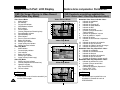
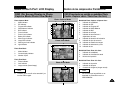
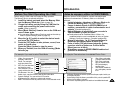
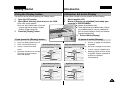
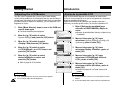
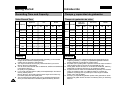
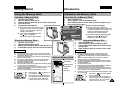
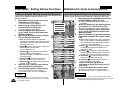
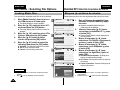
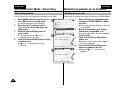
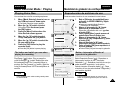
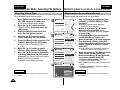
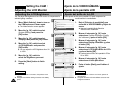
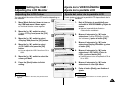
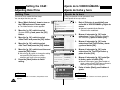
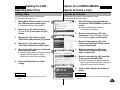
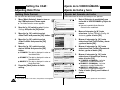
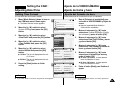
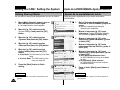
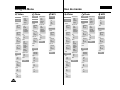
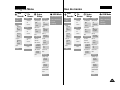
Using the Menu
Voice
Recorder
1. Record
1. Delete
Selected
3. File Options
All
Selected
All
Cancel
Lock
Selected
All
Cancel
Copy To
Selected
All
Cancel
Back
Cancel
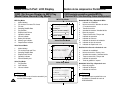
USB Mode
1. USB 2.0 MassStorage
1. Display
3. System
2. USB 1.1 MassStorage
LCD Brightness
Auto Shut off
3. PC-Cam
0%
0%
...
Off
5 Minutes
100%
100%
LCD Colour
Selected
0%
All
100%
...
Cancel
Back
3. Copy To
Selected
All
2. Date/Time
Set Time
Set Date
Cancel
Date Format
4. File Info
5. Back
YY/MM/DD
DD/MM/YY
MM/DD/YY
Time Format
12 Hour
24 Hour
Back
4. PictBridge
Voice
Recorder
1. Record
Off
5 Minutes
Play Now
3. File Options
All
Lock
Start-up
Video Mode
Previous Mode
File No.
Series
Reset
Selected
All
Cancel
Copy To
Selected
All
Cancel
Beep Sound
On
Off
Version Info
Back
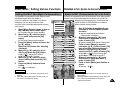
4. Memory
1. Delete
Selected
Selected
All
Cancel
Back
Cancel
USB Mode
1. USB 2.0 MassStorage
1. Display
3. System
2. USB 1.1 MassStorage
LCD Brightness
Auto Shut off
3. PC-Cam
0%
0%
...
Off
5 Minutes
LCD Colour
Selected
0%
All
100%
...
Cancel
Back
3. Copy To
Selected
All
2. Date/Time
Set Time
Set Date
Cancel
Date Format
4. File Info
5. Back
YY/MM/DD
DD/MM/YY
MM/DD/YY
Time Format
12 Hour
24 Hour
Back
Off
5 Minutes
Play Now
Start-up
Video Mode
Previous Mode
File No.
Series
Reset
Beep Sound
On
Off
Version Info
Back
4. Memory
Storage Type
Storage Type
Internal
External
Internal
External
Format
4. PictBridge
100%
100%
Demo
2. Lock
Close
4. Back
System
Settings
File
Browser
2. Play
Delete
Demo
2. Lock
Close
4. Back
System
Settings
File
Browser
2. Play
Delete
Uso de menús
Format
Internal
External
Internal
External
Memory Space
Memory Space
000MB/000MB
000MB/000MB
Back
Back
5. Back
5. Back
123