1
MOTLoad Firmware
6.5.6
Restoring Default VME Settings
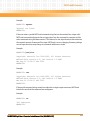
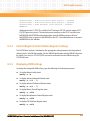
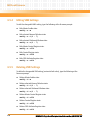
To restore all of the changeable VME setting back to their default settings, type the following
at the firmware prompt:
vmeCfg –z
6.6
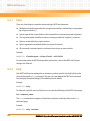
Remote Start
As described in the MOTLoad Firmware Package User's Manual, listed in Appendix B, Related
Documentation, remote start allows the user to obtain information about the target board,
download code and/or data, modify memory on the target, and execute a downloaded
program. These transactions occur across the VMEbus in the case of the MVME4100. MOTLoad
uses one of four mailboxes in the Tsi148 VME controller as the inter-board communication
address (IBCA) between the host and the target.
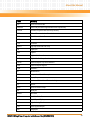
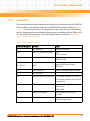
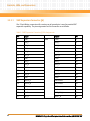
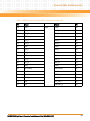
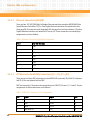
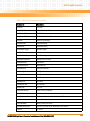
CR/CSR slave addresses configured by MOTLoad are assigned according to the installation slot
in the backplane, as indicated by the VME64 Specification. For reference, the following values are
provided:
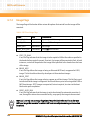
CS/CSR Starting Address
Slot Position
1
0x0008.0000
2
0x0010.0000
3
0x0018.0000
4
0x0020.0000
5
0x0028.0000
6
0x0030.0000
7
0x0038.0000
8
0x0040.0000
9
0x0048.0000
A
0x0050.0000
B
0x0058.0000
C
0x0060.0000
MVME4100 Single Board Computer Installation and Use (6806800H18D)
119