1
Battery Exchange
The battery provides data retention of seven years summing up all periods of actual data use.
Emerson therefore assumes that there usually is no need to exchange the battery except, for
example, in case of long-term spare part handling.
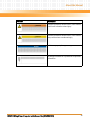
Board/System Damage
Incorrect exchange of lithium batteries can result in a hazardous explosion.
When exchanging the on-board lithium battery, make sure that the new and the old battery
are exactly the same battery models.
If the respective battery model is not available, contact your local Emerson sales
representative for the availability of alternative, officially approved battery models.
Data Loss
Exchanging the battery can result in loss of time settings. Backup power prevents the loss of
data during exchange.
Quickly replacing the battery may save time settings.
Data Loss
If the battery has low or insufficient power the RTC is initialized.
Exchange the battery before seven years of actual battery use have elapsed.
PCB and Battery Holder Damage
Removing the battery with a screw driver may damage the PCB or the battery holder. To
prevent damage, do not use a screw driver to remove the battery from its holder.
Exchange Procedure
To exchange the battery, proceed as follows:
1. Remove the old battery.
2. Install the new battery with the plus sign (+) facing up.
3. Dispose of the old battery according to your country’s legislation and in an
environmentally safe way.
128
MVME4100 Single Board Computer Installation and Use (6806800H18D)