1
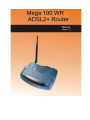
Mega 100WR ADSL2+ Router -
Manual
Table of Contents
Preliminary Pages
Page
Table of Contents .................................................................................................................1
List of Ilustrations ................................................................................................................3
Chapter 1 - About this Manual ..........................................................................................8
1.1
Introduction ......................................................................................8
1.2
Scope and Purpose............................................................................8
1.3
Targeted Audience............................................................................8
1.4
Manual Organization ........................................................................8
Chapter 2 – Router Description ........................................................................................9
2.1
Router Overview ..............................................................................9
Chapter 3 - Your Router At A Glance.............................................................................10
3.1
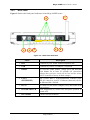
Ports and Buttons (See 3.2.2) .........................................................10
3.2
Mega 100WR Overview.................................................................11
3.2.1
Front Panel Indicators.....................................................................11
3.2.2
Back Panel ......................................................................................12
Chapter 4 - Setting Up the Telkom Mega 100WR..........................................................13
4.1
Logging into your Mega 100WR ...................................................13
4.1.1.
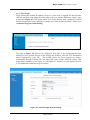
First login.......................................................................................14
4.1.2.
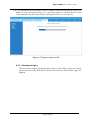
Subsequent logins...........................................................................17
4.2
Quick Start......................................................................................18
4.3
LAN / DHCP Configuration...........................................................19
4.4
Diagnostic Test...............................................................................21
4.4.1
Ping Test.........................................................................................22
4.4.2
Full Modem Test ............................................................................22
4.5
Advanced........................................................................................24
4.5.1
WAN Connection ...........................................................................24
4.5.2
New Connection .............................................................................25
4.5.3
ADSL Modulation ..........................................................................25
4.5.4
Quickstart .......................................................................................26
4.5.5
LAN Configuration ........................................................................27
4.5.6
LAN Clients....................................................................................28
4.5.7
Ethernet Switch Configuration .......................................................29
4.5.8
Application (UPnP) ........................................................................29
Page 1 of 54