1
Mega 100WR ADSL2+ Router -
Manual
Note: If you change the start or end values, make sure the values are still within the same subnet
as the gateways IP address. In other words, if the gateways IP address is 10.0.0.2 (default) and
you change the DHCP start/end IP addresses to be 192.128.1.2/192.128.1.100, you will not be
able to communicate to the ADSL Router if your PC has DHCP enabled.
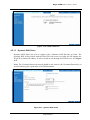
In addition to the DHCP server feature, the ADSL Router supports the DHCP relay function.
When the ADSL Router is configured as DHCP server, it assigns the IP addresses to the LAN
clients. When the ADSL Router is configured as DHCP relay, it is responsible for forwarding the
requests and responses - negotiating between the DHCP clients and the server.
By turning off the DHCP server and relay the network administrator must carefully configure the
IP address, Subnet Mask and DNS settings of every computer on your network. Do not assign
the same IP address to more than one computer and your router must be on the same subnet as all
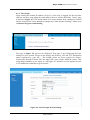
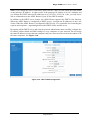
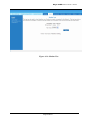
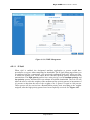
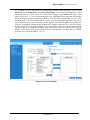
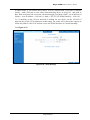
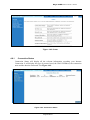
the other computers. See Figure 4-10.
Figure 4-10 : LAN / DHCP Configuration
Page 20 of 54