1
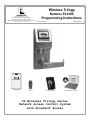
PL6100 WIRELESS LOCK
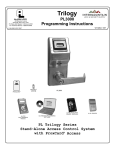
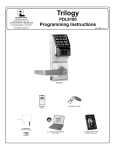
THE ALARM LOCK W IRELESS TRILOGY PL-SERIES STAND-ALONE ACCESS CONTROL SYSTEM IS A STATE-OFTHE-ART MICROPROCESSOR-BASED COMPUTER NETWORK PROGRAMMABLE PROXIMITY SECURITY LOCK.
PL6100
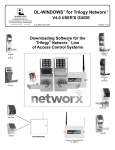
The DL6100 is designed to allow all features to be programmed through its radio
link from a DL-Windows-equipped computer. In addition, Audit Log Data may be
transmitted through the radio link back to the DL-Windows computer.
To increase security, PL Series locks do not include a keypad; instead the
PL6100 features an HID compatible ProxCard® reader.
PL6100
In addition, data can be retrieved from the lock to your PC with DL-Windows software. Its real-time clock/calendar automatically adjusts for Daylight Saving Time
and allows for automated programming of events.
Note: ProxCard® and ProxKey® are trademarks of the HID© Corporation.
Table of Contents
Wireless PL Series Lock Features .........................................................................................3
Supported Products ................................................................................................................4
Lock Design Overview ............................................................................................................5
Terminology Used in this Manual ....................................................................................... 6-7
Wiring .......................................................................................................................................8
First Time Power Up ................................................................................................................8
Battery Replacement ...............................................................................................................8
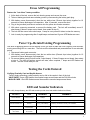
Erase All Programming ...........................................................................................................9
Power Up--Retain Existing Programming ..............................................................................9
Testing the Cards Entered ......................................................................................................9
LED and Sounder Indicators...................................................................................................9
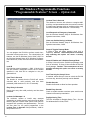
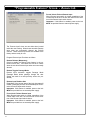
DL-Windows Programmable Features Screen .............................................................. 10-12
User Card Record Sheet .......................................................................................................13
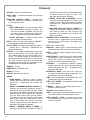
Glossary .................................................................................................................................14
Limited Warranty ...................................................................................................................16
2