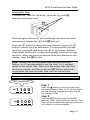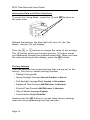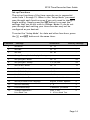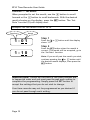
1
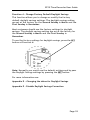
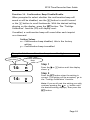
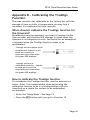
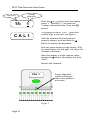
EP10 Time Recorder User Guide Appendix B - Calibrating the TruAlign Function The time recorder was calibrated at the factory but with the passage of time or shifts in temperature you may find it necessary to recalibrate the time recorder. When should I calibrate the TruAlign function for the timecard? Recalibration may be needed if you insert a timecard in the time recorder and the blue LED changes to green when the timecard is not aligned correctly. See below for an example of a timecard when the TruAlign function needs to be recalibrated. TruAlign function needs to be recalibrated. Imprint is not lined up correctly in timecards print area when the green LED displays. TruAlign function is calibrated correctly. Imprint is lined up correctly in timecards print area when the green LED displays. How to calibrate the TruAlign function To recalibrate the TruAlign function, see the instructions below. Note: It is recommended when performing the calibration function to be in a sitting position with the timeclock on a stable flat surface in an undisturbed environment. Enter the „Setup Mode‟. See Page 13. Press the SET button until you get to Function 15 Page 30