1
Remote Access
4.1 Introduction to Remote Access
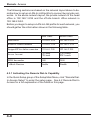
Here the term "Remote Access" covers two types of remote access.
The first, "Remote Dial-In Access" means the router allows normal
ISDN TA users or NAT routers (IP sharing routers) to dial into the
router for sharing the network resources of the local network, or to
surf the Internet via a broadband device. The other remote access
function, "LAN-to-LAN Access", provides a solution to connect two
independent LANs for mutual sharing of network resources. For example, the head office network can access the branch office network,
and vice versa.
4.2 Remote Dial-In Access
4.2.1 Activating Remote Dial-In
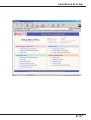
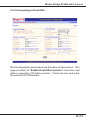
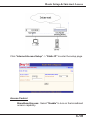
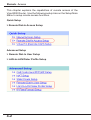
In the Quick Setup group of the Setup Main Menu, click "Remote
Dial-In Access Setup" to enter the setup page.
4-3