1
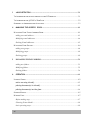
Table of Contents
1
GETTING STARTED ..................................................................................................................... 1-1
PRECAUTIONS............................................................................................................................................1-1
INTRODUCTION .........................................................................................................................................1-2
FEATURES..................................................................................................................................................1-2
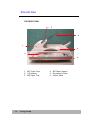
EXTERNAL VIEW.......................................................................................................................................1-4
The front view ..................................................................................................................................... 1-4
The rear view ................................................................................................................................... 1-5
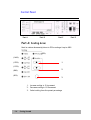
CONTROL PANEL ......................................................................................................................................1-6
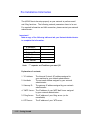
PRE INSTALLATION INFORMATION ......................................................................................................1-10
INTERNET COMMUNICATION FEATURES.............................................................................................1-12
email forwarding ..........................................................................................................................1-12
Filing document to a server......................................................................................................1-12
Filing document to a server......................................................................................................1-13
2
SETTING UP YOUR MACHINE............................................................................................... 2-1
M INIMUM CONFIGURATION REQUIREMENTS.......................................................................................2-1
CHECKING PACKAGE CONTENTS...........................................................................................................2-2
UNLOCKING THE SCAN UNIT ..................................................................................................................2-3
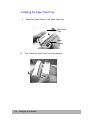
INSTALLING THE PAPER FEED TRAY......................................................................................................2-4
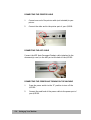
CONNECTING THE CABLES......................................................................................................................2-5
Connecting the Ethernet cable......................................................................................................... 2-5
Connecting the keyboard cable........................................................................................................ 2-5
Connecting the printer cable............................................................................................................ 2-6
Connecting the ADF Cable .............................................................................................................. 2-6
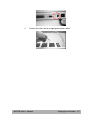
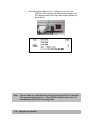
Connecting the Power and Turning on the Machine................................................................... 2-6
SETTING UP YOUR NETWORK PARAMETERS........................................................................................2-9
@V2100 User’s Manual
v