1
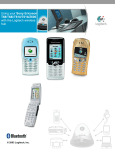
Using your Siemens S55 with the Logitech wireless hub
Contents
Introduction 3
Product compatibility 3
About this guide 4
Get connected 6
Connecting your Siemens S55 6
Checking if your Siemens S55 is paired or connected 15
Get organized - synchronize! 16
Synchronizing - why, what, and when 17
Checking the OBEX Synchronization settings 19
Synchronizing using the OBEX Synchronization service 20
Synchronizing using the Serial Port service 21
Communicate with co-workers and friends 23
Send a text (SMS) message 24
Read a text (SMS) message 27
Receive notification of a new text (SMS) message 28
Back-up the phone book on your mobile phone 29
Share your pictures 31
Transfer pictures from your computer to your Siemens S55 32
Transfer pictures from your Siemens S55 to your computer 33
Learn more about connecting 34
Pairing your Siemens S55 on request 34
Disconnecting and unpairing your Siemens S55 35
Troubleshooting 37
This manual is published by Logitech. Logitech assumes no responsibility for any errors that may appear in this
manual. Information contained herein is subject to change without notice.
© 2003 Logitech. All rights reserved. Logitech, the Logitech logo, and other Logitech marks are owned by Logitech
and may be registered. All other trademarks are the property of their respective owners.
The Bluetooth word mark and logos are owned by the Bluetooth SIG, Inc. and any use of such marks by Logitech is
under license. Other trademarks and trade names are those of their respective owners.
Microsoft, Outlook, MSN, and Windows are either registered trademarks or trademarks of Microsoft Corporation in the
United States and/or other countries. Screenshots reprinted by permission from Microsoft Corporation.
© 2003 Logitech, Inc.
2