1
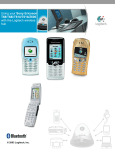
Using your Siemens S55 with the Logitech wireless hub You can also start the Bluetooth Setup Wizard by: 3. • Right-clicking the Bluetooth icon, , in the Windows Taskbar and selecting Add a Bluetooth Device from the menu displayed. • Selecting Add a Bluetooth Device from the Bluetooth Tasks panel in the My Bluetooth Places screen in your Windows Explorer (available in Windows XP only). Search for devices. Click Next > to proceed. The wizard then searches for Bluetooth devices within range, and displays those it finds: The devices found are listed. If a large number of devices are found, make a selection here to display just those you are interested in. Click here to search again if your mobile phone is not found. Your Siemens S55 may not be found the first time you carry out a search. Click Search Again to repeat the search. © 2003 Logitech, Inc. 7