1
microHAM © 2010 All rights reserved
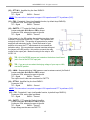
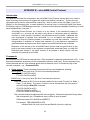
KEYBOARD TAB
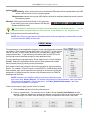
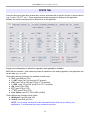
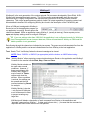
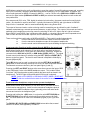
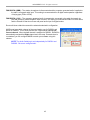
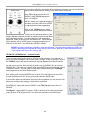
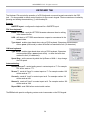
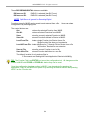
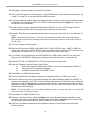
The Keyboard Tab controls the operation of a PS/2 keyboard or numeric keypad connected to the PS/2
jack. It is also possible to define control functions for the numeric keypad. Custom controls are invoked by
pressing and holding the asterisk key (*) with Numkey0-9.
General:
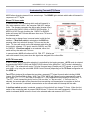
QWERTZ layout – configures the keyboard for a QWERTZ layout.
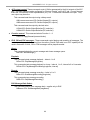
FSK from keyboard:
Diddle LETTERS: send the LETTERS character whenever there is nothing
in the transmit buffer.
UOS: shift back to LETTERS case whenever a space is encountered in the
transmit data.
Type ahead: enables type ahead when using a PS/2 keyboard. Characters are transmitted
after a space (word mode) or when the buffer has reached its limit (16 characters).
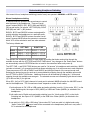
CW from keyboard:
Type ahead: enables type ahead when using a PS/2 keyboard. Characters
are transmitted after a space (word mode). or when the buffer has
reached its limit (16 characters).
Speed Step: set the amount by which the Up/Down or NUM +/- keys change
the CW speed.
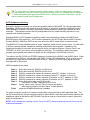
Auto numbering:
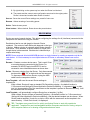
Leading zero as T: sends leading zeros in contest report as T. For example
001 will be send as TT1.
Zero as T: sends all "zeros" in contest report as T. For example number 100
will be send as 1TT.
One as A: sends all "ones" in contest report as A. For example number 101
will be send as A0A.
Nine as N: sends all "nines" in contest report as N. For example number 199
will be send as 1NN.
Report 5NN: send 5NN before contest serial number.
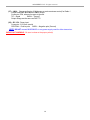
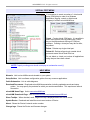
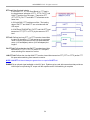
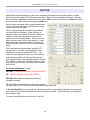
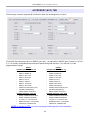
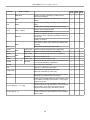
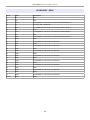
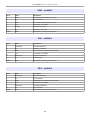
The PS2 sub-tab permits configuring custom control commands on the PS2 keypad.
56