1
Cash Declaration
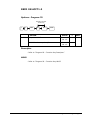
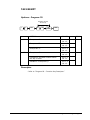
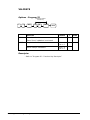
If compulsory cash declaration is required, you must declare the count of
the cash drawer prior to taking X or Z financial and clerk reports.
You can enter the cash drawer total in one step, or to facilitate the
counting of the cash drawer, you can enter each type of bill/coin and
CHEQUEs separately and let the register act as an adding machine. You
can also use the X/TIME key to multiply the denomination of currency
times your count.
Either way you choose to enter cash, the register will compare your
declaration with the expected cash and cheque in drawer totals and print
the over or short amounts on the report.
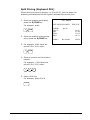
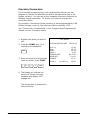
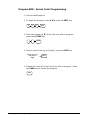
For example:
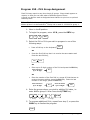
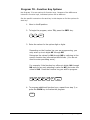
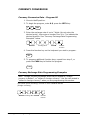
1. Move to the X or Z position
(depending upon the type of
report you are taking.)
Ensure the mode key is in X or Z
before commencing.
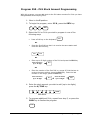
2. Enter 90 and press the SBTL
key.
9
0
SBTL
THANK-YOU
CALL AGAIN
DATE 06/09/2009
WED
TIME 8:33
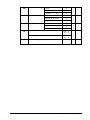
*** CASH DECLARATION **
CASH
CHEQUE
INPUT AMT
DRAWER TTL
DIFFERENCE
CLERK 1
£98.76
£20.00
£118.76
£118.76
£0.00
No.000011
00001
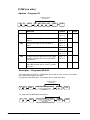
3. Enter the total of CASH
9
8
7
6
CASH
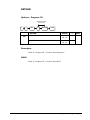
4. Optionally enter the total of
CHEQUEs.
2
0
0
0
CHEQUE
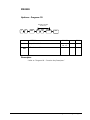
5. Press the CASH key to total the
declaration.
CASH
Once commenced this procedure must be completed
ER230 Series
X / Z Mode Reporting • 49