1
2
Managing Calls
Programmable Custom Buttons
Note
If you use the Silent Monitor and Barge In features often, consider asking your system administrator to
configure a button for these features for easy access.
Extension Monitoring
A monitored extension is a custom key (set by your system administrator) that helps you manage
incoming calls for that extension. It also serves as a shortcut when performing any of the following
functions: dialing that extension, or using transfer, conference, call parking, call pickup and intercom
with that extension. Additionally, you can see when the monitored extension has unheard messages.
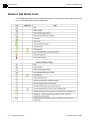
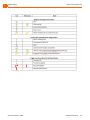
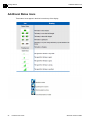
The phone displays icons in the monitored extension’s label area to help you determine the
operational status of the monitored extension.
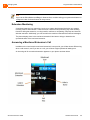
Answering a Monitored Extension’s Call
In addition to the visual cues the monitored extension’s icons provide, you will also hear a different ring
when a call comes in, and if you are on a call, you will hear a higher pitched call waiting tone.
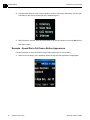
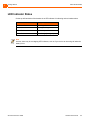
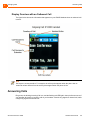
An incoming call for a monitored extension appears on your phone as shown below.
ShoreTel IP Phone 930D
Handset User Guide
39