1
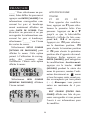
Installing Batteries
The Golf Master requires one 3V
Lithium CR2032 battery, included.
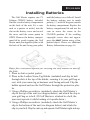
Find the circular battery compartment
on the back of the unit. Fit a coin,
such as a quarter or nickel, into the
slot on the battery cover and swivel
the cover until the arrow points to
OPEN. Remove the battery compartment lid by gently tapping the Golf
Master onto your opposite palm (with
the back of the unit facing your palm)
ENGLISH
until the battery cover falls off. Install
the battery, making sure to match
polarity (+) with the diagram outside
the battery compartment. Replace the
battery compartment lid and use the
coin to move the arrow to the
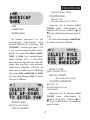
CLOSED position. If the scrolling
copyright screen does not appear,
press the RESET button using a thin,
pointed object. Please see additional
Battery Information on page 14.
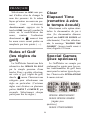
Enjoy four convenient options for carrying the Golf Master on and off
the links:
1. Place in shirt or jacket pocket.
2. Place in the Leather Name Tag Holder (included) and slip its belt
through slots at the top of the holder, securing it to your golf bag or
cart, with your name tag or business card facing outward. Flip the
holder upward and use the Golf Master through the protective plastic.
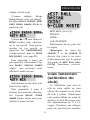
3. Using a Phillips screwdriver (included), attach the Golf Master’s
clip to the top of the unit (see diagram below) and attach the clip to
your golf bag or to belt. (If Golf Master is attached to a belt, the
user must operate it while looking at it upside down.)
4. Using a Phillips screwdriver (included), attach the Golf Master’s
clip to the bottom of the unit (see diagram below) and attach the
clip to your belt. Flip the unit up and operate Golf Master right side up.
3