1
For example:
$ sudo xsanctl mount SanVol
Unmounting an Xsan Volume
Use the xsanctl command to unmount an Xsan volume on a computer.
To unmount a volume:
1 Go to the computer and open Terminal, or use SSH to log in to the computer remotely:
$ ssh user@computer
2 Unmount the volume:
$ sudo xsanctl unmount volume
For example:
$ sudo xsanctl unmount SanVol
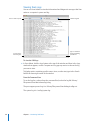
Viewing Logs
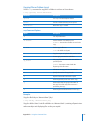
The system log to which Xsan writes information about SANs is in /var/log/system.log.
Volume logs are in /Library/Filesystems/Xsan/data/volume/log/cvlog, where volume is
the name of the specific volume.
Xsan Configuration Files
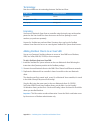
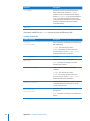
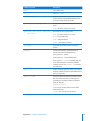
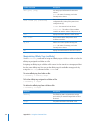
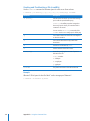
Xsan stores its configuration information in the following files.
Note: Don’t edit these files except under the direction of an Apple support engineer.
122
File or folder in /Library/Filesystems/Xsan/
config/
Contents
volume.cfg
Volume settings
volume-auxdata.plist
Additional volume settings used by Xsan Admin
fsmlist
Volume autostart list
fsnameservers
Controller list
automount.plist
Xsan volumes to be mounted during startup,
and their mount options
config.plist
Private Xsan Admin configuration information
notifications.plist
Notification settings made with Xsan Admin
notes/
Note files whose contents were entered in Xsan
Admin’s Inspector window
uuid
Private Xsan Admin computer identification
information
Appendix B    Using the Command Line