1
Introduction
Setup of your PC
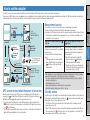
At first, access the special website CATEYE Atlas™ to register as a member. Then, install CATEYE Sync™ to your PC (Windows/Mac). You can upload the trip data measured with this unit to CATEYE
Atlas™, STRAVA™, TrainingPeaks™ and others, or change the computer configuration using your PC.
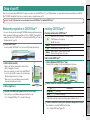
Membership registration to CATEYE Atlas™
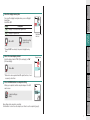
1 Access CATEYE Atlas™.
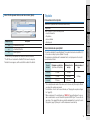
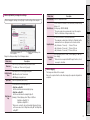
Operating environment for CATEYE Sync™
OS
Memory
Recommend environment for respective OS
HDD
Available capacity required: 64 MB or more
Browser
2
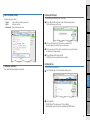
4 Enter your e-mail address and password, and then click on [Login].
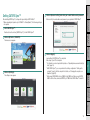
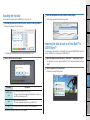
Download the file according to the instructions displayed on the screen.
3
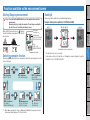
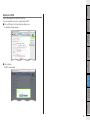
2 Double click on the execution file downloaded.
OS
Execution file
For Windows
[setup.exe]
For Mac
[CATEYESyncSetUp.pkg]
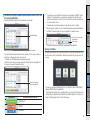
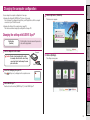
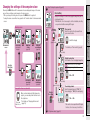
Changing the
computer configuration
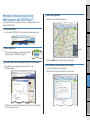
3 Click on [Login here].
Enter correctly your e-mail address and password registered to login.
*Go to “Installing CATEYE Sync™” (on the right of this page).
How to Install CATEYE Sync™
1 Click on [Download CATEYE Sync™ now].
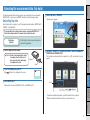
Uploading the measurement data
Register your temporary membership according to the instructions displayed on the screen.
Once you are registered, an e-mail is sent from CATEYE Atlas™.
Access to the specified URL to register your formal membership.
*Membership registration is free of charge.
*Make a note of your e-mail address, password and birth
date registered, and be sure to keep it.
Internet Explorer 7 or later, Safari 4.0 or later,
Firefox, and Google Chrome 5.0 or later
Setup of your
PC
2 Click on [Create account].
Windows XP (32 bit), and Vista / 7 / 8(32 bit / 64 bit)
*.NET Framework 3.5 is required.
Mac OS 10.6 or later
How to use the
computer
Access the website “CATEYE Atlas™” from your browser (http://www.cateyeatlas.com).
Installing CATEYE Sync™
Setting up the
computer
• You can use the same account when using CATEYE INOU and having registered membership.
• When uploading the trip data acquired with this unit only to STRAVA™ or TrainingPeaks™,
membership registration of CATEYE Atlas™ is not required. Install CATEYE Sync™, and see
“Uploading trip data” (page 13).
How to install the
unit on your bicycle
Caution: Use the PC with an Internet access environment to access CATEYE Atlas™ or download CATEYE Sync™.
*Administrator authority is required to run the program on Windows Vista / 7 / 8.
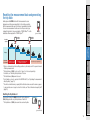
3 Perform an installation according to the instructions displayed on the screen.
Others
Once installation is completed, CATEYE Sync™ will start.
*Go to “Setting CATEYE Sync™”(page 12).
11